
QRTN-40W2K - Television Qriom - Free user manual and instructions
Find the device manual for free QRTN-40W2K Qriom in PDF.


| Product Type | LED Television |
| Brand | Qriom |
| Model | QRTN-40W2K |
| Screen Size (diagonal) | 40 inches (102 cm) |
| Resolution | 1920 x 1080 (Full HD) |
| Refresh Rate | 60 Hz |
| Connectivity | 2 x HDMI, 1 x USB 2.0, 1 x VGA, 1 x Composite AV, 1 x Antenna (RF), 1 x Headphone Jack |
| Smart Features | No built-in Smart TV platform (basic model) |
| Dimensions (without stand) | 904 x 524 x 76 mm (W x H x D) |
| Dimensions (with stand) | 904 x 564 x 180 mm |
| Weight (without stand) | 6.2 kg |
| Weight (with stand) | 6.5 kg |
| Power Consumption (typical) | 50 W |
| Standby Consumption | < 0.5 W |
| Power Supply | AC 100-240 V, 50/60 Hz |
| Cleaning Instructions | Unplug TV, use a soft dry cloth to gently wipe screen and body. Avoid abrasive cleaners or liquids. |
| Safety Precautions | Keep away from heat sources, do not block ventilation openings, use only supplied stand or wall mount. |
| Spare Parts & Repairability | Contact Qriom service center for authorized spare parts; repair by qualified technician only. |
| Warranty | 2 years limited warranty |
Frequently Asked Questions - QRTN-40W2K Qriom
User questions about QRTN-40W2K Qriom
0 question about this device. Answer the ones you know or ask your own.
Ask a new question about this device
Download the instructions for your Television in PDF format for free! Find your manual QRTN-40W2K - Qriom and take your electronic device back in hand. On this page are published all the documents necessary for the use of your device. QRTN-40W2K by Qriom.
USER MANUAL QRTN-40W2K Qriom
natural_image
Front view of a modern flat-screen TV with a remote control unit on the right (no visible text or symbols)


This product is designed for use in Japan and cannot be used outside of Japan. No service is available outside of Japan.
キュリオムサポートセンター

0570-015-025
受付時間:月曜日~金曜日
natural_image
Empty white rectangle with black border, no text or symbols present本体
スタンド部品一式

natural_image
Technical line drawing of two mechanical components with four separate screw-like fasteners below (no text or symbols)スタンド固定ネジ×4

natural_image
Line drawing of a multi-pin audio jack with multiple leads and a screw base (no text or symbols)miniAV変換コード (15cm)
natural_image
Technical line drawing of a mechanical component with an arrow indicating rotational motion (no text or symbols)natural_image
Line drawing of a mechanical lever mechanism with a rotating arrow indicating motion (no text or symbols)ご注意
natural_image
Diagram of a TV displaying system with an external wall-mounted panel and a control panel (no text or symbols present)「かんたん設定」する
「かんたん設定」について
natural_image
Line drawing of a flat-screen TV connected to a power outlet via cable, with a hand holding a button labeled (no text or symbols on the device itself)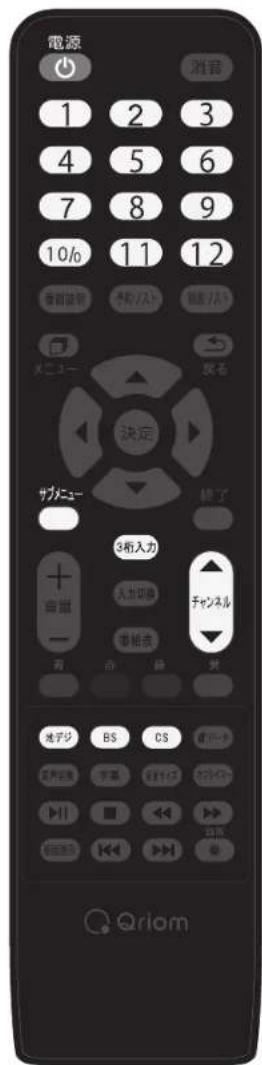
natural_image
Blank gray image with a small black icon in the bottom-left corner (no text or symbols)元に戻すには、もう一度消音を押します。
音量+/-ボタンを押しても音が出ます。
3 字幕を表示する
natural_image
Diagram showing a transformation from a rectangular frame with circular cutouts to a square grid with circles (no text or symbols)サイドカットフル
natural_image
Front view of a flat-screen television displaying (no text or symbols visible)電源プラグは正しく
つながっていますか?

こんな場合は故障ではありません
natural_image
Technical line drawing of a flat-screen monitor with mounting feet and internal components (no text or symbols)取り付けネジM6×12mm×4本
お知らせ


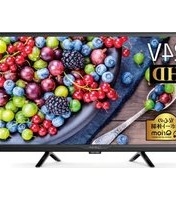


Brand : Qriom
Model : QRTN-40W2K
Category : Television