
GSX-L2515BTB - Hi-Fi System GEMINI - Free user manual and instructions
Find the device manual for free GSX-L2515BTB GEMINI in PDF.


| Product Type | Portable Bluetooth Speaker / Hi-Fi System |
| Brand | Gemini |
| Model | GSX-L2515BTB |
| Peak Power Output | 2000 Watts (PMPO) |
| Speaker Configuration | Dual 15" woofers |
| Bluetooth | Yes, wireless streaming from any Bluetooth device |
| USB Playback | Yes, USB drive slot for music playback |
| TF Card Slot | Yes, supports TF card |
| AUX Input | Yes, 3.5mm AUX input |
| FM Radio | Yes, built-in FM radio with external antenna support |
| Microphone Input | Yes, wired microphone included with echo control |
| Microphone Features | MIC PRIORITY (lowers speaker volume for mic clarity), MIC ECHO, MIC VOLUME |
| Controls | Bass, Treble, Echo, Volume, Channel volume, Mode, Record, Scan |
| Remote Control | Yes, included |
| Power Source | Built-in rechargeable battery, DC15V input |
| Battery Type | Rechargeable lithium-ion (estimated) |
| Charging Port | USB charging cable included |
| Warranty | 1-year limited warranty |
| Safety Precautions | Do not expose to water or heat; keep away from children; maintain 10cm ventilation |
| Cleaning Instructions | Clean only with damp cloth; avoid solvents or detergents |
| Included Accessories | Speaker, wired microphone, USB charging cable, power cord, remote control, warranty card |
| FCC Compliance | Part 15 Class B, FCC ID: 2AE6GALP-L2515BTB |
Frequently Asked Questions - GSX-L2515BTB GEMINI
User questions about GSX-L2515BTB GEMINI
0 question about this device. Answer the ones you know or ask your own.
Ask a new question about this device
Download the instructions for your Hi-Fi System in PDF format for free! Find your manual GSX-L2515BTB - GEMINI and take your electronic device back in hand. On this page are published all the documents necessary for the use of your device. GSX-L2515BTB by GEMINI.
USER MANUAL GSX-L2515BTB GEMINI
natural_image
Black hardcover device with two circular speaker blades and a central microphone, labeled 'gemini' at the base (no other text or symbols visible)GSX-L2515BTB
Portable Bluetooth Speaker
| Index | |
| What's Included | |
| Features | 3 |
| Product Overview | 4 |
| Introduction | 6 |
| Caution | 6 |
| Precautions | 6 |
| FCC Compliance Statement | 6 |
| Warranty and Repair | 7 |
| Limited Warranty | 7 |
| Return/Repair | 7 |
What's Included
Please ensure that you find these accessories included with your GSX-
L2515BTB speaker:
(1) GSX-L2515BTB
(1) Wired Microphone
(1) USB Charging Cable
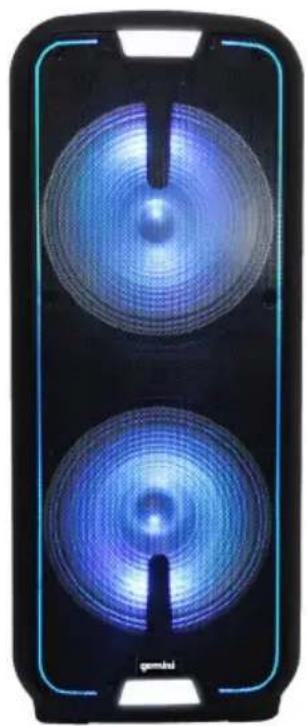
natural_image
Black handheld device with two circular blue filter-like screens, no visible text or symbols on the screen or body.FEATURE
Wirelessly stream music from any Bluetooth device Play music from any storage device with built-in USB port, TF Card slot and AUX input Built-in FM radio with external antenna support 2000 Watts Peak Power (PMPO) through dual 15" woofers for big, powerful, and clear sound Long lasting battery powered speaker with USB charge port Wired Microphone included with echo control ability Remote control included
MICROPHONE
Microphone input for the included wired microphone
CUSTOMIZABLE SOUND
Bass, Treble, and Echo control
MIXED MEDIA, TOTAL CONTROL
Built-in media player with Bluetooth streaming, FM Radio, and USB player.
TAKE IT ALONG YOUR ADVENTURES
The GSX-L2515BTB features a long-lasting battery and an easy carry handle for maximum portability.
SING-ALONG
Sing-along to your favorite music with the included wired microphone.
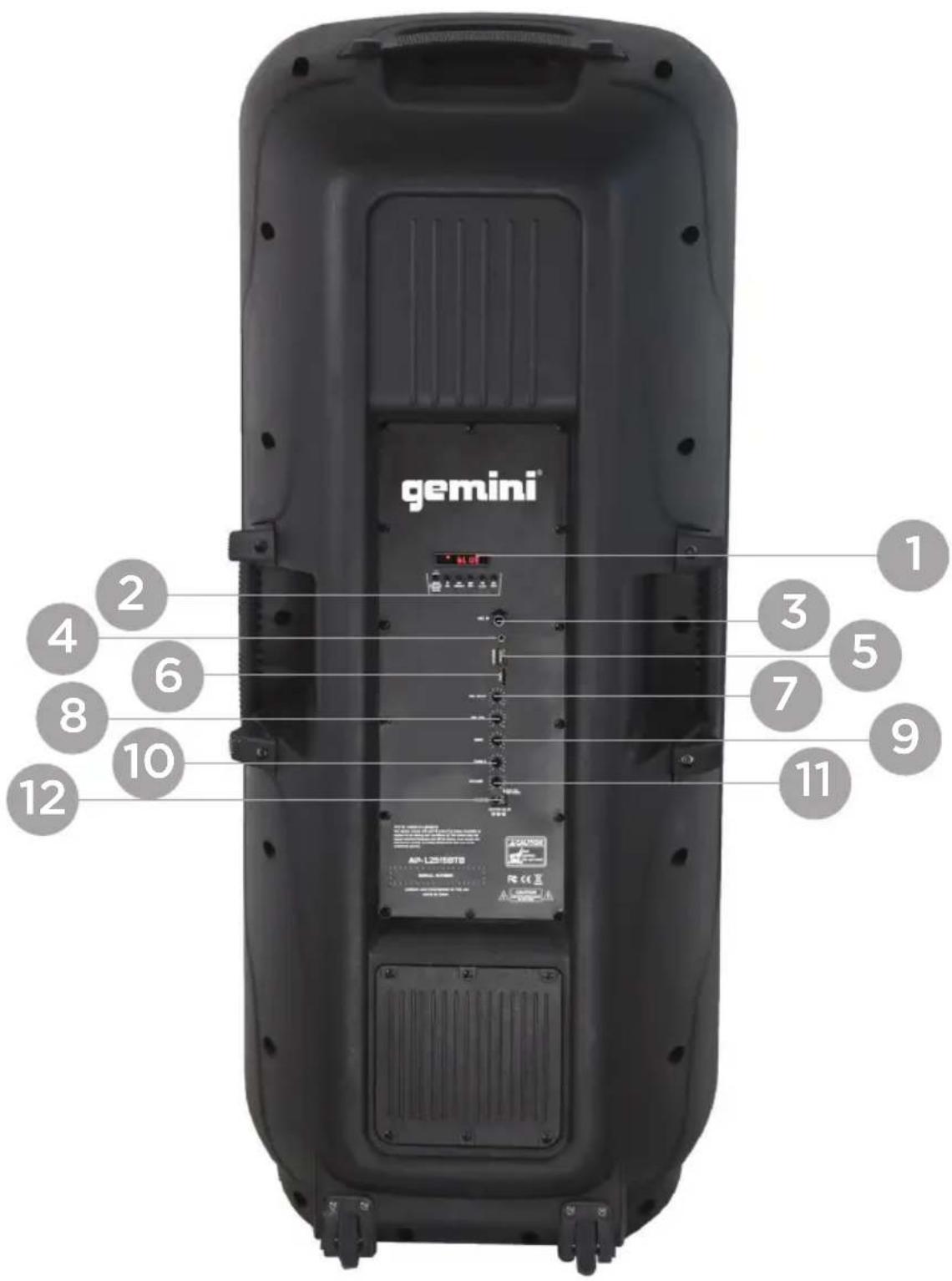
1. LED SCREEN
2. MODE
To turn the PLAYER on/off press and hold MODE. Press MODE again to toggle through USB, SD, or Bluetooth as the input device. MODE key is used to switch radio status in order to use radio key-pressing function; if the receiving frequency needs inputting manually, press the numbers on remote control directly to input the frequency of radio station.
REC: Press The Key To Record
MIC PRIORITY: Lowers The Volume On The Speaker so The Mic Is Clear
CH- / : press the key and the radio will read the saved radio station and select the previous one in descending order
SCAN/: Each press of the PLAY / PAUSE BUTTON causes the operation to change from PLAY to PAUSE or from PAUSE back to PLAY.
CH+/: press the key and the radio will read the saved radio station and select the next one in ascending order;
3. MIC IN
They are used to connect the plug interface of the wire microphone.
4. AUX IN
5. USB PLAYBACK
On the right side of the device is a USB drive slot where a USB memory stick can be connected.
6. TF CARD
On the left side of the device is an TF card slot. To connect the TF card, push the card-completely in the slot until it clicks into place.
7. MIC ECHO
It is used to adjust the echo depth of microphone.
8. MIC VOLUME
(Microphone Volume): It is used to adjust the volume of microphone.
9. BASS
It is used to adjust the gain of music bass.
10. TREBLE
It is used to adjust the gain of music treble.
11. VOLUME
CHANNEL 1 and 2 VOLUME controls determine the LEVEL of each channel individually.
12. DC
*DC15V IN (15V DC power input): the interface of external power adaptor; please use the original adapter.
INTRODUCTION
Thank you for purchasing our GSX-L2515BTB. We are confident that the Gemini platform of products will not only make your life easier through the use of the latest technological advancements in cross-platform connectivity and sound reproduction but will raise the bar for DJ and pro audio products. With the proper care & maintenance, your unit will likely provide years of reliable, uninterrupted service. All Gemini products are backed by a 1-year limited warranty*.
PREPARING FOR FIRST USE
Please ensure that you find these accessories included with the GSX-L2515BTB:
(1) Power Cord
(1) Operating Instructions
(1) Warranty Card
PRECAUTIONS
- All operating instructions should be read before using this equipment.
- To reduce the risk of electrical shock, do not open the unit. There are NO USER REPLACEABLE PARTS INSIDE. Please refer servicing to a qualified Gemini Sound Products service technician. Do not attempt to return this equipment to your dealer.
- Do not expose this unit to direct sunlight or to a heat source such as a radiator or stove.
- This unit should be cleaned only with a damp cloth. Avoid solvents or other cleaning detergents.
- When moving this equipment, it should be placed in its original carton and packaging. This will reduce the risk of damage during transit.
- DO NOT EXPOSE THIS UNIT TO WATER OR HEAT.
- DO NOT USE CLEANING PRODUCTS OR LUBRICANTS ON THE CONTROLS OR SWITCHES.
CONNECTIONS
PLEASE NOTE IT IS VERY IMPORTANT THAT YOUR AMPLIFIER HAS MATCHED POWER RATINGS! (Make sure your equipment is completely OFF and also lower ALL VOLUME, LEVEL, & GAIN controls before connecting the speaker.)
Responsible Party Name:
Innovative Concepts & Designs
Company address:
458 Florida Grove Road
Perth Amboy, NJ, 08861 USA
FCC Compliance Statement
This device complies with Part 15 of the FCC Rules. The operation is subject to the following two conditions:
(1) This device may not cause harmful interference, and
(2) This device must accept any interference received, including interference that may cause undesired operation.
Note: This equipment has been tested and found to comply with the limits for a class B digital device, pursuant to Part 15 of the FCC Rules. These equipment generates uses and can radiate radio frequency energy and if not installed and used in accordance with the instructions, may cause harmful interference to radio communications. However, there is no guarantee that interference will not occur in a particular installation. If this equipment does cause interference to radio or television reception, which can be determined by turning the equipment off and then on, the user is encouraged to try to correct the interference by one or more of the following measures:
- Reorient or relocate the receiving antenna.
- Increase the separation between the equipment and receiver.
- Connect the equipment to a different outlet so that the equipment and receiver are on different branch circuits.
- Consult the dealer or an experienced radio/TV technician for help.
FCC ID: 2AE6GALP-L2515BTB
LEGALITY & SAFETY
The device is not intended for use by people (including children) with reduced physical, sensory or mental capacity. People who have not read the manual, unless they have received an explanation by someone responsible for their safety, should not use this unit. Children should be monitored to ensure that they do not play with the device. The device should always be readily accessible. The device should not be exposed to water. No objects filled with liquids, such as vases, shall be placed on the device. Always leave a minimum distance of 10 cm around the unit to ensure sufficient
ventilation. Open flame sources, such as candles, should not be placed on top of the device. The device is intended for use only in a temperate climate. At full volume, prolonged listening may damage your hearing and cause temporary or permanent deafness, hearing drone, tinnitus, or hyperacusis. Listening at high volume is not recommended. One hour per day is not recommend either. Danger of explosion if battery is incorrectly replaced or not replaced by the same type or equivalent. The battery should not be exposed to excessive heat such as sunshine or fire. Different types of batteries, or new and used batteries, should not be mixed. The battery must be installed according to its polarity. If the battery is worn, it must be removed from the product. The battery must be disposed of safely. Always use collection bins to protect the environment. The battery can only be replaced by the maker of this product, the sales department, or a qualified person. Switch the device off where the use of the device is not allowed or where there is a risk of causing interference or danger - for examples: on an aircraft, or near medical equipment, fuel, chemicals or blasting sites. Check the current laws and regulations regarding the use of this device in the areas where you drive. Do not handle the device when driving. Concentrate fully on driving. All wireless devices are susceptible to interference which may affect their performance. All our devices conform to international/national standards and regulations, and we aim to limit user exposure to electromagnetic fields. These standards and regulations were adopted after the completion of extensive scientific research. This research established no link between the use of the mobile headset and any adverse effects on health if the device is used in accordance with standard practices. Only qualified people are authorized to install or repair this product. Only use batteries, chargers and other accessories which are compatible with this equipment. Do not connect incompatible products. This equipment is not waterproof. Keep it dry. Keep your device in a safe place, out of the reach of young children. The device contains small parts which may present a choking hazard to kids.
gemini®
Empower Your Sound.
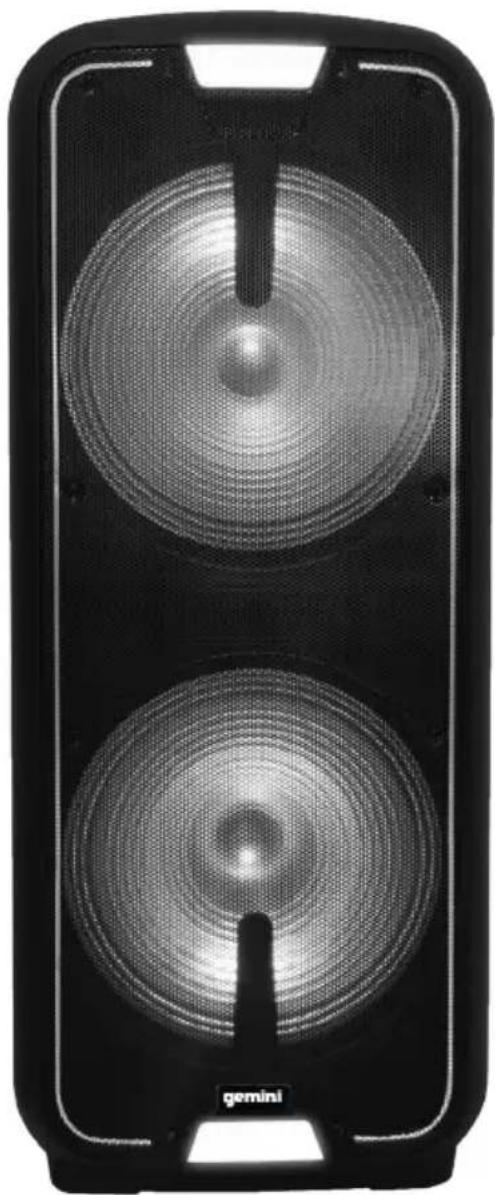
natural_image
Black electronic device with two circular speaker blades and a central trough, labeled 'gemini' at the bottom (no other text or symbols visible)GSX-L2515BTB
natural_image
Black and white photo of a mobile phone with two blue circular light sources, no visible text or symbols on the device body.CARACTERÍSTICA
Responsible Party Name:
Innovative Concepts & Designs
Company address:
458 Florida Grove Road
Perth Amboy, NJ, 08861 USA
FCC Compliance Statement
This device complies with Part 15 of the FCC Rules. The operation is subject to the following two conditions:
(1) This device may not cause harmful interference, and
(2) This device must accept any interference received, including interference that may cause undesired operation.
Note: This equipment has been tested and found to comply with the limits for a class B digital device, pursuant to Part 15 of the FCC Rules. These equipment generates uses and can radiate radio frequency energy and if not installed and used in accordance with the instructions, may cause harmful interference to radio communications. However, there is no guarantee that interference will not occur in a particular installation. If this equipment does cause interference to radio or television reception, which can be determined by turning the equipment off and then on, the user is encouraged to try to correct the interference by one or more of the following measures:
- Reorient or relocate the receiving antenna.
- Increase the separation between the equipment and receiver.
- Connect the equipment to a different outlet so that the equipment and receiver are on different branch circuits.
- Consult the dealer or an experienced radio/TV technician for help.
FCC ID: 2AE6GALP-L2515BTB
LEGALIDAD Y SEGURIDAD
At Gemini, our highest priority is making your experience unforgettable. Need help setting up, troubleshooting, or looking for some tips? We're here for you, Monday through Friday 9-5PM EST.

1-844-GEMINI9

hello@geminisound.com

www.geminisound.com
Love coupon codes and an extended warranty?
E-mail us a link to your product review and we'll send you a coupon code for our website and extend your warranty 3 months.
*US ONLY*
Innovative Concepts and Design LLC
458 Florida Grove Road
Perth Amboy, NJ 08861
- GSX-L2515BTB
- What's Included
- FEATURE
- MICROPHONE
- CUSTOMIZABLE SOUND
- MIXED MEDIA, TOTAL CONTROL
- TAKE IT ALONG YOUR ADVENTURES
- SING-ALONG
- LED SCREEN
- MODE
- MIC IN
- AUX IN
- USB PLAYBACK
- TF CARD
- MIC ECHO
- MIC VOLUME
- BASS
- TREBLE
- VOLUME
- DC
- INTRODUCTION
- PREPARING FOR FIRST USE
- PRECAUTIONS
- CONNECTIONS
- Responsible Party Name:
- Company address:
- FCC Compliance Statement
- LEGALITY & SAFETY
- gemini®
- CARACTERÍSTICA
- LEGALIDAD Y SEGURIDAD
- Love coupon codes and an extended warranty?
Brand : GEMINI
Model : GSX-L2515BTB
Category : Hi-Fi System