
510-0001 - Mouse Adj - Free user manual and instructions
Find the device manual for free 510-0001 Adj in PDF.


| Product Type | Wireless Mouse |
| Model | 510-0001 |
| Brand | Adj |
| Sensor Type | Laser |
| DPI Switch | 1600 / 1200 / 800 dpi |
| Scan Rate | 4000 F/S |
| Keystroke Life | 3 million clicks |
| Scroll Wheel Life | 200,000 circles |
| Connection | 2.4 GHz via Mini USB Receiver |
| Power Source | 2 AA batteries (not included) |
| Ergonomic Design | Vertical shape for natural grip |
| Color | Black and white |
| Material | Plastic |
| Warranty | As per legal warranty (D.Lgs. Feb 2, 2002, No 24) |
| Safety | Keep batteries out of children's reach; do not mix old/new batteries |
| Disposal | Separate collection for WEEE (crossed-out trash bin symbol) |
| Connection Range | Up to 1 meter |
| Manual Connection | Connect button for pairing |
| Compatible Operating Systems | Windows, macOS, Linux (typical) |
Frequently Asked Questions - 510-0001 Adj
User questions about 510-0001 Adj
0 question about this device. Answer the ones you know or ask your own.
Ask a new question about this device
Download the instructions for your Mouse in PDF format for free! Find your manual 510-0001 - Adj and take your electronic device back in hand. On this page are published all the documents necessary for the use of your device. 510-0001 by Adj.
USER MANUAL 510-0001 Adj
natural_image
Close-up of a black and white electronic device with green abstract background (no visible text or symbols)Italiano
natural_image
Black vacuum cleaner device with side and front views, no visible text or symbols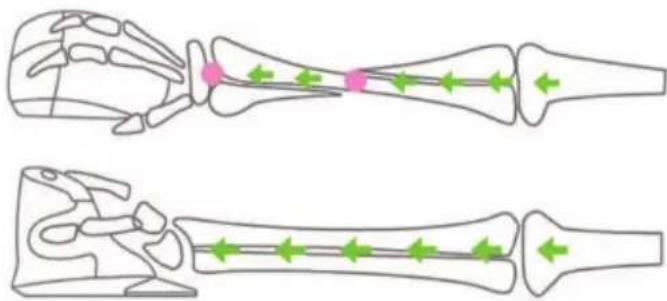
natural_image
Two skeletal bone illustrations showing internal structures with green directional arrows indicating movement or force (no text or labels)Mouse Specifications:
• Laser Engine: 1600/1200/800 dpi switch, accurate location
• Fashionable appearance
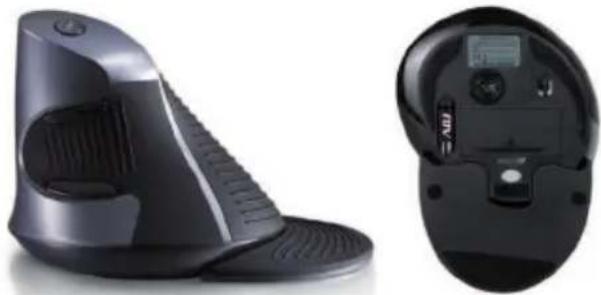
• Scientific and overall design is adapted for natural grip of fingers and thumb, comfortable and healthy
- Scan Rate: 4000 F/S
• Keystroke life: 3 million
- Scroll wheel life: 200.000 circles
• Resolution: 1600/1200/800 DPI
natural_image
Black vacuum cleaner device with side and front views, no visible text or symbols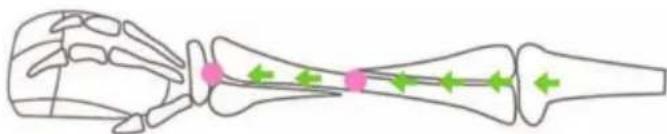
natural_image
Anatomical line drawing of a human hand skeleton with highlighted joint areas (no text or labels)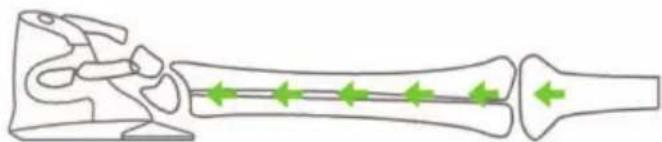
natural_image
Diagram of a bone structure with green directional arrows indicating movement or force (no text or labels)Traditional Mouse: not good for fingers and arm
Vertical Mouse: make the fingers and arm flexible and sensitive
Installation Guide
Step 1. Inserting batteries
- Open the battery cover.
- Insert 2 AA batteries into the compartment. Make sure to comply with the polarity markings.
- Put the battery cover back.
Step 2. Connecting the mouse to the Mini USB Receiver
- Insert the Mini USB Receiver into your computer's USB port.
- Wait till computer host identify the receiver automatically.
- Turn on the power switch and move your mouse to the Mini USB receiver within 1 meter range, your mouse will auto-connect to the receiver.
- Now you can use your mouse at ease.
FAQ
If you are unable to connect the mouse to the receiver, or the mouse is not working properly, please try the following steps:
- Unplug and insert the Mini USB receiver into your computer's USB port. (Normally there will be ringtons showing Adding & Removing hardwares). Then do the connecting step again.
- If no ringtons or pop-up window showing adding new hardware, then change another USB port and try again.
- If Mini USB receiver identified, but mouse still couldn't auto-connect to receiver, turn off the power switch, unplug and insert the Mini USB receiver to USB port again. Turn the power switch on, move your mouse to receiver within 1 meter range, press the Connect button to manually connect mouse to receiver.
- If mouse cursor move not smoothly or stopped moving after a while, kindly check if battery power is low, and replace a new pair of AA batteries.
Note on using batteries
- Keep batteries out of children's reach.
- Do not mix old and new batteries or use different types of batteries simultaneously.
- Replace old or low power batteries promptly.
- When not using mouse for long period, please take out and put away the batteries.
- Dispose of and recycle old batteries in accordance with your local regulations.
Warranty
This product is guaranteed against any manufacturing defect, as defined on the D.Lgs. February 2, 2002, No 24. In case of failure, please contact the retailer where you purchased it. You can be found at www.adj.it for standards guarantee.
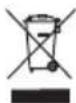
The symbol of the crossed out trash indicates that the product, at the end of its useful life, must be treated separately from domestic
waste and must be taken to a recycling center for electrical and electronic equipment or delivered to the seller when buying a replacement. The separate waste collection contributes in preventing possible adverse effects on the environment and health and promote the recovery of materials it is made. You are responsible for assigning the equipment in question at the appropriate waste disposal center. For more detailed information contact your local waste disposal service or the shop where it was purchased. Anyone who does not carry the product in a recycling center for electrical and electronic waste shall be punished with administrative penalty provided by law on the illegal disposal of waste.
Made in China - Imported and distributed by ADJ International s.r.l.
natural_image
Two skeletal bone illustrations showing finger placement and movement arrows (no text or labels)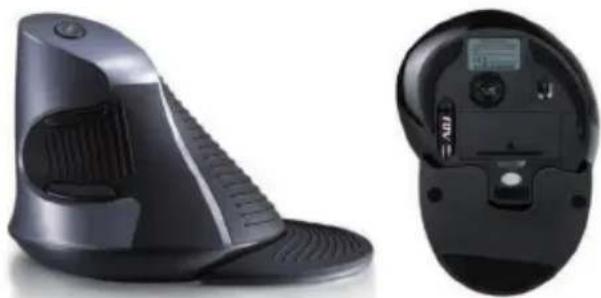
natural_image
Exterior and side views of a black handheld vacuum cleaner device (no visible text or symbols)natural_image
Two skeletal bone illustrations showing bone structures with highlighted regions and directional arrows (no text or labels)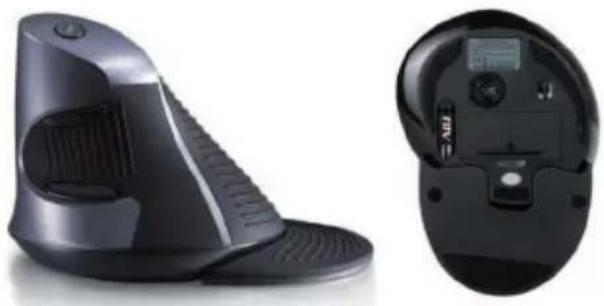
natural_image
Black vacuum cleaner device with side and front views, no visible text or symbolsBrand : Adj
Model : 510-0001
Category : Mouse