
CG 55010 W - Cooker ACEC - Free user manual and instructions
Find the device manual for free CG 55010 W ACEC in PDF.


| Product Type | Freestanding Cooker |
| Brand | Acec |
| Model | CG 55010 W |
| Dimensions (H x W x D) | 850 x 500 x 600 mm |
| Weight | 45 kg |
| Energy Source | Electric |
| Power Supply | 230 V ~ 50 Hz, 10.5 kW |
| Number of Cooking Zones | 4 |
| Oven Type | Conventional Electric |
| Oven Capacity | 65 L |
| Oven Functions | Bake, Grill, Defrost, Fan |
| Control Type | Rotary Knobs |
| Door Type | Drop-down with Glass Window |
| Cleaning | Enamel Interior, Easy-clean Hob |
| Safety Features | Child Lock, Automatic Shut-off |
| Spare Parts Availability | Authorized Service Centers |
| Warranty | 2 Years |
Frequently Asked Questions - CG 55010 W ACEC
User questions about CG 55010 W ACEC
0 question about this device. Answer the ones you know or ask your own.
Ask a new question about this device
Download the instructions for your Cooker in PDF format for free! Find your manual CG 55010 W - ACEC and take your electronic device back in hand. On this page are published all the documents necessary for the use of your device. CG 55010 W by ACEC.
USER MANUAL CG 55010 W ACEC
BELANGRIJKE WAARSCHUWING
BESCHRIJVING VAN HET APPARAAT
natural_image
Line drawing of a hand inserting a component into a device panel (no text or symbols)tekening 1

natural_image
Simple line drawing of a globe with water droplets and a small icon (no text or symbols)tekening 2
natural_image
Line drawing of a kitchen oven with labeled parts (no text or symbols beyond label)tekening 3

natural_image
Hand holding a tool interacting with a panel or bracket (no text or symbols visible)tekening 4

natural_image
Simple line drawing of a basketball with water droplets and a dot (no text or symbols)tekening 5
natural_image
Technical line drawing of a mechanical component with internal ribs and mounting holes (no text or symbols)natural_image
Technical line drawing of a mechanical assembly with mounting brackets and a central component (no text or symbols)tekening 7
natural_image
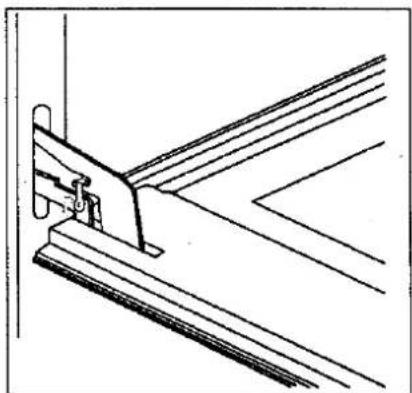
Pure technical line drawing of a mechanical bracket or bracket assembly without any text, numbers, or symbolstekening 8

natural_image
Illustration of a hand using a tool to adjust a mechanical part, with a magnified inset showing a 30-degree angle (no text or symbols present)tekening 9
STORINGEN
tekening 12
tekening 14
Brand : ACEC
Model : CG 55010 W
Category : Cooker