
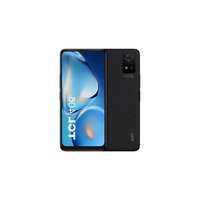
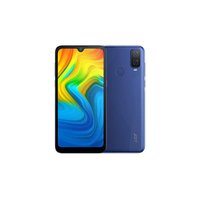
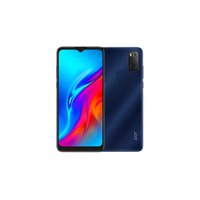
C218 - Smartphone TCL - Free user manual and instructions
Find the device manual for free C218 TCL in PDF.


Pick your language and provide your email: we'll send you a specifically translated version.
| Type of product | Smartphone |
| Brand | TCL |
| Model | C218 |
| Display size | 6.5 inches HD+ |
| Resolution | 720 x 1600 pixels |
| Processor | MediaTek Helio A20 (quad-core 1.8 GHz) |
| RAM | 2 GB |
| Internal storage | 32 GB (expandable via microSD up to 128 GB) |
| Rear camera | 8 MP with LED flash |
| Front camera | 5 MP |
| Battery capacity | 4000 mAh (removable) |
| Operating system | Android 10 (Go edition) |
| Connectivity | 4G LTE, Wi-Fi 802.11 b/g/n, Bluetooth 4.2, GPS |
| SIM slots | Dual SIM (Nano-SIM, dual stand-by) |
| Dimensions | 156.8 x 75.8 x 8.9 mm |
| Weight | 190 g |
| Security | Fingerprint sensor (rear-mounted), Face unlock |
| Ports | Micro USB 2.0, 3.5 mm headphone jack |
| Colors | Black, Blue |
Frequently Asked Questions - C218 TCL
How to insert SIM and microSD card in TCL C218?
Locate the SIM tray on the left side of the phone. Use the provided ejector tool to open the tray. Place the Nano-SIM cards and microSD card (if any) in the designated slots, then gently push the tray back in.
How to take a screenshot on TCL C218?
Press and hold the Power button and the Volume Down button simultaneously for a few seconds. The screenshot will be saved in the Gallery.
How to reset TCL C218 to factory settings?
Go to Settings > System > Reset > Factory data reset. Alternatively, you can perform a hardware reset by turning off the phone, then pressing and holding Volume Up + Power until the recovery menu appears. Use volume keys to navigate and select 'Wipe data/factory reset'.
What is the battery life of TCL C218?
The 4000 mAh battery provides up to 24 hours of talk time and up to 15 days on standby, depending on usage.
Does TCL C218 support 4G LTE?
Yes, the TCL C218 supports 4G LTE networks for fast internet connectivity. Check with your carrier for supported bands.
How to expand storage on TCL C218?
Insert a microSD card (up to 128 GB) into the SIM tray's dedicated slot. The phone will automatically detect the card for storing photos, videos, and apps.
Is the TCL C218 waterproof?
No, the TCL C218 does not have an official waterproof rating. Avoid exposure to water and moisture.
How to enable fingerprint unlock on TCL C218?
Go to Settings > Security > Fingerprint. Follow the on-screen instructions to register your fingerprint. Once set, you can unlock the phone by placing your finger on the rear sensor.
What Android version does TCL C218 run?
The TCL C218 runs Android 10 (Go edition), optimized for entry-level devices with lighter apps and efficient performance.
Where can I download the user manual for TCL C218?
You can download the official user manual in PDF format from notice-facile.com by selecting your model and language.
User questions about C218 TCL
0 question about this device. Answer the ones you know or ask your own.
Ask a new question about this device
No questions yet. Be the first to ask one.
Download the instructions for your Smartphone in PDF format for free! Find your manual C218 - TCL and take your electronic device back in hand. On this page are published all the documents necessary for the use of your device. C218 by TCL.
USER MANUAL C218 TCL
| 11 | 6 | 8 | 9 | 10 |
| 11 | 11 | 11 | 11 | 11 |
| 12 | 12 | 12 | 12 | 12 |
| 13 | 13 | 13 | 13 | 13 |
| 14 | 14 | 14 | 14 | 14 |
| 15 | 15 | 15 | 15 | 15 |
| 16 | 16 | 16 | 16 | 16 |
| 17 | 17 | 17 | 17 | 17 |

CJA23G1LCAWA
109 C030-60: 19X15IN 60X110MM .tpl 1 A
04/24/2011
Manual assistant
Powered by Anthropic
Waiting for your message
Product information
Brand : TCL
Model : C218
Category : Smartphone