CB5000A++ - Washing machine ARCTIC COOLING - Free user manual and instructions
Find the device manual for free CB5000A++ ARCTIC COOLING in PDF.


| Product Type | Freestanding Washing Machine |
| Brand | Arctic Cooling |
| Model | CB5000A++ |
| Capacity | 7 kg |
| Spin Speed | 1400 rpm |
| Energy Class | A+++ |
| Dimensions (H x W x D) | 850 x 600 x 500 mm |
| Weight | 70 kg |
| Power Supply | 220-240 V ~ 50 Hz |
| Power Consumption | 2000 W |
| Water Connection | Cold water only, 3/4" thread |
| Programs | Cotton, Synthetics, Delicates, Quick 15', Eco 40-60, Wool, Spin & Drain, Rinse |
| Display | LED digital display with time remaining |
| Delay Start | Up to 24 hours |
| Child Lock | Yes |
| Drum Material | Stainless steel |
| Noise Level (Wash/Spin) | 54 dB / 76 dB |
| Care and Cleaning | Clean detergent drawer monthly; run drum clean program every 2 months; clean filter after each use |
| Safety Features | Overflow protection, unbalanced load detection, door lock during operation |
| Spare Parts & Repairability | Spare parts available for 10 years; door seal, belt, pump, and control board easily replaceable |
Frequently Asked Questions - CB5000A++ ARCTIC COOLING
User questions about CB5000A++ ARCTIC COOLING
0 question about this device. Answer the ones you know or ask your own.
Ask a new question about this device
Download the instructions for your Washing machine in PDF format for free! Find your manual CB5000A++ - ARCTIC COOLING and take your electronic device back in hand. On this page are published all the documents necessary for the use of your device. CB5000A++ by ARCTIC COOLING.
USER MANUAL CB5000A++ ARCTIC COOLING
natural_image
Simple diagram of a washing machine with concentric circles and top/bottom rectangular sections (no text or symbols)1- Cablu de alimentare
2- Panou superior
3- Panou de comandă
4- Capac filtru
natural_image
Line drawing of a person pushing a large washing machine with hands on it, no text or symbols presentnatural_image
Illustration of a hand using a tool to adjust a component, showing motion arrows (no text or symbols)natural_image
Technical line drawing of pipe fittings and connectors (no text or symbols)natural_image
Illustration showing two hand positions: one holding a valve with directional arrows, the other holding a wrench and dial (no text or symbols)natural_image
Line drawing of a simple washing machine with front panel and door (no text or symbols)natural_image
Diagram of a mechanical component with rotational arrows indicating motion (no text or symbols)natural_image
Illustration of a hand holding a circular mechanical component, no text or symbols presentnatural_image
Illustration of a person adjusting a seatbelt, no text or symbols presentnatural_image
Illustration of a printer drawer mechanism with two views of the drawer (no text or symbols present)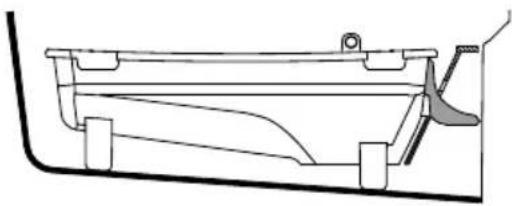
natural_image
Technical line drawing of a mechanical component or bracket (no text or symbols)natural_image
Diagram showing a vehicle interior with a downward arrow and a top view of a mechanical component labeled 'max' (no text or symbols beyond basic diagram elements)natural_image
Technical line drawing of a hand operating a mechanical device with a separate view of its internal components (no text or symbols)natural_image
Line drawing of a hand opening a circular mechanical component (no text or symbols)natural_image
Three variations of a faucet assembly diagram showing different components (no text or labels)natural_image
Line drawing of a hand pressing down on a rectangular object with arrows indicating motion (no text or symbols)natural_image
Diagram showing two hands holding a rectangular object with directional arrows indicating movement or force (no text or symbols)natural_image
Diagram of a washing machine with a circular basin and pipe (no text or symbols)natural_image
Two-panel diagram showing a washing machine with a rotary knob and a close-up of the interior (no text or symbols)Brand : ARCTIC COOLING
Model : CB5000A++
Category : Washing machine