MultiPath Talkback - Intercom Valcom - Free user manual and instructions
Find the device manual for free MultiPath Talkback Valcom in PDF.


| Product Type | Intercom System |
| Brand | Valcom |
| Model | MultiPath Talkback |
| Communication | Two-way talkback, hands-free |
| Power Supply | 24V DC (typical, check wiring) |
| Wiring | 2-wire or 4-wire, compatible with Valcom systems |
| Mounting | Surface mount (box included) |
| Dimensions | Approximately 5” x 3” x 1.5” |
| Weight | Approximately 0.5 lbs |
| Audio Output | Built-in speaker, adjustable volume |
| Microphone | Built-in electret microphone, noise-cancelling |
| Call Button | Momentary push button for initiating call |
| LED Indicators | Power and call status LEDs |
| Temperature Range | 32°F to 104°F (0°C to 40°C) |
| Cleaning | Wipe with damp cloth; do not use solvents |
| Safety | Use only with approved power supply; keep dry |
| Spare Parts | Contact Valcom for replacement parts |
| Repairability | Repair by qualified technician only |
| Warranty | Standard Valcom warranty applies |
| Installation Guide | Refer to included manual for wiring diagrams |
Frequently Asked Questions - MultiPath Talkback Valcom
User questions about MultiPath Talkback Valcom
0 question about this device. Answer the ones you know or ask your own.
Ask a new question about this device
Download the instructions for your Intercom in PDF format for free! Find your manual MultiPath Talkback - Valcom and take your electronic device back in hand. On this page are published all the documents necessary for the use of your device. MultiPath Talkback by Valcom.
USER MANUAL MultiPath Talkback Valcom
MADE IN USA EASYQUALITY DESIGN
TELEPHONE SYSTEM INTEGRATION
MULTIPATH INTERCOM SYSTEM

RELIABILITY
Mass Notification Intercoms Can Handle a LOT of Communications Going On at the Same Time!
With so many options to tailor to your facilities needs... whether it's controlling lights, music or sound... It's so much more than just paging.
- User-Friendly Administration Software –
Easily Manages Voice Communication Daily, Weekly, Monthly, or Annually - Easily Configured to Suit the Most Advanced Requirements
• LAN/WAN Access
Telephone Access Method:
• PBX Loop Start Trunk Port
• Electronic Key Line Position
• Dedicated Single Line Phone Set
| INTERCOM/PAGE CONTROL | ONE-WAY | TALKBACK |
| 24 Zone Intercom Wall Mount | V-PW24 | V-TW24 |
| 24 Zone Intercom Rack Mount | V-PR24 | V-TR24 |
| 48 Zone Intercom Woll Mount | V-PW48 | V-TW48 |
| 48 Zone Intercom Rack Mount | V-PR48 | V-TR48 |
| 72 Zone Intercom Rack Mount | V-PR72 | V-TR72 |
| 96 Zone Intercom Rack Mount | V-PR96 | V-TR96 |
ACCESSORIES - EXPANSION CARDS
24 Point Expansion Card for One-Way V-STX
24 Point Expansion Card for Talkback V-TCM
Expansion Card CPU Card w/2 V-SLC Cards (4 Links) V-CPU4
Serial Data Card Provides SMDR Data V-SER

Easy Professional Loudspeaker Paging
800-825-2661 Valcom.com is@valcom.com Roanoke, VA USA
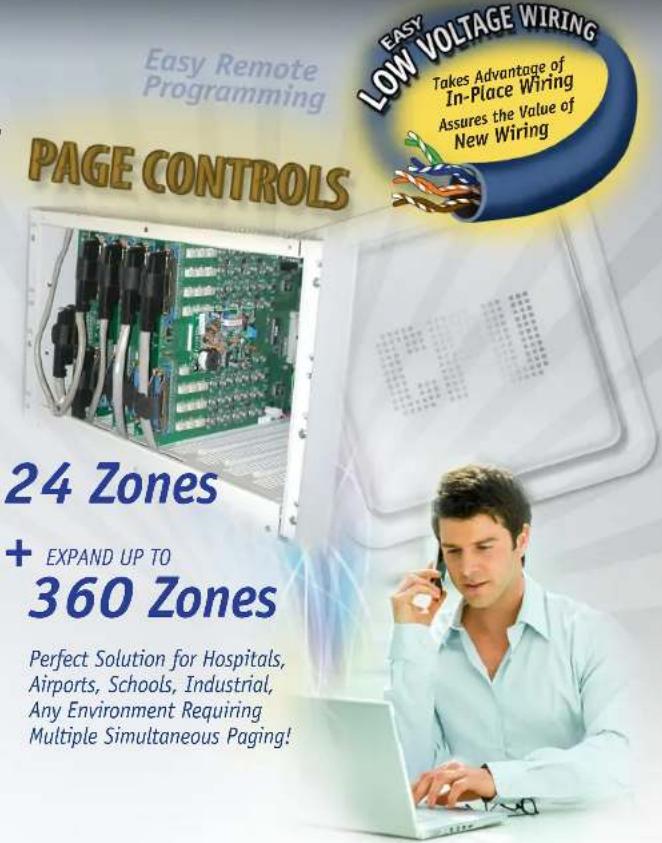
24 Zones
+ EXPAND UP TO
360 Zones
Perfect Solution for Hospitals, Airports, Schools, Industrial, Any Environment Requiring Multiple Simultaneous Paging!
Brand : Valcom
Model : MultiPath Talkback
Category : Intercom