
CB-D9C6 - Uncategorized Sabrent - Free user manual and instructions
Find the device manual for free CB-D9C6 Sabrent in PDF.


| Product Type | USB-C Docking Station |
| Brand | Sabrent |
| Model | CB-D9C6 |
| Dimensions (L x W x H) | 110 mm x 60 mm x 15 mm (4.3 x 2.4 x 0.6 inches) |
| Weight | 80 g (2.8 oz) |
| Power Supply | Bus-powered via USB-C; optional external power adapter (USB-C PD 60W) |
| Input Interface | USB 3.1 Type-C (male) |
| Video Output | 2x HDMI (up to 4K @ 30 Hz or 1080P @ 60 Hz, mirror/extend) |
| USB Ports | 2x USB 3.0 Type-A (5 Gbps, up to 0.9A) |
| Ethernet | 1x RJ45 Gigabit Ethernet (10/100/1000 Mbps) |
| Card Reader | SD & microSD (supports SDHC/SDXC) |
| Audio | 3.5 mm combo audio jack (headphone/mic) |
| Compatibility | Windows, macOS, Chrome OS, Linux (with USB-C Alt Mode) |
| Cable Length | 30 cm (11.8 in) attached USB-C cable |
| Operating Temperature | 0°C to 45°C (32°F to 113°F) |
| Storage Temperature | -20°C to 60°C (-4°F to 140°F) |
| Warranty | 1 year limited |
| Product Color | Silver / Space Gray |
| Package Contents | Docking station, user manual |
| Certifications | CE, FCC, RoHS |
Frequently Asked Questions - CB-D9C6 Sabrent
User questions about CB-D9C6 Sabrent
0 question about this device. Answer the ones you know or ask your own.
Ask a new question about this device
Download the instructions for your Uncategorized in PDF format for free! Find your manual CB-D9C6 - Sabrent and take your electronic device back in hand. On this page are published all the documents necessary for the use of your device. CB-D9C6 by Sabrent.
USER MANUAL CB-D9C6 Sabrent
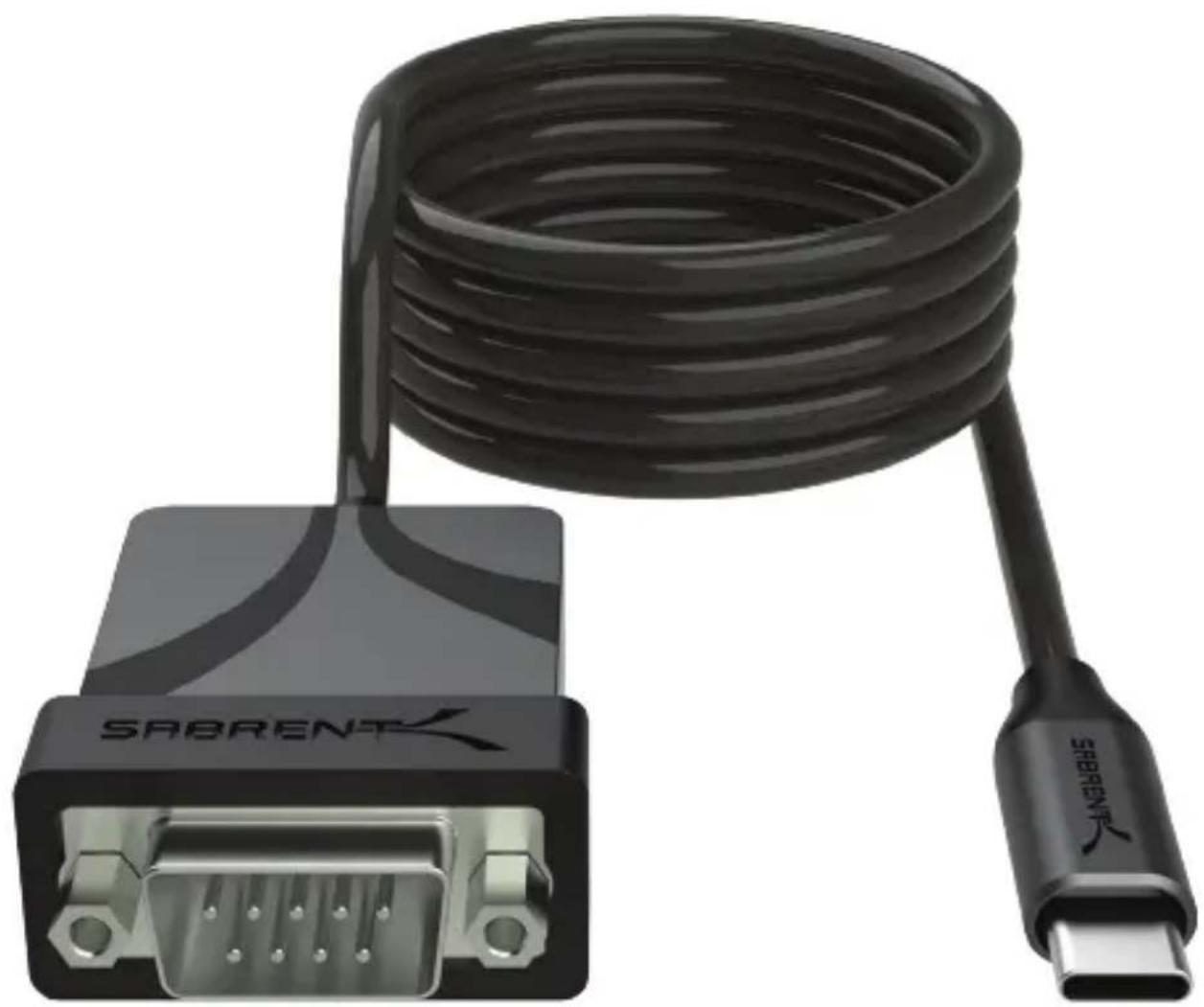
USB TYPE-C TO SERIAL CABLE ADAPTER
natural_image
Black SABRENT cable with male and female connectors, no visible text or symbols on the cable itself.WINDOWS
OS
COMPATIBLE
MAC
OS
COMPATIBLE
LINUX
OS
COMPATIBLE
USB
5GBPS
6FT
FEATURES
- USB Type-C to RS-232 serial adapter with 6' (1.83m) integrated cable
• USB 2.0 Full Speed (12Mbps) compatible with a 1bps to 12Mbps baud rate - Male-to-male adapter for use on various equipment including phones, PDAs, cameras, modems, networking equipment, POS, GPS, card readers, medical equipment and more for testing and programming
• Supports common UART features and is bus-powered
• USB Type-C to Serial Cable Adapter (6')
PRODUCT OVERVIEW
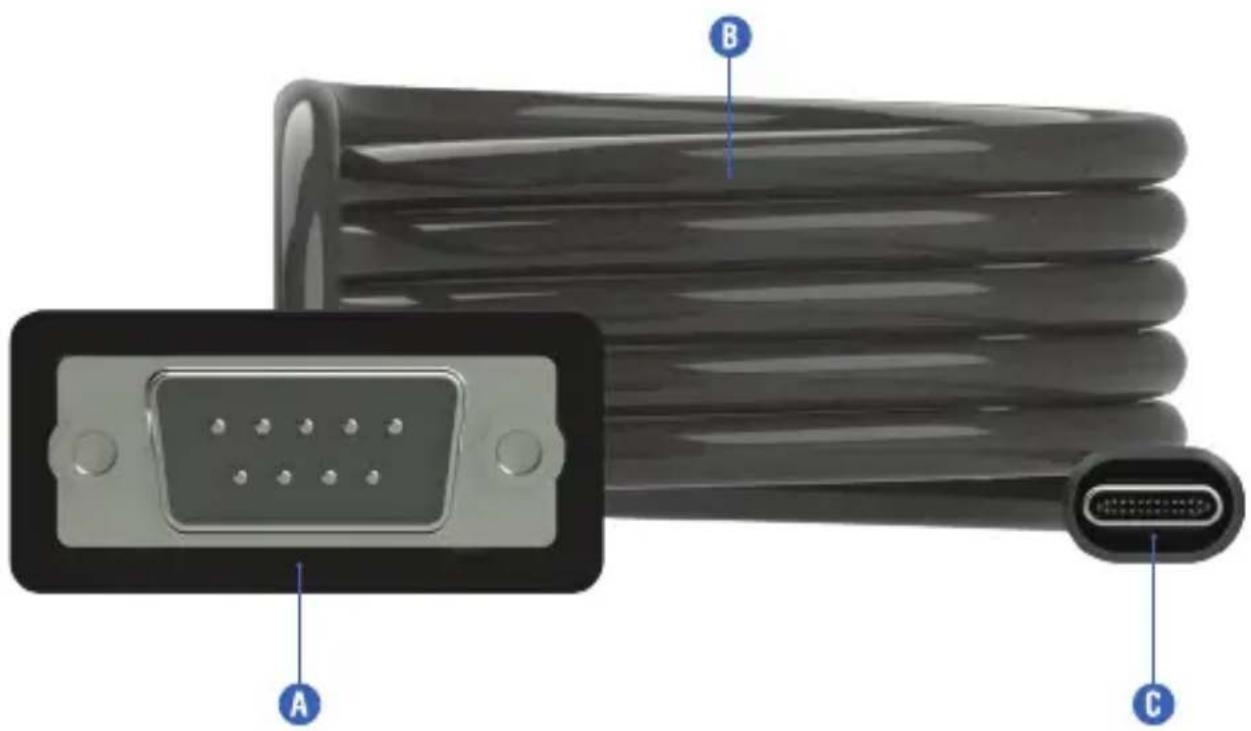
A. (9-pin RS-232) connector
B. 6' cable
C. USB Type-C connector
GETTING STARTED
Step 1. Install any relevant drivers from Prolific's or our website for the PL2303GS chip, selecting the correct operating system driver and, if applicable, the correct driver API. For easier access, scan the QR code on the product.
natural_image
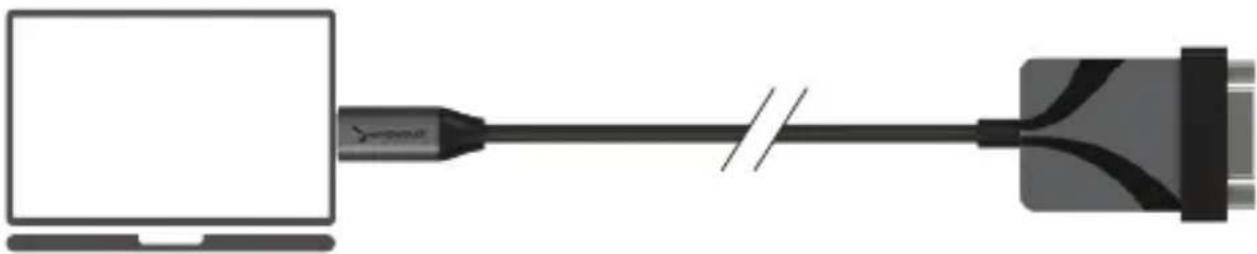
Diagram showing a computer connected to a USB cable, no text or symbols presentStep 2. Insert the USB Type-C connector into a free port on the host system.

natural_image
Diagram showing a printer connected to a computer via a cable, with a printer also emitting data (no text or symbols present)Step 3. Insert the DB9 serial connector into a free port on the intended RS-232 compliant hardware.
This page has a few new settings
Some settings from Control Panel have missed here, and you can cope your PC info so it's easier to share.
Related settings
Bilodien setioka
Device Manager
Remote desktop:
System production
Advanced system settings
Far-term (Hi PC (advanced))
Step 4. Proceed as intended, unless manual driver installation or configuration is required. If so, use Device Manager (Windows) or equivalent to proceed.
FREQUENTLY ASKED QUESTIONS
Q. Is it possible to connect this to a "male" host or device?
A. Appropriate adapters or "gender changers" may be utilized to help the adapter work with a wider range of devices.
Q. Is there a way to test that the adapter is working?
A. A loopback test may be performed to ensure proper adapter operation.
Q. What do I do if the adapter is not recognized by the host operating system?
A. Ensure that the adapter is connected, powered, and recognized in the OS. A different port should be used/tested if uncertain, and checking for device presence in Device Manager or similar should indicate detection. Make sure the proper driver is being used for the OS, differences of which could include 32-bit or 64-bit support for legacy systems.
SABRENT
FOR HELP, COMMENTS, QUESTIONS OR CONCERNS PLEASE CONTACT OUR TECH SUPPORT TEAM VIA OUR WEBSITE WWW.SABRENT.COM
Brand : Sabrent
Model : CB-D9C6
Category : Uncategorized