MI-7998 - Uncategorized Mount-It! - Free user manual and instructions
Find the device manual for free MI-7998 Mount-It! in PDF.


| Product Type | Mobile Sit-Stand Workstation |
| Brand | Mount-It! |
| Model | MI-7998 |
| Height Adjustment Range | 850 - 1290 mm (33.5 - 50.8 in) |
| Height Adjustment Mechanism | Manual with locking knobs |
| Number of Tiers | 2 (top and bottom desktop) |
| Mobility | 5 casters (swivel with brakes) |
| Material | Steel frame with painted finish |
| Desktop Material | Particle board or MDF with laminate |
| Color | Black / Gray |
| Weight Capacity (total) | Approximately 15 kg (33 lbs) |
| Product Weight | Approximately 18 kg (40 lbs) |
| Assembly Required | Yes, tools included |
| Cleaning Instructions | Wipe with a damp cloth; do not use abrasive cleaners |
| Safety Notes | Ensure casters are at same height; do not exceed max height; avoid placing objects on desks during adjustment |
| Spare Parts Availability | Contact Mount-It! customer service for casters or knobs |
Frequently Asked Questions - MI-7998 Mount-It!
User questions about MI-7998 Mount-It!
0 question about this device. Answer the ones you know or ask your own.
Ask a new question about this device
Download the instructions for your Uncategorized in PDF format for free! Find your manual MI-7998 - Mount-It! and take your electronic device back in hand. On this page are published all the documents necessary for the use of your device. MI-7998 by Mount-It!.
USER MANUAL MI-7998 Mount-It!
natural_image
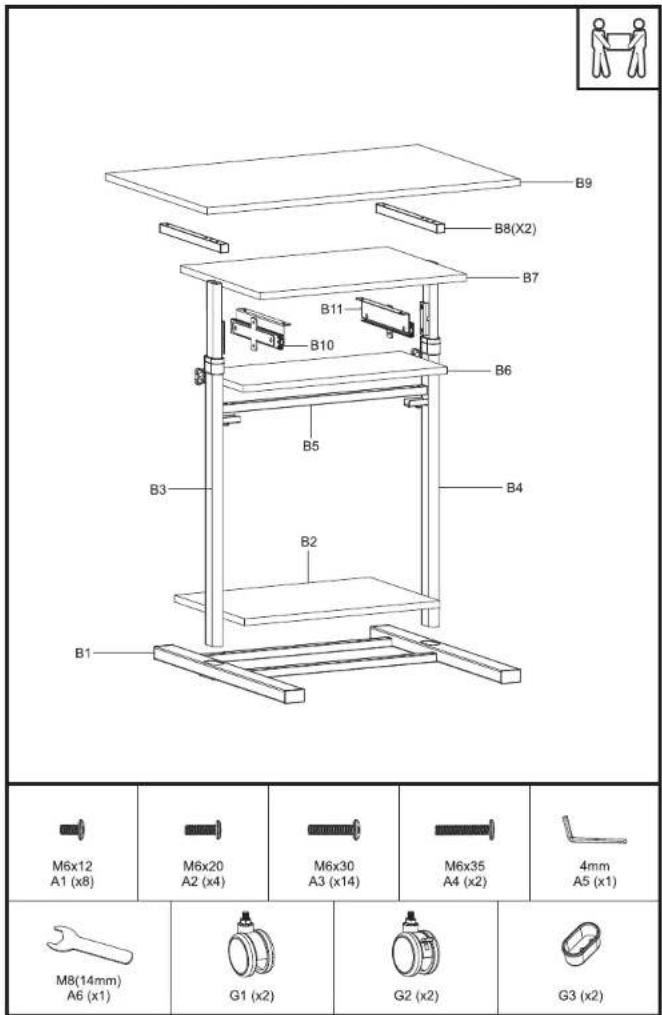
Line drawing of a multi-tiered office chair with wheels and legs, no text or symbols present.Mobile Sit-Stand Workstation
ASSEMBLY INSTRUCTIONS
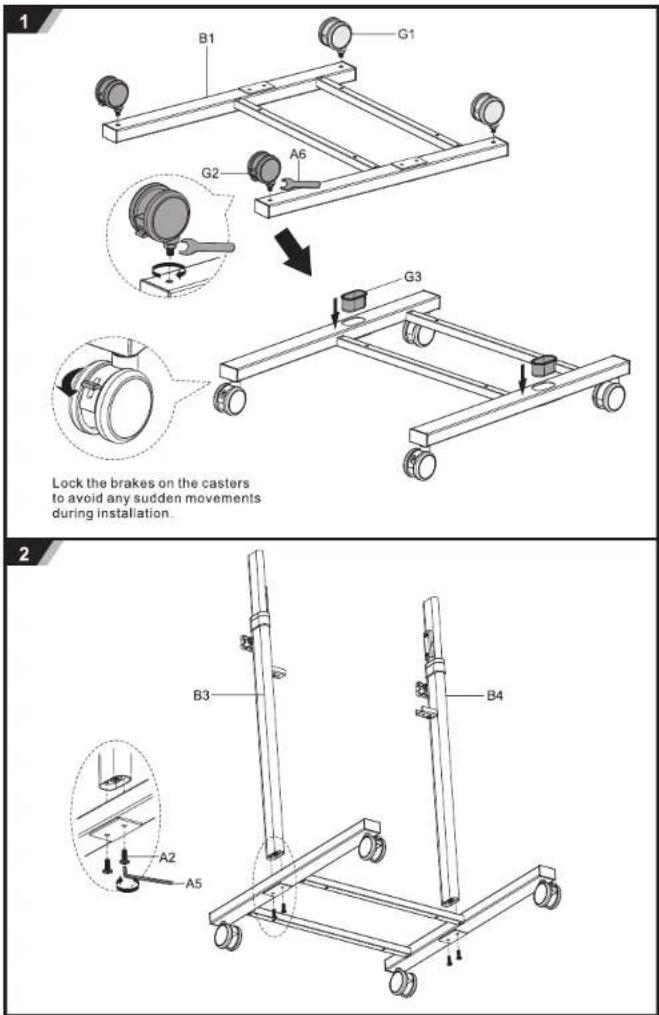
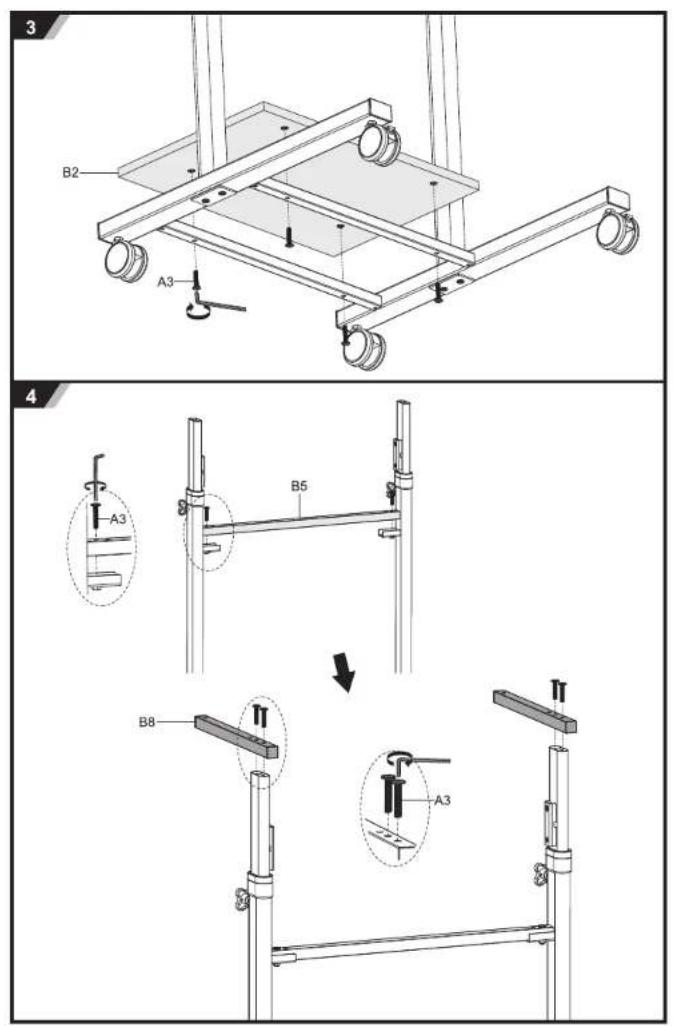
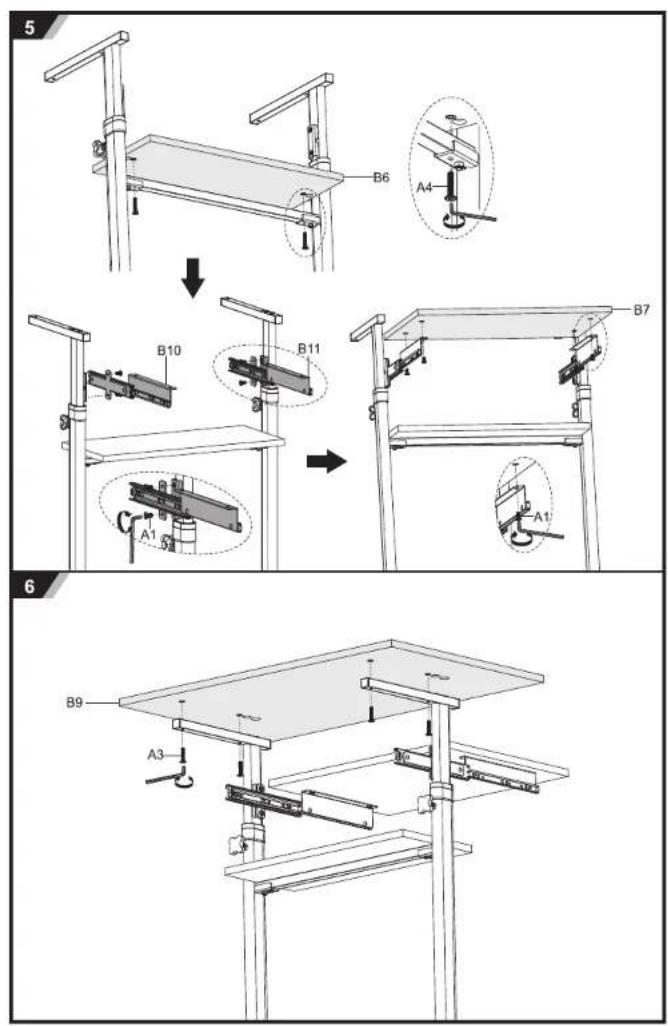
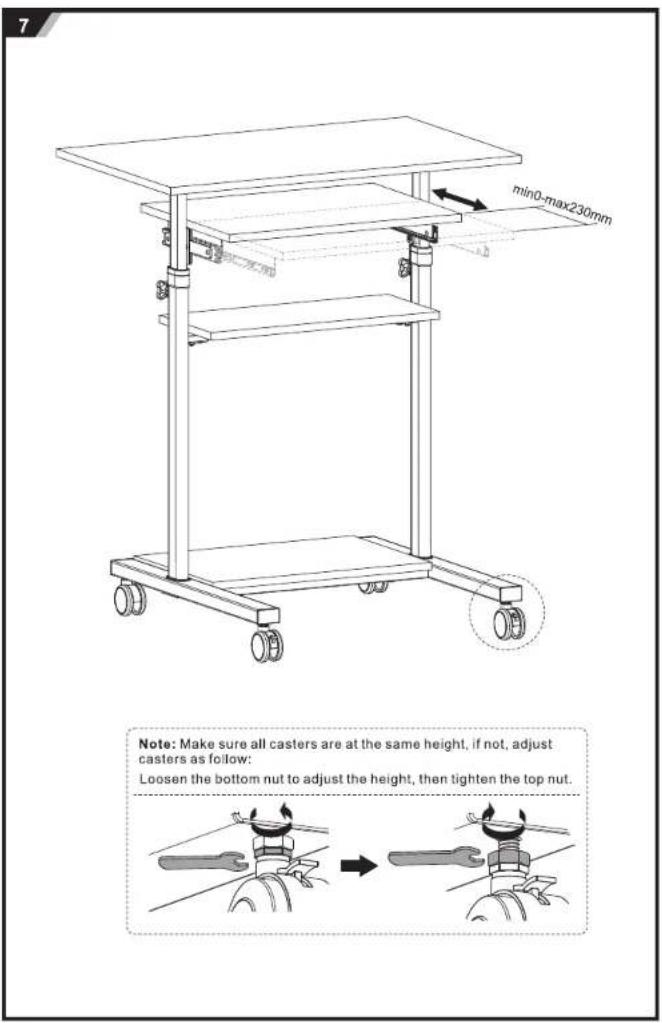
Note: Make sure all casters are at the same height, if not, adjust casters as follow:
Loosen the bottom nut to adjust the height, then tighten the top nut.
8
natural_image
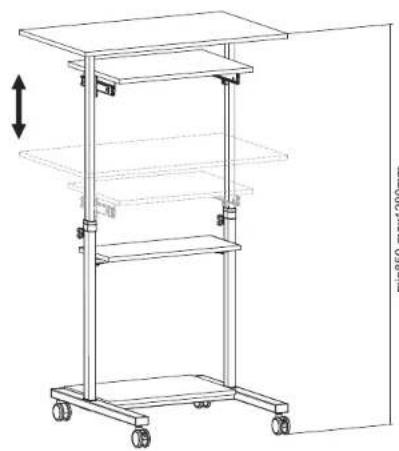
Line drawing of a multi-tiered mechanical cart with wheels and a side panel, no text or symbols presentmin850-max1290mm
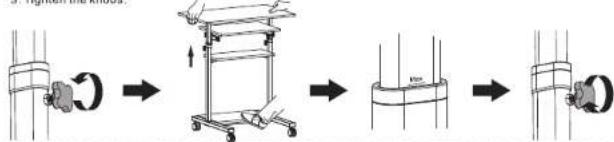
To lift the desk
- Loosen the knobs
-
Firmly hold the desktops and lift it to desired height until a "click" sound is heard
Note: When the mark MAX is found on the legs, it indicates that you have reached the highest
setting and do not continue to lift. -
Tighten the knobs
flowchart
graph LR
    A["Initial component"] --> B["Step 1: Rotation of cylindrical part"]
    B --> C["Step 2: Inserted cylinder"]
    C --> D["Step 3: Final assembly with circular component"]
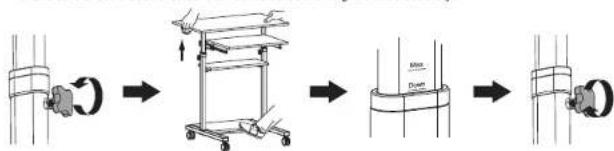
To lower the desk
- Loosen the knobs
- Lift the desk directly to the top height until the mark Down is found on the legs, then lower it slowly to the
most bottom. - Repeat the lifting steps to your desired height.
Note - Please do not put anything on the desktops when adjusting the desk height.
- Make sure a "click" sound is heard which indicates the height is fixed securely.
flowchart
graph LR
    A["Start"] --> B["Car with Handle"]
    B --> C["Move to Cart"]
    C --> D["Load on Column"]
    D --> E["End"]
Brand : Mount-It!
Model : MI-7998
Category : Uncategorized