
DS-CMND - Uncategorized Sabrent - Free user manual and instructions
Find the device manual for free DS-CMND Sabrent in PDF.


| Product Type | USB-C Multi-Port Hub |
| Ports | 1x USB-C PD, 2x USB-A 3.0, 1x HDMI 4K, 1x SD/TF Card Reader, 1x AUX |
| Data Transfer Speed | Up to 5 Gbps (USB 3.0) |
| Video Output | HDMI up to 4K@30Hz |
| Power Delivery | Up to 100W Pass-Through |
| Dimensions | 120 x 30 x 10 mm |
| Weight | 50 g |
| Power Source | Bus-Powered or via USB-C PD |
| Cable Length | 15 cm / 6 inches |
| Operating Systems | Windows, macOS, Linux, Android, iPadOS |
| Maintenance | Wipe with dry cloth; avoid liquids |
| Safety Certifications | CE, FCC, RoHS |
| Spare Parts Availability | Not user-replaceable; contact Sabrent support |
| General Information | Compact design for travel; works as a laptop expansion dock |
Frequently Asked Questions - DS-CMND Sabrent
User questions about DS-CMND Sabrent
0 question about this device. Answer the ones you know or ask your own.
Ask a new question about this device
Download the instructions for your Uncategorized in PDF format for free! Find your manual DS-CMND - Sabrent and take your electronic device back in hand. On this page are published all the documents necessary for the use of your device. DS-CMND by Sabrent.
USER MANUAL DS-CMND Sabrent
Connecting Differently™
DS-CMND
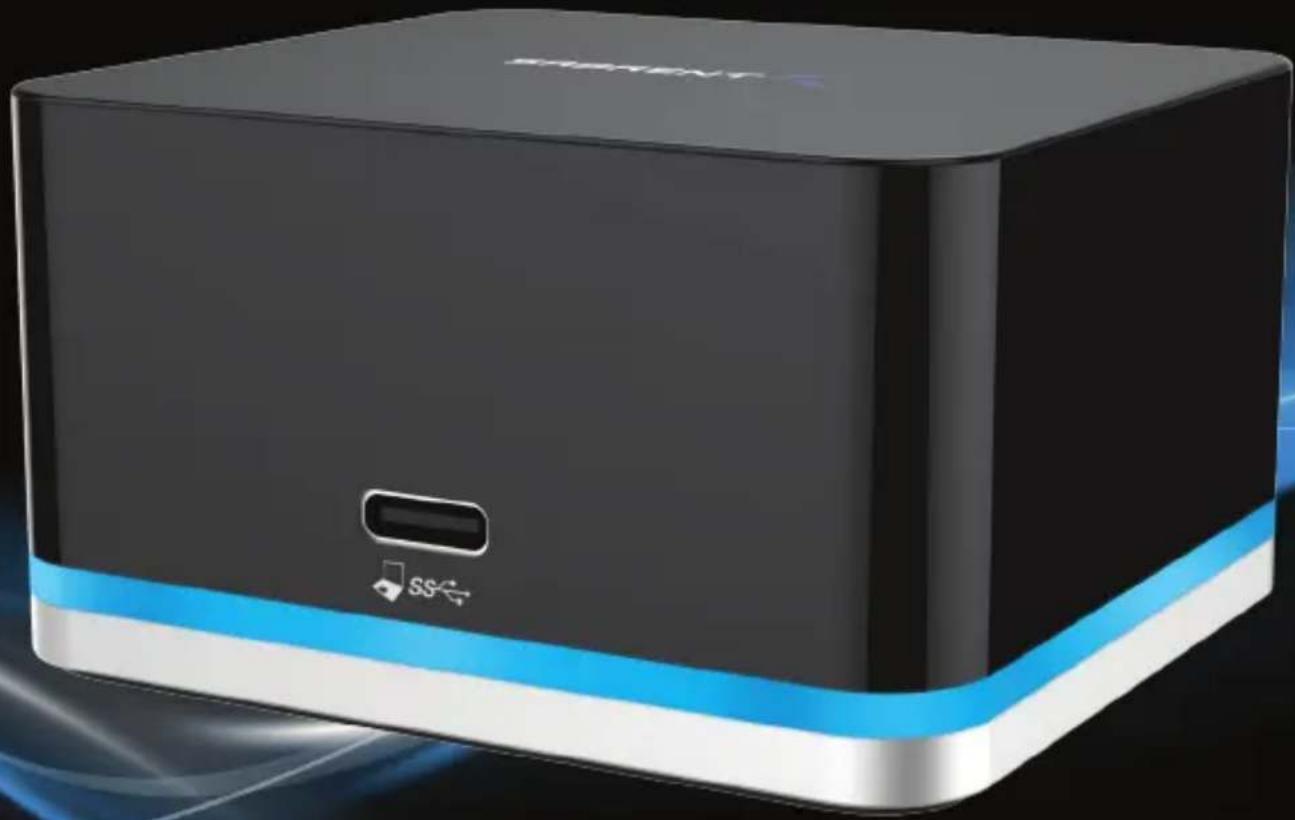
5 PORT USB TYPE-C DOCKING STATION
CONNECT YOUR PHONE, TABLET, LAPTOP, OR PC TO MULTIPLE USB DEVICES
natural_image
Black rectangular device with blue and white accent, featuring a small USB flash icon (no text or symbols on the device body)USER MANUAL
With the Sabrent 5 Port USB Type-C Docking Station you can now connect your phone, tablet, laptop, or PC to multiple USB devices. The Type-C connection enables you to transfer data at Super-Speeds, extend your display and much more with one single cable connected to your computer. Featuring Multi-Device connection, you have the ability of Ethernet connection for all your devices. The 2 USB 2.0 Type-A ports allow you to transfer data between your peripherals. With the HDMI port you can expand your displays with an additional monitor. Charge and Sync with an additional USB 3.0 type-A port.
Features
• HDMI DisplayPort Resolution 1920x1080@60Hz (for phone) / 3840x2160@30Hz (for PC)
- Compact Design Ideal For on the go or minimal work space
• 2 USB 2.0 Type-A ports ideal for additional peripherals
• USB 3.0 Type-A port for charging and data transfer
• RJ-45 Gigabit 10/100/1000 Ethernet Adapter
• Max. 1.5A USB 3.0 port for device charging port
- Plug & Play (No driver installation needed)
Package Contents
- Multi-Function USB Type-C Dock
- USB-C Cable
- Power Adapter
- User's Manual
System Requirements
• USB-C Smartphone / Laptop / Tablet / PC
• Windows 10 enabled phone
• Windows 10 Laptop/Tablet / PC
- Chromebook
- Mac OS
- USB-C offers full features: USB data transfer, HDMI DisplayPort Extension mode, USB Type-A Power Delivery, Ethernet.
PRODUCT OVERVIEW
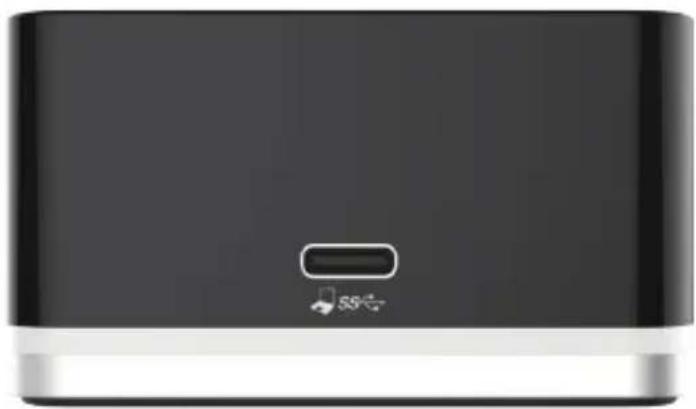
FRONT VIEW
natural_image
Black rectangular electronic device with a small indicator button and '55' symbol on the front panel (no readable text or symbols beyond basic design)1
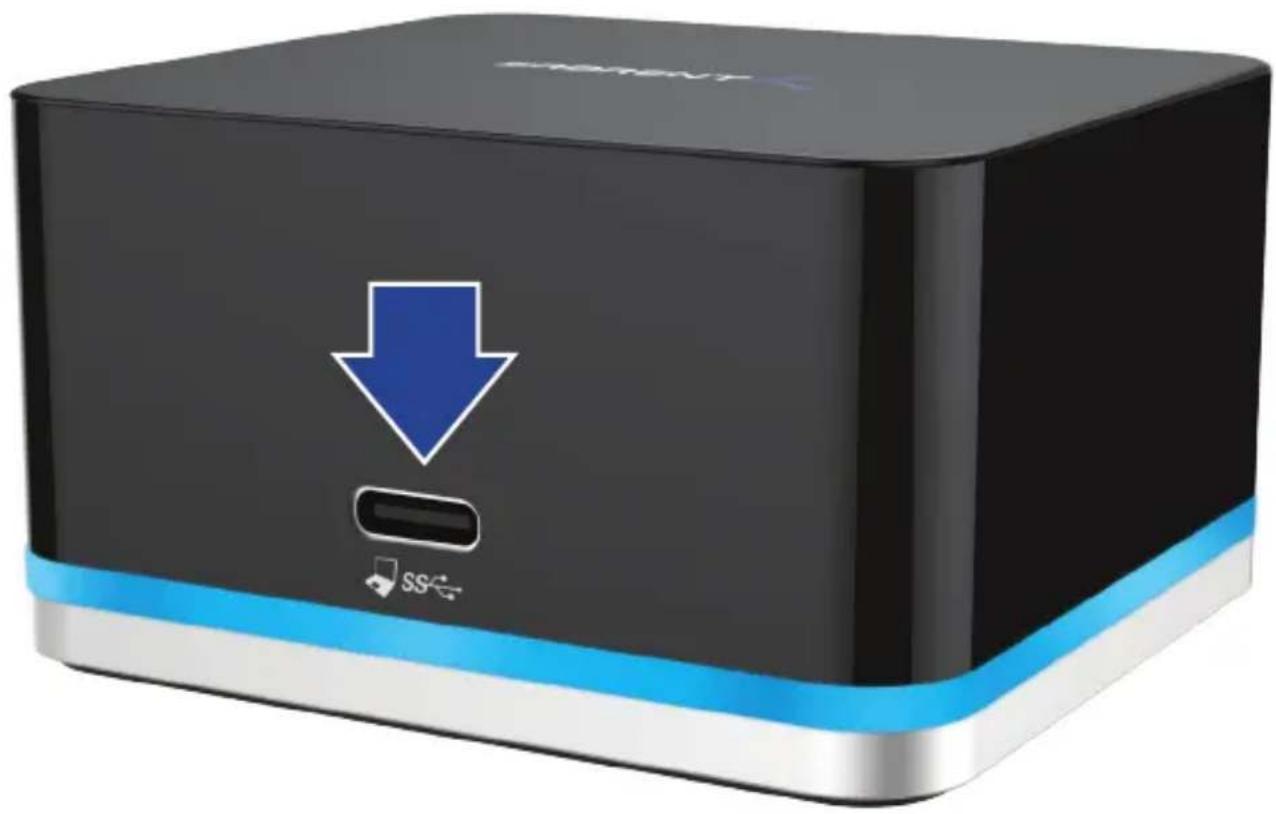
1- USB-C Port Connect to the USB-C port of a Computer/ Phone / Tablet
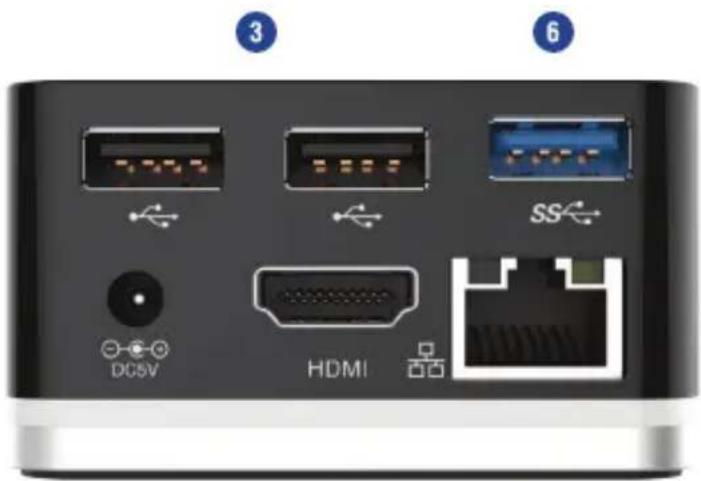
REAR VIEW
2
4
5
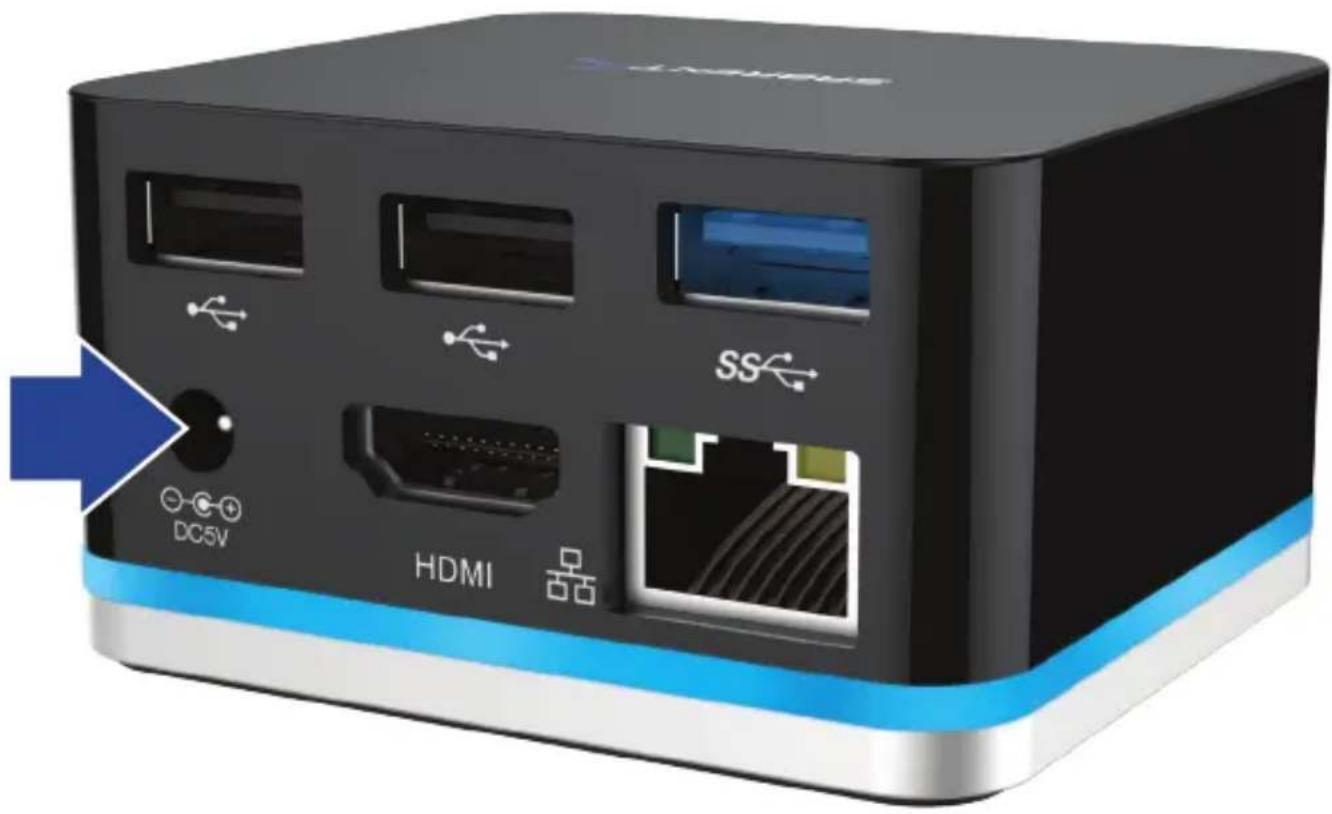
- Power jack Connect to the power adapter
- USB 2.0 Port (X2)
Connect to the USB2.0 devices (e.g. Keyboard, mouse) - HDMI connector Connect to an HDMI monitor
- RJ45 port Connect to an Ethernet (DUD1330 only)
- USB 3.0 Port Connect to USB 3.0 devices
SETUP INSTRUCTIONS
1
Plug power supply into power input port verifying that Blue LED light shows on the base of device
SETUP INSTRUCTIONS
2
Plug provided Type-C cable into appropriate port on your Smartphone / Laptop / Tablet / PC
natural_image
Black rectangular device with a blue downward arrow and 'SS' icon, no readable text or symbols beyond the icon designDock should automatically be detected by your device and driver will install Plug & Play
SETUP INSTRUCTIONS
3
Once the dock has been powered and connected to your PC/Phone then you may begin connecting your devices and peripherals
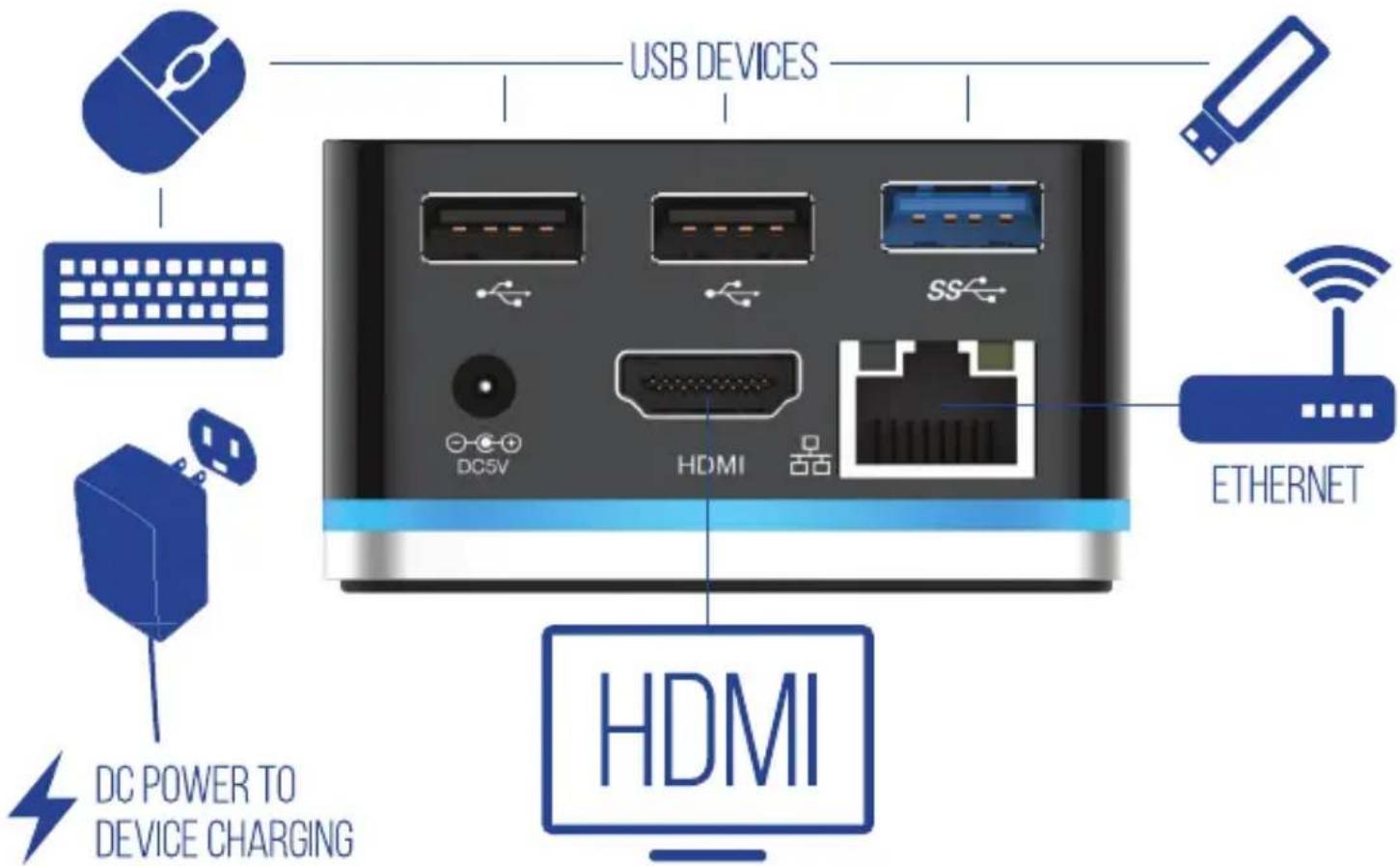
Connection Layout: Follow the illustrations for more info
TROUBLESHOOTING/SUPPORT
Power LED does not come on?
• Make sure that you have a tight connection between the power adapter and dock
• Try it on a different power outlet
Your Computer/Phone/Tablet Does not recognize the dock?
• Make sure that the connection between the dock and USB cable are tight
• Re-connect it to your Computer/Phone/Tablet
The display does not come up?
• Make sure that your display is set to the correct Source
- Try it with a different HDMI cable
Ethernet cable does not connect to the internet?
• Power cycle your modem or router while Ethernet is connected to the dock
- Try it with a different Ethernet cable
- Check your network settings to ensure this network is visible
Please contact our Technical Support Team for additional troubleshooting
WWW.SABRENT.COM
SABRENT
- Connecting Differently™
- PORT USB TYPE-C DOCKING STATION
- Features
- Package Contents
- System Requirements
- PRODUCT OVERVIEW
- SETUP INSTRUCTIONS
- 2
- 3
- TROUBLESHOOTING/SUPPORT
- Power LED does not come on?
- Your Computer/Phone/Tablet Does not recognize the dock?
- The display does not come up?
- Ethernet cable does not connect to the internet?
- Please contact our Technical Support Team for additional troubleshooting
- SABRENT
Brand : Sabrent
Model : DS-CMND
Category : Uncategorized