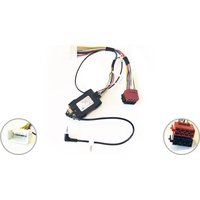
CA-R-PI.138 - Electric car accessory PIONEER - Free user manual and instructions
Find the device manual for free CA-R-PI.138 PIONEER in PDF.


| Product Type | Remote Controller |
| Brand | Pioneer |
| Model | CA-R-PI.138 |
| Dimensions (L x W x H) | 10.5 x 4.5 x 2.0 cm |
| Weight | 0.08 kg |
| Power Source | 1 x CR2032 3V battery |
| Wireless Technology | Infrared (IR) |
| Operating Range | Up to 10 meters |
| Compatibility | Pioneer car audio systems |
| Primary Functions | Volume control, source selection, track navigation, power on/off |
| Battery Life | Approximately 6 months under normal use |
| Material | ABS plastic |
| Color | Black |
| Cleaning Instructions | Wipe with a soft, dry cloth. Do not use liquids or abrasives. |
| Safety Warnings | Keep away from water and extreme temperatures. Do not disassemble. |
| Spare Parts Availability | Battery compartment cover available; batteries widely available |
| Reparability | Designed for battery replacement only. Other repairs not recommended. |
| Environmental Information | Dispose of battery according to local regulations. |
Frequently Asked Questions - CA-R-PI.138 PIONEER
User questions about CA-R-PI.138 PIONEER
0 question about this device. Answer the ones you know or ask your own.
Ask a new question about this device
Download the instructions for your Electric car accessory in PDF format for free! Find your manual CA-R-PI.138 - PIONEER and take your electronic device back in hand. On this page are published all the documents necessary for the use of your device. CA-R-PI.138 by PIONEER.
USER MANUAL CA-R-PI.138 PIONEER
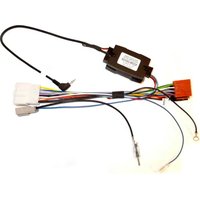
Mitsubishi Pajero -- SWC Interface
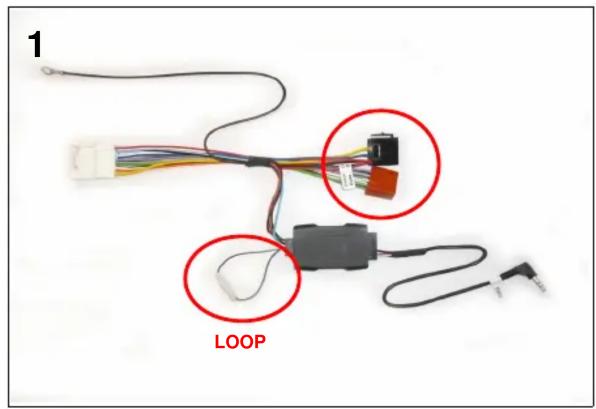

In order to prevent ESD damage, the W/R Jack must be connected before plugging the connectors on car side

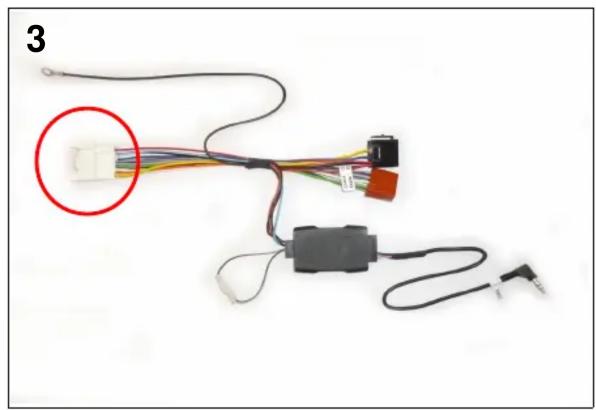
natural_image
Electrical wiring diagram showing connections between components including a terminal block and plug (no text or symbols visible)

natural_image
Electrical wiring diagram showing connections between components including wires, connectors, and a terminal (no text or symbols visible)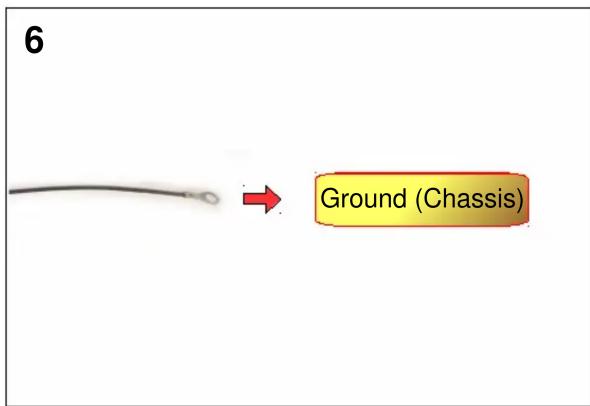
Installation must be performed by a qualified professional installer only. The manufacturer is not liable for any kind of incidental or indirect damages. 09/2014 - All rights reserved. No liability for misprints
Brand : PIONEER
Model : CA-R-PI.138
Category : Electric car accessory