
CSV-01 - Security Camera CRUX - Free user manual and instructions
Find the device manual for free CSV-01 CRUX in PDF.


| Product Type | Security Camera |
| Brand | CRUX |
| Model | CSV-01 |
| Dimensions | 7.5 cm x 5.5 cm x 5.5 cm |
| Weight | 120 g |
| Power Supply | USB 5V/1A |
| Resolution | 1080p Full HD |
| Field of View | 120° |
| Night Vision | Yes, up to 10 meters (IR LEDs) |
| Motion Detection | With push notifications |
| Connectivity | Wi-Fi 2.4GHz |
| Storage | MicroSD card up to 128GB |
| Audio | Two-way audio (built-in mic and speaker) |
| Weatherproof | IP65 (indoor and outdoor use) |
| Main Functions | Live view, recording, motion alerts, night vision, two-way talk |
| Maintenance & Cleaning | Clean lens with a soft, dry cloth; avoid liquids |
| Safety | SSL/TLS encryption, password protected |
| Spare Parts & Repairability | Contact official support; not user-serviceable |
| General Information | Compatible with CRUX app for iOS/Android |
Frequently Asked Questions - CSV-01 CRUX
User questions about CSV-01 CRUX
0 question about this device. Answer the ones you know or ask your own.
Ask a new question about this device
Download the instructions for your Security Camera in PDF format for free! Find your manual CSV-01 - CRUX and take your electronic device back in hand. On this page are published all the documents necessary for the use of your device. CSV-01 by CRUX.
USER MANUAL CSV-01 CRUX
- No drilling of holes required.
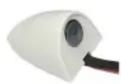
- Sticks on the front fender using 3M double sided tape.
- Can be use on either the left or right side.
PARTS INCLUDED:
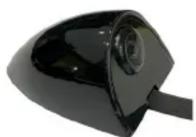
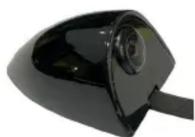
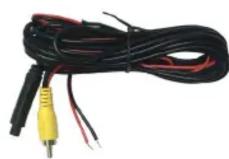
CSV-01 Fender Mount Camera (1 Pair) 10 foot Extension Cable
Available in Black, Charcoal Gray, Silver & White


INSTALLATION DIAGRAM:

flowchart
graph LR
    A["Camera Interface Side Camera Input"] --> B["To Aftermarket Radio Side Camera Input"]
    B --> C["Extension Coax Cable"]
    C --> D["Regulator"]
    D --> E["Make sure the arrows line up and push in the connectors well."]
    D --> F["WHITE Wire Cut for right side use"]
    D --> G["GROUND"]
    D --> H["RED Wire (A)"]
    H --> I["RED Wire "B" (Not used)*"]
*NOTE: Tap RED Wire A to the radio or camera interface +12V camera power output and the black wire to chassis ground. RED wire B is not used and should be insulated with tape. WHITE Wire: Connect for left side use. Cut for right side use.
INSTALLATION INSTRUCTIONS:


natural_image
Close-up of a car's door with a circular sensor or camera lens, reflecting green outdoor scenery (no text or symbols visible)The CSV-01 sticks on the fender and the flat cable goes into the gap between the fender and the door. Thoroughly clean the area where the CSV-01 will be installed. Remove the wax to ensure a secure installation. Use the double sided tape on the flat cable to stick the cable around the rear of the fender.
Brand : CRUX
Model : CSV-01
Category : Security Camera