
Livebass Mini W - Earphones Orava - Free user manual and instructions
Find the device manual for free Livebass Mini W Orava in PDF.


| Product Type | Wireless Bluetooth Earphones |
| Brand | Orava |
| Model | Livebass Mini W |
| Bluetooth Version | 5.3 |
| Frequency Range | 20–20000 Hz |
| Impedance | 16 Ohm |
| Sensitivity | 110 dB/mW ±3 |
| Driver Size | 13 mm |
| Battery (Headphones) | Built-in Li-Ion 30 mAh each |
| Battery (Charging Box) | Built-in Li-Ion 250 mAh |
| Playback Time | Approx. 2–3 hours |
| Standby Time | Approx. 200 hours |
| Charging Time (Headphones) | Approx. 2 hours |
| Charging Time (Charging Box) | Approx. 2 hours |
| Charging Input | DC 5V, 30 mA (headphones), 300 mA (box) |
| Protection Rating | IPX3 |
| Microphone | Yes |
| Voice Assistant Support | Yes (tap and hold both buttons) |
| Functions | Volume control, music playback, call management, voice assistant |
| Charging Box Capacity | Provides 2 full charges for headphones |
| Package Contents | Headphones, charging box, user manual, USB charging cable |
| Safety Precautions | Avoid high volume (hearing damage risk); do not use while driving; keep dry; avoid extreme temperatures |
| Cleaning | Use dry or slightly damp cloth; do not immerse |
| Storage | Store in charging box in dry place away from direct sunlight |
Frequently Asked Questions - Livebass Mini W Orava
User questions about Livebass Mini W Orava
0 question about this device. Answer the ones you know or ask your own.
Ask a new question about this device
Download the instructions for your Earphones in PDF format for free! Find your manual Livebass Mini W - Orava and take your electronic device back in hand. On this page are published all the documents necessary for the use of your device. Livebass Mini W by Orava.
USER MANUAL Livebass Mini W Orava
natural_image
Black wireless earbuds with open case, no visible text or symbolsDear Customer,
thank you for purchasing our product.
Keep the instruction manual together with the warranty card for future use.
Wireless Bluetooth headphones
EN
Intended use of the device
- The device is intended for personal listening to the content of audio files, to the extent determined by technical and operational parameters and functions, safety and user instructions and the external influence of the operating environment.
- ORAVA electrical appliances are manufactured in accordance with the state of the art and recognized safety regulations. Nevertheless, incorrect and unprofessional use or use contrary to the intended purpose may create a risk of injury or endanger the life of the user or a third party, resp. damage to equipment and other property.
Special safety instructions. Read carefully!
- The following symbols and their meanings have been used on the device and in the accompanying documentation to warn of possible dangers:
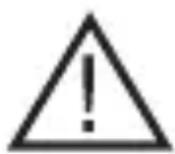
This symbol alerts users to the risk of failure to observe the safety instructions when using and operating the equipment:
Danger of serious injury or death! Danger of equipment damage or other property damage!
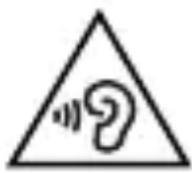
This symbol alerts users to:
Avoid listening at high volume and for a long time! Using the headphones or earphones at high volume levels and for extended periods of time may damage your hearing. If you are exposed to sound with an intensity of more than 85 dB for a long time, your hearing may be adversely affected.
Volume above 85 dB for 8 hours, or 100 dB for 15 minutes is a danger.
The manufacturer recommends that you do not set the volume level of the device higher than the middle level of the setting range.
Transport/Carrying
- When transporting and carrying, be careful when moving to avoid tipping over, falling and damaging the device.
Danger of damaging the device!
Unpacking/Packaging
- Unpack the device and accessories before putting them into operation and dispose of all parts that increase the packaging materials, labels and tags.
- Store packaging materials in a safe place or keep them out of the reach of children and incompetent persons.
Danger of serious injuries! Danger of suffocation!
Inspection/Commissioning
- The Office initially recommended several other control devices. Use the device only with accessories supplied and approved by the manufacturer.
- Never use the device if it is incomplete, damaged or its parts or accessories are damaged during use (e.g. a subsequent fall). Danger of serious injuries!
- Before commissioning, check and assemble the device according to the instructions in the “Before use” section.
- Never clean the device in a way that could immerse the liquid and allow the liquid to flow into the device.
- Clean only parts of the device with a damp cloth and wipe dry or allow to dry.
Keep the device clean and dry.
Warning!
- If the device has been stored at lower temperatures, it must first be acclimatized (about 12 to 1 hour) before further use to remove any water inside the housing, solidify moving parts and maintain the mechanical strength of the plastic parts.
Operation/Use
Warning!
- This device may only be used with original and undamaged parts and accessories.
You can read about suitability and correct use in the section "Use". Danger of serious damage to health!
Warning!
- The device must be kept dry.
- Do not use or place the device near containers containing water. If the device falls into water, turn it off and allow it to dry completely.
- If the device subsequently shows signs of malfunction or damage, take it to a specialist garage for inspection.
- Never overload the device beyond the limits set by the technical parameters!
- Do not expose the device to:
- direct sunlight, sources producing excessive heat,
- vibration and mechanical stress,
- chemical pollutants,
- water and excessive humidity,
- insects, plants,
- aggressive environmental influences.
Danger of serious injuries!
There is a risk of damage to the device or other property damage!
- When using the device, the perception of ambient noise is limited. Therefore, do not operate any vehicles or machines while using it.
Operating environment safety
- Do not use the device in an industrial or outdoor environment.
- Always keep the operating environment of the device clean and well lit.
- Do not place the device on an unstable surface. Overturning or dropping the device may result in personal injury or damage to the device.
-
Do not expose the device to:
-
electromagnetic fields,
- direct sunlight, sources and equipment producing excessive heat,
- falls, vibrations and mechanical stress,
- excessive dust,
- water and excessive humidity,
- insects,
- aggressive environmental influences.
- Exposure to the above effect may adversely affect its operation or cause irreversible damage.
- The operating environment of the device must always comply with the specified basic characteristics.
- Do not use the device in areas with flammable liquids, gases or dust. The device can be a source of sparks, which can result in the ignition of dust or fumes.
Characteristics of the operating environment
- Ambient temperature: +5 - +40 °C
- Humidity: 5 - 85%
- Altitude: < 2 000 m
- Occurrence of water: occasional condensation of water or the presence of water vapor. 5. Occurrence of foreign bodies: the amount and type of dust are not significant
Information
Thank you for purchasing LiveBass Mini Wireless Bluetooth Headphones.
With these wireless headphones you can:
- enjoy comfortable wireless hands-free calls;
- wirelessly listen to and control music playback;
- switch between calls and music.
You can use the headphones with devices such as smartphones, laptops, tablets, Bluetooth adapters, MP3 players, etc. with Bluetooth interface support and compatible with these headphones.
Parts description
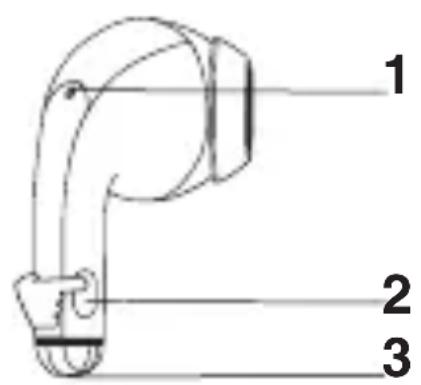
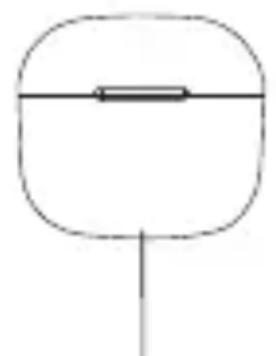
natural_image
Simple line drawing of a rounded rectangle with a horizontal line and a vertical line at the bottom (no text or symbols)4
natural_image
Pure electrical circuit lines without any symbols5
1 LED indicator (Headphones)
2 Multi-function button
3 Microphone
4 LED indicator (charging box)
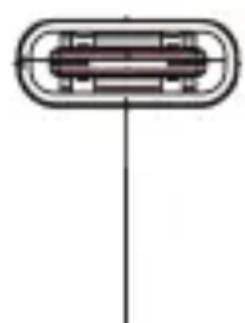
5 Charging USB-C connector
Package contents:
Headphones, charging box, user manual, charging USB cable
Power supply
Powered by a built-in rechargeable battery
The headphones are powered by a built-in rechargeable battery. Before the first use or whenever the battery is weak (the device plays distorted, weak, turns off arbitrarily, or cannot be turned on), charge the battery. The headphones are charged by inserting them into the charging box.
The charging box itself must be charged.
Before first use, put the headphones in the charging box and charge them for about 1.5 hours to achieve optimal battery capacity and life.
- To avoid damage, use the supplied USB charging cable.
- Finish the call before charging the earphones, as the earphones will turn off when connected to charge.
Charging
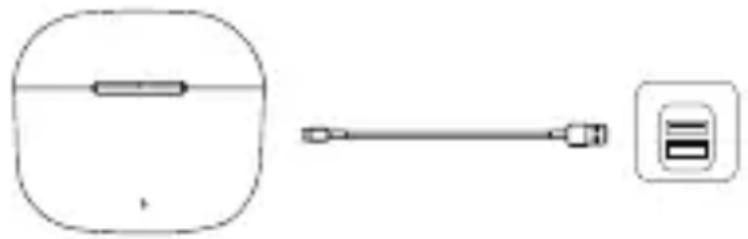
Connect one end of the supplied USB cable to the charging box (USB-C) and the other end (USB-A) to a suitable AC adapter in the mains (not supplied).
- The charging process is indicated by the LED indicator on the box.
- When the charging box is fully charged, the LED indicator will turn off.
natural_image
Simple line drawing of a device with a rectangular component and a connector, no text or symbols present.Nominal input (DC):
5 V, 30 mA (headphones)
5 V, 300 mA (charging box)
Advice
- The charging box serves as a portable backup battery for charging headphones. When the charging box is fully charged, it will provide 2 full charging cycles for the headphones.
- A full charge usually takes about 1.5 hours (in the case of headphones or charging box) via USB cable.
- After charging, disconnect the box from the USB cable and disconnect the AC adapter from the power outlet.
- If you do not use the device for a long time and then start charging it, the charging indicator may not start to light (blink) immediately. This is normal and does not indicate a malfunction. After a few minutes of charging, the indicator will start flashing.
To ensure the longest possible battery life, we recommend:
- Store, use and charge the battery at room temperature.
Excessively high temperatures can negatively affect its service life. - Do not leave the battery fully charged or completely discharged out of operation for an unnecessarily long time.
- Do not keep the battery fully charged all the time.
- Do not discharge the battery completely.
Information about LED indicators
| Hedphones | Place the headphones in the charging box. They charge automatically | Pairing: Alternately flashing red and blue Charging: Solid red Charging complete: Off Low battery: Flashes red every 2 minutes |
| Cahrging box | For charging use the box supplied USB cable and suitable 5 V AC adapter | Charging: Flashes red Charging complete: On red Charging headphones in the box: Lights green (after completion charging turns off) |
Using headphones
- Turn on
Method 1: Remove the headphones from the charging box. They turn on automatically.
Method 2: Long press and hold the button for 3 seconds to turn on the headphones
- Turn off
Method 1: Put the headphones back into the charging case. They turn off automatically.
Method 2: Press and hold the button for 6 seconds to turn off the headphones.
- Pairing
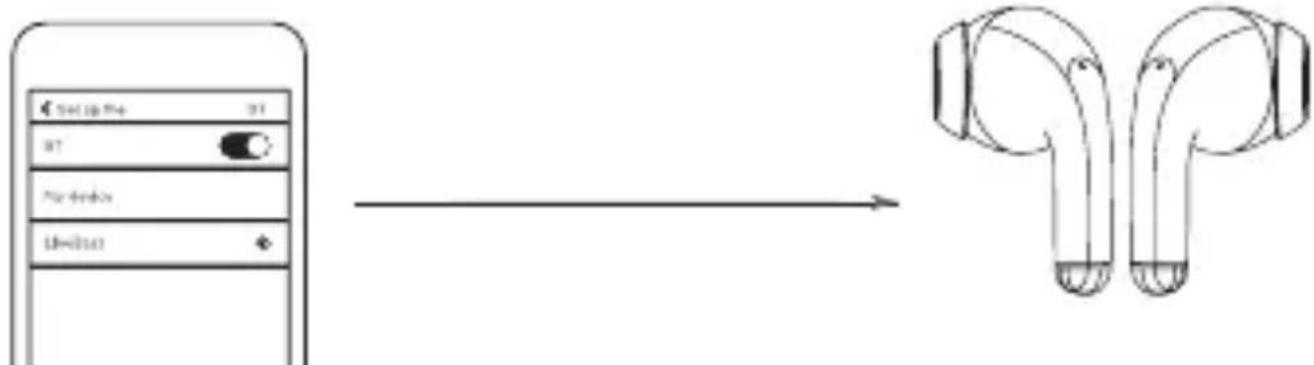
Remove the headphones from the charging box. The headphones will automatically enter pairing mode.
On the connected device, search for and select the name of the headphones (LiveBass). You can find the pairing procedure in the manual of the given device (smartphone, etc.).
flowchart
graph LR
    A["Send to Phone"] --> B["Switch"]
    B --> C["Send to Phone"]
    C --> D["Change from Phone to Text"]
    D --> E["Final 2023 Wireless Ethernet"]
After pairing and connection, you can use the headphones with the connected device (listening to music, making phone calls).
Advice
- The headphones cannot be connected to more than 1 device at the same time. If you have two paired Bluetooth devices, turn on the Bluetooth interface only on the device you want to connect.
- If you turn on Bluetooth in your Bluetooth device after turning on the headphones, you must go to the Bluetooth menu in the device and connect the headphones to the device manually.
- If the headphones do not connect to any Bluetooth device within 3 minutes, they will automatically turn off to save battery life.
- In some Bluetooth devices, the connection may not be automatic. In this case, you need to go to the Bluetooth menu on your device and connect the headphones to the Bluetooth device manually.
Using the multifunction button
Volume
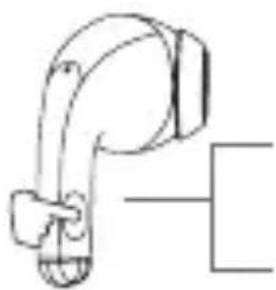
• Control on the left/right headphone
natural_image
Simple line drawing of a robotic arm joint (no text or symbols)Volume up:
Tap the left headphone 3 times (L)
Volume down:
3-tap the right earpiece (R)
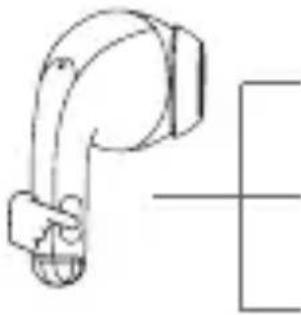
Playing music
• Control on the left/right earpiece
natural_image
Pure mechanical component diagram without any text, numbers, or symbolsPlay/Pause:
Tap Left/Right earpiece (L/R)
Previous Track:
Double tap the left earpiece (L)
Next song:
Double tap the right earpiece (R)
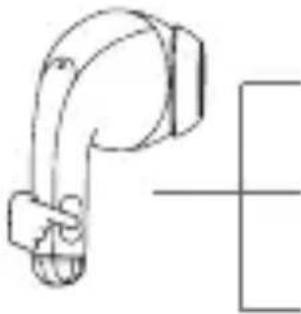
Phone call
• Control on the left/right earpiece
natural_image
Pure mechanical diagram of a pipe joint without any text, numbers, or symbolsAnswering a call:
Tap the left/right earpiece (L/R)
To end a call:
Tap the left/right earpiece (L/R)
Call rejection:
Tap and hold the button on the left/right earpiece (L/R) for 2 seconds during an incoming call
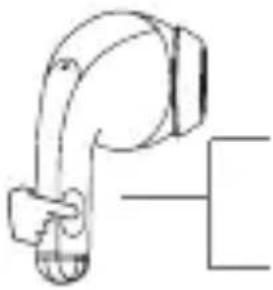
Other operations
• Control on the left/right earpiece
natural_image
Simple line drawing of a mechanical arm or lever (no text or symbols)Turn on the voice assistant:
Tap and hold for 2 seconds the button on both at the same time (L/R)
To turn off the voice assistant:
Tap and hold for 2 seconds the button on both at the same time (L/R)
Works only with headphones with voice assistant support
Resetting the headphones
If you have a problem with pairing or connection, if the headphones cannot be paired properly with each other or with other devices, you can reset the headphones to restore the factory settings.
On your Bluetooth device, go to the Bluetooth menu and select these headphones (LiveBass) from the list of devices.
Turn off the Bluetooth function on the Bluetooth device.
Remove the earphones from the charging box, tap and hold each one separately for 6 seconds until the earphones turn off.
Then put them back in the charging box. The headphones are being reset. Re-pair the headphones with the desired Bluetooth device (select).
Cleaning and maintenance
- Make sure the headphones/box are turned off before cleaning.
- For cleaning, use only a dry cloth or a cloth slightly moistened with water or a mild detergent solution. For cleaning, do not use wire brushes, thinners or cleaning agents with an abrasive effect, etc., so as not to damage the cleaned surface. Do not immerse the headphones in water when cleaning.
STORAGE
- After use, store the headphones in the charging box in a dry place away from direct sunlight.
Upozornenie!
- Do not use abrasive cleaners, thinners, etc. to clean any parts. Disruption and damage to the surface treatment of the device may occur.
Technical specifications
Headphones:
Power supply:
Nominal voltage: DC, 30 mAh (built-in Li-Ion battery in each handset)
Frequency range: 20–20000 Hz
Impedance: 16 Ohm
Degree of protection: IPX3
Bluetooth version: 5.3
Sensitivity: 110db/mW ±3
Converter size: 13 mm
Durability: approx. 2 - 3 h of playback/200 h of stand-by
Charging time: approx. 2 h
Charging box:
Charging voltage: DC, 5 V (suitable AC adapter/charger, not supplied)
Battery: Built-in Li-Ion battery 250 mAh
Charging time: approx. 2 h
The right to make changes reserved!
Producer:
ORAVA retail 1, a.s.
Seberíniho 2
821 03 Bratislava
Slovenská republika
Importer:
ORAVA retail 1, a.s.
Seberíniho 2
821 03 Bratislava
Slovenská republika
ORAVA distribution CZ, s.r.o.
Ostravská 494
739 25 Sviadnov
Česká republika
INSTRUCTIONS AND INFORMATION REGARDING THE DISPOSAL OF USED PACKAGING
Dispose of used packaging material at a municipal waste disposal site.
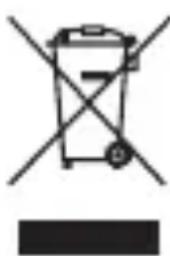
DISPOSAL OF USED ELECTRICAL AND ELECTRONIC EQUIPMENT
natural_image
Symbol of a trash bin crossed with a diagonal line and a horizontal bar below (no text or numbers present)This symbol on the products or in the accompanying documents means that used electrical and electronic products should not be mixed with general household waste. For proper disposal, recovery and recycling, please return these products to designated collection points. Alternatively, in some countries of the European Union or other European countries, you may return your products to your local retailer when purchasing an equivalent new product.
By ensuring this product is disposed of correctly, you will help prevent potential negative consequences for the environment natural resources and help prevent potential negative effects on environment and human health, which could be the consequences of improper disposal waste. Contact your local authority or nearest office for more details collection point.
Improper disposal of this type of waste may result in penalties in accordance with national regulations.
For business entities in the countries of the European Union
If you wish to discard electrical and electronic equipment, please request the necessary information from your seller or supplier.
Disposal in other countries outside the European Union
This symbol is valid in the European Union. If you wish to discard this product, please request obtain the necessary information on the correct method of disposal from the local authorities or from the your supplier.
DISPOSAL OF BATTERIES
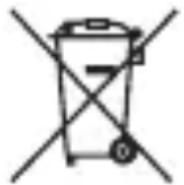
Batteries contain substances harmful to the environment and therefore do not belong in normal household waste. Hand them over for disposal in accordance with applicable regulations and standards at their take-back locations.

This product complies with all the essential requirements of the EU directives that apply to it.
DECLARATION OF CONFORMITY
Short text Declaration of Conformity:
ORAVA retail 1, a.s. hereby declares that the LiveBass Mini W/B complies with the essential requirements and other relevant conditions of Directive 2014/53/EU of the European Parliament and of the Council.
The full text of the Declaration of Conformity is available at: www.orava.eu
- Intended use of the device
- Special safety instructions. Read carefully!
- Transport/Carrying
- Unpacking/Packaging
- Inspection/Commissioning
- Warning!
- Operation/Use
- Operating environment safety
- Information
- Package contents:
- Power supply
- Powered by a built-in rechargeable battery
- Charging
- Nominal input (DC):
- Advice
- To ensure the longest possible battery life, we recommend:
- Using headphones
- - Turn on
- - Turn off
- - Pairing
- Using the multifunction button
- Volume
- Volume up:
- Volume down:
- Playing music
- Play/Pause:
- Previous Track:
- Next song:
- Phone call
- Answering a call:
- To end a call:
- Call rejection:
- Other operations
- Turn on the voice assistant:
- To turn off the voice assistant:
- Resetting the headphones
- Cleaning and maintenance
- STORAGE
- Upozornenie!
- Technical specifications
- Producer:
- Importer:
- INSTRUCTIONS AND INFORMATION REGARDING THE DISPOSAL OF USED PACKAGING
- DISPOSAL OF USED ELECTRICAL AND ELECTRONIC EQUIPMENT
- For business entities in the countries of the European Union
- Disposal in other countries outside the European Union
- DISPOSAL OF BATTERIES
- DECLARATION OF CONFORMITY
Brand : Orava
Model : Livebass Mini W
Category : Earphones