
Alpine Volksmusik 1 - Audio software Best Service - Free user manual and instructions
Find the device manual for free Alpine Volksmusik 1 Best Service in PDF.


| Product Type | Audio Software (Sample Library) |
| Genre | Traditional Alpine Folk Music |
| Format | Kontakt Player & Full Kontakt (version 5.8.1+) |
| System Requirements (Windows) | Windows 7 SP1, 8, 10 (64-bit); Intel Core i5 or equivalent; 4 GB RAM; 8 GB free hard disk |
| System Requirements (macOS) | macOS 10.12 Sierra or higher; Intel Core i5; 4 GB RAM; 8 GB free hard disk |
| Installation Method | Download via Native Access, serial number activation |
| Main Instruments | Authentic Alpine folk instruments (Alpine horn, zither, accordion, etc.) |
| Articulations | Multiple articulations and playing techniques per instrument |
| Built-in Effects | Reverb, delay, EQ, and compressor |
| Updates | Automatic updates via Native Access |
| Manual | PDF user manual included (12 pages, English) |
| Language | Interface in English; German also supported |
| Developer | Best Service |
| Series | Alpine Volksmusik |
| Version | 1 |
| License | Single user license, one activation |
| Technical Support | Online support via Best Service website and forums |
| Maintenance | Keep software up-to-date; backup license file |
| Safety | Backup project files regularly; use antivirus software |
| Spare Parts | Not applicable (software product) |
Frequently Asked Questions - Alpine Volksmusik 1 Best Service
User questions about Alpine Volksmusik 1 Best Service
0 question about this device. Answer the ones you know or ask your own.
Ask a new question about this device
Download the instructions for your Audio software in PDF format for free! Find your manual Alpine Volksmusik 1 - Best Service and take your electronic device back in hand. On this page are published all the documents necessary for the use of your device. Alpine Volksmusik 1 by Best Service.
USER MANUAL Alpine Volksmusik 1 Best Service
Alpine Volksmusik 1 offers 24 single instruments, from accordion to the „Zillertaler“ violin. This collection offers everything you need to compose music in the authentic Alpine and Upper Carniola style. Only the best artists from this genre have been recorded for this instruments:
Bass Trombone: Sebastian Fuchsberger
Baritone Horn: Sepp Mattlschweiger
Trumpet: Ivan Prešern
Tuba: Jon Sass
Clarinet: Prof. Vito Muženic
Guitars: Renato Verlic, Sabrina Klotz
Voice: Freddy Pfister

Instruments
Solo Trumpet & Trumpet ensemble - Ivan Prešern

Ivan Presern, longtime member of the Alpenoberkrainer group from Slovenia, is well-known to all
Oberkrainer music fans. His virtuosity ("Ivan spielt auf") and his ingenious compositions have big
influence on the Alpski Sound. The trumpet is also available as a ensemble.
Special features:
Legato (on / off): Play realistic legato
Keyswitches:
C1: Long
D1: Marcato
E1: Staccato
Clariant - Prof. Vito Muzenic
Prof. Vito Muzenic from Slovenia, played the clarinet for our recordings.
His unique and emotional style are a main ingredient for the original Oberkariner Sound. If you ever get the chance to hear him play live, don't miss out!
Special features:
Legato (on / off): Play realistic legato
Keyswitches:
C1: Long
D1: Soft Long

Baritone Horn - Sepp Mattlschweiger
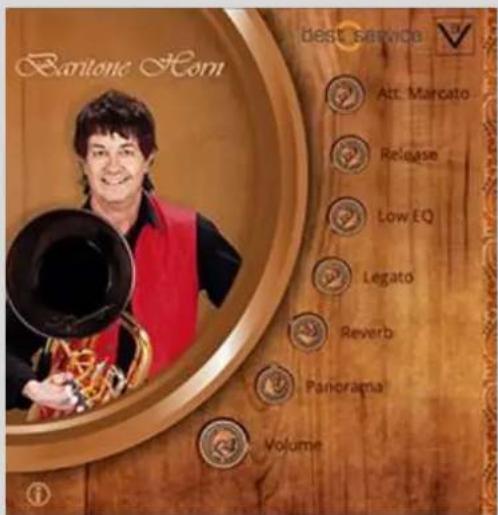
Sepp Mattlschweiger is the number 1 baritonist in Austria. Even when playing the "Big C" his baritone horn has the same power as in the higher ranges. Sepp and his group, Juchee, are also great live performers!
Special features:
Low EQ: More bass, especially for Baritone Legato (on / off): Play realistic legato
Keyswitches:
C1: Marcato
D1: Staccato
Bass Trombone - Sebastian Fuchsberger
The Bass Trombone, was played by Sebastian Fuchsberger, a great musician and founding member of the Austrian band Global Kryner.
Special features:
Low EQ: More bass, especially for Baritone Legato (on / off): Play realistic legato
Keyswitches:
Guitar Picking - Renato Verlic

Another key piece for the perfect alpine folk music: The Oberkrainer guitar played by Renato Verlič. The strings were also recorded individually. Use this version for intros and solos.
Special features:
Pedal FX: Guitar effects, also via modwheel Legato (on / off): Play realistic legato
Keyswitches:
C1: Picking long D1: Alternative single strum
Guitar Chords - Renato Verlic
Authentic Oberkrainer chord strumming, played by Renato Verlic. You can choose from 5 different chord-types.
Special features:
Pedal FX: Guitar effects, also via modwheel Legato (on / off): Play realistic legato
Keyswitches:
C1: Major chords
D1: Minor chords
E1: 7th chords
F1: Dim chords
G1: Open

Nylon Guitar Bass - Sabrina Klotz
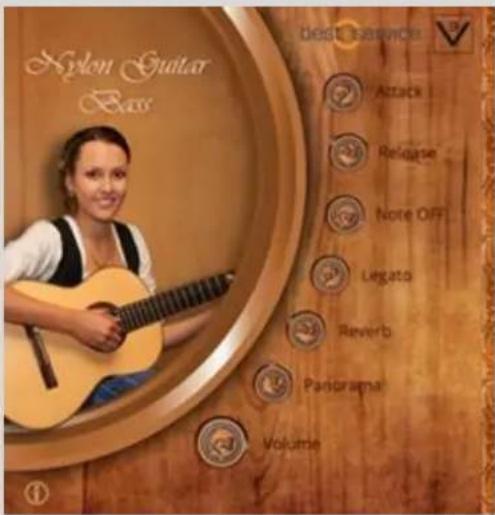
Nylon guitar, played by Sabrina Klotz. Use this instrument for bass lines in combination with the patch Nylon Guitar chords!
Special feature:
Note OFF: Adjust the volume of realistic string noises Legato (on / off): Play realistic legato
Keyswitches:
C1: Picking long D1: Picking short
Nylon Guitar Chords - Sabrina Klotz
Authentic chords for Bavarian style music, played by Sabrina Klotz. 4 different chord types to choose from!
Special features:
Note OFF: Adjust the volume of realistic string noises Legato (on / off): Play realistic legato
Keyswitches:
C1: Major chords
D1: Minor chords
E1: 7th chords
F1: Dim chords

Tuba - Jon Sass

The internationally renowned tuba soloist Jon Sass is the master of this special Jazz Tuba sound.
Special features:
Low EQ: Ajust the low frequencies
Legato (on / off): Play realistic legato
Keyswitches:
C1: Staccato
D1: Marcato long
Accordions
The perfect accordion sound for Oberkrainer-folk music.
Special features:
Att. Noise / Rel. Noise / Note off: Change the volume of the key sounds and the release samples for increased realism.
Bass/ Chord: Adjust the volume (last two octaves)
Register buttons:
Piccolo - 4'
Musette - 8'+8'+8'
Violin - 8'+8'
Basson - 16'

Alpenschellen (Alpin Bells)

Tuned cowbells, also known as Almglocken and referred to as Alpine bells, evoking the folk music of the northern Alps.
Special features:
Delay FX: Matching stereo delay effect Legato (on / off): Play legato
Drums (All)
Cox Patrick's private selection of authentic drum sounds & claps.
Special features:
All sounds are divided into 4 groups, with separate volume controlled
Basedrums (BD Vol.) Snaredrums & Claps (SD / C Vol.) Toms (TT Vol.) Cymbals (CYM Vol.)

Drumkit

Cox Patrick's private drum sounds as a drumkit
Special features:
All sounds are divided into 4 groups, with separate volume controlled
Basedrum (BD Vol.)
Snaredrum (SD Vol.)
Toms (TT Vol.)
Cymbals (CYM Vol.)
Dulcimer
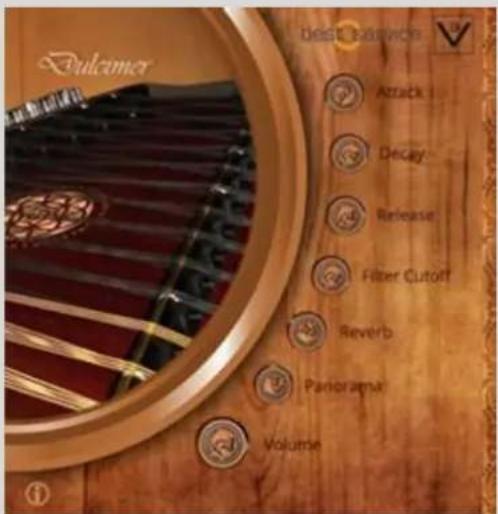
A three-string, dulcimer from Kitzbühel.
Special features:
Release Mute: If the sustain pedal is pressed, the dulcimer can be played muted.
Alternatively, you can use the Release knob to a shorter values.
Filter Cutoff: A lowpass filter
Zillertaler Geige (Fiddle)
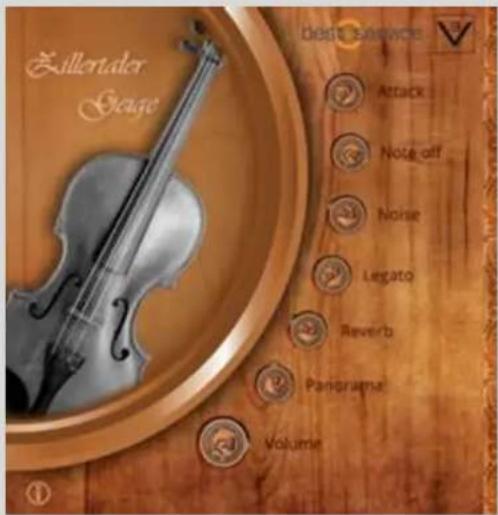
Special violin sound, recorded in the Zillertal style.
Special features:
Note off: Change the intensity of the note off samples. Noise: Adjusts the volume of the bow noise. Legato (on / off): Play realistic legato
Keyswitch:
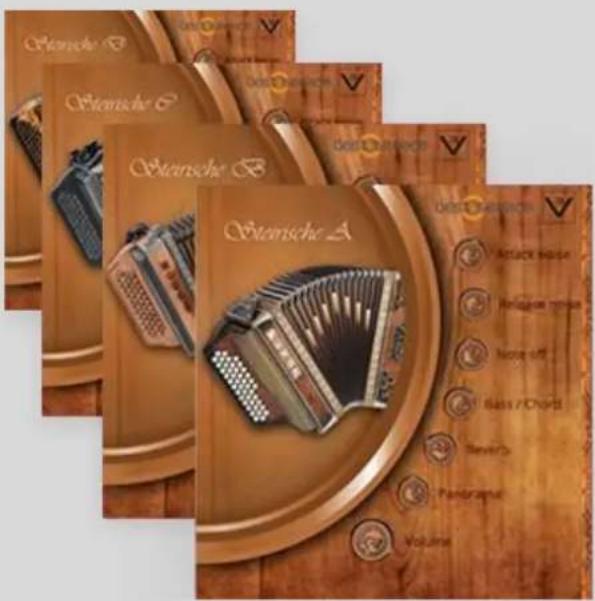
Four three rowed diatonic button accordions from Slovenia. MUNDA instruments are very popular because of their excellent quality and perfect sound.
Special features:
Note off: Adjusts the intensity of the note off samples Bass/ Chord: Adjusting the volume (lower two octaves)
Synthbass (CS01 & DX100)

Synth bass, known from Zillertal music. The synth bass can be combined with brass instruments such as baritone horn or bass trombone, to create a "thicker" sound!
Special features:
Filter Cutoff: Lowpass Filter.
Walzer Bass
Classic electric bass With long release time and activated legato, you can play the waltz bass in style.
Special features:
Low EQ: Boosts the low frequencies
Legato (on / off) – play realistic legato

Voice FX

Freddy Pfister's voice offers original sound bites in
Zillertaler dialect, incl. Yodelling!
The Freddy Pfister Band – one of the most popular Zillertaler bands in the German-speaking region – is definitely one you should see live.
Special features:
Delay FX: Sync Delay Effekt
Filter Cutoff: Lowpass Filter
Interface
The interface of the Alpine Volksmusik 1 Library provides an easy way to customize the sound of the instruments. In addition to the standard controls volume, pan, and reverb, each instrument / patch has its own parameters, incl. some special features (see above).

1. Controls:
Here you can change the parameters to your liking
2. Info:
The Info icon at the bottom left (if provided) changes the instruments window to the info pane. Besides some information about the instrument, you will also find all special features and keyswitches here.
3. Instrument window:
Displays the instrument or musician. In info mode, it shows the info details of the patch.
- INSTRUMENTS
- SOLO TRUMPET & TRUMPET ENSEMBLE - IVAN PREŠERN
- SPECIAL FEATURES
- KEYSWITCHES
- CLARIANT - PROF. VITO MUZENIC
- BARITONE HORN - SEPP MATTLSCHWEIGER
- BASS TROMBONE - SEBASTIAN FUCHSBERGER
- GUITAR PICKING - RENATO VERLIC
- GUITAR CHORDS - RENATO VERLIC
- NYLON GUITAR BASS - SABRINA KLOTZ
- SPECIAL FEATURE
- NYLON GUITAR CHORDS - SABRINA KLOTZ
- TUBA - JON SASS
- ACCORDIONS
- REGISTER BUTTONS
- ALPENSCHELLEN (ALPIN BELLS)
- DRUMS (ALL)
- DRUMKIT
- DULCIMER
- ZILLERTALER GEIGE (FIDDLE)
- KEYSWITCH
- SYNTHBASS (CS01 & DX100)
- WALZER BASS
- VOICE FX
- INTERFACE
- CONTROLS
- INFO
- INSTRUMENT WINDOW
Brand : Best Service
Model : Alpine Volksmusik 1
Category : Audio software