
Triboro Bridge - Guitar effect pedal Electro Harmonix - Free user manual and instructions
Find the device manual for free Triboro Bridge Electro Harmonix in PDF.


| Product Type | Compact Guitar Effects Pedal (Overdrive/Distortion/Fuzz) |
| Brand | Electro-Harmonix |
| Model | Triboro Bridge |
| Dimensions | 2.75 x 4.5 x 2 inches (approximate) |
| Weight | 0.5 lb (approximate) |
| Power Supply | 9VDC center-negative, 100mA minimum (9.6DC-200 adapter included) |
| Input Impedance | 2.2MΩ |
| Output Impedance | 680Ω |
| Maximum Input Level | +1.5 dBu |
| Maximum Output Level | +2.1 dBu |
| Bypass Type | Buffered analog bypass |
| Saturation Modes | Overdrive (green LED), Distortion (orange LED), Fuzz (red LED) |
| Controls | VOL, GAIN, BASS/GATE, TREBLE/TONE, TYPE button |
| Special Features | Input Contour EQ (enabled via long press of TYPE button); bass/gate dual function; treble/tone dual function |
| Current Draw | 100mA at 9VDC |
| Maintenance | Keep clean and dry; avoid moisture and dust |
| Safety | Use only supplied AC adapter; do not exceed 10.5VDC; use correct polarity (center-negative) |
| Spare Parts and Reparability | Contact Electro-Harmonix support for service; no user-serviceable parts inside |
Frequently Asked Questions - Triboro Bridge Electro Harmonix
User questions about Triboro Bridge Electro Harmonix
0 question about this device. Answer the ones you know or ask your own.
Ask a new question about this device
Download the instructions for your Guitar effect pedal in PDF format for free! Find your manual Triboro Bridge - Electro Harmonix and take your electronic device back in hand. On this page are published all the documents necessary for the use of your device. Triboro Bridge by Electro Harmonix.
USER MANUAL Triboro Bridge Electro Harmonix
Overdrive | Distortion | Fuzz
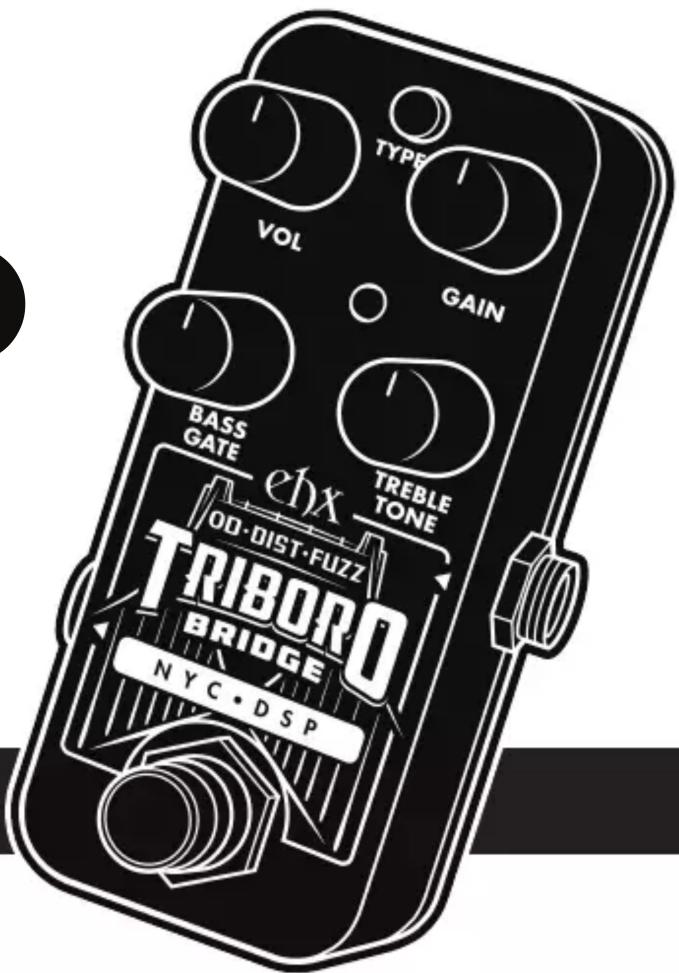
Welcome to the Electro-Harmonix Triboro Bridge, a compact pedal featuring three unique saturation algorithms: overdrive, distortion, and fuzz. The overdrive is based on the algorithm featured in the EHX Platform Stereo Compressor, the fuzz is based on the algorithm featured in the EHX Attack Decay, and the distortion is a new algorithm unique to the Triboro Bridge.
Operating Instructions
Insert the output plug from the supplied 9VDC AC adapter into the power jack at the top of the Triboro Bridge. The unit must be powered to pass signal, even in bypass. The Triboro Bridge features buffered analog bypass. Connect an instrument cable from your instrument to the Input jack. Connect an instrument cable between the Output jack and a suitable amplifier. Click the footswitch to engage the Triboro Bridge and light the LED.
Power Supply Requirements: Voltage: 9VDC Current: 100mA Polarity: Center-Negative
This device comes equipped with an Electro-Harmonix 9.6DC-200 power supply. Use of the wrong adapter or a plug with the wrong polarity may damage the device and void the warranty. Do not exceed 10.5VDC on the power plug. Power supplies rated for less than 100mA may cause the device to act unreliably.
Controls & Jacks
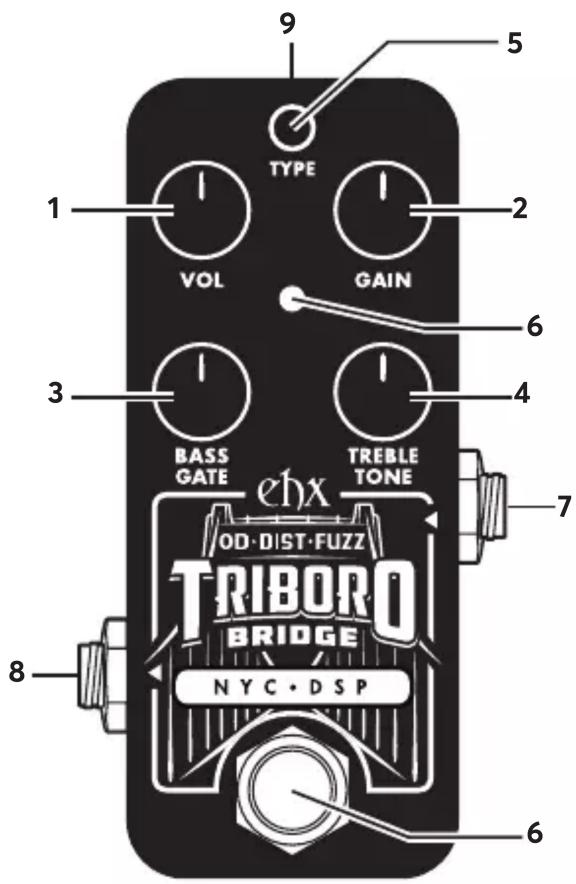
- VOL Controls the output volume.
- GAIN Controls the amount of saturation. Note: when Gain is maxed out in fuzz mode, the Triboro Bridge will make a lot of noise when you're not playing. Either activate the Gate knob or dial back the Gain knob.
- BASS/GATE In overdrive and distortion modes, this knob is a bass control, allowing you to boost or cut low frequencies. In fuzz mode, this knob controls the threshold of a noise gate. Note: when first switching to fuzz mode from a different mode, the gate is initially deactivated until you move this knob.
- TREBLE/TONE In overdrive and distortion modes, this knob allows you to boost or cut high frequencies. In fuzz mode, this knob controls the cutoff frequency of a resonant low-pass filter.
- TYPE Button Press this button to choose your saturation mode:
Green - OVERDRIVE
Orange - DISTORTION
Red - FUZZ
- Footswitch and Status LED Footswitch engages or bypasses the effect. The LED color indicates the selected distortion type. In bypass, the LED is off.
- Input Jack Impedance: 2.2MΩ, Max In: +1.5 dBu
- Output Jack Impedance: 680Ω, Max Out: +2.1 dBu
- Power Jack Current draw: 100mA at 9.0VDC
Input Contour Mode
By default, your guitar signal is unaffected before being fed into the Triboro Bridge's distortion algorithms. An optional Contour EQ may be enabled which cuts bass and boosts mids on the input signal, producing a more modern character. To enable Contour EQ:
- Press and hold the TYPE button.
- After two seconds, the LED quickly blinks 8 times indicating Contour EQ is enabled.
- Release the TYPE button.
- Repeat this procedure to disable Contour EQ. Four slow LED blinks indicate Contour EQ is disabled.
The Contour EQ setting is remembered through power-cycles so you can set it and forget it.
ehx
NYC·DSP
Questions about this product? Email: info@ehx.com


Brand : Electro Harmonix
Model : Triboro Bridge
Category : Guitar effect pedal