XRT62 - Rangefinder Halo - Free user manual and instructions
Find the device manual for free XRT62 Halo in PDF.


| Product Type | Laser Rangefinder |
| Brand | Halo |
| Model | XRT62 |
| Maximum Range | 600 yards |
| Magnification | 6x |
| Objective Lens Diameter | 24 mm |
| Eyepiece Lens | 15.5 mm, anti-fog |
| Field of View | 7 degrees (366 ft at 1000 yds) |
| Precision | ±1 yard |
| Water Resistant | Yes |
| Scan Mode | Yes |
| Weight (without battery) | 4.9 oz |
| Dimensions | 4.2 x 3 x 1.7 inches |
| Battery Type | CR2 (not included) |
| Power Saver | Auto-off after 20 seconds of inactivity |
| Display | Gray LCD |
| Warranty | 1 year |
| Included Accessories | Carrying case, lanyard, lens cloth, product information guide |
| Cleaning Instructions | Use provided lens cloth or apply isopropyl alcohol to a soft cloth (never directly on lens) |
| Laser Classification | Class 1 |
| Regulatory Compliance | FCC Part 15, Industry Canada, IEC 60825-1 |
Frequently Asked Questions - XRT62 Halo
User questions about XRT62 Halo
0 question about this device. Answer the ones you know or ask your own.
Ask a new question about this device
Download the instructions for your Rangefinder in PDF format for free! Find your manual XRT62 - Halo and take your electronic device back in hand. On this page are published all the documents necessary for the use of your device. XRT62 by Halo.
USER MANUAL XRT62 Halo
User's Manual Model # XRT6
INCLUDED ITEMS
1) Laser Range Finder Unit
2) Carrying Case
3) Lanyard
4) Lens Cloth
5) Product Information Guide
natural_image
Simple line drawing of a closed book or document (no text or symbols visible)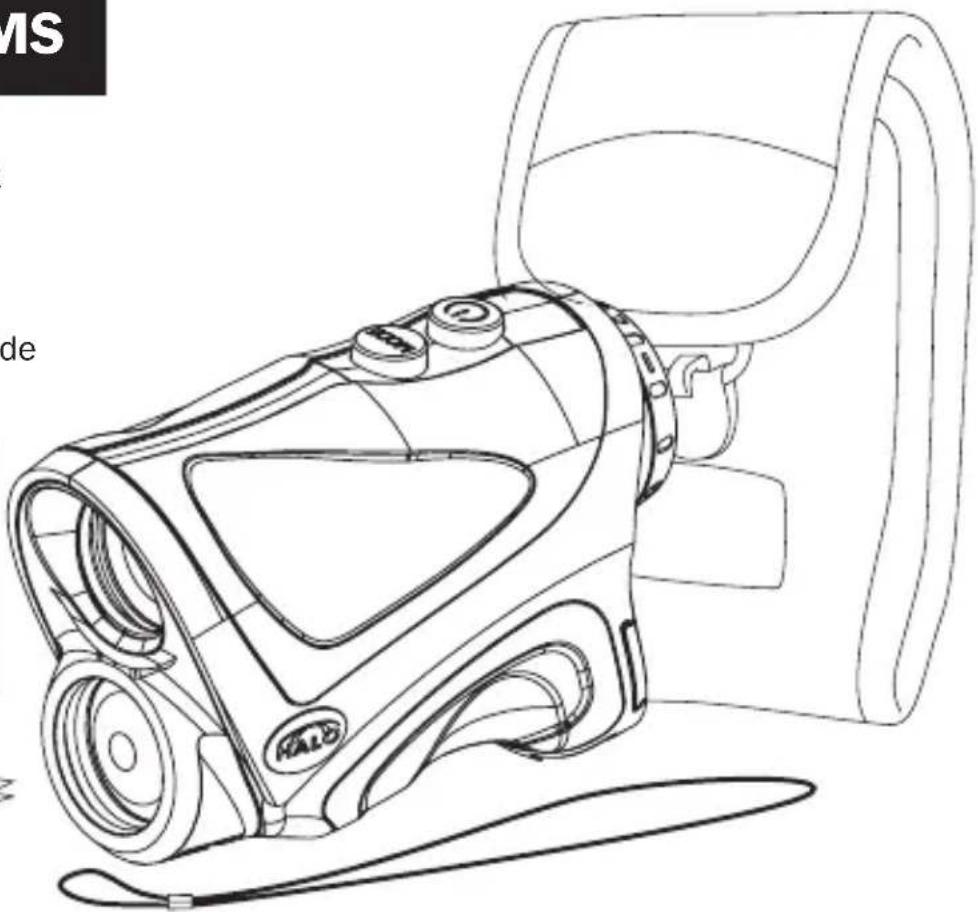
natural_image
Line drawing of a luxury vacuum cleaner with attached seat and door (no text or symbols)GETTING STARTED
1 Slide open battery compartment cover on back of unit and install battery.

natural_image
Technical line drawing of a mechanical device with concentric circular components and a central rectangular component (no text or symbols)2 Install lanyard strap. Turn unit over to the bottom side and insert one end of the lanyard thru the hole. Push "long" end of lanyard thru the small loop and pull taught.

natural_image
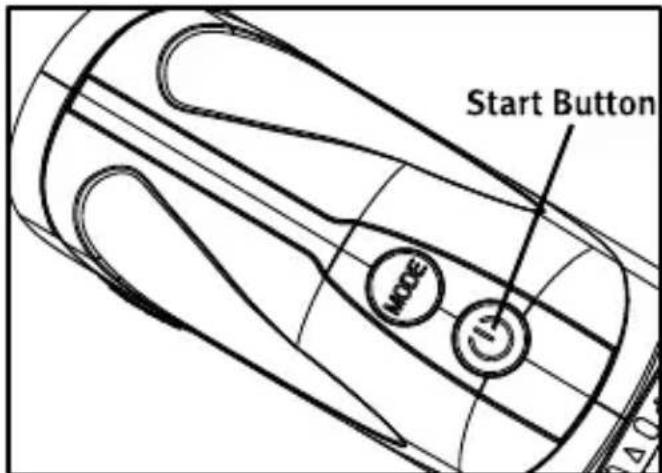
Line drawing of a mechanical device with handle and lever (no text or symbols)3 Locate and press the start button briefly to turn the unit on.
The LCD will show one of 4 images, depending on what setting was on when last powered off.

Displays shown are in NormalDistance Mode
SWITCHING BETWEEN MODES
4 Focusing the Unit. Locate the adjustable eye piece, turn left or right until images are in focus.

Pressing the "Mode" button will toggle between the following modes:
- Normal Distance in Yards
- Normal Distance in Meters

1 Normal Distance in Yards - When in this mode, the Line of Sight distance in yards is the only information displayed on the screen.
Normal Distance in Yards mode gives an accurate normal distance to target.

2 Normal Distance in Meters - When in this mode, the Line of Sight in meters is displayed on the screen.
Normal Distance in Meters mode gives an accurate normal distance to target.
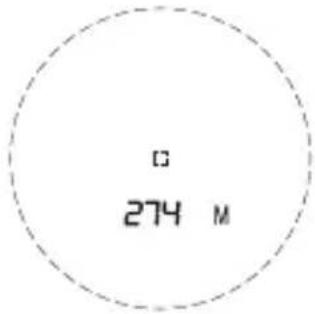

Line of Sight Distance is 200 Yards

Line of Sight Distance is 274 Meters
RANGING
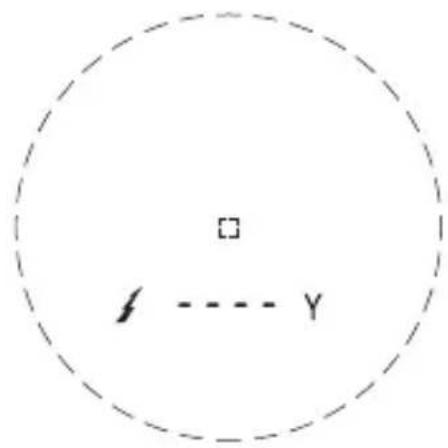
Press the Start button one time and release to start ranging. While measuring the distance to target being ranged, the transmitting symbol will blink. When the unit is done measuring, the data will be displayed on the screen.

Note: If target is out of range or a measurement was not obtained the unit will display “----” on the screen.
SCAN MODE
To use in "Scan Mode" press and hold the "Start" button and, "Scan" will then appear on the screen. As you change targets the measurements on the screen will change. Release the start button to leave Scan mode. Scan mode can be used in any ranging mode.

page 8
LOW BATTERY
If low battery indicator icon appears on the screen, the battery has a low charge and should be changed as this could cause a ranging error.

natural_image
Simple diagram with a battery icon inside a dashed circle, no text or symbols presentPOWER SAVER MODE
Unit will automatically power off after 20 seconds of button inactivity.
CLEANING
To clean the lenses use the cleaning cloth provided with the laser range finder. Use a circular motion when cleaning the lenses with the cleaning cloth.
If you use anything other than the cleaning cloth, make sure that is soft and not coarse, as this may scratch the lenses.
You may also use isopropyl alcohol to clean the lens, but always apply it to a soft cloth first and never directly on the lens itself.
SPECIFICATIONS
Max Range: up to 600 yards
Power: 6x
Eye lens: 15.5mm - anti-fog
Object lens: 24mm
View angle: 7 degrees
Precision: +/- 1 yard
Field of View: 7 degrees/366ft at 1000yrs
Water Resistant: yes
Scan mode: Yes
Weight: 4.9 oz. (without battery)
Size: 4.2" x 3" x 1.7"
Battery: CR2 (Not Included)
LCD: Gray color text/icons
Power Saver: 20 seconds without pressing a button
Warranty: 1 year
WARRANTY
DISCLAIMERS
WGI Innovations, LTD is not responsible for damage, expense or injury caused by the unauthorized use of, alterations to, improper connection of and abuse or neglect of the WGI Innovations™ products.
WARRANTY
For the warranty to be in effect, you MUST completely fill out and mail the warranty card along with your proof of purchase to WGI Innovations™ within (14) days after the date of purchase. As an alternative to mail, you may also visit our website and register your product at www.halooptics.com (you are still required to mail WGI Innovations™ your proof of purchase before the warranty is placed in effect.) Follow the onscreen directions to complete the process.
WGI Innovations, LTD will replace all workmanship defects free of charge for ONE (1) YEAR after the date of purchase as long as your warranty is in effect.
This warranty DOES NOT COVER damage, expense or injury caused by unauthorized repairs, alterations, improper connection, shipping, abuse, theft, accident, animal damage, neglect or collateral loss.
When returning product(s) for service you MUST obtain a Return Merchandise Authorization (RMA) number from WGI Innovations, LTD. Please include name, UPS address (No P.O. Box), telephone number, RMA number and a complete description of the problem on all enclosed correspondence.
When possible, pack product carefully in original carton. Customers are responsible for any shipping cost to WGI Innovations™. WGI Innovations™ will pay the shipping cost of replacement product to the customer. We are not responsible for damage incurred in returning items for repair.
For product service send to:
WGI Innovations™
602 Fountain Parkway
Grand Prairie, TX 75050
(800) 847-8269
www.halooptics.com
Thank you for your purchase!
CUSTOMER SERVICE
WGI Innovations™, LTD. stands behind every product we manufacture for a one year product workmanship warranty and a strong commitment to customer service. If you are in need of customer service for missing parts or need assistance with the operation or assembly of your product, we encourage you to call one of our customer service representatives and let us assist you with your WGI Innovations™ product.
DISCLAIMER
WGI Innovations, LTD reserves the right to make changes to product features, functionality and physical design at its sole discretion. As a result, such changes may not be reflected in this version
FCC STATEMENT
Product Name: Laser Range Finder
Trade Name: Wildgame Innovations
Model# XRT6
FCC
This device complies with Part 15 of the FCC Rules. Operation is subject to the following two criteria: (1) This device may not cause harmful interference, and (2) This device must accept any interference received, including interference that may cause undesired operation.
Warning: Changes or modifications to this unit not expressly approved by the party responsible for compliance could void the user's authority to operate the equipment.
NOTE: This equipment has been tested and found to comply with the limits for a Class B digital device, pursuant to Part 15 of the FCC Rules. These limits are designed to provide reasonable protection against harmful interference in a residential installation. This equipment generates, uses and can radiate radio frequency energy and, if not installed and used in accordance with the instructions, may cause harmful interference to radio communications.
However, there is no guarantee that interference will not occur in a particular installation. If this equipment does cause harmful interference to radio or television reception, which can be determined by turning the equipment off and on, the user is encouraged to try to correct the interference by one or more of the following measures:
-Reorient or relocate the receiving antenna.
-Increase the separation between the equipment and receiver.
-Connect the equipment into an outlet on a circuit different from that to which the receiver is connected.
-Consult the dealer or an experienced radio/TV technician for help.
INDUSTRY CANADA CERTIFICATION
This device complies with Industry Canada licence-exempt RSS standard(s). Operation is subject to the following two conditions: (1) this device may not cause interference, and (2) this device must accept any interference, including interference that may cause undesired operation of the device.
REGULATORY DISCLOSURES
Caution - use of controls or adjustments or performance of procedures other than those specified herein may result in hazardous radiation exposure.
Class 1 Laser Product
Complies with US and International laser performance standards IEC 60825-1
WGI INNOVATIONS,LTD
602 Fountain Parkway
Grand Prairie, Texas 75050
Model: XRT6
Patent Number 5,933,224
Made in China
Class 1 Laser Product
Complies with FDA performance standards for laser products except for deviations pursuant to Laser Notice
No. 50, dated June 24, 2007


MMDDYY
602
CAN ICES-3(B)/NMB-3(B)
WGI INNOVATIONS,LTD
602 Fountain Parkway
Grand Prairie, TX 75050
800.847.8269
Synovit Mouprunstiftur

"Wildgame Innovations" and the "Button Logo" are TM trademarks of Wildgame Innovations, LLC.
"Sport Responsible" and "Halo" are TM trademarks of WGI Innovations, LTD.


Brand : Halo
Model : XRT62
Category : Rangefinder