
MET-A07 - Musical instrument Harley Benton - Free user manual and instructions
Find the device manual for free MET-A07 Harley Benton in PDF.


| Product Type | Electric Guitar |
| Model | MET-A07 |
| Brand | Harley Benton |
| Body Material | Basswood |
| Neck Material | Maple |
| Fingerboard Material | Rosewood |
| Number of Frets | 22 |
| Scale Length | 25.5 inches (648 mm) |
| Pickups | 2 x Humbucker |
| Controls | Volume, Tone, 3-way Switch |
| Bridge | Tune-O-Matic with Stopbar Tailpiece |
| Tuning Pegs | Die-Cast Sealed |
| Finish | Gloss Polyurethane |
| Color | Black (assumed) |
| Dimensions | Approx. 38 x 12 x 2 inches (96.5 x 30.5 x 5.1 cm) |
| Weight | Approx. 8 lbs (3.6 kg) |
| Power Supply | None (passive electronics) |
| Included Accessories | Guitar cable, hex wrench, user manual |
| Maintenance | Wipe with dry cloth; periodically oil fingerboard and adjust truss rod |
| Safety Warning | Keep away from extreme temperatures and humidity |
| Repairability | Standard parts compatible; replacement pickups, tuners, etc. available |
| Warranty | 2 years (manufacturer) |
Frequently Asked Questions - MET-A07 Harley Benton
User questions about MET-A07 Harley Benton
0 question about this device. Answer the ones you know or ask your own.
Ask a new question about this device
Download the instructions for your Musical instrument in PDF format for free! Find your manual MET-A07 - Harley Benton and take your electronic device back in hand. On this page are published all the documents necessary for the use of your device. MET-A07 by Harley Benton.
USER MANUAL MET-A07 Harley Benton
Set volume off. Set the bass, middle, treble and presence controls to center.
2. Plug in
Connect the MET-A07 to an amplifier or PA with a 1/4 -inch instrument cable. The battery light will flash once quickly to indicate it has switched on.
3. Tune up
Raise the volume and adjust the bass, middle, treble and presence controls to your liking.
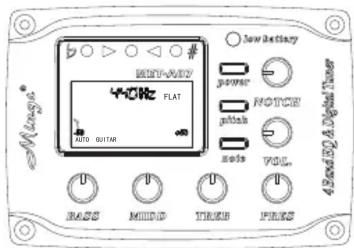

MET-A07 Controls

- Volume - For the cleanest signal, set the volume knob as high as possible, without causing distortion or feedback.
- Bass - Boost here to add depth and weight to the sound of the guitar.
- Middle - Turn the middle knob all the way left for a smooth "scooped out" tone at high volume levels. Raise the middle knob to the right of center to add midrange "bite" to the sound.
- Treble - boost to cut through the mix. Cut to mellow and subdue the sound.
- Presence - control the frequency between 15K-20K.
- Notch - anti-feedback control
- Power - Play a single note by your instrument, the string number and note name will shown on the display. The light and indicator change as following:
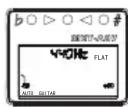
pointer on the initial position: tuner standby
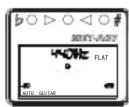
pointer keeps in centre: The note is accutage

pointer points left: The note is low

pointer points right: The note is hight
-
Note: Chromatic mode / guitar mode / bass mode
-
Pitch: 433 - 447 Hz, step 1Hz
-
Battery - When low-battery indicator lamp lights, please change the battery.
The system requires a 9-volt battery. Draw out the battery case located next to the input jack and replace the battery according to the +/- sign.
The guitar cable should be removed from the guitar when it's not in use, to keep the battery from draining.

Specification

Nominal Input Level:
-20dBV
Input Impedance:
22M Ohm
Output Impedance:
Nominal Output Level:
-12dBV
THD:
Less than .05% (-20dBV input)
Noise Floor:
-97dB
Dynamic Range:
102dB
Battery Life: (360mAh,9V)
60 hours (EQ Working, Tuner off)
Bass Control Frequency:
60Hz
Middle Control Frequency:
500Hz
Treble Control Frequency:
3KHz
Pres Control Frequency:
10KHz point control(±7dB,Q=1)
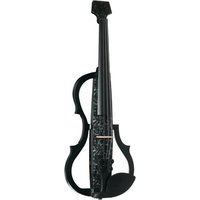
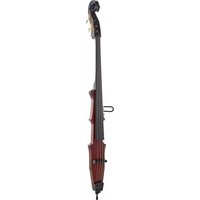


Brand : Harley Benton
Model : MET-A07
Category : Musical instrument