USER MANUAL Xacti VPC-S60EX SANYO
natural_image
Illustration of a silver digital camera with lens and screen (no text or symbols)
Important note
This manual explains how to safely operate the VPC-S60EX and VPC-S60. Any information regarding only one of these products will be labeled as such.
Please read these instructions carefully before using the camera.
Make sure to read and understand the separate booklet "SAFETY MANUAL".
Keep this manual in a safe place for later reference.
Warning
TO PREVENT THE RISK OF FIRE OR ELECTRIC SHOCK, DO NOT EXPOSE THIS APPLIANCE TO RAIN OR MOISTURE
■FOR AMERICAN USERS
The following advisory is included in accordance with the laws of the State of California (USA):
WARNING:
This product contains chemicals, including lead, known to the State of California to cause cancer, birth defects or other reproductive harm. Wash hands after handling.
- This equipment has been tested and found to comply with the limits for a Class B digital device, pursuant to Part 15 of the FCC Rules. These limits are designed to provide reasonable protection against harmful interference in a residential installation. This equipment generates, uses and can radiate radio frequency energy and, if not installed and used in accordance with the instructions, may cause harmful interference to radio communications. However, there is no guarantee that interference will not occur in a particular installation. If this equipment does cause harmful interference to radio or television reception, which can be determined by turning the equipment off and on, the user is encouraged to try to correct the interference by one or more of the following measures:
- Reorient or relocate the receiving antenna.
- Increase the separation between the equipment and receiver.
- Connect the equipment into an outlet on a circuit different from that to which the receiver is connected.
- Consult the dealer or an experienced radio/TV technician for help.
- Changes or modifications not expressly approved by the party responsible for compliance could void the user's authority to operate the equipment.
Model number: VPC-S60
Trade Name: SANYO
Responsible party: SANYO FISHER COMPANY
Address: 21605 Plummer Street, Chatsworth, California 91311
Telephone No.: (818) 998-7322
This device complies with Part 15 of the FCC Rules. Operation is subject to the following two conditions:
(1) this device may not cause harmful interference, and
(2) this device must accept any interference received, including interference that may cause undesired operation.
i English
■FOR CANADIAN USERS
- This Class B digital apparatus complies with Canadian ICES-003.
■ FOR EU USERS
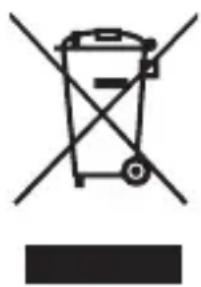
natural_image
Symbol of a trash bin with crossed lines indicating no waste or restriction, and a solid black rectangle below (no text or labels)
Note:
- This symbol mark and recycle system apply only to EU countries and do not apply to countries in other areas of the world.
Your SANYO product is designed and manufactured with high quality materials and components which can be recycled and reused.
This symbol means that electrical and electronic equipment, at their end-of-life, should be disposed of separately from your household waste.
Please dispose of this equipment at your local community waste collection/recycling centre.
In the European Union there are separate collection systems for used electrical and electronic products.
Please help us to conserve the environment we live in!
■Symbols used in this manual
HINT Points giving some extended instructions or special points to pay attention to.
CAUTION Points that require special attention.
(page xx) Refer to the page indicated for detailed information.
You may find the answers to questions or problems concerning camera operation in the sections “COMMONLY ASKED QUESTIONS” (page 111) and “TROUBLESHOOTING” (page 117).
GETTING UP AND RUNNING
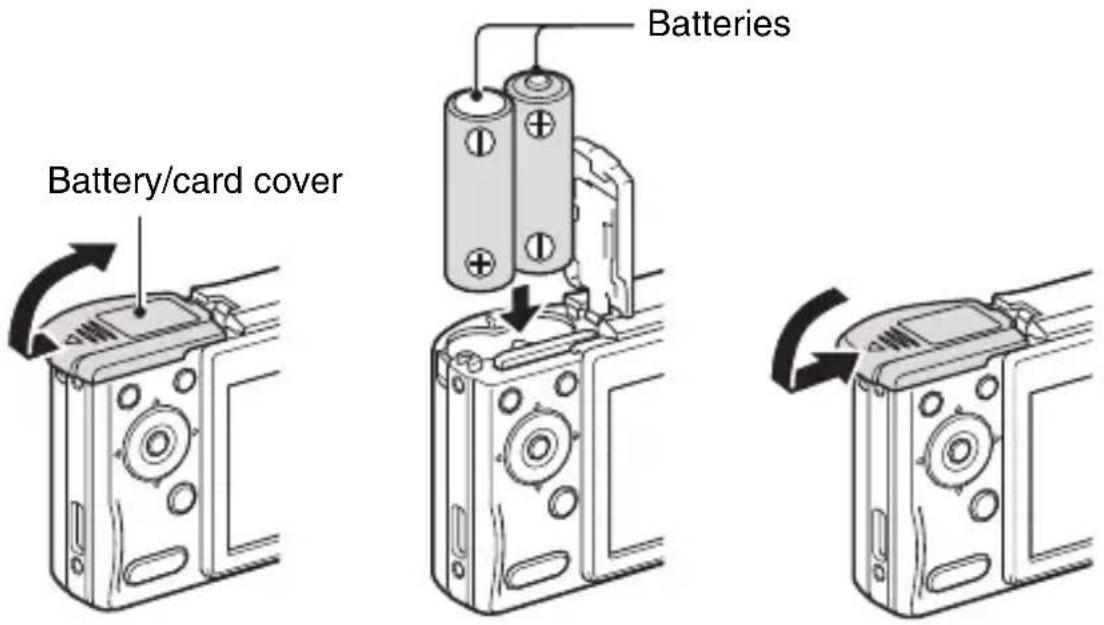
Install the battery
1 Open the battery/card cover, and insert the batteries.
• The battery/card cover is located on the bottom of the camera.
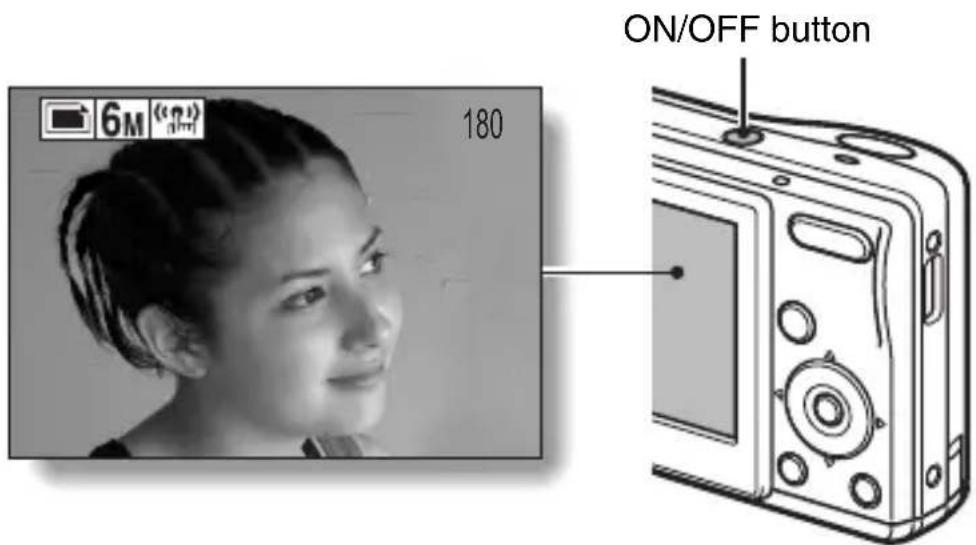
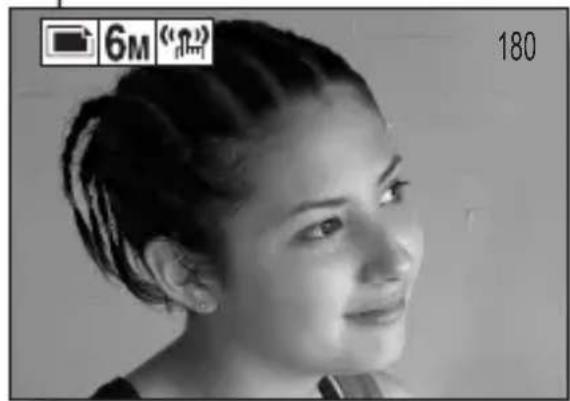
2 Press the ON/OFF button to turn the camera on.
• The Shooting Screen appears.
iii English
Shooting
■ Single shot (still image) photography
• The screen to set the shooting mode and self timer appears.
- An icon in the upper left area of the monitor indicates the active shooting mode setting.
: Single shot mode
: Sequential shots mode
: Video clip recording mode
• The image is captured.
■Video clip recording
- Recording begins.
• To stop recording, press the shutter button again.
![Shutter button SET button [▶] button](/content/2026/05/979733/images/7b0cf72a30878cab469477b37e5814ffe98ccdb4278d99da700e205da4e192c2.jpg)
natural_image
Black-and-white portrait of a woman with braided hair, no visible text or symbols
Playback
■Still image playback
• The display switches to the Playback Screen.
- To view other images, press the [◀] or [▶] button.
- If the playback button [▶] is pressed, the display returns to the Shooting Screen.
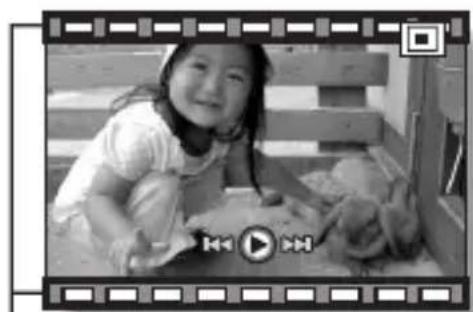
■Video clip playback
• The display switches to the Playback Screen.
- Press the [◀] or [▶] button to display the video clip you wish to play back.
• Video clips are indicated by a video clip pattern along the top and bottom of the screen.
- Playback of the selected video clip begins.
- If the playback button [▶] is pressed again, the display changes to the Shooting Screen.
Playback button [▶]
![SET button [◀] or [▶] button](/content/2026/05/979733/images/f9c5037b5195b6c86d4b6bd79aef71915e73484894c53cf2b3db9fb10a6c7350.jpg)
natural_image
Black-and-white photo of a smiling girl sitting on the floor, framed within a filmstrip border (no text or symbols visible)
Video clip pattern


