
Imilab Webcam 1080p - Webcam Xiaomi - Free user manual and instructions
Find the device manual for free Imilab Webcam 1080p Xiaomi in PDF.


Pick your language and provide your email: we'll send you a specifically translated version.
| Product Type | Webcam |
| Brand | Xiaomi |
| Model | Imilab Webcam 1080p |
| Video Resolution | 1080p Full HD |
| Field of View | 110 degrees |
| Night Vision | Up to 10m (infrared) |
| Audio | Built-in microphone and speaker (two-way audio) |
| Connectivity | Wi-Fi 2.4GHz, RJ45 Ethernet port |
| Power Supply | 5V DC via USB cable (adapter included) |
| Dimensions | 9.0 × 9.0 × 12.5 cm |
| Weight | Approx. 200 g |
| Mounting | Desktop or wall-mountable (bracket included) |
| Storage | MicroSD card (up to 32GB) or cloud storage |
| Motion Detection | Yes, with push notifications |
| Privacy Mode | Physical shutter to block lens |
| App Compatibility | Mi Home / Xiaomi Home app (iOS & Android) |
| Operating Temperature | 0°C to 40°C |
| Maintenance | Clean lens with a soft, dry cloth. Avoid liquids. |
| Safety | Indoor use only. Keep away from water. |
| Spare Parts | Not available separately. Contact support. |
Frequently Asked Questions - Imilab Webcam 1080p Xiaomi
How do I set up the Imilab Webcam 1080p?
Download the Mi Home app, create an account, and follow the in-app instructions to add the webcam. Ensure your Wi-Fi is 2.4GHz.
Does the webcam support 5GHz Wi-Fi?
No, it only supports 2.4GHz Wi-Fi networks. Please switch your router to 2.4GHz if needed.
Can I use the webcam outdoors?
No, it is designed for indoor use only. Exposure to moisture or extreme temperatures may damage it.
How does night vision work?
The webcam automatically switches to infrared night vision in low light, allowing clear black-and-white footage up to 10 meters.
Can I talk through the webcam?
Yes, the built-in microphone and speaker enable two-way audio communication via the Mi Home app.
Is there a privacy mode?
Yes, you can physically slide the shutter over the lens to block the camera. You can also disable audio in the app.
What storage options are available?
You can insert a microSD card (up to 32GB) for local recording or subscribe to cloud storage through the app.
How do I reset the webcam to factory settings?
Press and hold the reset button (usually on the back) for about 5 seconds until the LED flashes. Then reconfigure via the app.
Does it work with Apple HomeKit or Google Home?
It works with Xiaomi's ecosystem (Mi Home) but does not natively support HomeKit or Google Home. You may use third-party integrations.
What should I do if the video feed is choppy?
Check your Wi-Fi signal strength. Ensure the webcam is within range of the router and minimize interference from other devices.
User questions about Imilab Webcam 1080p Xiaomi
0 question about this device. Answer the ones you know or ask your own.
Ask a new question about this device
No questions yet. Be the first to ask one.
Download the instructions for your Webcam in PDF format for free! Find your manual Imilab Webcam 1080p - Xiaomi and take your electronic device back in hand. On this page are published all the documents necessary for the use of your device. Imilab Webcam 1080p by Xiaomi.
USER MANUAL Imilab Webcam 1080p Xiaomi
natural_image
Abstract geometric logo composed of two stylized human figures forming a 'M' shape (no text or symbols)
natural_image
Pure electrical circuit lines without any symbols
natural_image
Pure mechanical gear diagram without any text, numbers, or symbols
natural_image
Pure electrical circuit lines without any symbols
natural_image
Pure electrical circuit lines without any symbols

natural_image
Diagram of red brick wall blocks with a white line extending from one corner to the right (no text or symbols)
natural_image
Diagram showing red brick wall blocks connected to a white spray bottle (no text or symbols)

natural_image
Illustration of a red brick wall and a cylindrical showerhead (no text or symbols)
natural_image
Diagram of a device with ports and connections, no text or symbols present


*

natural_image
Simple line drawing of a smartphone with no text, numbers, or symbols
natural_image
Abstract geometric pattern with radial lines and a curved arc (no text or symbols)works with
mijia
+
*
*


natural_image
Interior line drawing of a bedroom with bed, lamp, and window (no text or symbols)

natural_image
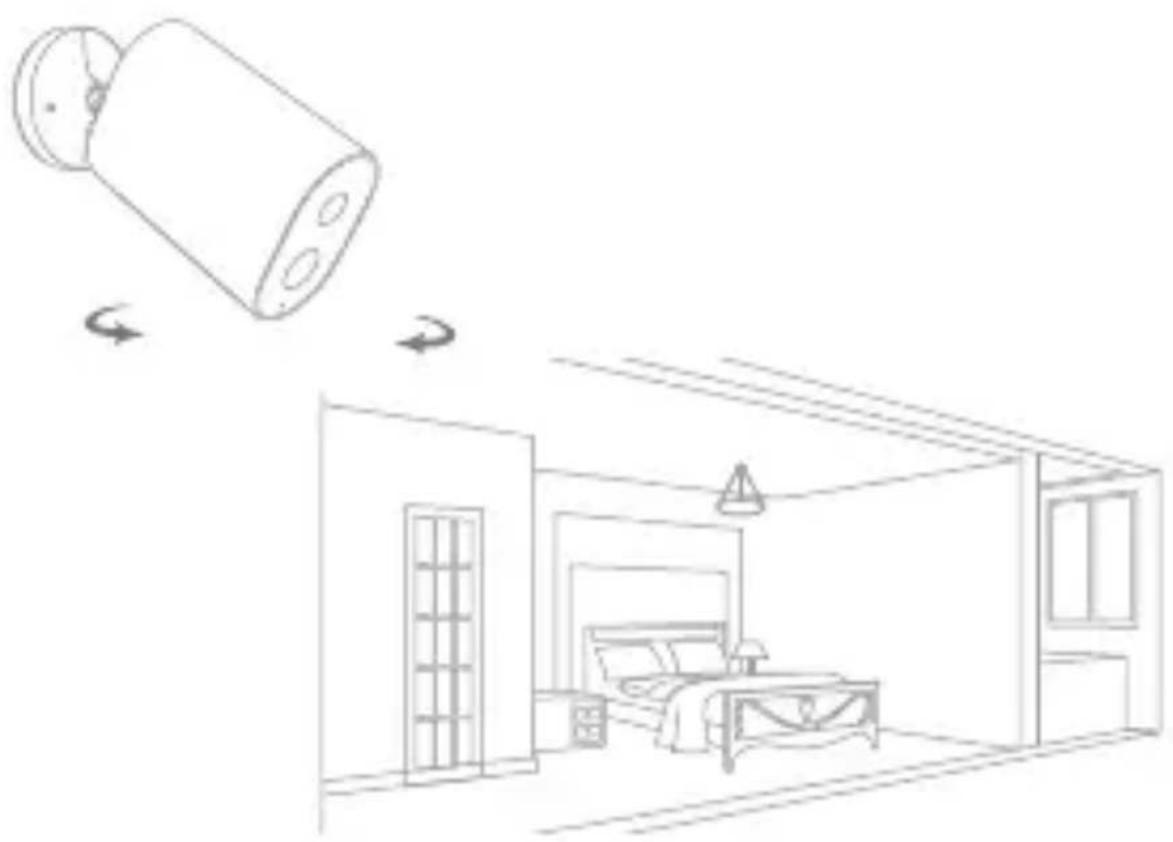
Line drawing of a bedroom interior with a lamp and wall-mounted device, showing room layout and furniture (no text or symbols)...
-
Manual assistant
Powered by Anthropic
Waiting for your message
Product information
Brand : Xiaomi
Model : Imilab Webcam 1080p
Category : Webcam