Massive23 GT - Computer Cooling Component THERMALTAKE - Free user manual and instructions
Find the device manual for free Massive23 GT THERMALTAKE in PDF.


Pick your language and provide your email: we'll send you a specifically translated version.
| Product Type | Laptop Cooling Pad |
| Model | Massive23 GT |
| Brand | Thermaltake |
| Compatibility | Laptops up to 23 inches |
| Fan Size | 230 mm |
| Number of Fans | 1 |
| Fan Speed Control | Yes, via knob |
| Fan On/Off Switch | Yes |
| Angle Adjustment | Yes, via back stand |
| Power Source | USB (5V, 0.5A) |
| Cable Length | Approximately 60 cm |
| Dimensions (L x W x H) | 420 x 300 x 30 mm |
| Weight | 800 g |
| Material | Plastic and metal mesh |
| LED Lighting | None |
| Noise Level | 21 dBA (typical) |
| Airflow | Approximately 90 CFM |
| Maintenance | Clean with soft dry cloth; avoid liquids |
| Safety | Keep vents clear; do not expose to moisture |
| Spare Parts | USB cable available; contact Thermaltake support |
| Warranty | 1 year limited |
Frequently Asked Questions - Massive23 GT THERMALTAKE
What laptops are compatible with the Massive23 GT?
The Massive23 GT is designed for laptops up to 23 inches. Most standard laptops and gaming laptops with a screen size of 23 inches or smaller will fit.
How do I turn on the fan and adjust speed?
Press the Fan On/Off switch to turn the fan on. Then rotate the fan speed control knob to adjust from low to high speed.
Can I adjust the angle of the cooling pad?
Yes, the Massive23 GT has a built-in stand on the back that allows you to adjust the angle for ergonomic typing.
Is the cooling pad USB powered? Does it require an external power adapter?
It is powered via a USB cable that connects to your laptop's USB port. No external power adapter is needed.
How do I clean the cooling pad?
Use a soft, dry cloth to wipe the surface. Avoid using liquids or abrasive cleaners. Ensure the fan is off and unplugged before cleaning.
What are the dimensions and weight?
Approximately 420 x 300 x 30 mm (LxWxH) and weighs about 800 g, making it portable yet sturdy.
Is the fan noisy?
The fan operates at a low noise level of around 21 dBA, which is barely audible in a quiet room.
Does the cooling pad have LED lights?
No, the Massive23 GT does not feature LED lighting. It focuses on performance and simplicity.
What should I do if the fan stops working?
Check the USB connection and try a different port. If the issue persists, contact Thermaltake customer support for warranty service or replacement parts.
Can I replace the USB cable if it gets damaged?
Yes, the USB cable is a standard replacement part. You can purchase a compatible cable or contact Thermaltake for a genuine replacement.
User questions about Massive23 GT THERMALTAKE
0 question about this device. Answer the ones you know or ask your own.
Ask a new question about this device
No questions yet. Be the first to ask one.
Download the instructions for your Computer Cooling Component in PDF format for free! Find your manual Massive23 GT - THERMALTAKE and take your electronic device back in hand. On this page are published all the documents necessary for the use of your device. Massive23 GT by THERMALTAKE.
USER MANUAL Massive23 GT THERMALTAKE
natural_image
Technical line drawing of a mechanical component with no visible text or symbolsMassive23 GT Black x 1
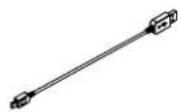

USB Cable x 1 Warranty Card x 1 Manual x 1


Figure
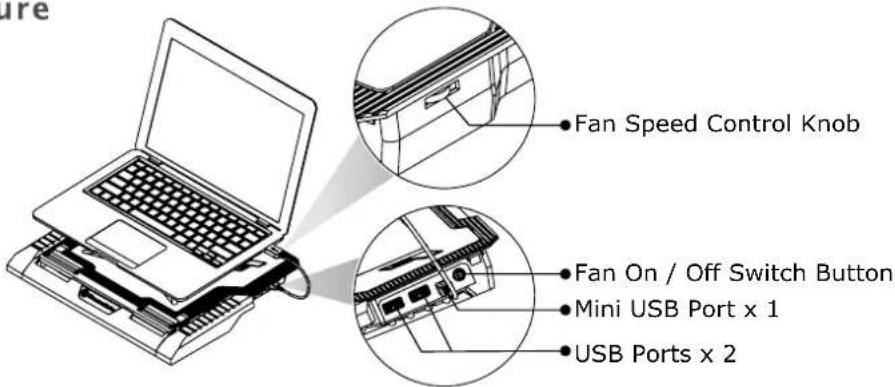
English:
- Connect USB cable to Laptop USB
- Press Fan On/Off switch to turn on the fan.
- Adjust fan speed via fan speed control knob
- Adjust angle via back side stand.