
BTW Pro - Earphones BLAUPUNKT - Free user manual and instructions
Find the device manual for free BTW Pro BLAUPUNKT in PDF.


| Product Type | Wireless Earphones |
| Brand | Blaupunkt |
| Model | BTW Pro |
| Dimensions (Earpiece) | Approx. 2.0 x 1.5 x 1.0 cm |
| Weight (Per Earbud) | Approx. 5 g |
| Battery Capacity (Earbud) | 50 mAh each |
| Battery Capacity (Charging Case) | 300 mAh |
| Charging Time | Approx. 1.5 hours |
| Playback Time | Up to 5 hours (depending on volume) |
| Standby Time | Up to 100 hours |
| Connectivity | Bluetooth 5.0 |
| Wireless Range | Up to 10 m |
| Driver Unit | 6 mm dynamic |
| Frequency Response | 20 Hz - 20 kHz |
| Impedance | 16 Ω |
| Microphone | Yes, built-in |
| Controls | Touch controls (play/pause, volume, calls) |
| Water Resistance | IPX4 (sweat and splash resistant) |
| Included Accessories | Charging case, USB-C cable, 3 sizes of ear tips |
| Material | Plastic with silicone ear tips |
| Compatibility | iOS, Android, Bluetooth enabled devices |
Frequently Asked Questions - BTW Pro BLAUPUNKT
User questions about BTW Pro BLAUPUNKT
0 question about this device. Answer the ones you know or ask your own.
Ask a new question about this device
Download the instructions for your Earphones in PDF format for free! Find your manual BTW Pro - BLAUPUNKT and take your electronic device back in hand. On this page are published all the documents necessary for the use of your device. BTW Pro by BLAUPUNKT.
USER MANUAL BTW Pro BLAUPUNKT
natural_image
Black BLAUPUNKT wireless earbuds with open case, no visible text or symbols on device bodyTRUE WIRELESS
BTW-Pro
Qualcomm aptX™

Contents
- Brief Introduction 1
-
Before use 1
-
Overview 2
- Charging for earbud 3
- Charging for charging case 4
• Getting started 6
- Wearing earbud 6
- One earbud connecting with cellphone 7
- Two earbuds connecting with cellphone 10
- Earbuds pairing/connecting 11
- Function operation-use one earbud 12
- Function operation-use two earbuds 16
- Battery display 16
- Meaning of indicator light 17
- Factory Reset 18
• Care and maintenance 1 9
- FAQs 2 0
- Specification 2 1
• Warranty Information 22
Welcome to use True Wireless Bluetooth earbud, BTW-Pro.
Please read this user's manual carefully before use.
- Brief introduction
Blaupunkt BTW-Pro is a True Wireless Bluetooth Earbud, each ear piece comes with a Microphone that can be used by charging, and you can charge the charging case with your wireless charger individually or use together for stereo sound. The earbuds come safely placed in a charging case, which is convenient to carry and charge. The charging case supports wireless charging.
- Before use
1. Overview
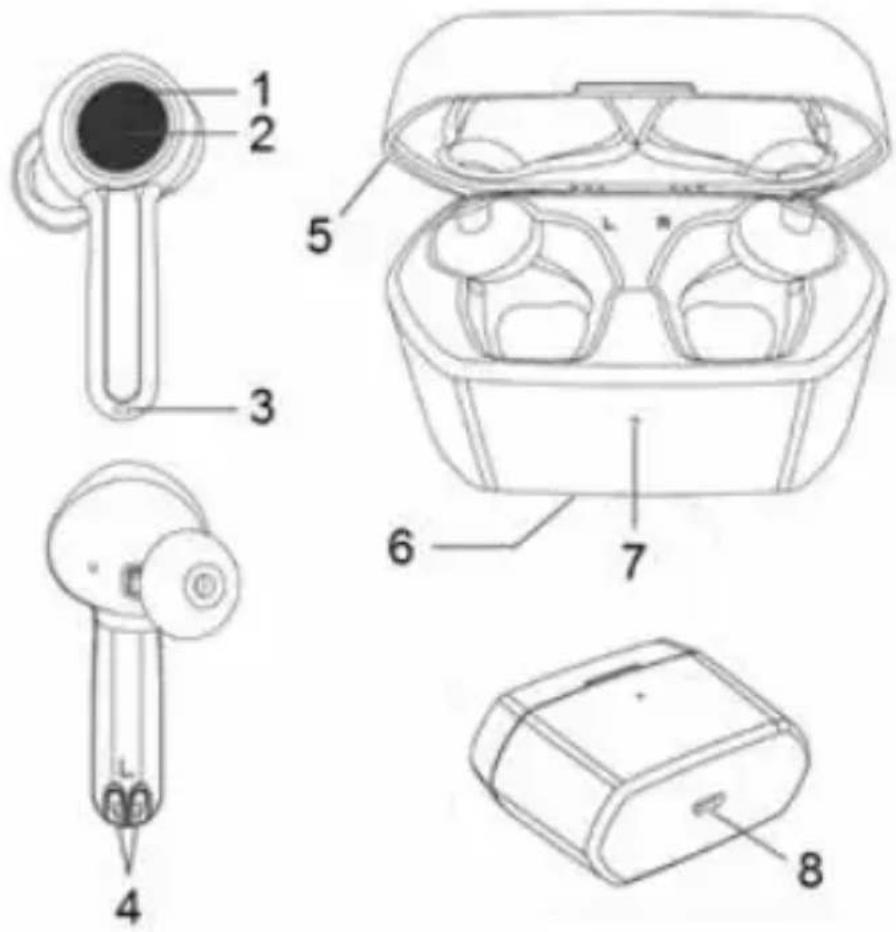
| 1. LED indicator | 4. Charging metal connect | 7. Charging indicator light |
| 2. MFB touch-button | 5. Top case | 8. Charging jack |
| 3. Microphone | 6. Wireless charge induction area |
2. Charging for earbud
When the earbud is low on power, the earbud emits "Battery low" once every 2 minutes and the red Led flashes slowly 4 times in a row every 1 minute. Please recharge the battery of the earbud.
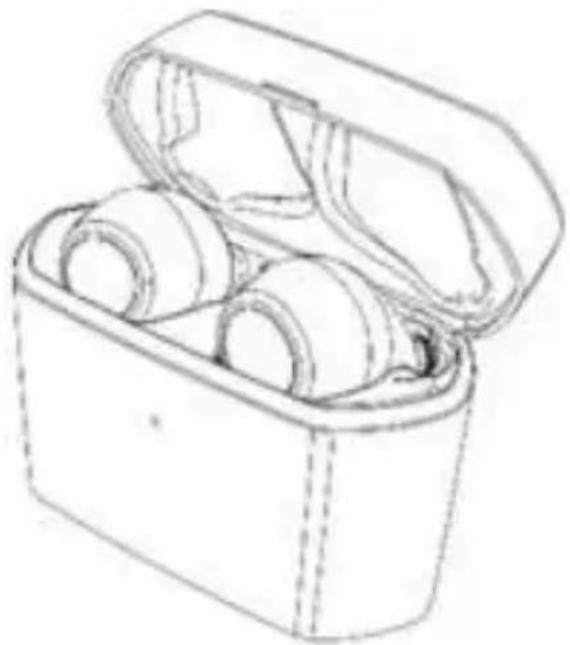
The way of charging the earbuds as following:
- Put the earbuds into the charging case to ensure that the charging pins connect well, and start charging when you see the red indicator light of the earbuds on.
Red light on: Charging
Red light off: Finished charging
- Charging should be completed in roughly 1.5 hours.
natural_image
Line drawing of an open cylindrical device with three wheels, no text or symbols presentRemarks:
- Please cover the charging case cover so that the earbuds and the charging case connect well when it is charging.
- When the earbuds are not put into charging case, the indicator light of charging case is off. When the earbuds are put into charging case, the white indicator light of the charging case will light up and indicate the power of the current charging case:
White LED flashes once every 2 seconds = low battery power;
White LED flashes 3 times every 2 seconds = sufficient battery power;
White LED remains on = full battery power;
After removing the earbuds from the charging case, the indicator LED of the charging case will automatically extinguish after 1 minute.
3. Charging for charging case
When any of the following situations occurs, it indicates that the charging case is low in power and you need to charge the charging case:
1) Put the earbuds into the charging case, and find that the white indicator light of the charging case flashes once every 2 seconds. It means that the charge case is low power.
2) When the indicator light of the charging case doesn't turn on and the earbuds cannot be charged, it means that the battery of the charging case has been used up.
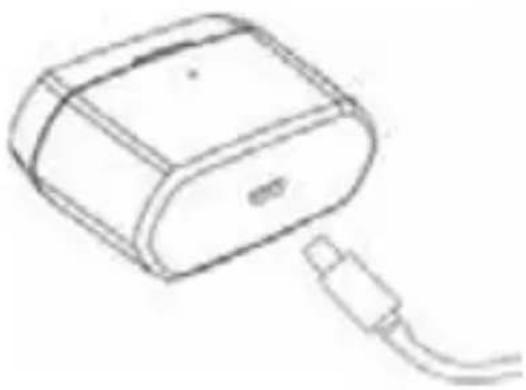
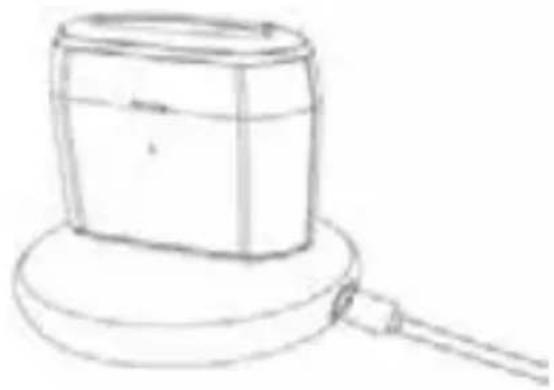
The charging case supports USB cable charging and wireless charging. The way of charging for the charging case as following:
Using USB cable
1) Plug the Micro USB charging cable into the case's charging jack.
2) Plug the USB cable into a USB port of PC or a 5Volt USB charge.
Wireless charging
1) Connect the wireless charger to the power cable. (some wireless chargers with built-in batteries may not need to be connected to the power cable)
2) Put the charging case in the center of the wireless charger as far as possible for the most efficient charging.
White LED flashes: Charging
White LED on: Finish charging
3) Charging should be completed in roughly 1.5 hours. When using wireless charging, the charging time will be slightly longer.
4) If the earbuds are in the charging case, it can charge the earbuds while charging the charging case.
natural_image
Line drawing of a rectangular electronic device with a cable inserted, no text or symbols presentMicro USB charging
natural_image
Simple line drawing of a rectangular object with a circular base and a rod extending from its side (no text or symbols)Wireless charging

Remarks:
1) The battery is recyclable.
2) Batteries (battery pack or batteries installed) shall not be exposed to excessive heat place, such as sunshine, fire or the likes.
3) Please make sure the charging jack is dry before putting on charging.
Getting started
1. Wearing earbud
a. Choose the suitable size ear gels b. Ensure each earbuds is worn on the correct ear. "L" should be worn on the left ear and "R" worn on the right ear
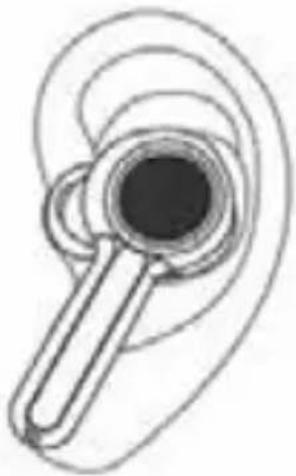
natural_image
Illustration of a wireless ear with concentric wave patterns (no text or symbols)Left ear
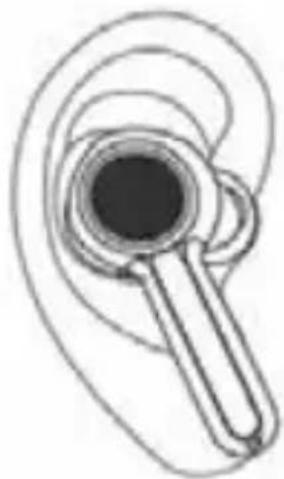
natural_image
Diagram of an ear with a magnifying glass and earplush, showing sound waves (no text or symbols)Right ear
2. One earbud connecting with cellphone
Each earbuds can be connected separately to the cellphone.
1. Power on
a) The earbuds will turn on automatically when they are taken out of the charging case.
b) If the earbuds are power off, you should press touch-button for about 3s until white LED flashes as the same time the earbuds emits "Power on". Then release. This is now in the "Power on" state.
2. Pairing
a) After the earbud is taken out of the charging case, it will be power on. Then it will connect back to the phone it was paired with before. When the earbuds and the cellphone fails to connect back, the earbuds will automatically enter the matching state.
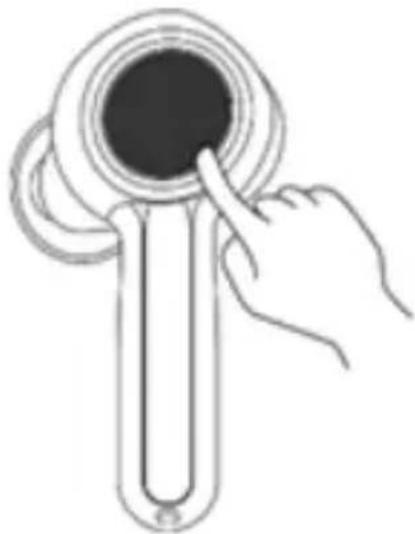
b) If the earbuds are power off, you should press touch-button for about 8s and release it when the red LED and white LED flash quickly and alternately. You will hear "Pairing". The earbuds are now in "Pairing" mode.
natural_image
Illustration of a hand inserting a ring into a cylindrical device (no text or symbols)3. Connecting
To connect your earbuds to a Bluetooth device, first ensure the device has Bluetooth enable and it is in pairing mode (See your device manual for setting pairing mode). Once your earbuds are in pairing mode, you should be able to see it in the list of Bluetooth devices.
You should see BLAUPUNKT-BTW PRO (L) for left earbud or BLAUPUNKT-BTW PRO (R) for the right earbud appear in your contactable devices list. After successful connection, the earbuds prompts "Phone is connected".
You need to connect one of them to use as primary. However, if you want to use them individually, only connect the desired ear L or R, and turn off another one.
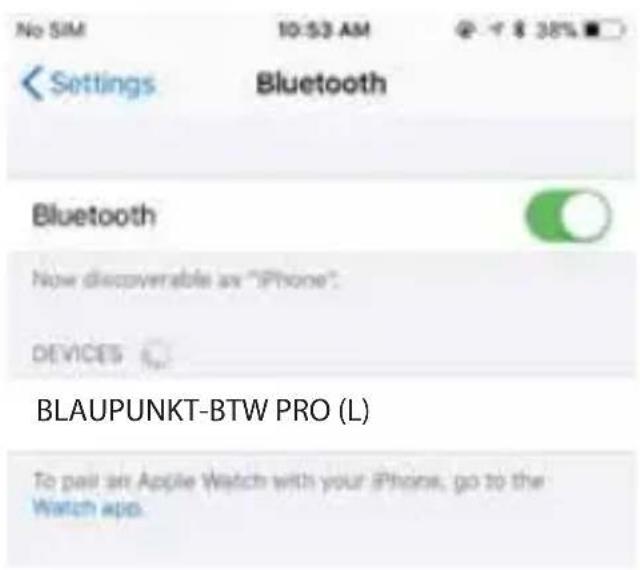
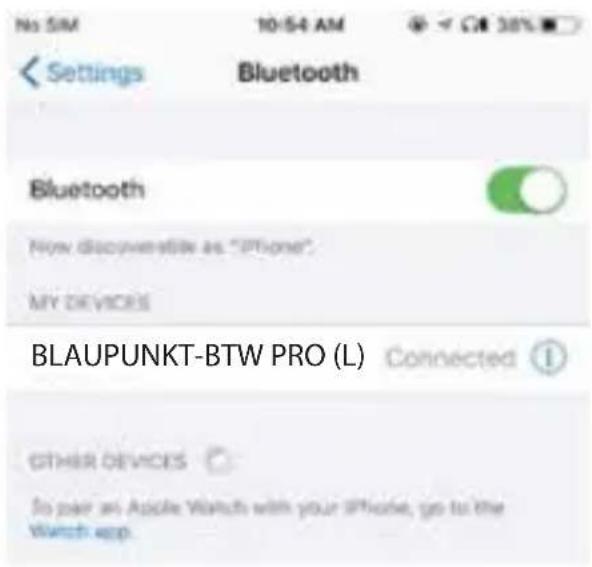
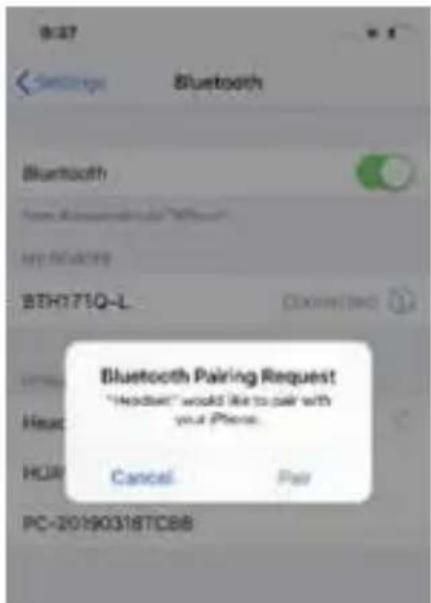
When Left earbud is successfully paired with the phone, the phone will Pop-up a dialog: "Earbud would like to pair with your phone". If you click "pair", the secondary earbud will also be paired with the phone. And primary-secondary switching function will be OK. If it is not confirmed at this time, Left earbud and Right earbud cannot switch subsequently.
4. Power off
1) Auto power off once put into charging case
2) Press touch-button about 5s and release it till red LED is on, and earbuds prompt "Power off".
Remark:
- When the earbuds are idle and not connected to the Bluetooth device, they will turn off automatically after 5 minutes to save power.
- The pairing mode will last for 2 minutes. If the earbuds are not paired with any Bluetooth devices after 2 minutes, the earbuds will enter standby mode and turn off automatically after the standby mode lasts for 3 minutes.
3. Two earbuds connecting with cellphone
In this mode, you can use two earbuds at the same time to enjoy stereo sound.
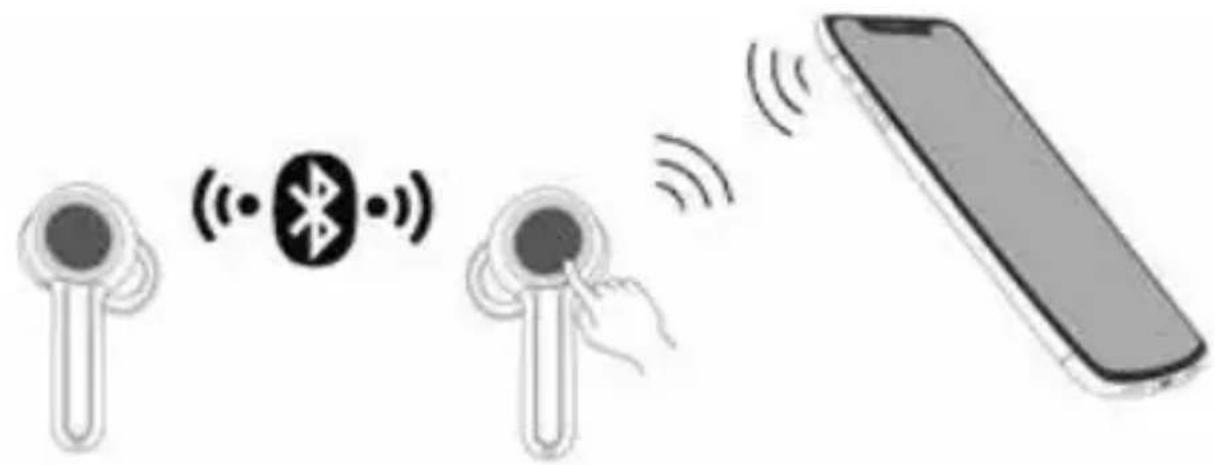
1) Turn on any one of earbuds and connect it with your Bluetooth device, then power on the other earbud and it will connect with each other automatically.
2) Primary-secondary switch: When primary earbud is successfully paired with the phone, the phone will Pop-up a dialog: "Earbud would like to pair with your phone". If you click "pair", the secondary earbud will also be paired with the phone, and the primary-secondary switching function will become OK. In the following cases, the secondary earbud can automatically switch and connect to the mobile phone, so you can continue to use:
(1) In the process of use, when the primary earbud is automatically turned off at low power, the secondary earbud will be automatically connected to the mobile phone.
(2) When the primary earbud is disconnected from the mobile phone at a distance, the secondary earbud will be automatically connected to the mobile phone.
(3) When the primary earbud is put into the charging case, the secondary earbud will be automatically connected to the mobile phone.
4. Earbuds pairing/connecting
Please use this step if both the earbuds doesn't get connected with each other.
-
Turn off both the earbuds (don't put them into the charging case).
-
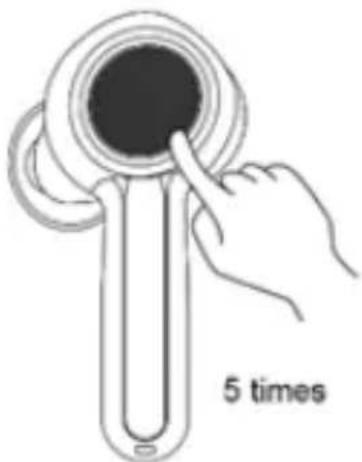
Clear the pairing list: Choose one of the earbuds. Firstly, enter the pairing mode. Then hit the touch button 5 times, while the red LED and the white LED turns on for 1 second. The pairing list will be
cleared when emits prompt tone. The other earbud cleans the pairing list by doing the same.
natural_image
Illustration of a hand inserting a circular component into a tube, labeled '5 times' (no other text or symbols)- The earbuds will enter TWS pairing mode automatically when they are turned on (indicator light status: red and white lights flash slowly). After successful connection, the primary earbud (L) will emit "Pairing" after a "dang" prompt, which indicator light status will be: red LED and white LED flash alternately (it keeps waiting to be paired with your phone), while the secondary earbud (R) will emits 'dang' and indicator status will be: white LED flash twice every 5 seconds.
Remarks:
- Normally the two earbuds will connect automatically once you have taken them out of the charging case, which set in factory.
- You can connect the two earbuds according to the above mentioned operation if they failed connecting.
5. Function operation-use one earbud
- Music
| Function | Status of earbuds | L R | Prompt tone | |
| Play Paused | Double-click touch-button | Double-click touch-button | D ang | |
| Pause | Playing music | Double-click touch-button | Double-click touch-button | D ang |
| Previous song | Playing music | Press Left touch-button about 2s | N/A | D ang |
| Next song | Playing music | N/A | Press Right touch-button about 2s | D ang |
| Volume up | Playing music | N/A | Once-click Right touch-button | D ang |
| Volume down | Playing music | Once-click Left touch-button | N/A | D ang |
- Calling
| Function | Status of earbuds | L | R | Prompt tone |
| Cancel calling | Calling | Once-click touch-button | Once-click touch-button | Two Tone_High Falling after Dang tone |
| Answering | Incoming call ringing | Once-click touch-button | Once-click touch-button | Dang |
| Reject | Incoming call ringing | Press touch-button about 2s | Press touch-button about 2s | Two Tone_High Falling |
| End calling | During a call | Double-click touch-button | Double-click touch-button | Two Tone_High Falling after Dang tone |
| Voice switch to phone | During a call | Press touch-button about 2s | Press touch-button about 2s | Two Tone_High Falling |
| Voice switch to earbuds | During a call | Press touch-button about 2s | Press touch-button about 2s | Two Tone_Low rising |
| Activate SIRI | Connected device | N/A | Triple-click touch-button | “Voice dial” |
| Volume up | During a call | N/A | Once-click touch-button | Dang |
| Volume down | During a call | Once-click touch-button | N/A | Dang |
6. Function operation - two earbuds connecting with cellphone
1. Music
| Function | Status of earbuds | L R | Prompt tone | |
| Play | Pausing | Double-click touch-button | Double-click touch-button | Dang |
| Pause | Playing m usic | Double-click touch-button | Double-click touch-button | Dang |
| Previous song | Playing m usic | Press Left touch-button about 2s | N/A Dang | |
| Next song | Playing m usic | N/A | Press Right touch-button about 2s | Dang |
| Volume up | Playing m usic | N/A | Once-click Right touch-button | Dang |
| Volume down | Playing m usic | Once-click Left touch-button | N/A Dang |
- Calling
| Function | Status of earbuds | L R Prompt tone | ||
| Cancel calling | Calling | Once-click touch-button | Once-click touch-button | Two Tone_High Falling after Dang tone |
| Answering | Incoming call ringing | Once-click touch-button | Once-click touch-button | Dang |
| Reject | Incoming call ringing | Press touch-button about 2s | Press touch-button about 2s | Two Tone_High Falling |
| End calling | During a call | Double-click touch-button | Double-click touch-button | Two Tone_High Falling after Dang tone |
| Voice switch to phone | During a call | Press touch-button about 2s | Press touch-button about 2s | Two Tone_High Falling |
| Voice switch to earbuds | During a call | Press touch-button about 2s | Press touch-button about 2s | Two Tone_Low rising |
| Active SIRI | Connected device | N/A | Triple-click touch-button | “Voice dial” |
| Volume up | During a call | N/A | Once-click touch-button | Dang |
| Volume down | During a call | Once-click touch-button | N/A | Dang |
3. Gang control to power off
When using two earbuds, if earbud of the left or right turns off, the other earbud will be turned off at the same time. The earbuds will have corresponding indicator light and prompt sound when they turn off.
Remarks:
- If earbuds are in calling mode, both earbuds will have voice and can operate function, but only the earbud connected with cellphone can pick up sound.
- When using both earbuds to talk, the transfer audio operation is on the primary earbud. In other words, when Left earbud is primary, long press left touch - button about 2s to transfer audio; when Right earbud is primary, long press right touch - button about 2s to transfer audio.
7. Battery display
When the earbuds are connected to an IOS device, it will display the battery of earbuds on the device. When the earbuds are low on power, the battery indicator will turn red and show a depleted battery icon. The earbud will also give an audio prompt to charge your earbuds.
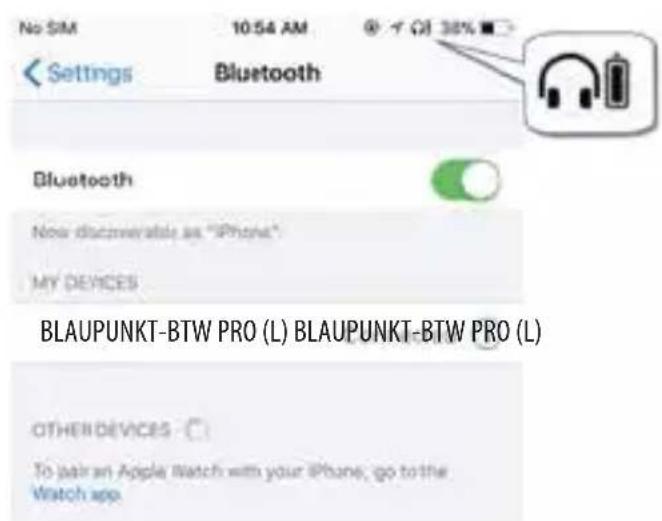
Full charge
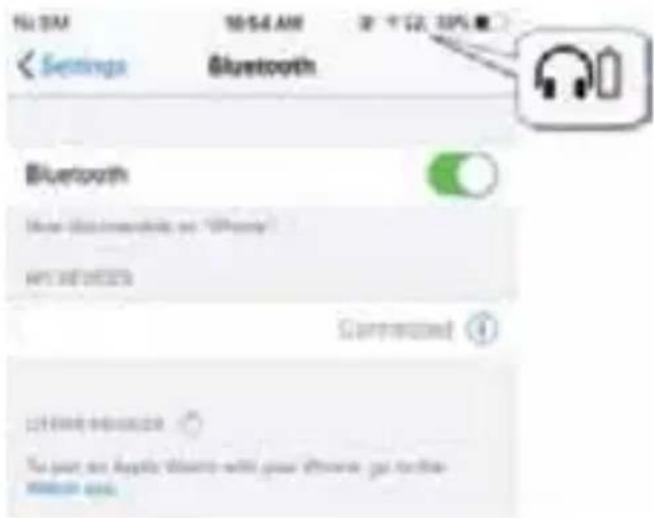
Low battery
- Meaning of indicator light
| Indicator light | State | |
| Earbuds | Red and white LED flash quickly alternately | Pairing mode with phone |
| Red and white LED flash slowly alternately | TWS pairing mode | |
| White LED flashes every 5 seconds | Disconnected | |
| White LED flashes twice every 10 seconds | Connected | |
| Red LED flashes four times every minute | Low battery | |
| Charging case | White LED flashes every 2 seconds | Low battery |
| White LED flashes three times every two seconds | Full battery | |
| White LED kept on | Has been charged | |
9. Factory Reset
When the earbuds are in the pairing mode, five times click the touch button, and the factory reset when the red LED and blue LED turns on for 1 second. At the same time, you will hear prompt tone and turn off.
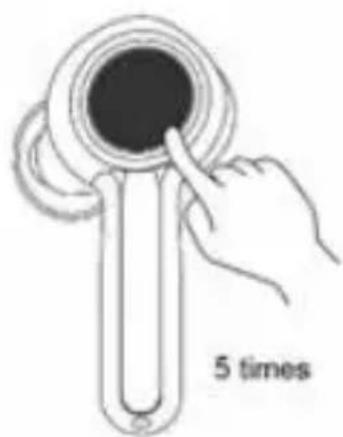
Five times click the touch button
Remarks:
• After factory reset, the paired list of both the earbuds as well as earbuds and mobile phone will be deleted. The earbud does not automatically reconnect the mobile phone and the other earbud after turning on.
• After factory reset, when the earbud turns on again, it will automatically enter the TWS pairing mode (red and white lights flash slowly alternately). Both the earbuds will be paired automatically. After TWS connection, left earbuds will continue to wait for pairing with the mobile phone (red and white lights flash quickly alternately).
Care and maintenance
Read the following recommendations carefully before using BLAUPUNKT-BTW PRO. Following these you will be able to enjoy using this product for many years.
- Keep it dry and don’t put it in any dump place to avoid the product’s internal circuit being affected. Don’t wear the earbud when in strong exercise to avoid sweat entering into it.
- Keep the product away from direct sunlight or hot places. High temperatures will shorten the life of electronic devices, destroy the battery or distort certain plastic parts.
- Don't expose the product to cold areas. It may damage the internal circuit board.
- Don't try to disassemble the product as it may get damaged if you are not professional.
- Don't let it fall down onto the floor or other hard surfaces. The internal circuit might get damaged.
- Don't use intensive chemical products or detergent to clean the product.
- Don't scratch the surface with sharp things.
- Don’t use this product during strenuous exercise. It may get damaged by sweat.
In case the product doesn't function properly, send it to the store you bought it. The staff will help you to solve the problem.
FAQs
-
What does it mean when red LED flashes slowly four times a minute? Battery is low power, need to be re-charged.
-
Why is the red LED off when charging?
a) The charging case may not have enough power to charge the earbuds. Please charge the charging case.
b) Make sure the metal contacts of the earbuds and charging case are free of obstacles.
c) The battery may dry up. Please charge the battery for 30 minutes, and then the red LED will be on.
- Why can't I hear the sound on the earbud?
a) Make sure the volume is not too low or muted;
b) Make sure the earbud connects with the mobile phone correctly;
c) Make sure the distance between the earbud and the cell phone is in the available Bluetooth range.
- Why can't I hear the sound clearly on the earbud?
a) Make sure the mobile phone is in the strong signal area;
b) Make sure the earbuds are in the available range and no other block
- Why the pause/play, last/next song not function when playing music? Make sure your Bluetooth device supports AVRCP (Audio/Video Remote Control profile)
Specifications
| Bluetooth version | Bluetooth V5.0 |
| Bluetooth profiles | HFP, HSP, A2DP and AVRCP |
| Operating distance | 10 meters |
| Working time (one earbud) | Up to 10 hours (maximum volume) |
| Up to 13 hours (50% volume) | |
| Working time (two earbuds) | Up to 9 hours (maximum volume) |
| Up to 12 hours (50% volume) | |
| Standby time | About 130 hours |
| Charging time for earbud | About 1.5 hours |
| Charging time for case | About 1.5 hours |
| Cycle count of the charging case to charge the earbuds | More than 2 times |
| Charging input for case | USB charging: DC5.0V 500mA |
| Weight | One earbud: 6.5g |
| Charging case: 44.2g | |
| Measure Earbud: 42*22.4*23mm | |
• Warranty Information 1 Year\*
If you have issue with our BTW-Pro product please contact our service center.
Authorized Service Center Blaupunkt Speakers
Address: Envent World Wide Pvt. Ltd.,
KH NO-96/2, Village-Bamnoli, Sector-28, Dwarka, Bamnoli West,
Delhi- 110077. E-Mail: wecare@blaupunkt-audio.in
Tel: 1800 843 4333
Please prepare and submit the following information during the telephone or e-mail notification to facilitate the process:
- Serial number
- Date of purchase
- A copy of proof of purchase in case of warranty
Note - Important information:
Please use the original packaging or other suitable packaging to protect the unit in transit.
- TRUE WIRELESS
- BTW-Pro
- Contents
- - Brief introduction
- - Before use
- Overview
- Charging for earbud
- The way of charging the earbuds as following:
- Remarks:
- Charging for charging case
- Using USB cable
- Wireless charging
- Getting started
- Wearing earbud
- One earbud connecting with cellphone
- Power on
- Pairing
- Connecting
- Power off
- Remark:
- Two earbuds connecting with cellphone
- Earbuds pairing/connecting
- Function operation-use one earbud
- Function operation - two earbuds connecting with cellphone
- Music
- Gang control to power off
- Battery display
- Factory Reset
- Care and maintenance
- FAQs
- • Warranty Information 1 Year\*
Brand : BLAUPUNKT
Model : BTW Pro
Category : Earphones