IML12 - Microphone Earthworks - Free user manual and instructions
Find the device manual for free IML12 Earthworks in PDF.


| Product Type | Boundary Microphone with Logic Control |
| Model | IML12 |
| Brand | Earthworks |
| Frequency Response | 20 Hz – 20 kHz (typical for Earthworks microphones) |
| Polar Pattern | Omnidirectional (typical for boundary microphones) |
| Power Requirement | 8V – 28V DC, external or phantom power via Phoenix connector |
| Logic Voltage | 5V logic input for control |
| LED Drive Current | 85 mA per LED pin (sink from digital output) |
| Connector Type | Phoenix terminal connector (included) |
| Compatible Controllers | Crestron, Biamp, ClearOne (pull-up resistors built-in) |
| Dimensions (Approx.) | 90 mm x 90 mm x 25 mm (typical boundary mic) |
| Weight (Approx.) | 150 g (estimated) |
| Operating Temperature | 0°C to 40°C (typical indoor use) |
| Storage Temperature | -20°C to 60°C |
| Cleanliness | Clean with a dry, soft cloth; avoid liquids and abrasives |
| Safety Precautions | Check power supply polarity before connecting; ensure proper grounding |
| Spare Parts Availability | Contact Earthworks support for replacement connectors or LEDs |
| Repairability | Serviceable by qualified technician; no user-serviceable parts inside |
| Included Accessories | Phoenix terminal connector, mounting hardware (if applicable) |
| Certifications | CE, RoHS (assumed) |
Frequently Asked Questions - IML12 Earthworks
User questions about IML12 Earthworks
0 question about this device. Answer the ones you know or ask your own.
Ask a new question about this device
Download the instructions for your Microphone in PDF format for free! Find your manual IML12 - Earthworks and take your electronic device back in hand. On this page are published all the documents necessary for the use of your device. IML12 by Earthworks.
USER MANUAL IML12 Earthworks
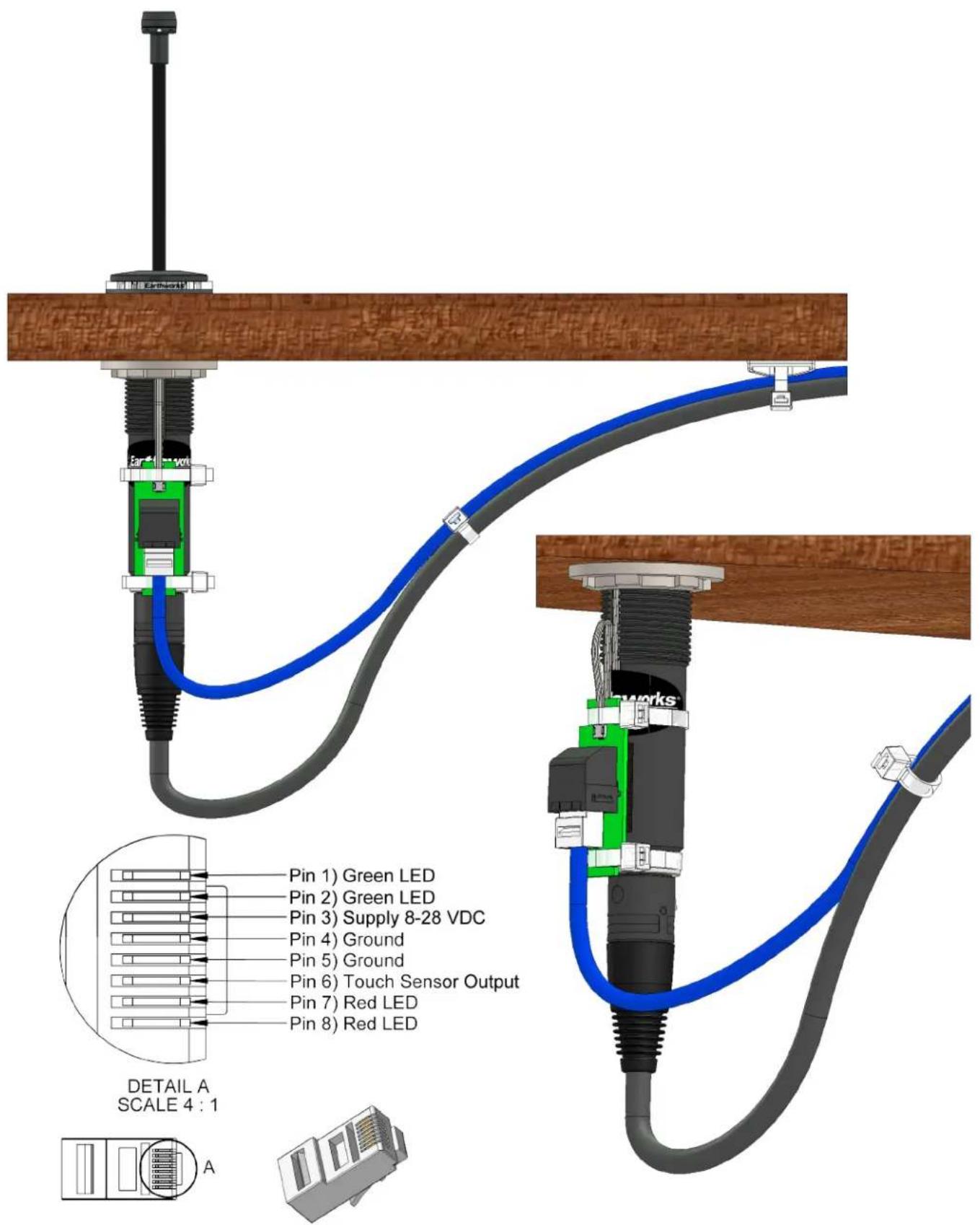
Installation Instructions
IML & IMBL Microphones
Phoenix Terminal Connector Option
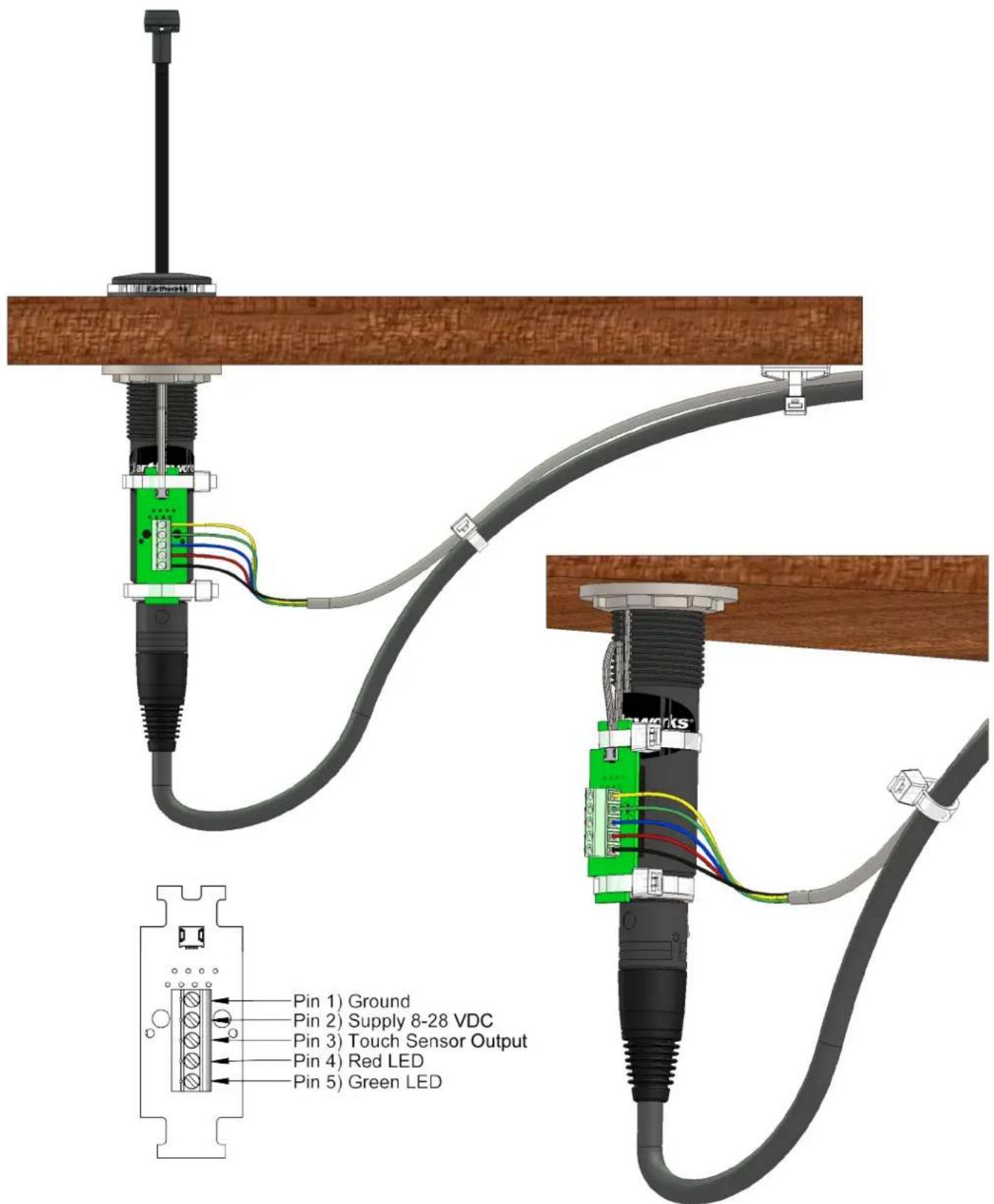
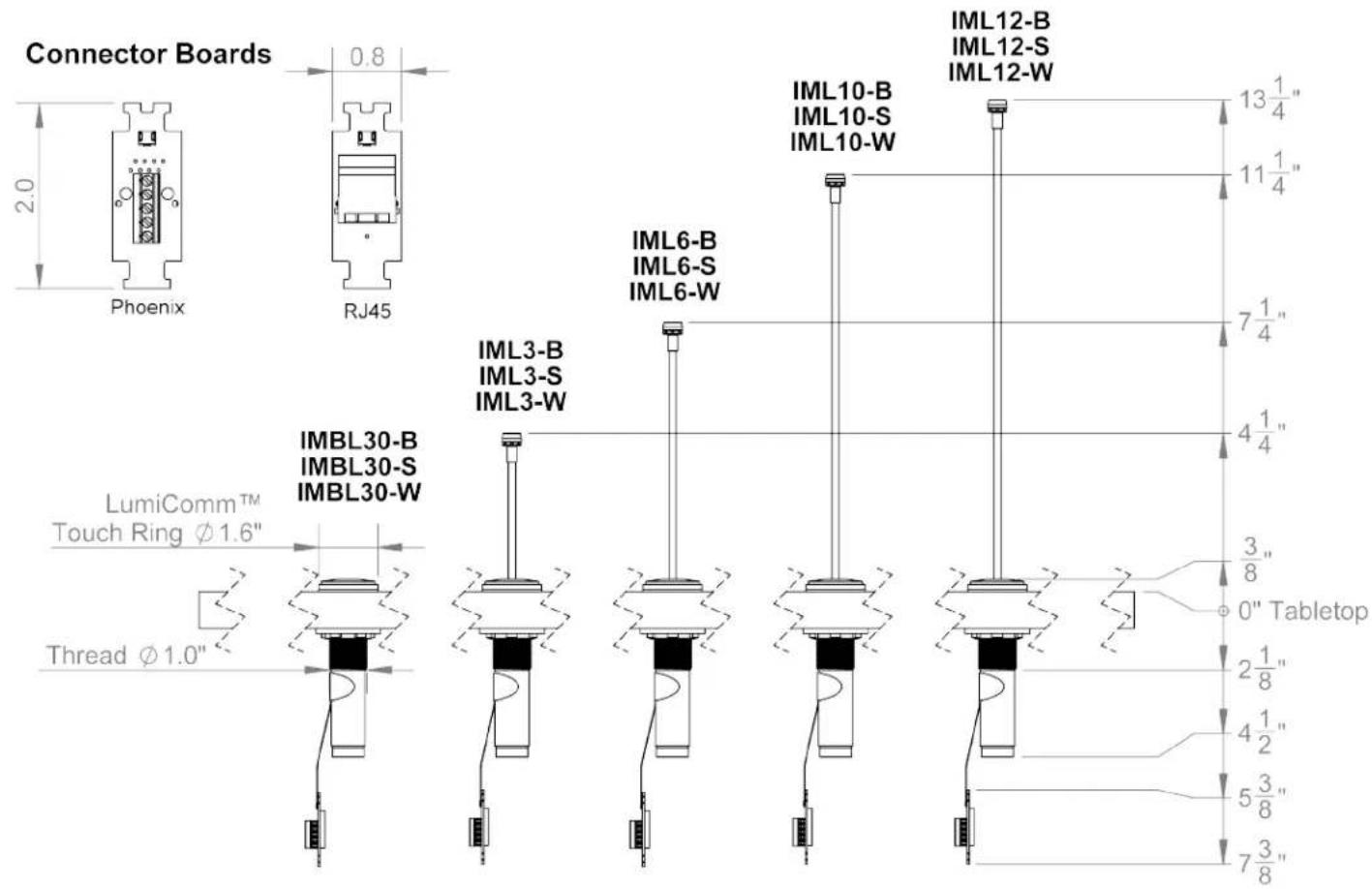
8V - 28V Logic 5V Logic
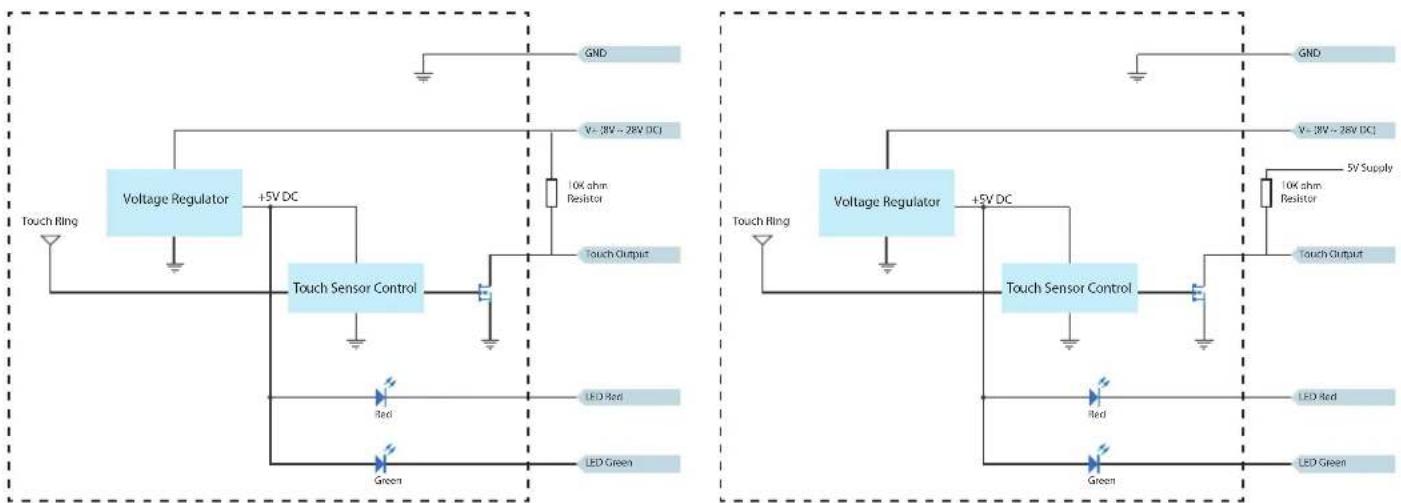
Note: Always check your power supply polarity before connecting your supply to the LumiComm™. The 10K resistor is not needed if using a Crestron, Biamp or ClearOne controller, as these controllers are already equipped with pull up resistors. If using a controller that does not have a pull up digital input, then a 10K resistor may be needed externally. The LED pins need to be connected to Digital outputs (contact closure or open collector) that can sink at least 85 mA each.
Brand : Earthworks
Model : IML12
Category : Microphone