
PKNB56AI4P - Refrigerator PITSOS - Free user manual and instructions
Find the device manual for free PKNB56AI4P PITSOS in PDF.


Pick your language and provide your email: we'll send you a specifically translated version.
| Product Type | Refrigerator with Freezer |
| Model | PKNB56AI4P |
| Brand | PITSOS |
| Installation Type | Freestanding |
| Total Net Capacity | 560 L |
| Fridge Capacity | 360 L |
| Freezer Capacity | 200 L |
| Energy Class | A+ |
| Annual Energy Consumption | 350 kWh |
| Noise Level | 42 dB |
| Dimensions (H x W x D) | 1860 x 910 x 710 mm |
| Weight | 95 kg |
| Climate Class | SN-T |
| Number of Shelves | 6 |
| Number of Drawers | 3 |
| Light Type | LED |
| Defrost System | Automatic (Frost Free) |
| Refrigerant | R600a |
| Temperature Control | Electronic |
| Door Alarm | Yes |
| Fast Freeze Function | Yes |
| Warranty | 2 years |
Frequently Asked Questions - PKNB56AI4P PITSOS
How do I set the temperature on my PITSOS PKNB56AI4P refrigerator?
Use the electronic control panel inside the fridge. Press the Temp button to cycle through settings. Recommended: 4°C for fridge and -18°C for freezer.
Why is my refrigerator making unusual noises?
Normal operation includes sounds from the compressor, fans, and refrigerant flow. If loud or persistent, ensure it's level and not touching walls. Refer to manual for details.
How often should I clean the condenser coils?
Every 6 months to maintain efficiency. Use a vacuum or brush on the coils at the back or bottom. Unplug before cleaning.
What should I do if the door does not close properly?
Check for obstructions, ensure the fridge is level, and clean the door gaskets. If the gasket is damaged, replace it with a genuine part.
How do I activate the fast freeze function?
Press the Fast Freeze button on the control panel. It runs for 24 hours to quickly freeze fresh food. It automatically deactivates.
What is the recommended temperature for the freezer?
-18°C or lower. This preserves food quality and safety. Use the control panel to adjust.
Can I change the door swing direction?
Yes, it is reversible. Follow the instructions in the manual to remove and relocate hinges. Requires tools and two people.
How do I replace the water filter?
If your model has a water dispenser, locate the filter in the upper right compartment. Turn it 90 degrees counterclockwise to remove and insert a new one. Flush 5L of water.
Why is there ice buildup in the freezer?
This model is frost-free, so ice buildup indicates a door left open, faulty gasket, or blocked air vents. Check and clean vents; if persists, contact service.
What does the Door Alarm mean?
The alarm sounds if a door is open for more than 2 minutes. Close the door to stop it. It helps save energy and preserve food.
User questions about PKNB56AI4P PITSOS
0 question about this device. Answer the ones you know or ask your own.
Ask a new question about this device
No questions yet. Be the first to ask one.
Download the instructions for your Refrigerator in PDF format for free! Find your manual PKNB56AI4P - PITSOS and take your electronic device back in hand. On this page are published all the documents necessary for the use of your device. PKNB56AI4P by PITSOS.
USER MANUAL PKNB56AI4P PITSOS



natural_image
Diagram of three drawer compartments with arrows indicating direction, no text or symbols present
flowchart
graph TD
    A["Step 2: Tray Row"] --> B["Step 3: Tray Box"]
    B --> C["Step 4: Panel Wing"]
    C --> D["Step 5: Panel Ring"]
    D --> E["Step 6: Circular Loop"]
    E --> F["Step 7: Panel Ring"]
    F --> G["Step 8: Final Assembly"]


natural_image
Illustration of three stacked storage bins with an arrow indicating direction, no text or symbols present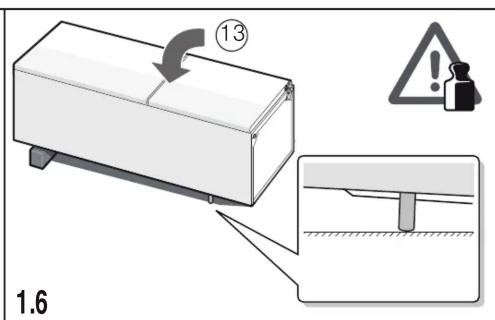
1.7

natural_image
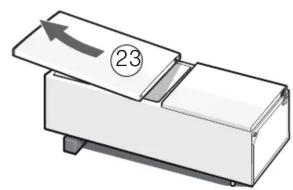
Illustration of a mechanical device with a numbered component and an arrow indicating direction (no text or symbols)1.8

1.9

1.10
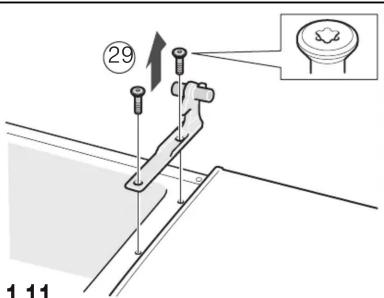
1.11
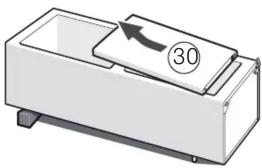
natural_image
Illustration of a mechanical device with a labeled component (30) and an arrow indicating rotation or movement (no text or symbols beyond the number)1.12
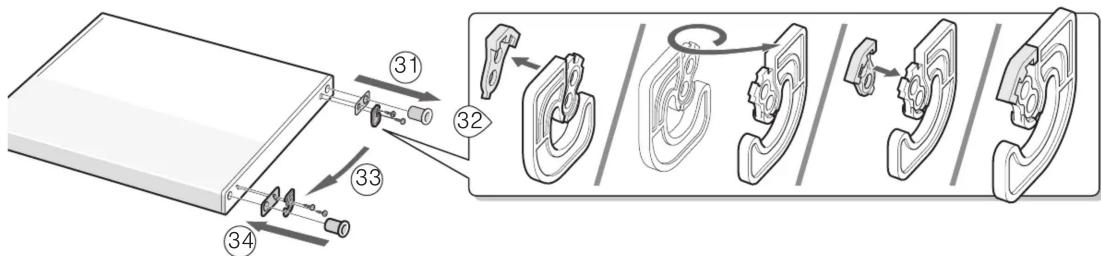
1.131.14
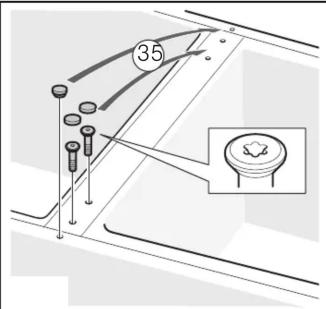


1.171.191.20
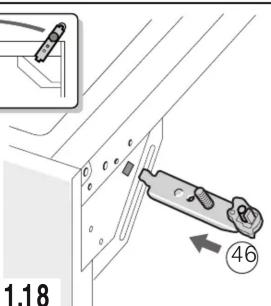
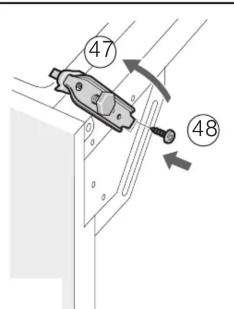

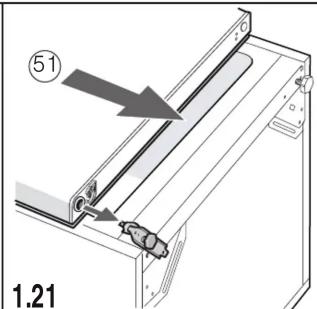

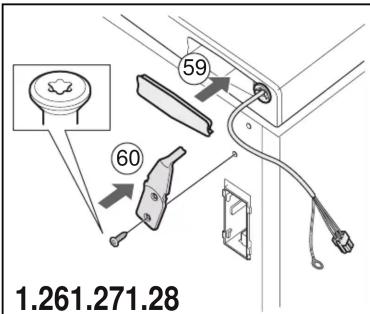
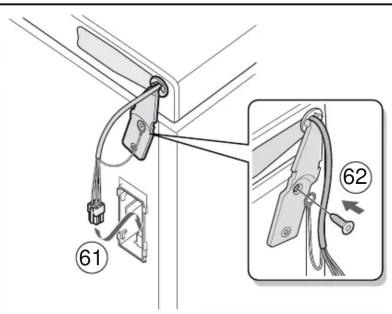

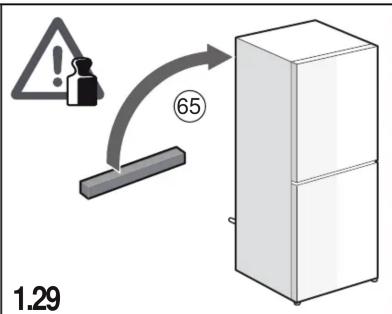

natural_image
Line drawing of a single refrigerator with two doors and handlebars (no text or symbols)
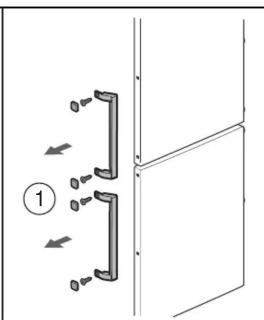
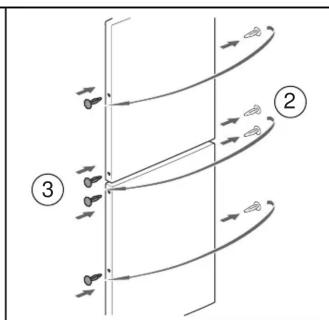


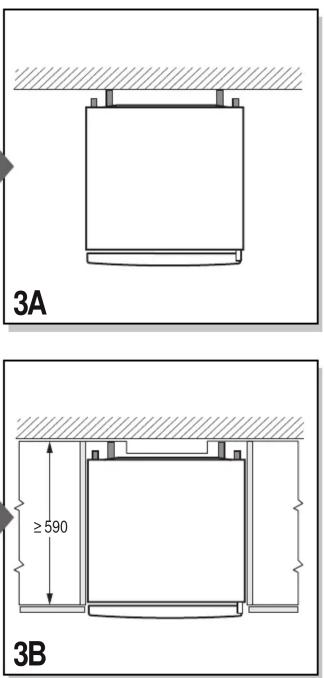


natural_image
Technical line drawing of a kitchen appliance with a bucket and handle, showing internal components and a close-up view (no text or symbols)

natural_image
Line drawing of a refrigerator with a handle and label '5' (no text or symbols on the device itself)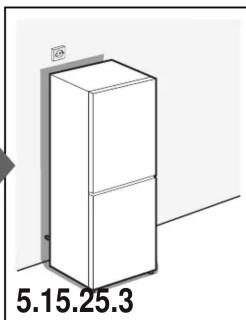
natural_image
Illustration of a refrigerator with a door and wall-mounted fixture (no text or symbols on the refrigerator itself)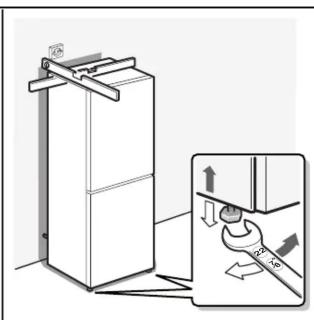
natural_image
Diagram of a refrigerator with a hand valve and a close-up view showing the interiormost part (no text or symbols present)
Manual assistant
Powered by Anthropic
Waiting for your message
Product information
Brand : PITSOS
Model : PKNB56AI4P
Category : Refrigerator