
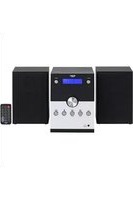
PHK-M41 - Turntable BUSH - Free user manual and instructions
Find the device manual for free PHK-M41 BUSH in PDF.


| Product Type | Turntable with built-in speakers |
| Brand | BUSH |
| Model | PHK-M41 |
| Dimensions (Approx.) | 30 x 25 x 10 cm (portable attache case) |
| Weight (Approx.) | 2.5 kg |
| Power Supply | 12V DC 0.5A via mains adaptor (input 100-240V~50/60Hz) |
| Speeds | 33, 45, 78 RPM selectable |
| Built-in Speakers | Yes, stereo left and right channel |
| Stylus | Precision diamond stylus (replaceable, spare included) |
| Auto Stop Function | Yes, on/off switch |
| AUX IN | Yes, 2 Phono to 3.5mm jack lead included for external audio sources |
| Headphone Socket | Yes, 3.5mm (also usable as AUX OUT) |
| Additional Features | 45 RPM adaptor ring, tone arm rest with security clip, power LED, portable attache case design |
| Cleaning Instructions | Wipe with a soft, damp lint-free cloth and mild detergent; do not use abrasives or solvents |
| Safety Warnings | Do not expose to liquids, naked flames, or extreme conditions; ensure ventilation; unplug when not in use |
| Replacement Parts | Stylus only (user-replaceable); other parts not user-serviceable |
| Guarantee | 1 year against manufacturing defects (subject to conditions) |
Frequently Asked Questions - PHK-M41 BUSH
User questions about PHK-M41 BUSH
0 question about this device. Answer the ones you know or ask your own.
Ask a new question about this device
Download the instructions for your Turntable in PDF format for free! Find your manual PHK-M41 - BUSH and take your electronic device back in hand. On this page are published all the documents necessary for the use of your device. PHK-M41 by BUSH.
USER MANUAL PHK-M41 BUSH
natural_image
Black vintage portable radio with 'BUSH' branding open, no visible text or symbols on the device itself.Contents
Page Contents
Warnings 2
Box contents and features 3 - 4
Set up and operating the turntable 4
Replacing the stylus 4
Precautions 5
Specifications 5
Guarantee 7
Warnings
Warning
- No naked flame sources, such as lighted candles, should be placed on or near this equipment.
- Do not place the product in enclosed bookcases or racks without proper ventilation.
- The mains adaptor is used as the disconnect device and must be easily reached to unplug.
- Always use the power adaptor supplied if it needs to be replaced make sure the replacement has the same rating.
- The ventilation should not be impeded by covering the ventilation openings with items, such as newspapers, table-cloths, curtains, etc.
- Do not expose to dripping or splashed fluids. Objects filled with liquids, such as vases, must not be placed on or near this equipment.
- The unit should not be exposed to direct sunlight, very high or low temperature, moisture, vibrations or placed in dusty environment.
- Do not use abrasives, benzene, thinner or other solvents to clean the surface of the unit. To clean, wipe with clean soft cloth it and a mild detergent solution.
- Never attempt to insert wires, pins or other such objects into the vents or opening of the unit.
- Do not disassemble or modify the turntable - apart from the stylus which can be replaced, there are no other user serviceable parts.
- If the turntable is damaged in anyway or malfunctions do not use. Consult a qualified service engineer.
- Switch off the mains socket the power adaptor is connected to when the turntable is not in use.
- Do not dispose of this product with household waste at the end of its life cycle; hand it over to a collection centre for the recycling of electrical and electronic appliances. By recycling, some of the materials can be reused. You are making an important contribution to protect our environment.
Please check with your Local Authority or recycling advice.
Disposal of your old appliance:
- When this crossed-out wheeled bin symbol is attached to a product, it means the product is covered by the European Directive.
- All electrical and electronic products should be disposed of separately from household waste at an appropriate recycling point/centre.
- The correct disposal of your old appliance will help prevent potential negative consequences for the environment and human health.
- For more detailed information about disposal of your old appliance, please contact your local authority or the shop where you purchased the product.

Box contents and features
Box Contents
1 x Turntable with attache case housing
1 x 3 Pin mains to 12V=0.5A plug-in power adaptor
1 x 2 Phono to 3.5mm jack AUX IN lead
1 x User guide
1 x Spare stylus

Features
- 45 Single adaptor ring
- Auto stop on/off switch
- Speed selector switch
- Tone arm
- Green power LED
- Tone arm rest and security clip
- Power On/Off and volume control
- Headphone socket
- Cartridge/Stylus
- Right channel speaker
- Left channel speaker
- Platter
- Spindle
- Power socket
- AUX IN Right channel phono socket
- AUX IN Left channel phono socket

Features
- 33,45,78 RPM selectable speed turntable
- AUX IN for connecting other audio sources
- Headphone socket - can also be used for AUX OUT
- Built-in stereo speakers
- Portable attache case design
- Precision diamond stylus
Set up and operating the turntable
- Remove all packaging from the unit.
- Ensure that the security latch is closed so that the tone arm is not free to move.
- Ensure unit is on a solid level surface, away from sources of heat, sunlight, etc.
- Plug the jack plug from the power adaptor into the DC IN socket on the back of the turntable case then plug the power adaptor into a three pin mains socket and switch the socket on.
- Remove the protective stylus guard from the tone arm cartridge by gently pulling it forwards.
- Carefully place a record/disc on the platter/turntable.
- Turn the Power On/Off and volume control to on - turn clockwise.
- Select the correct speed for the disc you want to play.
- Release the security clip.
- Lift the tone arm and place the stylus at the start of the record.
- Turn the volume control knob clockwise to increase the volume or anti clockwise to reduce the volume.
Auto stop function
When the auto stop switch is in the 'on' position the turntable will automatically stop spinning at the end of most records. When the auto stop switch is in the 'off' position the turntable will keep turning until the tone arm is lifted and returned to the rest position.
Using AUX IN
You can use the AUX IN 2 Phono to 3.5mm jack AUX IN lead supplied to connect other audio sources such as a smartphone or tablet to the AUX IN sockets (15 & 16) on the back of the unit. Switch on the turntable and play the audio from your device. Adjust the volume on the device and turntable to get the best results.
Headphone socket
You can use the headphone socket to connect headphones to the turntable or to connect via the 2 Phono to 3.5mm jack lead supplied to a Hi Fi system if you want a bit more volume or want to record the disc playing.
Replacing the Stylus

Removing the stylus from the cartridge
- Place a screwdriver between the top of the red stylus shell and the black holder and push downwards in the direction "A" as shown above left
- Remove the stylus shell by pulling it forwards and pushing downwards.
Replacing the stylus
- Hold the tip of the red stylus shell and insert it by pushing in direction "B" as above
- Push the stylus shell upwards in the direction "C" until it locks into position.
Precautions
- If the turntable stops spinning before a long playing record is finished play switch off the auto stop when playing LPs in the future.
- Do not place unit on top of or near loudspeakers as acoustic feedback can occur.
- Do not play badly worn or chipped records.
- Ensure Stylus is clean and free of fluff and dust.
- Clean the unit with a soft, damp lint free cloth, never use chemicals or harsh abrasives.
- Use a good quality record cleaner for optimum results.
• Always secure the tone arm with the security clip before moving the unit.
Specifications
Mains adaptor
Input: 100-240V\~50/60Hz
Output: 12V=0.5A
Turntable
Speeds: 33,45,78 RPM
BUSH
PRODUCT GUARANTEE
This product is guaranteed against manufacturing defects for a period of

Year
This product is guaranteed for twelve months from the date of original purchase. Any defect that arises due to faulty materials or workmanship will be either replaced, refunded or repaired free for charge where possible during this period by the dealer from whom you purchased the unit.
The guarantee is subject to the following provision:
- The guarantee does not cover accidental damage, misuse, cabinet parts, knobs or consumable items..
- The product must be correctly installed and operated in accordance with the instructions contained in this manual.
- It must be used for domestic purpose.
- The guarantee will be rendered invalid if the product is re-sold or has been damaged by inexpert repair.
- Specifications are subject to change without notice.
- The manufacturer disclaims any liability for the incidental or consequential damages.
- The guarantee is in addition to, and does not diminish your statutory or legal rights.
Guarantor: Argos Ltd
489 - 499 Avebury Boulevard
Central Milton Keynes
MK9 2NW

Waste electrical products should not be disposed of with household waste. Please recycle where facilities exist. Check with your Local Authority for recycling advice.

- Contents
- Page Contents
- Warnings
- Warning
- Disposal of your old appliance:
- Box contents and features
- Box Contents
- Features
- Set up and operating the turntable
- Auto stop function
- Using AUX IN
- Headphone socket
- Removing the stylus from the cartridge
- Replacing the stylus
- Precautions
- Specifications
- BUSH
- PRODUCT GUARANTEE
Brand : BUSH
Model : PHK-M41
Category : Turntable