MAJESTIC AH-1270 AX - CD Player

AH-1270 AX - CD Player MAJESTIC - Free user manual and instructions

Find the device manual for free AH-1270 AX MAJESTIC in PDF.

📄 16 pages English EN Download 💬 AI Question 10 questions ⚙️ Specs
Notice MAJESTIC AH-1270 AX - page 1
Pick your language and provide your email: we'll send you a specifically translated version.
Brand Majestic
Model AH-1270 AX
Product Type Multi-function Audio System (Turntable, CD, Cassette, Bluetooth, Radio)
Turntable Speeds 33, 45, 78 RPM
Disc Playback CD / MP3
Cassette Player Yes (Playback, likely record)
Radio Tuner AM / FM Stereo
Wireless Connectivity Bluetooth™ for audio streaming
USB Port USB Encoder for digitizing vinyl/cassette
Power Supply AC 230V, 50Hz (estimated)
Dimensions (approx.) 40 x 30 x 20 cm (15.7 x 11.8 x 7.9 in)
Weight (approx.) 4.5 kg (9.9 lbs)
Enclosure Material Wood (veneer) and plastic
Safety Certifications CE (C€2200 indicated)
User Manual Language English (available for download)
Waste Disposal Do not dispose with household waste; recycle as WEEE
Cleaning Instructions Keep dry; avoid rain and moisture
Intended Use Home audio entertainment
Repairability Contact authorized service center for spare parts
Accessories User manual, power cord (presumed)

Frequently Asked Questions - AH-1270 AX MAJESTIC

How do I connect the turntable to external speakers?
The Majestic AH-1270 AX has built-in speakers. To connect external speakers, use the line-out or headphone jack (if available). Refer to the manual for specific ports.
Can I play vinyl records through Bluetooth headphones?
Yes, you can pair Bluetooth headphones with the device to listen to vinyl or other audio sources wirelessly.
How do I switch between turntable, CD, and radio modes?
Use the mode selector button or knob on the front panel to cycle through functions: Phono, CD, Cassette, Radio, Bluetooth, USB.
My CD player skips. What should I do?
Clean the CD with a soft cloth. Ensure the disc is not scratched or warped. If problem persists, check if the lens is dirty; use a CD lens cleaner.
Can I record from vinyl to USB?
Yes, the USB encoder allows you to digitize vinyl or cassette audio directly to a USB flash drive. Insert a formatted USB drive and press the record button.
How do I set the clock?
The device has a digital display. Press and hold the Clock button until the hour blinks, then adjust using the tuning knob. Press again to set minutes.
What type of stylus should I replace?
Use a replacement stylus compatible with Majestic turntables (typically a conical or elliptical diamond stylus). Refer to the manual for the correct part number.
Does it support 78 RPM records?
Yes, the turntable supports 33, 45, and 78 RPM speeds. Select the appropriate speed using the speed selector switch.
The cassette deck doesn't play. What's wrong?
Check that the cassette is inserted correctly and the tape is not tangled. Clean the playback heads with a cleaning cassette. If still not working, the belt may need replacement.
Is the radio antenna built-in?
The AM/FM radio uses a built-in antenna. For better FM reception, extend the wire antenna if present, or connect an external FM antenna.

User questions about AH-1270 AX MAJESTIC

0 question about this device. Answer the ones you know or ask your own.

Ask a new question about this device

The email remains private: it is only used to notify you if someone responds to your question.

No questions yet. Be the first to ask one.

Download the instructions for your CD Player in PDF format for free! Find your manual AH-1270 AX - MAJESTIC and take your electronic device back in hand. On this page are published all the documents necessary for the use of your device. AH-1270 AX by MAJESTIC.

USER MANUAL AH-1270 AX MAJESTIC

GIRADISCHI A 33 - 45 - 78 GIRI

FUNZIONE BLUETOOTH™, RADIO AM/FM STEREO

ENCODER USB, LETTORE CD/MP3, LETTORE DI CASSETTA

MAJESTIC AH-1270 AX - 1

C€2200

LEGGERE ATTENTAMENTE IL SEGUENTE MANUALE D'ISTRUZIONI PRIMA DELL'UTILIZZO DELL'APPARECCHIO E CONSERVARLO PER UN EVENTUALE UTILIZZO FUTURO.

ISTRUZIONI IMPORTANTI DI SICUREZZA

AVVERTENZA:

AL FINE DI PREVENIRE IL RISCHIO DI SCOSSE ELETTRICHE SI RACCOMANDA DI NON ESPORRE L'APPARECCHIO ALLA PIOGGIA O ALL'UMIDITA'.

RIPRODUZIONE

Disco in vinile :

Riproduzione disco:
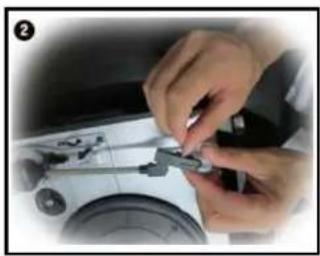
Close-up of hands assembling a small mechanical component on a white surface (no visible text or symbols)

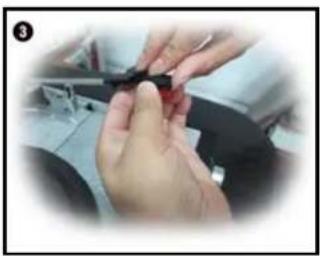
Close-up of hands holding a small dark object, possibly a tool or component, in a workshop setting (no visible text or symbols)

Close-up of hands using a tool to adjust or install a small mechanical component (no visible text or symbols)

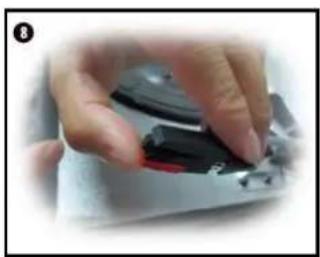
Close-up of hands using a tool to adjust or install a small electronic component (no visible text or symbols)

Close-up of hands using a tool to adjust or install a mechanical component (no visible text or symbols)

Close-up of hands using a tool to adjust or install a small mechanical component (no visible text or symbols)

Close-up of a hand holding a black and red device with a circular button, no visible text or symbols

Manual assistant
Powered by Anthropic
Waiting for your message
Product information

Brand : MAJESTIC

Model : AH-1270 AX

Category : CD Player