KENWOOD DRV-230 - Dash cam

DRV-230 - Dash cam KENWOOD - Free user manual and instructions

Find the device manual for free DRV-230 KENWOOD in PDF.

📄 2 pages English EN Download 💬 AI Question 10 questions ⚙️ Specs
Notice KENWOOD DRV-230 - page 1
Pick your language and provide your email: we'll send you a specifically translated version.
Product Type Dash Cam
Brand Kenwood
Model DRV-230
Dimensions Approx. 65 x 55 x 30 mm
Weight Approx. 70 g
Power Supply DC 5V via USB car charger
Display 2.7 inch LCD
Recording Resolution Full HD 1080p @ 30fps
Field of View 140° wide angle
Storage MicroSD up to 32GB (Class 10)
GPS Built-in GPS for speed & location
G-Sensor 3-axis g-sensor for emergency recording
Loop Recording Yes, automatic overwrite
Parking Mode Yes, with motion detection (optional hardwire kit)
Battery Built-in rechargeable lithium battery (approx. 200 mAh)
Mount Suction cup mount
Connectivity Mini USB for power, microSD slot
Supported Languages English, Japanese, others
Operating Temperature -20°C to 70°C
Compliance FCC, CE
Maintenance Clean lens with microfiber cloth; format SD card monthly
Safety Do not obstruct driver's view; use certified charger
Spare Parts Mount, charger, USB cable available from Kenwood

Frequently Asked Questions - DRV-230 KENWOOD

How do I install the Kenwood DRV-230 dash cam?
Clean the windshield area, attach the suction mount, press firmly, insert a formatted microSD card (up to 32GB Class 10), connect the charger, and route the cable along the windshield edge.
Why is my dash cam not turning on?
Ensure the charger is plugged into the car's 12V socket and the USB cable is connected. Try a different cable or socket. The internal battery may be depleted; let it charge for a few minutes.
How do I loop recording and does it overwrite old files?
Loop recording is enabled by default. When the microSD card is full, the camera automatically overwrites the oldest unlocked footage. Lock important files using the G-sensor or manual lock button.
Can I use any microSD card?
Use a high-quality microSD card with Class 10 or UHS-I rating, capacity up to 32GB. Avoid low-speed cards as they may cause recording errors.
How do I access recorded videos?
Remove the microSD card and insert it into a computer card reader, or connect the dash cam to a PC via USB (mass storage mode). Videos are saved in MP4 format in folders named by date.
What is the G-sensor and how does it work?
The G-sensor detects sudden impacts or harsh braking. It automatically locks the current recording file so it won't be overwritten. Sensitivity can be adjusted in settings.
The GPS icon is not showing. What should I do?
Make sure you are outdoors with a clear view of the sky. It may take a few minutes to acquire a GPS signal. If the issue persists, check if GPS is enabled in the menu.
How do I clean and maintain the dash cam?
Gently clean the lens with a soft microfiber cloth to remove dust and fingerprints. Format the microSD card in the camera every month to prevent file errors. Do not use harsh chemicals.
Can this dash cam be used in parking mode?
Yes, if you use a hardwire kit (sold separately) to provide constant power. The camera will automatically enter parking mode and record when motion or impact is detected.
What should I do if the camera freezes or stops recording?
Press the reset button (small pinhole) with a paperclip. If that doesn't work, remove the power and SD card, leave it off for 30 seconds, then reconnect. If problems continue, format the SD card or update firmware.

User questions about DRV-230 KENWOOD

0 question about this device. Answer the ones you know or ask your own.

Ask a new question about this device

The email remains private: it is only used to notify you if someone responds to your question.

No questions yet. Be the first to ask one.

Download the instructions for your Dash cam in PDF format for free! Find your manual DRV-230 - KENWOOD and take your electronic device back in hand. On this page are published all the documents necessary for the use of your device. DRV-230 by KENWOOD.

USER MANUAL DRV-230 KENWOOD

广力云智慧零售收银系统
[Non-Text]
[Non-Text]
[Non-Text]
[Non-Text]
[Non-Text]

[Non-Text]

設定を変更する

六一二 本章二十三

3、国際公会・委員会
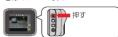
KENWOOD DRV-230 - 3、国際公会・委員会 - 1

This is TrueTypeFront where BitmapFront is embedded.

It was confirmed to use it with Windows XP, and

USD10 12.10

m = 311

1. 计算器

本体質量 約63g

ケーブル

動作溫度範囲

-10

てが一

取付プラケット (両面テープ) ×

TORT OR OTHERWISE, ARISING FROM, OUT OF OR

IN CONNECTION WITH THE SOFTWARE ON THE USA OR OTHER DEALINGS IN THE SOFTWARE.

http://opencourse.org/licenses/jimit-licence-pho

安全上のご注意(必ずお守りください)

KENWOOD DRV-230 - 安全上のご注意(必ずお守りください) - 1

① 危除

1 + u1 - 1 = ( 1 + u) u1 < 1 = u

A

● 加熱したり、火の中に入れたりしない

放射しない

The image is too blurry to recognize any text content.

m = 311

m = 311

m = 311

m = 311

出注意

m = 311

A. 防件

The image is too blurry to recognize any text content.

分解・修理および改造はしない

m = 311

Manual assistant
Powered by Anthropic
Waiting for your message
Product information

Brand : KENWOOD

Model : DRV-230

Category : Dash cam