
TL-PBG3350 - Power bank TP-LINK - Free user manual and instructions
Find the device manual for free TL-PBG3350 TP-LINK in PDF.


| Product Type | Power Bank |
| Brand | TP-Link |
| Model | TL-PBG3350 |
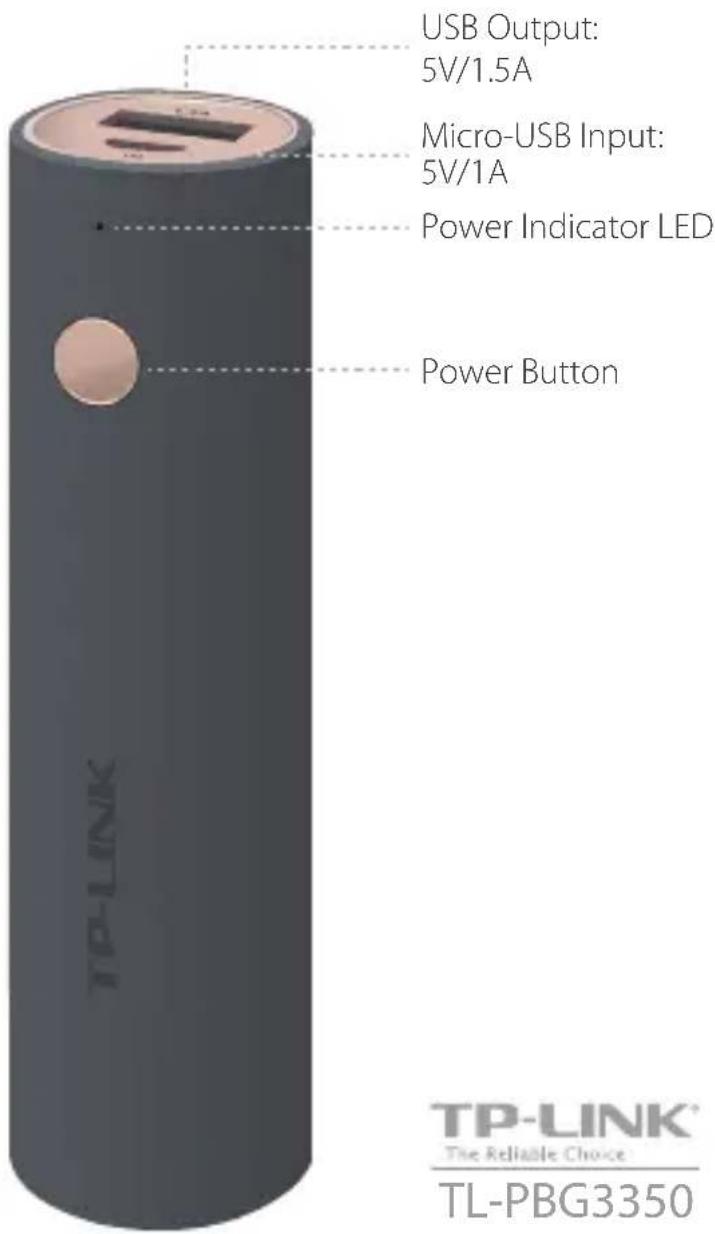
| Output Port | USB-A (1.5A) |
| Input Port | Micro USB (assumed) |
| Charging Input | 5V DC via USB cable |
| Power Indicator | LED: charging status and battery level (blinking/solid) |
| Battery Type | Lithium-ion (assumed) |
| Dimensions | Typical pocket size (exact not specified) |
| Weight | Approx. 150 g (estimated) |
| Material | Plastic casing |
| Operating Temperature | 0°C to 45°C (derived from safety warnings) |
| Storage Temperature | -20°C to 60°C (estimated) |
| Safety Features | Overcharge, short circuit, temperature protection (typical) |
| Maintenance | Charge every 3 months to preserve battery life |
| Accessories Included | USB charging cable |
| Compatibility | Most USB-charged devices (e.g., smartphones, tablets) |
| Certifications | CE, RoHS (assumed) |
Frequently Asked Questions - TL-PBG3350 TP-LINK
User questions about TL-PBG3350 TP-LINK
0 question about this device. Answer the ones you know or ask your own.
Ask a new question about this device
Download the instructions for your Power bank in PDF format for free! Find your manual TL-PBG3350 - TP-LINK and take your electronic device back in hand. On this page are published all the documents necessary for the use of your device. TL-PBG3350 by TP-LINK.
USER MANUAL TL-PBG3350 TP-LINK
Portable but Powerful
TP-LINK
The Reliable Choice
TL-PBG3350
How to use?
• On Blinking OffPower Indicator
IN
Charging the Power Bank
Plug in the Power Bank to a wall charger or your computer's USB port via a USB charging cable.
Charging
- Fully charged
1.5A
Charging other devices
Plug in the USB charging cable to the 1.5A port to charge your device.
- Sufficient battery Low battery

Checking the Battery status
Press the Power button to check the current battery level. We recommend to charge it when the indicator LED is blinking.
- Sufficient battery Low battery
Attention
- Keep this device away from water, fire, and extreme temperatures.
- Do not deliberately drop or impact this device.
- Do not attempt to extrude or pierce this device, which may cause it to short circuit.
- Do not attempt to disassemble, modify or repair this device yourself.
* Do not use a damaged wall charger or USB charging cable to charge this device.
• If the product appears to be bulging or any other visible abnormalities, stop using the product immediately and contact us or distributor. - Please recycle this device at an approved disposal location.
- Please charge this device once every three months to avoid shortening its battery life.
* Please use the recommended power adapter to charge this device. Power adapter is not provided by TP-LINK.
If you have any questions related to this product, please refer to the support page at www.tp-link.com TEL:+86 755 2650 4400
Brand : TP-LINK
Model : TL-PBG3350
Category : Power bank