
CR 4804 - Cutting machine CAMRY - Free user manual and instructions
Find the device manual for free CR 4804 CAMRY in PDF.


| Product Type | Paper Trimmer / Cutting Machine |
| Brand | Camry |
| Model | CR 4804 |
| Dimensions (L x W x H) | 450 x 300 x 80 mm |
| Weight | 1.5 kg |
| Power Source | Manual (no electricity required) |
| Cutting Length | 380 mm |
| Cutting Capacity | Up to 15 sheets of 80 g/m² paper |
| Blade Type | Self-sharpening rotary blade |
| Base Material | Durable plastic with non-slip rubber feet |
| Safety Features | Blade guard, finger guard, auto-lock mechanism |
| Maintenance | Wipe with a dry cloth; avoid water and solvents |
| Replacement Parts | Replacement blade available (model CR 4804-BLADE) |
| Repairability | Blade easily replaceable; other parts serviceable by authorized center |
| Warranty | 2 years limited warranty |
| Included Accessories | Cutting mat, corner rounder, spare blade (optional) |
| Compliance | CE, RoHS |
Frequently Asked Questions - CR 4804 CAMRY
User questions about CR 4804 CAMRY
0 question about this device. Answer the ones you know or ask your own.
Ask a new question about this device
Download the instructions for your Cutting machine in PDF format for free! Find your manual CR 4804 - CAMRY and take your electronic device back in hand. On this page are published all the documents necessary for the use of your device. CR 4804 by CAMRY.
USER MANUAL CR 4804 CAMRY
natural_image
Exterior view of a modern kitchen brush unit (no signage or text visible)CR 4804
(GB) user manual
(F) mode d'emploi
natural_image
Line drawing of a mechanical device with a rotating arrow indicating rotation (no text or symbols)→

natural_image
Line drawing of a kitchen blender with handle and spout (no text or symbols)


natural_image
Simple line drawing of a T-shaped pipe fitting (no text or symbols)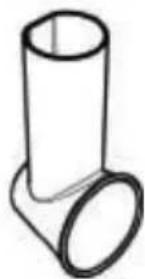
natural_image
Simple line drawing of a pipe fitting with a flanged end (no text or symbols)ENGLISH
SAFETY CONDITIONS. IMPORTANT INSTRUCTIONS ON SAFETY OF USE PLEASE READ CAREFULLY AND KEEP FOR FUTURE REFERENCE
The warranty conditions are different, if the device is used for commercial purpose.
-
Before using the product please read carefully and always comply with the following instructions. The manufacturer is not responsible for any damages due to any misuse.
-
The product is only to be used indoors. Do not use the product for any purpose that is not compatible with its application.
-
The appliacable voltage is 230V \~50Hz. For safety reasons it is not appropriate to connect multiple devices to one power outlet.
-
Please be cautious when using around children. Do not let the children to play with the product. Do not let children or people who do not know the device to use it without supervision.
-
WARNING: This device may be used by children over 8 years of age and persons with reduced physical, sensory or mental capabilities, or persons without experience or knowledge of the device, only under the supervision of a person responsible for their safety, or if they were instructed on the safe use of the device and are aware of the dangers associated with its operation. Children should not play with the device. Cleaning and maintenance of the device should not be carried out by children, unless they are over 8 years of age and these activities are carried out under supervision.
-
After you are finished using the product always remember to gently remove the plug from the power outlet holding the outlet with your hand. Never pull the power cable!!!
-
Never leave the product connected to the power source without supervision. Even when use is interrupted for a short time, turn it off from the network, unplug the power.
-
Never put the power cable, the plug or the whole device into the water. Never expose the product to the atmospheric conditions such as direct sun light or rain, etc.. Never use the product in humid conditions.
-
Periodically check the power cable condition. If the power cable is damaged the product should be turned to a professional service location to be replaced in order to avoid hazardous situations.
-
Never use the product with a damaged power cable or if it was dropped or damaged in any other way or if it does not work properly. Do not try to repair the defected product yourself because it can lead to electric shock. Always turn the damaged device to a professional service location in order to repair it. All the repairs can be done only by authorized service professionals. The repair that was done incorrectly can cause hazardous situations for the user.
-
Never put the product on or close to the hot or warm surfaces or the kitchen appliances like the electric oven or gas burner.
-
Never use the product close to combustibles.
-
Do not let cord hang over edge of counter.
-
Do not immerse the motor unit in water.
-
The slicing, grinding and grating surfaces of the inserts are very sharp. When attaching, removing and cleaning the inserts, handle them with great care to avoid injury. Touch only the plastic elements of the inserts.
-
Always use the pusher to press on food – never use fingers or other objects.
-
To obtain satisfactory results and avoid product build-up in the inserts holder, use products that are relatively hard.
-
To facilitate inserting the products into the feeder tube, cut them into pieces first.
-
Do not use the device for grating or slicing products that are too hard or frozen. Do not use the device to grind meat.
20. Do not use the device continuously for more than 2 minutes. Before re-use, wait 10 minutes for the device to cool down.
DEVICE DESCRIPTION (Fig. 1)
- Pusher
- On/off switch
- Motor block
- Fine slicing insert (light green)
-
Fine grinding insert (yellow)
-
Feeder tube
- Insert holder
- Thick slicing insert (dark green)
- Thick grinding insert (red)
- Potato insert (orange)
INSTRUCTIONS FOR USE
- After unpacking the device from the box and removing the protective film, clean it with a soft sponge with dishwashing liquid, then rinse thoroughly with clean water and allow to dry.
- Select the desired insert (6-10) to use as needed.
CAUTION: Handle the inserts with care because their blades are very sharp. Always hold the inserts by their plastic parts. - Mount the insert holder (4) on the motor block (5) by turning it to the left (Figure 2).
- Place the desired insert (6-10) in the opening of the holder (4) by inserting its narrow part into the holder and turning it to the right.
- Place a wide container or bowl under the insert holder (4) to collect grated/sliced products.
- Connect the device to the power source.
- Press the on/off switch (3) to start the device. To operate continuously, hold down the switch.
- Place the products one by one in the feeder tube (2) and push down using the pusher (1). To prevent damage to the pusher, insert it into the feeder tube as shown in Figure 3.
- To change the insert, first turn the device off and unplug it from the power source. Next, remove the insert by turning it to the left and pulling it out of the opening of the holder (4).
CLEANING AND MAINTENANCE
- Thoroughly clean the device after each use. Inadequate cleaning can cause proliferation of harmful microorganisms.
- Before cleaning the motor block, always disconnect the device from the power source.
CAUTION: Never immerse the motor block (5) in water or any liquid. - If necessary, clean only the outside of the device with a damp cloth.
- Inserts, holder and pusher should be washed with warm water and dishwashing liquid. Rinse thoroughly and allow to dry.
- Do not use harsh cleaning products and abrasive sponges. Do not use solvents.
- If the plastic parts are colored by products such as carrots, wipe them with a cloth soaked in cooking oil and then clean as usual.
TECHNICAL DATA
Power supply voltage: 220-240V \~50Hz
Power: 150W
Device is made in class II of insulation. Device is compliant with EU directives:
- Low voltage directive (LVD)
- Electromagnetic compatibility (EMC)
Device marked CE mark on rating label

To protect your environment: please separate carton boxes and plastic bags and dispose them in corresponding waste bins. Used appliance should be delivered to the dedicated collecting points due to hazarsous components, which may effect the environment. Do not dispose this appliance in the common waste bin.
DEUTSCH
POPIS PŘÍSTROJE (obr. 1)
natural_image
Symbol of a trash bin crossed with a diagonal line, no text or numbers present

- CR 4804
- ENGLISH
- SAFETY CONDITIONS. IMPORTANT INSTRUCTIONS ON SAFETY OF USE PLEASE READ CAREFULLY AND KEEP FOR FUTURE REFERENCE
- Do not use the device continuously for more than 2 minutes. Before re-use, wait 10 minutes for the device to cool down.
- DEVICE DESCRIPTION (Fig. 1)
- INSTRUCTIONS FOR USE
- CLEANING AND MAINTENANCE
- TECHNICAL DATA
- DEUTSCH
- POPIS PŘÍSTROJE (obr. 1)
Brand : CAMRY
Model : CR 4804
Category : Cutting machine