
OR-WS002 - Weather Station ORION - Free user manual and instructions
Find the device manual for free OR-WS002 ORION in PDF.


| Brand | Orion |
| Model | OR-WS002 |
| Product Type | Wireless Weather Station |
| Dimensions (Main Unit) | 120 x 80 x 25 mm (approx.) |
| Dimensions (Outdoor Sensor) | 60 x 40 x 110 mm (approx.) |
| Weight (Main Unit) | 200 g (approx.) |
| Weight (Outdoor Sensor) | 150 g (approx.) |
| Power Supply | 2 x AAA batteries (main unit), 2 x AA batteries (outdoor sensor) |
| Wireless Range | Up to 100 meters (open area) |
| Temperature Measurement | Indoor and outdoor, -20°C to +60°C, accuracy ±1°C |
| Humidity Measurement | Indoor and outdoor, 20% to 95%, accuracy ±5% |
| Wind Speed | 0 to 50 m/s, accuracy ±1 m/s |
| Rainfall | 0 to 9999 mm, accuracy ±0.5 mm |
| Barometric Pressure | 700 to 1100 hPa, accuracy ±3 hPa |
| Display | LCD screen with backlight |
| Clock | Atomic time sync via DCF77 (Europe) |
| Mounting | Tabletop or wall mount |
| Cleaning | Wipe with a soft, dry cloth. Do not use harsh chemicals. |
| Battery Replacement | Replace batteries when low indicator appears. Use alkaline batteries. |
| Spare Parts | Outdoor sensor (model OR-WS002-Sensor) can be ordered from Orion customer service. |
| Warranty | 2 years from date of purchase |
| Safety | Keep out of reach of children. Do not open the device. Avoid exposure to extreme temperatures. |
Frequently Asked Questions - OR-WS002 ORION
User questions about OR-WS002 ORION
0 question about this device. Answer the ones you know or ask your own.
Ask a new question about this device
Download the instructions for your Weather Station in PDF format for free! Find your manual OR-WS002 - ORION and take your electronic device back in hand. On this page are published all the documents necessary for the use of your device. OR-WS002 by ORION.
USER MANUAL OR-WS002 ORION
Model: OR-WS001, OR-WS002
Dear customers! Thank you for purchasing ORION products. Before operation, please read this instruction manual. Save it for future reference.
ENGLISH GB
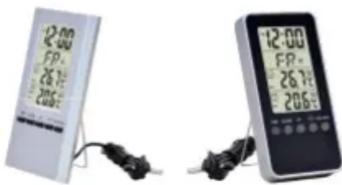
natural_image
Two electronic devices: a digital clock with 20:00 time display and a digital handheld device with 12:00 time display, both connected to cables (no visible text or symbols on devices)OR-WS001
OR-WS002
IMPORTANT SAFETY INSTRUCTIONS
- This appliance should be used only for its intended purposes. Any other use of it is wrong and therefore dangerous. Manufacturer is not liable for damages that are the result of improper or incorrect use of the appliance. Under these conditions, the guarantee will be cancelled.
- This appliance is not intended for use by persons (including children) with reduced physical, sensory or mental capabilities, or lack of experience and knowledge, unless they have been given supervision or instruction concerning use of the appliance by a person responsible for their safety.
- Do not immerse the appliance in water.
- Don't expose the item to rain or moisture.
HOW TO USE
Time setting
- At normal status, press "TIME" key for two seconds to enter the status of "12Hr/24Hr", then press the same key again to enter the setting status of zero-second, hour, minute, year, month, date. The day will be changed automatically. Back to normal time display if not any key operation in 30 seconds.
- At normal status, press "TIME" key once to switch between TIME and DATE status.
- At normal status, press "UP" key to switch between SECOND and DAY display.
Alarm function
- At normal status, press "ALARM" key to enter alarm status, then press "ALARM" key for two seconds to enter the setting of alarm in sequence: hour—minute—confirm.
- At alarm status, press "UP" key once to switch the ON/OFF of the alarm.
- Back to normal time display if not any key operation in 30 seconds.
- The bell symbol ⚙ will flash during alarming and lasts for 30 seconds.
MAX/MIN temperature memory function
- Press MAX/MIN key to switch: MAX-MIN-normal, back to normal if no key press in 8 seconds.
- Press MAX/MIN key for 2 seconds to clear the record of MAX/MIN temperature
Freeze alarm function
- At normal status, press °C/°F key for 2 seconds to turn ON/OFF the outdoor freeze alarm function

Brand : ORION
Model : OR-WS002
Category : Weather Station