KAPBCABL20A - Power bank Kogan - Free user manual and instructions
Find the device manual for free KAPBCABL20A Kogan in PDF.


| Product Type | Power Bank |
| Brand | Kogan |
| Model | KAPBCABL20A |
| Battery Capacity | 20000mAh |
| Battery Type | Lithium-ion |
| Input | 5V/2A (Micro USB) |
| Output 1 | 5V/2.1A (USB-A) |
| Output 2 | 5V/2.1A (USB-A) |
| Total Output | 5V/2.1A (shared) |
| Dimensions | 150 x 70 x 20 mm |
| Weight | 400 g |
| Material | Plastic (ABS) |
| Charging Time | Approx. 10 hours (with 2A charger) |
| Protection Features | Overcharge, Overdischarge, Short Circuit, Overcurrent |
| LED Indicator | 4 LEDs for battery level (25% each) |
| Flashlight | Yes (long press power button to turn on/off) |
| Compatibility | Smartphones, tablets, and other USB devices |
| Included Accessories | Micro USB cable, user manual |
| Warranty | 1 year |
| Usage Guidelines | Store in cool, dry place. Do not disassemble. |
Frequently Asked Questions - KAPBCABL20A Kogan
User questions about KAPBCABL20A Kogan
0 question about this device. Answer the ones you know or ask your own.
Ask a new question about this device
Download the instructions for your Power bank in PDF format for free! Find your manual KAPBCABL20A - Kogan and take your electronic device back in hand. On this page are published all the documents necessary for the use of your device. KAPBCABL20A by Kogan.
USER MANUAL KAPBCABL20A Kogan
natural_image
Black rectangular electronic device with digital display showing 100% usage, no visible text or symbols on body20000mAh 20W PD Power Bank
With Built-in USB-C & Lightning Cable
KAPBCABL20A
Safety & Warnings
- Use only the original cables provided with this power bank.
- To preserve the battery lifespan, use and recharge the power bank at least once every 4 months.
- Avoid exposing the power bank to rain, moisture, or liquids to prevent the risk of fire and electric shock.
- Do not expose the power bank to extreme temperatures, as it may damage the battery or pose a fire risk.
- Do not disassemble, crush, puncture, or put a high degree of pressure on the power bank as this can result in an explosion or fire.
- Dropping the power bank can potentially damage internal components or cause the battery to fail.
- Avoid leaving the power bank charging unattended for prolonged periods.
- The battery should not be replaced by the user due to risk of injury and damage.
- Only connect devices that are compatible with the power bank's output specifications to avoid damage.
- If the power bank will not be in use for an extended period, store it in a cool, dry place and recharge it every 3 to 6 months to maintain battery health.
- Regularly inspect the power bank for signs of damage or wear. If damage is detected, cease use immediately and contact help.Kogan.com for support.
- Do not use the power bank if it has been damaged, such as having a swollen or leaking battery.
Overview
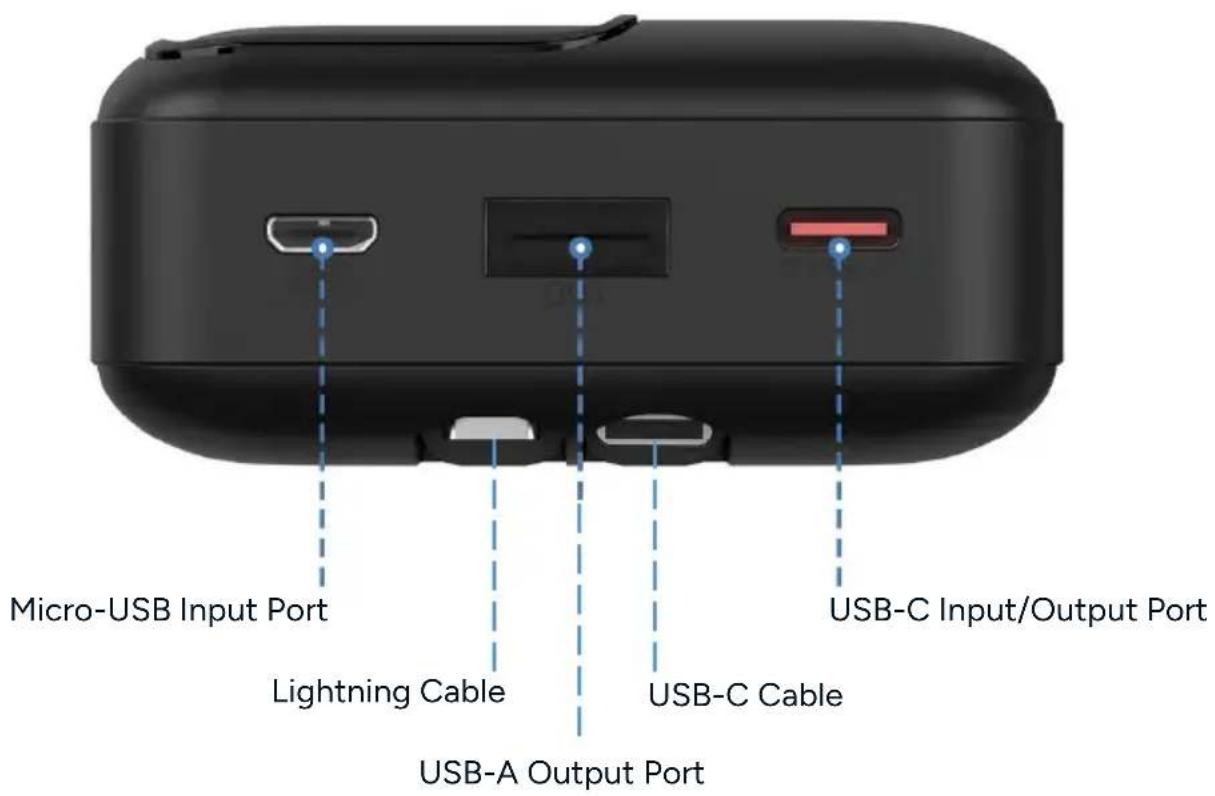
Operation
Charging the Power Bank
- Charge the power bank through either the USB-C or Micro-USB port.
- The digital display will show the current battery percentage, increasing as the power bank charges. The display will flash to indicate active charging.
Turning the Power Bank On/Off
• The power bank will automatically turn on when a device is connected.
- It will automatically turn off after 1 minute if no device is connected.
• To manually control the power:
- Press the button on the side of the power bank to power it on without any connected devices.
- Press the button twice quickly to turn the power bank off.
Charging a Device
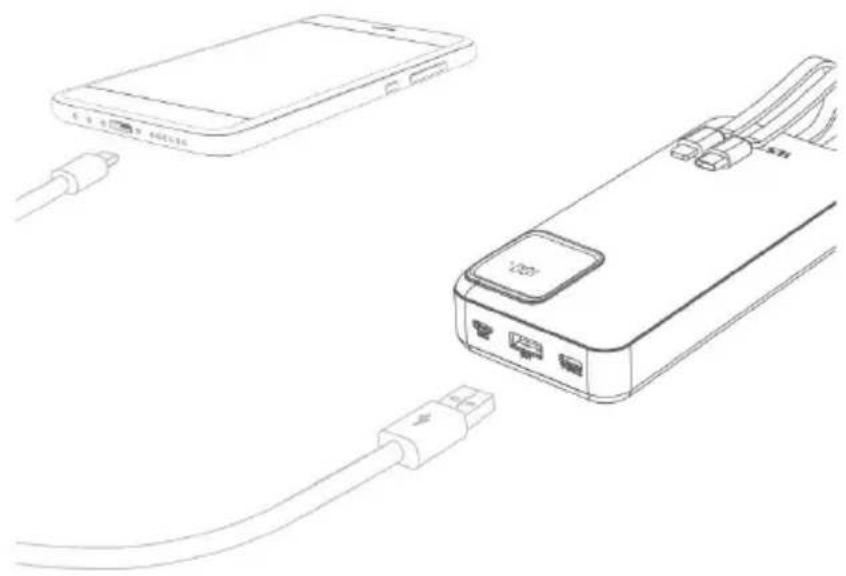
- Connect your device to the built-in USB-C or lightning cable to begin charging.
• Alternatively, connect your device to the power bank using the USB-A port. - The digital display will show the remaining battery percentage of the power bank while a device/s are being charged.
natural_image
Line drawing of a smartphone connected to a device via cable (no text or symbols)Specifications
| Battery Type Li-Polymer Battery | |
| Capacity 20000mAh 3.7V (74Wh) | |
| Rated Capacity 12000mAh 5V (TYP 3A) | |
| Input | USB-C: 5V=3A, 9V=2A, 12V=1.5A (QC)Micro-USB: 5V=2A, 9V=2A, 12V=1.5A |
| Output | USB-C: 5V=3A. 9V=2.22A, 12V=1.67AUSB-C Cable: 5V=3A, 9V=2A, 12V=1.5A, 3.4 10V=2.25ALightning Cable: 5V=3A, 9V=2.22A, 12V=1.67AUSB-A: 5V=3A, 9V=2A, 12V=1.5A, 3.4 10V=2.25A |
| Total Output 5V=3A (max.) | |
| Size 68 x 147 x 31mm | |
| Weight 418g | |
Notes
Need more information?
We hope that this user guide has given you the assistance needed for a simple set-up.
For the most up-to-date guide for your product, as well as any additional assistance you may require, head online to help.Kogan.com.
kogan.com
Brand : Kogan
Model : KAPBCABL20A
Category : Power bank