NF-8601a - Measurement Noyafa - Free user manual and instructions
Find the device manual for free NF-8601a Noyafa in PDF.


| Product Type | Cable Length Tester & Multifunction Network Tester |
| Brand | Noyafa |
| Model | NF-8601a (also NF-8601, NF-8601W) |
| Main Unit Dimensions | 173 x 92 x 34 mm |
| Receiver Dimensions | 183 x 58 x 35 mm |
| Remote Identifier Dimensions | 106 x 32 x 30 mm |
| Display | 2.8 inch color LCD, 320×240 pixels |
| Power Supply | 3.7V rechargeable lithium battery, 1800mAh |
| Battery Life | Main tester: over 20 hours; Receiver: over 50 hours |
| Cable Length Measurement Range | 1 to 2000 meters |
| Length Measurement Precision | ±2% (+/-0.5m) after calibration; ±3% (+/-0.5m) standard |
| Cable Types Tested | STP/UTP Cat5e, Cat6e, telephone, coaxial, USB, common metal wires |
| Main Functions | Cable continuity (open/short/cross/reverse), length measurement, cable tracing, port flash, PoE test, PING test, crosstalk test |
| Test Interfaces | RJ45 (Main, Scan, PoE/Ping), RJ11, BNC, USB (charging), TF card slot |
| Safety Precautions | Do not test live power circuits (e.g., 220V); avoid dust, humidity, high temperature (>40°C); use specified charger; disconnect when not in use |
| Operating Environment | Temperature: -10°C to +60°C; Humidity: 20% to 70% |
| Accessories Included | Transmitter, receiver, remote identifier, alligator clip, RJ11/RJ45 adapters, charging adapter, carry case, user manual |
| Data Storage | TF card (max 160 sets); export to TXT format |
| Additional Features | Low voltage alarm, auto power-off (adjustable), backlight, currency detection, lighting lamp |
Frequently Asked Questions - NF-8601a Noyafa
User questions about NF-8601a Noyafa
0 question about this device. Answer the ones you know or ask your own.
Ask a new question about this device
Download the instructions for your Measurement in PDF format for free! Find your manual NF-8601a - Noyafa and take your electronic device back in hand. On this page are published all the documents necessary for the use of your device. NF-8601a by Noyafa.
USER MANUAL NF-8601a Noyafa

natural_image
Cartoon illustration of a mouse wearing a graduation cap and holding a pencil, giving a thumbs-up (no text or symbols present)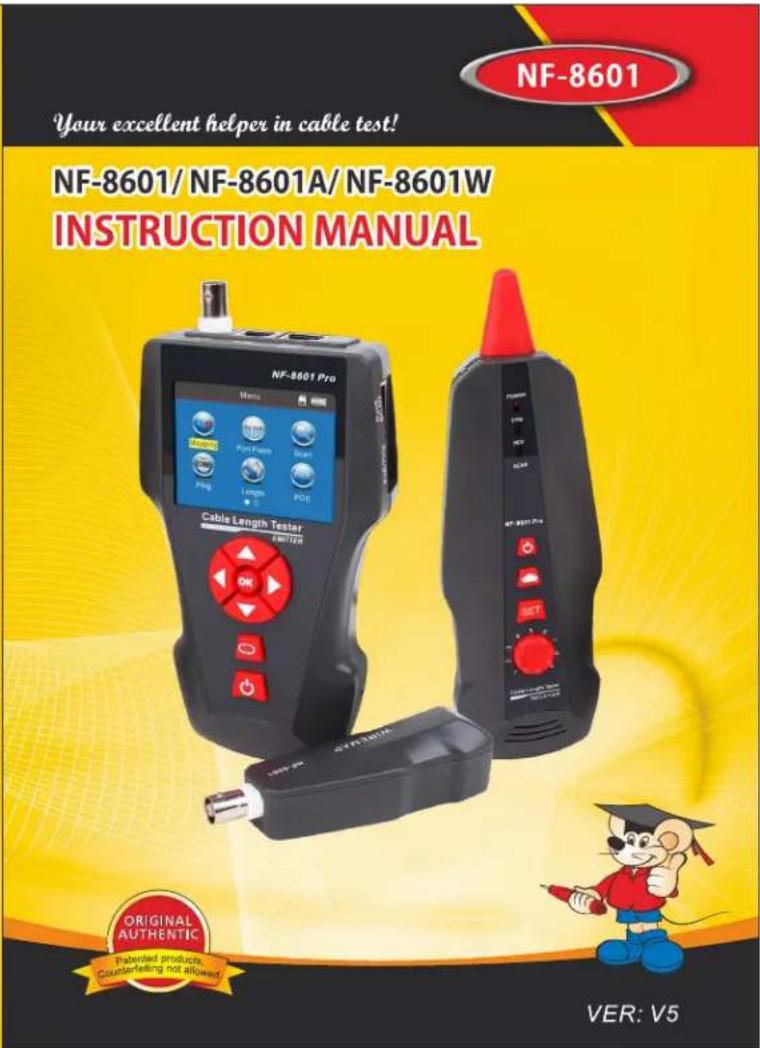

Read the precautions before your operation.
● Power supply for device is 3.7V rechargeable lithium battery.
● Disconnect the 5V 1A Charger when complete charging in fear of danger.
- Please use battery according to the specification; otherwise, it may result in damage to equipment.
● Never put the equipment in the place with much dust, humidity and high temperature (over 40☐).
- Please never dismount the equipment arbitrarily. The maintain -ance and care shall be conducted by professional personnel.
- Users can set the auto-off time according to his own needs.
- Please take out the battery in launcher and receiver if the equipment is not used for a long time so as to prevent that the battery liquid is leaked in future.
● Never use the equipment to detect power cord with electricity (such as power supply circuit of 220V), otherwise, it may result in damage to equipment and personal injury.
● Never conduct related operation of communication line in thunderstorm weather so as to prevent lightning stroke and Impact on personal safety.
CONTENTS
Overview....01
Main functions 02
Benefits....02
Technical Parameters....02
Product interface and key introduction....04
Instruction on Main interface....06
Charging function....06
Operation steps....07
a.Cable line-to-line test....09
b. Port flash test....12
c.Cable length test....14
d.Cable tracing test....21
e. Crosstalk test....23
f.POE test....24
g.PING test....24
h. System set....26
Power off....27
Accessories....27
Diagram of series products ......28
Overview
NF-8601 Series are newly developed by our company which are capableofanti current interference. The equipment is composed of three parts: main tester (NF-8601-M), receiver (NF-8601-S) and remote identifier (NF-8601-R). It is a multifunction device, capable of measuring cable length, cable tracing, cable continuity testing, PoE and PING functions, also it can detect voltage presence. Users can read the test results visually from the 3.7 inch color screen. All these make this item be as a practical tool for low voltage system installation and maintenance technicians of communication circuits and comprehensive wiring circuits. It is widely used in the fields like telephone system, computer networks and other metal lead circuits.

Main functions
- Capable to test open, short, cross connection, reverse, and broken wire positioning with M-S, M-R method.
- To perform crosstalk test on network cable to solve the potential problem of slow speed.
- Measure length of network cable, coaxial cable, telephone cable and USB cable up to 2000m, no connection of remote unit.
- To quickly find the targeted cable without stripping isolation among unknown cables.
- Port flash function helps locate the target network cable more easily on the Router / switches with electricity.
- To trace cable on exchanger or Router without current interference.
- Locate breakage and short position accurately.
- Scanning cable on the POE Router.
- Detect PoE presence and how much the voltage is.
• PING Testing.
Benefits
● Low voltage alarm function.
● Remote unit with tone when checking cable continuity.
● Functions of storage and memory.
- TF function: import and export data.(160 sets)
● Currency detection function and Lighting lamp for working in dark.
● Automatic delay power on-off and language selection: Chinese & English.
- Single chip microprocessor software watchdog design is reliable in operation.
Technical parameters
(1). Overall dimensions
Main tester: 173X92X34mm; Receiver: 183X58X35mm Remote identifier: 106X32X30mm.
(2). Display
2.8 inch LCD Color screen:320X240 (Effective visible area 60X45mm).
(3). Power supply
3.7V rechargeable lithium battery1800mAh
(4). Tracing cable types
STP/UTP 5E, 6E network cable, telephone cable, coaxial cable, and common metal wires connected with alligator clip.
(5). Testing cable types
STP/UTP 5E, 6E network cable, telephone cable, coaxial cable, and common metal wires connected with alligator clip.
(6). Operating environment temperature/humidity
-10℃\~+60℃/20%\~70%;
(7). Testing device interface
Main unit: RJ45 (M), RJ45 (S), PoE/PING, RJ11, BNC connector, Remote identifier: RJ45, RJ11, BNC connector interface.
(8). Length measurement
Range: 1-2000m;
Calibration precision: 2% (+/-0.5m, or +/-1.5 feet); (calibration; cable>10m) measurement precision: 3% (+/-0.5m, or +/-1.5 feet); (AMP, CAT5E, 6E cable material) Display unit: meter, foot, yard.
(9). Length calibration, storage and data load
User can set a length value at a known length, store the value in the system, which can be used for future choice (9 sets of data can be stored). and the calibration length should be over 10m.
(10). Cable wiremapping
Open, short, reverse, cross, crosstalk, etc.
(11). NF-8601W includes 8 remote units with ID1-ID8.
(12). PoE/PING Testing
(13). Tracing cable
Locate targeted cable among lots of cables (only for NF-8601 & NF-8601W, NF-8601A Can't)
(14). Automatic power-off
Users can choose time to turn off the tester automatically.
Product interface and key introduction
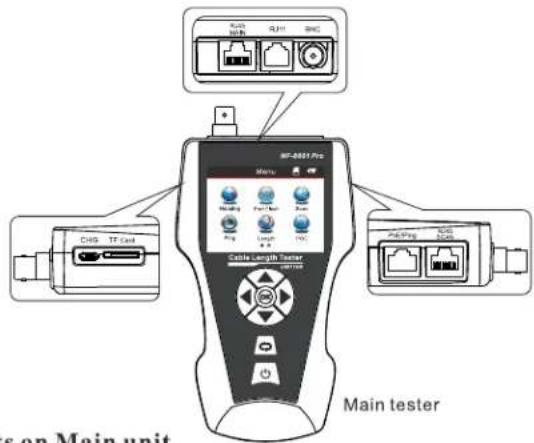
Ports on Main unit
(1). Three RJ 45 ports on the main unit:
One of them is "MAIN" port, used for cable length measuring and continuity testing. and another one is "SCAN" interface, used for cable tracing and continuity testing locally; The other one is "PoE/Ping" interface, used for PoE and PING Testing.
(2) Port RJ11: used for tracing cable, cable length and continuity testing for telephone cable.
(3) Port BNC: used for tracing cable, cable length and continuity testing for coaxial cable.
(4) MICRO: Charging for battery.
(5) TF: Store and export datas (txt format / 160sets can be stored).
Function keys on Main tester
▲▼◀▶ means up/down/ left/right when moving moving cursor to select functions on Menu. Press "OK" to confirm or start testing. ◎means return to last menu.Press ⏻ to turn on or turn off the device.

Function keys on Receiver
is to detect currency and also lighting lamp. "SET" is for voltage detector and cable tracing. Press 🔒 to adjust the sensitivity. Press 🔒 to turn on or turn off the device.
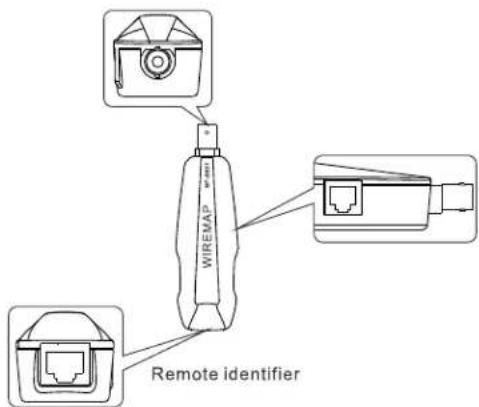
Ports on Remote identifier
(1) Port RJ45: remote testing cable continuity for Lan cable.
(2) Port RJ11: remote testing cable continuity for telephone cable
(3) Port BNC: remote testing cable continuity for COAX cable.
Instruction on Main interface

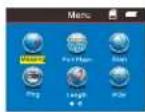
Here are seven main functions on Main interface.
(1).Mapping --- Test cable continuity, such as the cable is good, open, short, cross, reverse connection, etc.
(2).Port flash---For port flash function can help you locate the target network cable more easily while connect the Router / switch.
(3). Scan ---to find targeted cable among lots of network cables, telephone cables, USB cables and coaxial cables, also tracing short position of cable.
(4).PING---to test network signals and the network cable is connected or not.
(5).Length---Pairing and length measurement: verify cable length, open circuit distance and pairing, crosstalk.
(6). PoE ---to test if a network cable is connected with PoE switcher or Router, and then detect the power of every cable.
(7).Set---Set up backlight/ backlight time/ auto-off time/ theme color/ data export/ system information (version No.),ect.
Charging function
The power supply for main tester and receiver are both 3.7V Rechargeable battery, its capacity is 1800mAh. When finish charging, the main tester can work continuously for over 20hs, receiver can work for over 50hs. The rechargeable battery avoids the trouble of replacing 9V battery again and again. The whole standard charging devices are included. After charging, please disconnect the charging device, otherwise it would shorten the battery life.
When the emitter low battery(<3V), it will show "Low battery, auto-off soon!"; when the receiver low battery(<3V), "power" will flash.
Operation steps
Boot screen
Turn on the tester to come to home page.

3 seconds later, the following main interface will be displayed:


Users can set up the systems according to his own needs and to have next operations.
Testing methods
(1) M-S Method--- Checking cable continuity with main tester for Lan cable Connect one end of Ian cable into "Main" port, the other end to "Scan" port. (Graph No.1)
Note: M-S Method is only for Lan cable continuity testing, not for other kinds of cables.
(2) M-R Methods---Checking cable continuity with main tester and remote unit, for Lan cable, telephone cable, coax cable. (Graph No.2)
Note: M-R Methods is for cable continuity testing, not for cable length measuring.

Graph No.1

Graph No.2
(3) Scan method---" RJ45 Scan""RJ11""BNC" ports are used to trace corresponding cables. (Graph No.3)
(4) Open Method--- Only connect one end of cable into main tester when measuring cable length, don't connect with remote or terminator. (Graph No. 4)
(5) PoE/ PING Methods--- Connect one end of lan cable with "POE/Ping" Port, the other end to PoE switcher or router. ( Graph No. 5)
Graph No.3

Graph No.4

Graph No.5
a.Cable line-to-line test (eg: Network cable):
After entering main menu, move the cursor button to cable on-off test.
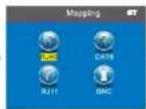
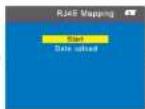
▲▼◀▶ Then press OK; at this time, choose network cable, press OK, it will enter into test the network cable menu. And after that, choose START and connect the RJ45, the result will show you directly; but you also can export the data and the tested result will into the TF card, the following interface is shown indicating test is in process:

Test result 1: Unload or the cable not connected well
If the cable does't connect to the main tester interface, it will show as below:
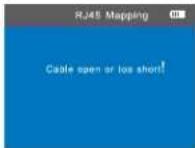
At this time, press ⬇ to return to the main menu, and then press "ENTER" key for re-test.
Test result 2: Short circuit
If there is short circuit with the cable and terminal, it will show as below: (Short circuit with 1 and 2)

At this time, press ⬇ to return to the main menu, and then press "ENTER" key for re-test.
Test result 3: correct connection
If the device connects corrected, the tester can check remote identifier (R), or local port (S) cables. If verify the tested cable with remote (R) or local port (S), it can test STP network cable, and the picture will show you as
below:

R = Remote identifier's foot for RJ 45
S= Local foot of RJ45 port for scan
M= Local foot for RJ45 main interface
G = STP network cable
If you press ⬇ it means back to the last menu and press OK means test again or back to the main menu for re-test.
Test result 4: open circuit (Local testing with Main tester)
When local test and meet open circuit, it will show as below:
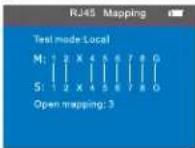
In the figure, "X" shown in "3" position, indicates there is open circuit. Note: Because network cable is made of pair cores, if there is open circuit, it will show faults in pairs, just as above "4" & "5". it means either "4" pin or "5" pin exists an open circuit, or both "4" and "5" exist an open circuit.
Test result 5: open circuit (Remote testing with Remote unit)
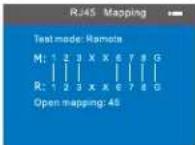
In the figure, "X" shown in "4" and "5" pin position, indicates there is open circuit in "4" and "5" pin of the remote pin.
Note: (NF-8601W) Because network cable is twisted pair cables, if there is open circuit, it will show faults in pairs, just as above "4" & "5". it means either "4" pin or "5" pin exists an open circuit, or both "4" and "5" exist an open circuit.
Test result 6: Cross (out of order)
When the cables have cross situation, it will show you as below:
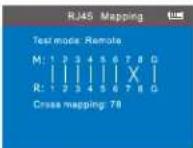
Test result 7: Short, Open, Cross
If the cables and remote meet short, open and cross together, will show you this result: (2 is short, 4 and 5 open, 7 and 8 was cross):
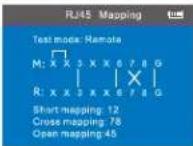
Test result 8: Continuity test for CAT6
It's the same result with Network cable test, it will show as below:


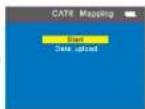

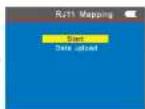
Test result 9: Continuity test for 6 pin RJ11
The 6-core RJ11 should insert into the telephone interface and the test method and show result is the same with RJ45.
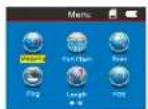
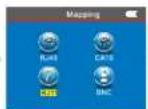

Test result 10: Continuity test for BNC cable
When you test the BNC cable, you should insert into the BNC interface and the test method is the same with RJ45.


Remote unit with tone when checking wiremap
When use remote unit to check wiremap, users can distinguish the test result firstly via tones. When the cable is normal, the remote unit will generate "beep" long and slowly.
When the cable is abnormal, the the remote unit will generate "beep" short and quickly.
Attention 1: The cable continuity testing is only for more than 2-core cables, it's useless for single cable.
Attention 2: When test cable continuity with remotes, the remote will not generate "beep" if the cable is in the below situations.
- network cable: any pin between pin #7 or #8 is broken.
- telephone cable: any pin between pin #1 or # is broken,
- 6P/4C, 6P/2C telephone cable and coax cable.
b. Port flash testing: ( Network cable scanning only )
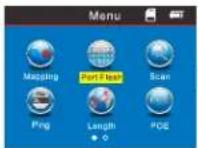
After entering main menu, move the cursor button ▲▼◀▶ to Port Flash. Connect the network cable into PING/POE port for one side, and the other side connect the Router when you enter port flash test function, it will show a ○ and if the tested network cable is good, the LCD will show a ● and at the same time the Router port will keep flashing which the cable connected to. That will help you to locate the target cable more convenient. The image as below:


Special Use: network detection
The device can test line sequence under the switches work on. Network cable as the example---One side connect the main tester's RJ45 interface and the other side connect the switch, then you can press the test button directly, if the connect is right, will show you as below (when the switch is 8 cores).
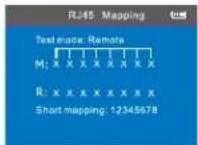
This is the especial test result display when check cable wiremapping connected to switcher. Since the switcher is shorted itself, that's why the result is short mapping, but it still means the cable is good.
But if the Pin1 & Pin2 of the tested switch was open, the testing result will display as below. (when the switch is 8 cores).

Attention:
This method is only to test lan cable which is open or good connection, can't test cross and short.
c.Cable length test:(eg: Network cable)
After entering main menu, move the cursor button ▲▼◀▶ to Cable length test. Then press OK; at this time, choose network cable, press OK, it will enter into test the network cable menu. After that, choose START and connect the RJ45 port "M", the other side connect nothing, the result will show you directly; but you also can export the data and the tested result will into the TF card, the following interface is shown indicating test is in process:

flowchart
graph LR
    A["Menu"] --> B["Length"]
    B --> C["Width"]
    C --> D["RGB"]
    D --> E["Data output"]
    E --> F["Testing"]
They are 5 items for your choose:
- Unit--can set up Meter, inch, yard.
- Calibration---to calibrate different types of cables.
- Load data--to call out the saved data
- Data upload---to export the data of the tested cable length.
- cable length---Testing cable length.
Attention 1: You can not connect the local port (S), and also can't connect the remote (R) when you test the cable length. you just connect nothing with the other side.
Attention 2: Due to different technical parameters with different branded cables, users are recommended to use dynamic calibration function of the equipment before measuring length (Refer to the related chapter for more details.).
Attention 3: If there is much difference in length for every pin, pls take the data for pin 3 as a standard reference for the network cable. the data pin 4 for the telephone cable; the data pin 2 for the BNC cable.
Attention 4: the device is only used to test more than 2-core cables' length (2-core included), not available for single-core cable, when test 2-core cables, if the cable is broken, the length shows on the screen is the break location.
Test result 1: The commonly used Network cable
The normal network cable length test result show you as below:

From the image you can see the total length is 105.3 M, press 📋 back to the main menu and then enter the next testing.
Test result 2 : Short circuit
If there is short circuit with the cable and terminal, the following interface is shown (Short circuit with 1 and 2)
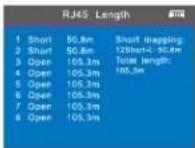
The total length is 105.3M, but it also means that here is a short location at 50.8 M in pin 1 & 2.
At this time, press ⬆ to return to the main menu, and then press "ENTER" key to other functions.
Test result 3 : Normal CAT6
The normal cat 6 cable length test result show you as below:

At this time, press ⬆ to return to the main menu, and then press "ENTER" key to other functions.
Test result 4 : Short circuit of cat 6
The cable length of cat 6 when it short circuit, image show you as below:
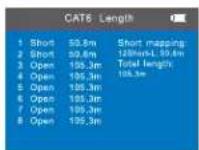
The total length is 105.3M, but the cable test result is 50.8 M on the screen, that means it has a short circuit at the length 50.8M.
Test result 5: Normal 6 cores telephone cable
When test Telephone cable length, connect one end of cable to port "RJ11" NO connection to the other end, choose menu of "cable length" for "RJ11" the result will show as below.
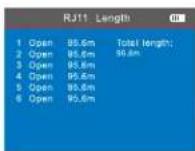
From the image, you can see the cable length is 95.6M, press return the main menu and start other testing.
Test result 6: 6-core telephone cable with short circuit
When test Telephone cable length, connect one end of cable to port "RJ11" NO connection to the other end, choose menu of "cable length" for "RJ11" the result will show as below.

The cable length is 95.6M, #1 & #2 has a short circuit in the location of 30.8M.
Test result 7: BNC cable length test
When test BNC cable length, connect one end of cable to port "BNC" NO connection to the other end, choose menu of "cable length" for "BNC" the result will show as below.
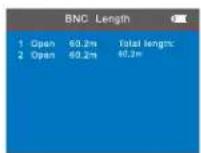
This result show you the cable length is 60.2M, press 📍 back to main menu and enter other testing.
Test result 8 : BNC cable length test with short circuit
When test BNC cable length, connect one end of cable to port "BNC" NO connection to the other end, choose menu of "cable length" for "BNC" the result will show as below.
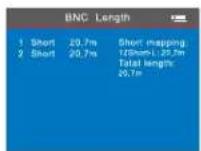
This result show you the cable length is 20.7M, press back to main menu and conduct other testing.
Calibration: eg: Network cable
Due to different technical parameters with different branded cables, users are recommended to use dynamic calibration function of the equipment before measuring length (Refer to the related chapter for more details). After entering main menu, move the cursor button ▲▼◀▶ to Cable length test. Then press OK; at this time, choose network cable, press OK, it will enter into test the network cable menu. And after that, choose CALIBRATION (this cable need more than 10 M to calibrate, press▲to add and▼to reduce the length) then press OK to save the data, the details show you as below:


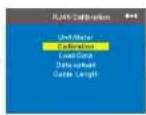
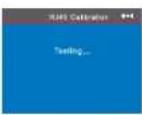


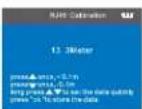
The method of cable length test for parameter callout: eg: Network cable as Due to different technical parameters with different branded cables. We recommend users to calibrate a given-length cable before measuring length (Refer to the related chapter for more details.).
After entering main menu, move the cursor button ▲▼◀▶ to Cable length test. Then press OK; at this time, choose network cable, press OK, and choose "Load Data", press OK to choose the data saved.

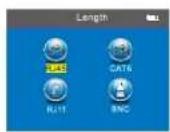


Data export: eg: Network cable
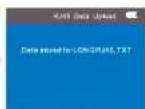
After entering main menu, move the cursor button ▲▼◀▶ to Cable length test. Then press OK; at this time, choose network cable, press OK, and choose data export menu, press OK and show you "data saved into LONGRJ45.TXT" that means the network cable length export to TF card.

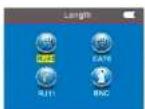

d. Cable scanning
The advanced version NF-8601, it has three modes for option.
(Low frequency, PoE switch, High frequency)
Firstly, choose icon "SCAN" on the main menu (Graph 1), enter to a default scan mode, which is "low frequency" mode (Graph 2). Press "Up\Down" button to switch scan modes to "PoE switch" (Graph 3) or "High frequency" (Graph 4) mode according to your
working environments.

Graph 1

Graph 2

Graph 3

Graph 4
Caution:
- The scan mode in the tranmister and receiver must be same, if the modes are not matched correctly, even the receiver touch the correct cable, it won't generate tone, either. (How to match the mode accordingly, see the following part of "usage of receiver")
- Users must choose "PoE switch" mode if scan cables connected to PoE switch.
Usage of Receiver
Press ⏻ to turn on the receiver, the "power" indicator is lit on, which means it works normally. "SET" button is for choosing scan modes or voltage detecting.
a) Short press "SET" one time, the "SCAN" indicator will turn red, in this situation, it is available for two scan modes: Low frequency / PoE switch. It means, when the "scan" indicator is red, users must choose "Low frequency" or "PoE switch" mode in the transmitter.
b) Short press "SET" two times, the "SCAN" indicator will turn purple, in this situation, it is only available for "High frequency" mode. It means, when the "scan" indicator is purple, users must choose "High frequency" mode in the transmitter.
c) Long press "SET" for 2-3 secs, the "NCV" indicator will turn red, in this situation, the receiver can be used as a voltage detector.

button on the receiver used to control lighting and detect currency;
button is sensitivity control when you find the cables.
The receiver charge: when connected the receiver charge, The light will shining near the MICRO, and the same time, the charge Indicator light will flashing, after full of power, this light will always lit.
- Tracing Telephone /Lan cable which is connected to switch or router. Insert the cable into port "RJ11"/"RJ45 Scan", enter "SCAN" menu to choose "Low frequency" mode. Then turn on the receiver, press "SET" button one time until the "SCAN" indicator turn red, then go to the other side to trace the target cable.
(Note: telephone cable into "RJ11" port, Lan cable into "RJ45 Scan" port)

natural_image
Digital handheld device with red and black buttons, placed on a surface next to a white electronic device (no visible text or symbols)
natural_image
Hand holding a black electronic device with cables and wires, no visible text or symbols2. Tracing Coax cable
Insert the cable into port "BNC", enter "SCAN" menu to choose "Low frequency" mode. Then turn on the receiver, press "SET" button one time until the "SCAN" indicator turn red, then go to the other side to trace the target cable.

natural_image
Interior view of a vehicle or meeting room with a digital handheld device and control panel (no visible text or symbols)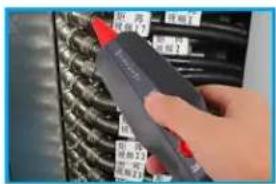
e. Crosstalk test
As shown the figure below: it shows 3, 6 and 4, 5 with crosstalk. The line pair With crosstalk will flash to indicate failure. If the testing cable is crosstalk, Which will slow down the network speed:
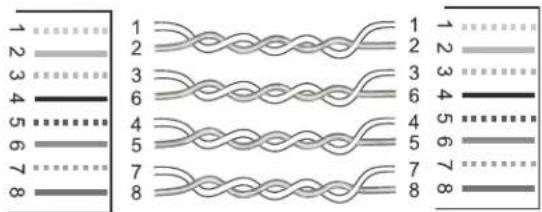
Connection diagram of crosstalk line pair
Crosstalk interface is shown as below:

Note: In case of the non-twisted-pair cable like telephone cable, Due to over large crosstalk, it generally shown as crosstalk.
f. POE test
After enter the main menu, press this cursor to move ▲▼◀▶, and point to POE test menu, and press OK to test POE; Take one side insert the "POE/Ping" PORT, the other side insert into POE Router or Ethernet, then start testing, and press OK, the screen will show you the voltage of each pin.

flowchart
graph LR
    A["Menu"] --> B["POE"]
    B --> C["Testing..."]
    C --> D["POE"]
If you want to save the tested result, you can choose data export into the TF card, the picture show you as below:

flowchart
graph LR
    A["Menu"] --> B["POE"]
    B --> C["POE Data upload"]
    C --> D["Date saved to POE TXT"]
g. PING test:
After enter the main menu, press this cursor to move to "Ping" test, and press OK to test Ping; Take one side insert the "PING" PORT, the other end connect to router or switcher, then start testing, the screen will show you the test result as below.

flowchart
graph LR
    A["Menu"] --> B[" Ping"]
    B --> C[" Pingg"]
    C --> D["Final Process"]
If you want to save the tested result, you can choose data export into the TF card and choose "PING.TXT", the picture show you as below:

flowchart
graph LR
    A["Menu"] --> B["Ping"]
    B --> C["Ping"]
    C --> D["Ping Request"]
    D --> E["Data saved as: MHz/2.07"]
Parameter specification of PING functions
IP address: can obtain automatically any Internet device which has connected in the global. (Under a specific situation, users need to manually set IP address when can't be automatically obtain IP address.)
Local IP address: It can be set up, but it must be different with other LAN devices. Default gateway / Router: In the local LAN Router or gateway IP address.
Subnet mask: In the local LAN Subnet mask Remark :
Default gateway or Router or Subnet mask can be found by the same LAN internet; Start - operate - impute CMD, Start the command line program, after that type "ipconfig" can query it.
Data packet: can be set based on needs.

flowchart
graph LR
    A["Macro"] --> B["Ping"]
    B --> C["Configure"]
    C --> D["Configuration"]
Usage :
- LAN communication device
Destination IP address was set to any one of computer in the same LAN, it can test the LAN whether is normal between mainframes.
- Network communication test
Destination IP address was set to any one of external network, such as 180.97.33.108, it can test the LAN whether is normal between mainframes. Instructions of the test result:
The host tester will send four 32 bytes data packages to the garget device; The time means the host tester Communication back and forth between the target device, that can judge the Communication if Stable and reliable. When it shows 1ms, it means the Communication quality is great.
TTL : the quantity between the host tester and the target device passed router or default gateway, TTL will reduce 1 when pass one router or default gateway, it can reflect network's topology. When TTL=4, it means the host tester connected the target device directly.
h. System set:
When moving cursor "▲▼◀▶" to "Setup" item, press "OK" key. Move the cursor "▲▼" to the relative test. The following interface will be shown:

flowchart
graph LR
    A["Menu"] --> B["Vamping"]
    A --> C["Scan"]
    A --> D["POE"]
    A --> E["Length"]
    A --> F["•"]

    G["Menu"] --> H["Set"]
    H --> I["Backlight level 3"]
    I --> J["Light time: 15s"]
    I --> K["Auto OFF: 15min"]
    I --> L["System theme: Blue"]
    I --> M["Data support"]
    I --> N["System information"]
    I --> O["Return"]
-
Backlight brightness: After entering main menu, move the cursor button to backlight brightness. Then press OK; at this time, 3 kinds them for you choose, press OK, press back to the main menu again to begin other test.
-
Backlight time: After entering main menu, move the cursor button
▲▼◀▶ to backlight time. Then press OK; at this time, 15s,30s,1min for you choose, press OK, press ◎ back to the main menu again to begin other test.
- Auto power-off: After entering main menu, move the cursor button
▲▼◀▶ to Auto power-off. Then press OK; at this time, 5 kinds of them for you choose, press OK, press ➕ back to the main menu again to begin other test.
- System theme: After entering main menu, move the cursor button
▲▼◀▶ to System theme. Then press OK; at this time, 2 kinds of them for you choose, press OK, press 📋 back to the main menu again to begin other test.
- Data export: After entering main menu, move the cursor button ▲▼◀▶ to Export data. Then press OK; at this time, you can export all of the data which you saved into the TF card that makes you can check them more convenient on computer.
(When you export the data, you just insert the TF card, when you do this step ok, it will show you a battery symbol on the left 📁.)
Power off
When you finished all the operation, please remember shut down the device to keep it.

Accessories
| Transmitter | 1pc | Alligator cilip | 1pc |
| Receiver | 1pc | User manual | 1pc |
| Remote | 1pc | Carry case | 1pc |
| RJ11 Cable adaptor | 1pc | Gift box | 1pc |
| RJ45 Cable adaptor | 1pc | Charging adaptors | 1pc |
Diagram of series products
NF-868

NF-268

NF-8200
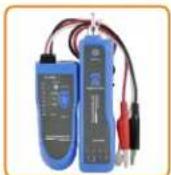
NF-806B

NF-800

NF-816
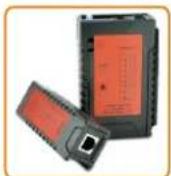
NF-468L

NF-820
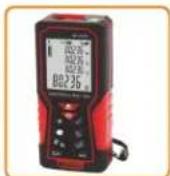
NF-2100
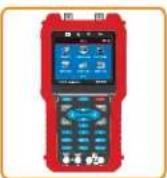
NF-706

NF-905

NF-911
- Read the precautions before your operation.
- CONTENTS
- Overview
- Main functions
- Benefits
- Technical parameters
- Ports on Main unit
- Function keys on Main tester
- Function keys on Receiver
- Ports on Remote identifier
- Instruction on Main interface
- Here are seven main functions on Main interface.
- Charging function
- Operation steps
- Testing methods
- a.Cable line-to-line test (eg: Network cable):
- Test result 6: Cross (out of order)
- Test result 7: Short, Open, Cross
- Test result 8: Continuity test for CAT6
- Test result 9: Continuity test for 6 pin RJ11
- Test result 10: Continuity test for BNC cable
- Remote unit with tone when checking wiremap
- b. Port flash testing: ( Network cable scanning only )
- Special Use: network detection
- Attention:
- c.Cable length test:(eg: Network cable)
- They are 5 items for your choose:
- Test result 1: The commonly used Network cable
- Test result 2 : Short circuit
- Test result 3 : Normal CAT6
- Test result 4 : Short circuit of cat 6
- Test result 5: Normal 6 cores telephone cable
- Test result 6: 6-core telephone cable with short circuit
- Test result 7: BNC cable length test
- Test result 8 : BNC cable length test with short circuit
- Calibration: eg: Network cable
- Data export: eg: Network cable
- d. Cable scanning
- Usage of Receiver
- Tracing Coax cable
- e. Crosstalk test
- f. POE test
- g. PING test:
- Parameter specification of PING functions
- Usage :
- h. System set:
- Power off
Brand : Noyafa
Model : NF-8601a
Category : Measurement