
AC 966 IV - Air conditioner LERAN - Free user manual and instructions
Find the device manual for free AC 966 IV LERAN in PDF.


Pick your language and provide your email: we'll send you a specifically translated version.
| Brand | LERAN |
| Model | AC 966 IV |
| Type | Air conditioner (split system) |
| Category | Climatiseur / Air conditioner |
| Power Supply | 220-240 V, 50 Hz |
| Cooling Capacity | 12000 BTU/h (3.5 kW) |
| Energy Efficiency | Class A (SEER up to 6.0) |
| Noise Level (Indoor) | 30-45 dB(A) |
| Noise Level (Outdoor) | 55-60 dB(A) |
| Dimensions (Indoor Unit) | 800 x 290 x 200 mm (WxHxD) |
| Dimensions (Outdoor Unit) | 750 x 550 x 300 mm (WxHxD) |
| Weight (Indoor Unit) | 8 kg |
| Weight (Outdoor Unit) | 25 kg |
| Refrigerant | R32 |
| Remote Control | Yes, with display |
| Timer Function | 24-hour programmable timer |
| ECO Mode | Energy-saving mode (75% → 55% → 35% power) |
| Sleep Mode | Yes, automatic temperature adjustment |
| Cleaning Mode | Self-cleaning function for evaporator |
| Child Lock | Yes, button lock on remote or unit |
| Air Filter | Washable honeycomb filter |
| Maintenance | Clean filter every 2 weeks; professional service annually |
| Safety Features | Overheat protection, anti-freeze, auto restart |
| Spare Parts | Remote control, filters, drainage hose, mounting bracket |
| Reparability | User-replaceable filter; other repairs by qualified technician |
Frequently Asked Questions - AC 966 IV LERAN
How do I set the timer on the AC 966 IV?
Press the TIMER button on the remote. Use the +/- buttons to set the desired time (0-24 hours). The unit will turn on/off accordingly. Confirm with the SET button.
What does the ECO mode do?
ECO mode reduces power consumption by cycling the compressor: it operates at 75%, then 55%, then 35% of its capacity. This saves energy while maintaining comfort.
How often should I clean the air filter?
Clean the filter every two weeks under normal use. Remove the filter from the indoor unit, wash with mild detergent, let it dry completely, and reinstall.
How do I activate the child lock?
Press and hold the LOCK button (often a star icon) on the remote for 3 seconds. The display will show a lock symbol. To unlock, repeat the process.
What does the cleaning mode do?
Cleaning mode runs the fan to dry the evaporator coil, preventing mold and mildew. Activate it from the remote or unit panel when the unit is off.
Why is my air conditioner not cooling?
Check the filter for blockage, ensure set temperature is below room temp, and that the outdoor unit has clearance. If problem persists, contact a technician.
Can I use an extension cord?
No. Plug the unit directly into a dedicated wall outlet (220-240V). Extension cords may overheat and cause fire.
How do I reset the remote control?
Remove the batteries, wait 30 seconds, reinsert them. If the remote still fails, replace batteries with new ones (2x AAA).
What is the refrigerant type?
The unit uses R32 refrigerant, which is environmentally friendly and has lower global warming potential than older refrigerants.
Where can I find spare parts?
Contact the LERAN dealer or authorized service center. Common parts like filters and remote controls are available online. Use only genuine parts.
User questions about AC 966 IV LERAN
0 question about this device. Answer the ones you know or ask your own.
Ask a new question about this device
No questions yet. Be the first to ask one.
Download the instructions for your Air conditioner in PDF format for free! Find your manual AC 966 IV - LERAN and take your electronic device back in hand. On this page are published all the documents necessary for the use of your device. AC 966 IV by LERAN.
USER MANUAL AC 966 IV LERAN
natural_image
Close-up of a curved white object with a black line and number 6 marker, no visible text or symbolsnatural_image
Line drawing of hands holding a tool or device with an arrow indicating motion (no text or symbols)
natural_image
Illustration of hands assembling a mechanical component with an arrow indicating direction (no text or symbols)flowchart
graph LR
    A["Hand using screwdriver"] --> B["Remote Control with Display"]
    B --> C["Remote Control with Display"]
Использование
flowchart
graph LR
    A["Hand pointing to ECO"] --> B["75% → 55% → 35%"]
    B --> C["Digital Display with Time: 75% 18:30"]

Блокировка
Режим очистки
natural_image
Illustration of a hand pressing a wall-mounted air conditioner into a panel, with no text or symbols present.

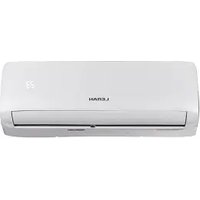
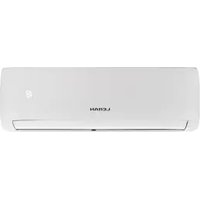
Table of contents
Click a title to access it
Manual assistant
Powered by Anthropic
Waiting for your message
Product information
Brand : LERAN
Model : AC 966 IV
Category : Air conditioner