
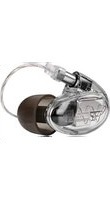
B30 - Headphones Westone - Free user manual and instructions
Find the device manual for free B30 Westone in PDF.


| Product Type | Bluetooth Cable for In-Ear Monitors |
| Brand | Westone |
| Model | B30 Bluetooth Cable |
| Color | Black |
| Connectivity | Bluetooth |
| Bluetooth Range | Up to 10 m (33 ft) |
| Audio Connector | MMCX Audio Connector |
| Battery Type | Rechargeable Lithium-ion |
| Battery Life | Approximately 10 hours |
| Charging Time | Approximately 2 hours |
| Charging Port | Micro-USB |
| Control Buttons | Power, Volume +/-, Play/Pause, Call Control |
| LED Indicators | Power On/Off, Pairing, Connected, Low Battery, Charging |
| Voice Assistant Support | Siri and Google Voice Search (Double Press) |
| Multi-Device Pairing | Supports pairing with one device at a time; can reconnect to last device |
| Warranty | 1 year limited warranty (defects in materials or workmanship) |
| Registration | Recommended at www.westone.com/productregistration |
| Care Instructions | Avoid liquids and temperature extremes; do not pull on cable |
| Safety Warning | Do not charge the cable while wearing it |
| Country of Design | USA (Colorado) |
| Country of Manufacture | China |
| FCC Compliance | Part 15 Class B device |
Frequently Asked Questions - B30 Westone
User questions about B30 Westone
0 question about this device. Answer the ones you know or ask your own.
Ask a new question about this device
Download the instructions for your Headphones in PDF format for free! Find your manual B30 - Westone and take your electronic device back in hand. On this page are published all the documents necessary for the use of your device. B30 by Westone.
USER MANUAL B30 Westone
Designed in Colorado, USA
Bluetooth® Cable
User Manual

natural_image
Three black cable connectors with one labeled 'Westone' and a central connector, shown from different angles (no additional text or symbols)Registration + Maintenance Tips
Congratulations on purchasing your new Bluetooth cable! Make sure to register your new cable and be the first to know about new products, promotions, contests and accessories.
» Register at: www.westone.com/productregistration
Your warranty covers defects in materials and workmanship for a period of ONE YEAR from the date of original retail purchase from a Westone authorized dealer. Proof of purchase is required to verify eligibility.
Here are a few simple guidelines that can greatly increase your listening enjoyment and the lifespan of your Bluetooth Cable:
- Avoid exposing your cable and monitors to liquids and temperature extremes.
- Avoid strong impacts to the cable modules.
- To disconnect your cable grasp the plug at the end of the cable and pull straight out. Never pull on the cable itself as this could break the unit. Also, avoid bending the cable at the connection to the monitors.
Cable Overview

Connecting your Cable

natural_image
Hand holding a small cylindrical object with a pointed tip, no visible text or symbols
natural_image
Close-up of a hand holding a small cylindrical object, possibly a tool or component (no text or symbols visible)
natural_image
Close-up of a hand holding a black cable with a white connector (no text or symbols visible)To connect your Bluetooth cable:
- Identify which cable is the left and the right by the "L" and the "R" at the tip of the cable.
- Match the cable to the appropriate earphone.
- Insert the cable into the earphone by pushing directly into the socket.
To disconnect your cable from your monitor:
-
Hold the monitor and the tip of the cable firmly with each hand pulling at a straight angle from the socket.
-
DO NOT PULL FROM THE WIRE OR AT AN ANGLE.
Pairing your Device
- Hold down the power button for 5 seconds. The indicator light located next to the power button will begin flashing red and blue to indicate the pairing process has begun.
- To activate Bluetooth® on your phone and set it to search for new devices, follow the steps below for your phone:
- iPhone: Go to Settings > General > Bluetooth > On*
- Android: Go to Settings > Bluetooth > On > Scan for devices*
- Windows: Got to Settings>Bluetooth>On* *Pairing steps can vary by device.
- Select "Westone BT"
- If your phone asks for a passcode, enter four zeros (0000) for the passcode or accept the connection.
- Once successfully paired, you will hear a single beep and the indicator light switches from flashing red and blue to just flashing blue.
Button Functionality
Function Button Action
| Vol Up Normally | Vol + | Single Press |
| Next Track Long Press (1s) | ||
| Vol Down Normally | Vol - | Single Press |
| Previous Track Long Press (1s) | ||
| Power On | Long Press (1s) | |
| Power Off Very Long Press (2.5s) | ||
| Enter Pairing Mode Very Very Long Press (5s) | ||
| Music Play/Pause Single Press | ||
| Receive Incoming Call Single Press | ||
| Reject Incoming Call Long Press (1s) | ||
| Cancel/End Active Call Single Press | ||
| Reconnect to Last Device Single Press | ||
| Voice Search / Siri Double Press | ||
| Clear Paired Device List | Vol+ & Vol- | Very Very Long Press (5s) |
LED Indications
Event
LED Indication
| Power On | Blue + Red LEDs Flash Once |
| Power Off | Blue + Red LEDs Flash Once |
| Pairing Mode | Blue + Red LEDs Alternate Flashing |
| Connectable State | Red LED Flash 2 times / 2 seconds |
| Connected State | Blue LED Flash 3 times / 2 seconds |
| Battery Level Low | Red LED Flash 2 times / 1 second |
| Charging | Red LED On |
| Charging Complete | Blue LED On |
| Clear Paired Device List | Blue + Red LEDs Flash Twice |
Troubleshooting
- If you want to pair your device "Westone BT" to a new mobile phone which has never been connected to your device, you need to ensure that your device is in pairing mode.
- There are two ways to enter the pairing mode:
A. Hold down the power button for 5 seconds while turning on the device.
B. Clear the PDL (paired device list) by pressing the combined buttons (Vol+ & Vol-).
- The device will enter the pairing mode if no mobile phones have ever been connected to the device "Westone BT" or the PDL (paired device list) has been cleared.
- If your "Westone BT" device fails to pair:
A. Disable and enable Bluetooth® on your phone and search for the device "Westone BT" again.
B. Reboot your device "Westone BT" and make it go into pairing mode. Then attempt to pair your device again.
-
The device will switch off if no mobile phone has been connected after 5 minutes.
-
The device will automatically try to reconnect to the last mobile phone which has been paired with the device "Westone BT." If you've cleared the PDL, the device will go into pairing mode rather than reconnecting.
- The operation of enabling "Voice search/Siri" can only be used in smartphones that support the function of voice search.
- When the device goes into low battery state, LED indicators for all events will turn to red and alarm tone will be played once every 5 minutes.
Charging your Cable
Here are a few simple guidelines that can greatly increase your listening enjoyment and the lifespan of your Westone Bluetooth Cable:
- Your Bluetooth cable comes partially charged so that you can pair your device and start to listen to your music immediately.
- To charge your cable, remove the USB cover with your fingernail and insert the USB cable that came with your device. Plug the other end into a USB 120V adapter or into a device that charges USB cables (such as a computer).
WARNING:
Never charge your Bluetooth Cable while it is being worn.
Warranty Information
Limited Product Warranty
Westone warrants this product to be free of defects in material or workmanship for a period of one (1) year from the date of original retail purchase. This warranty is available only to the original purchaser, and only if purchased from an authorized Westone distributor or reseller. If your product is found to be defective during the warranty period, Westone will, at its sole option, either repair the product or replace the product with a new or factory reconditioned or substantially equivalent model. This limited warranty does not apply to loss, theft, or any defects attributable to damage beyond the reasonable control of Westone including damage caused by abuse, misuse, misapplication or modifications performed by anyone other than Westone. This warranty applies only to the external shell of the product, the internal components and cable.
Repair/Replacement Warranty
This Limited Warranty shall apply to any repair, replacement part or replacement product for the remainder of the original warranty period or for ninety (90) days, whichever period of time is greater. Any parts or product replaced under warranty will become the property of Westone.
Requesting Warranty Support
Valid warranty claims are generally processed through the point of purchase during the first thirty (30) days after retail purchase.
United States & Canada
If it is necessary to return your product to Westone for warranty or post-warranty service, contact Westone to request a return merchandise authorization (RMA) number. You may call 1-877-290-3988 or go to https://www.westone.com/store/music/index.php/productreturn to submit a Product Return Request Form. Please note you will be required to submit reasonable proof of purchase date, ownership, and that the product was purchased from an authorized Westone retailer. Once you receive your RMA number, package the product securely to prevent damage in transit, include the documentation, and send prepaid and insured through a trackable shipping carrier to:
Westone Laboratories, Inc.
Attn: Music Returns Dept.
2260 Executive Circle, Colorado Springs, CO 80906 USA
Westone will be responsible for shipping to the consumer after warranty repair/ replacement only. The customer is responsible for all shipping/handling charges related to returning the product to Westone.
International
The warranty on this product if it is sold to a consumer outside of the United States and Canada shall comply with applicable law. To obtain warranty service, contact the dealer from which you purchased or the distributor that supplied this product. Additional charges and limitations may apply. If purchased through an authorized Westone retailer, but not through the local distributor or distributor's network, contact Westone directly (see United States & Canada instructions above). If purchased in an international location without a Westone distributor, contact Westone directly (see United States & Canada instructions above).
Limitation of Liability
Westone disclaims any and all implied warranties, warranties of merchantability and fitness for a particular purpose to the maximum extent permissible by law. Westone shall not be liable for any special, incidental or consequential damages caused by the use, misuse, or inability to use this product. If purchased under a government contract, those contract terms supersede terms stated herein. In some locations, implied warranties cannot be limited. Under certain conditions, these limitations or exclusions may therefore not apply to you. This warranty replaces all other warranties for this product.
SRRCFCC
This device complies with Part 15 of the FCC Rules. Operation is subject to the following two conditions: (1) this device may not cause harmful interference, and (2) this device must accept any interference received, including interference that may cause undesired operation. Changes or modifications not expressly approved by the party responsible for compliance could void the user's authority to operate the equipment.
This equipment has been tested and found to comply with the limits for a Class B digital device, pursuant to Part 15 of the FCC Rules. These limits are designed to provide reasonable protection against harmful interference in a residential installation. This equipment generates uses and can radiate radio frequency energy and, if not installed and used in accordance with the instructions, may cause harmful interference to radio communications. However, there is no guarantee that interference will not occur in a particular installation.
If this equipment does cause harmful interference to radio or television reception, which can be determined by turning the equipment off and on, the user is encouraged to try to correct the interference by one or more of the following measures:
• Reorient or relocate the receiving antenna.
- Increase the separation between the equipment and receiver.
- Connect the equipment into an outlet on a circuit different from that to which the receiver is connected.
- Consult the dealer or an experienced radio/TV technician for help.
Designed in Colorado, USA
At Westone, we value your satisfaction.
If you have any questions, please contact us:
Phone: 877-290-3988 | Email: music@westone.com westoneaudio.com
© Westone Laboratories, Inc | The “Bluetooth®” wordmark and logos are registered trademarks owned by Bluetooth SIG, Inc. any use of such marks is under license. | Other trademarks and trade names are those of their respective owners. | Made in China | PN 92539 Rev2
- Bluetooth® Cable
- User Manual
- Registration + Maintenance Tips
- Cable Overview
- Connecting your Cable
- To connect your Bluetooth cable:
- To disconnect your cable from your monitor:
- Pairing your Device
- Button Functionality
- LED Indications
- Troubleshooting
- Charging your Cable
- Here are a few simple guidelines that can greatly increase your listening enjoyment and the lifespan of your Westone Bluetooth Cable:
- WARNING:
- Warranty Information
- Limited Product Warranty
- Repair/Replacement Warranty
- Requesting Warranty Support
- United States & Canada
- International
- Limitation of Liability
- SRRCFCC
- At Westone, we value your satisfaction.
Brand : Westone
Model : B30
Category : Headphones