
IEC LCD ONLINE 3000VA - Inverter DEXP - Free user manual and instructions
Find the device manual for free IEC LCD ONLINE 3000VA DEXP in PDF.


Pick your language and provide your email: we'll send you a specifically translated version.
| Product Type | Online Double-Conversion UPS |
| Model | IEC LCD ONLINE 3000VA |
| Brand | DEXP |
| Rated Power | 3000 VA / 2700 W |
| Input Voltage | 220-240 VAC |
| Output Voltage | 220-240 VAC (Pure Sine Wave) |
| Frequency | 50/60 Hz (Auto-Sensing) |
| Transfer Time | 0 ms (Online Mode) |
| Battery Type | Sealed Lead-Acid (Maintenance-Free) |
| Battery Voltage | 48 VDC |
| Battery Capacity | 9 Ah (Typical) |
| Typical Runtime at Half Load | 10-15 Minutes |
| Recharge Time | 4-6 Hours (to 90%) |
| Dimensions (W x D x H) | 440 x 230 x 680 mm (Rack/Tower) |
| Net Weight | 28 kg |
| Display | LCD Screen with Status Indicators |
| Interfaces | USB, RS-232, Dry Contacts (Optional) |
| Protection | Surge, Overload, Short Circuit, Over-Temperature |
| Operating Temperature | 0°C to 40°C |
| Noise Level | < 55 dB at 1 Meter |
| Certifications | CE, ISO 9001 |
| Warranty | 2 Years (Standard) |
Frequently Asked Questions - IEC LCD ONLINE 3000VA DEXP
How do I connect the UPS to my devices?
Connect the UPS input cable to a wall outlet. Then plug your critical devices (computer, monitor, server) into the output sockets. Ensure total load does not exceed 2700 W.
What is the runtime at full load?
At full load (2700 W), the runtime is approximately 5-7 minutes. For longer runtime, reduce the load or add external battery packs.
How do I replace the battery?
Turn off the UPS and disconnect from mains. Open the front panel, carefully disconnect the battery wires, and replace with the same type (12V 9Ah or equivalent, four in series). Ensure correct polarity.
Why is the UPS beeping continuously?
Continuous beeping usually indicates a battery fault or overload. Check the LCD for error codes. Reduce load if overloaded, or replace the battery if battery low.
Can I use the UPS with a generator?
Yes, but the generator must provide clean, stable power (frequency and voltage within spec). The UPS may switch to battery if the generator output is unstable.
What does the LCD display show?
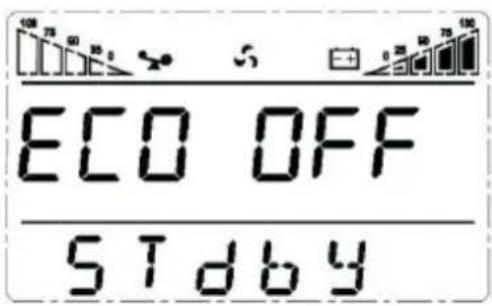
The LCD shows input/output voltage, load percentage, battery capacity, and status messages. Use the button to cycle through information screens.
How do I perform a self-test?
Press and hold the TEST button for 2 seconds. The UPS will simulate a power failure and switch to battery for a few seconds. If successful, the LCD will show 'PASS'.
What should I do if the UPS does not turn on?
Check that the input cable is securely plugged into a working outlet. Ensure the battery is connected. If still off, the battery may be completely discharged. Connect to AC and wait for recharge.
Can I install the UPS in a rack?
Yes, the UPS supports both tower and rack mounting. Use the included rackmount brackets. Ensure adequate ventilation and do not exceed the 40°C operating temperature.
How do I clean the UPS?
Disconnect the UPS from AC and turn it off. Wipe the exterior with a dry, soft cloth. Do not use liquids or aerosol cleaners. Clean the ventilation grills periodically with a vacuum.
User questions about IEC LCD ONLINE 3000VA DEXP
0 question about this device. Answer the ones you know or ask your own.
Ask a new question about this device
No questions yet. Be the first to ask one.
Download the instructions for your Inverter in PDF format for free! Find your manual IEC LCD ONLINE 3000VA - DEXP and take your electronic device back in hand. On this page are published all the documents necessary for the use of your device. IEC LCD ONLINE 3000VA by DEXP.
USER MANUAL IEC LCD ONLINE 3000VA DEXP
Настройки Bypass

Настройка ID
natural_image
Four rectangular gray bars arranged horizontally on a black background, with one bar highlighted in white (no text or symbols)natural_image
Four rectangular gray rectangles on a black background, one white and three gray (no text or symbols)natural_image
Four rectangular blocks of varying shades of gray on a black background (no text or symbols)natural_image
Four rectangular gray rectangles on a black background, one white on the right (no text or symbols)
Table of contents
Click a title to access it
Manual assistant
Powered by Anthropic
Waiting for your message
Product information
Brand : DEXP
Model : IEC LCD ONLINE 3000VA
Category : Inverter