RP6247 - Portable radio Emerson - Free user manual and instructions
Find the device manual for free RP6247 Emerson in PDF.


| Product Type | Clock Radio |
| Brand | Emerson |
| Model Number | RP6247 |
| Power Source | AC 120V, 60Hz |
| Battery Backup | 2 x AAA batteries (not included) |
| Radio Bands | AM/FM |
| Display Type | LED with adjustable brightness |
| Alarm Function | Dual alarm with wake-to-radio or buzzer |
| Snooze Duration | 9 minutes |
| Sleep Timer | Programmable up to 90 minutes |
| Auxiliary Input | 3.5mm stereo jack |
| Dimensions (W x H x D) | 7.0 x 5.0 x 3.5 inches |
| Weight | 1.4 lbs |
| Color Options | Black, White |
| Warranty | 1 year limited |
| Cleaning Instructions | Wipe with a soft, dry cloth. Do not use liquids. |
| Safety Precautions | Do not immerse in water; unplug before cleaning. |
| Spare Parts Available | Batteries, AC adapter (model specific) |
Frequently Asked Questions - RP6247 Emerson
User questions about RP6247 Emerson
0 question about this device. Answer the ones you know or ask your own.
Ask a new question about this device
Download the instructions for your Portable radio in PDF format for free! Find your manual RP6247 - Emerson and take your electronic device back in hand. On this page are published all the documents necessary for the use of your device. RP6247 by Emerson.
USER MANUAL RP6247 Emerson
AM/FM/TV Band Portable Radio with Instant Weather Reception
FILE COPY
IMPORTANT
CALL TOLL-FREE 1-800-210-2281 FOR EXCITING INFORMATION AND SPECIAL DISCOUNTS ON EXTENDED SERVICE PLANS.
OWNER'S MANUAL

REVISED
10JAH2
DATE
RP6247
Visit our web site at "www.emersonradio.com"
Welcome to the world of Emerson sound. The product you have purchased has been carefully engineered and manufactured to give you dependable operation. Read this manual before operating this unit to become familiar with its features and obtain the performance that will bring you continued enjoyment for many years. In the event you require technical assistance, please contact your local dealer or Emerson Radio authorized Service Center. Retain this manual for future reference.
WARNING: TO PREVENT FIRE OR SHOCK HAZARD, DO NOT EXPOSE THIS UNIT TO RAIN OR MOISTURE.
In the space provided, record the serial number.
Serial Number
Avoid installing the unit in locations described below:
- Places exposed to direct sunlight or close to heat radiating appliances such as electric heaters.
- Dusty places.
- Places subject to constant vibration
- Humid or moist places.

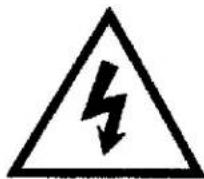
DANGEROUS VOLTAGE: The lighting flash with arrowhead symbol within the triangle is a warning sign alerting the user of "dangerous voltage" inside the unit.

ATTENTION: The exclamation point within the triangle is a warning sign alerting the user of important instructions accompanying the product.
This device complies with part 15 of the FCC rules. Operation is subject to the condition that this device does not cause harmful interference.
Dear Customer:
Selecting fine audio equipment such as the unit you've just purchased is only the start of your musical enjoyment. Now it's time to consider how you can maximize the fun and excitement your equipment offers. This manufacturer and the Electronic Industries Associations Consumer Electronics Group want you to get the most out of your equipment by playing it at a safe level. One that lets the sound come thorough loud and clear without annoying blaring or distortion-and, most importantly, without affecting your sensitive hearing.
Sound can be deceiving. Over time you hearing "comfort level" adapts to higher volumes of sound. So what sounds "normal" can actually be loud and harmful to your hearing. Guard against this by setting your equipment at a safe level BEFORE your hearing adapts.
To establish a safe level:
- Start your volume control at a low setting.
- Slowly increase the sound until you can hear it comfortably and clearly, and without distortion.
Once you have established a comfortable sound level:
- Set the dial and leave it there.
Taking a minute to do this now will help to prevent hearing damage or loss in the future. After all, we want you listening for a lifetime.
We Want You Listening For A Lifetime
Used wisely, your new sound equipment will provide a lifetime of fun and enjoyment. Since hearing damage from loud noise is often undetectable until it is too late, this manufacturer and the Electronic Industries Consumer Electronics Group recommend you avoid prolonged exposure to excessive noise. This list of sound levels is included for your protection.
| Decibel Level | Example |
| 30 | Quiet Library, soft whispers |
| 40 | Living room, refrigerator, bedroom away from traffic |
| 50 | Light traffic, normal conversation, quiet office |
| 60 | Air conditioner at 20 feet, sewing machine |
| 70 | Vacuum cleaner, hair dryer, noisy restaurant |
| 80 | Average city traffic, garbage disposals, alarm clock at two feet |
THE FOLLOWING NOISES CAN BE DANGEROUS UNDER CONSTANT EXPOSURE:
| 90 | Subway, motorcycle, truck traffic, lawn mower |
| 100 | Garbage truck, chain saw, pneumatic drill |
| 120 | Rock band concert in front of speakers, thunderclap |
| 140 | Gunshot blast, jet engine |
| 180 | Rocket launching pad |
Information courtesy of the Deafness Research Foundation


- Speaker
- WEATHER BAND button
- WEATHER BAND FINE TUNING Control (rear)
- Dial Scale and Pointer
-
Battery & AC Cord Compartment (rear)
-
FM/TV/Weather band Telescopic Antenna
-
TUNING Control
-
VOLUME/POWER ON/OFF Control
-
EARPHONE Jack
-
BANDSelector Switch
POWER SOURCES
This unit is designed to operate on AC household current or DC (batteries).
AC-
Insert the AC power cord into a conveniently located AC outlet having 120V, 60Hz. The AC cord is located in the battery compartment.
NOTE: If the AC plug does not fit into a nonpolarized AC outlet, do not file or cut the wide blade. It is the user's responsibility to have an electrician replace the obsolete outlet.

DC-
Open the battery cover on the rear of the unit by sliding it downward and lifting the edge up and insert 4 "AA" batteries (not included), observing the battery polarity indicated in the compartment. Close the battery door.

natural_image
Three stacked batteries with positive and negative charge indicators, no text or symbols presentWhen the AC cord is connected, the radio automatically uses AC power. Disconnect the AC cord and the unit will switch to DC (battery) power if batteries are installed.
BATTERY PRECAUTIONS
The precautions below should be followed when using batteries in this device:
- Use only the size and type of batteries specified.
- Be sure to follow the correct polarity when installing the batteries as indicated in the battery compartment. Reversed batteries may cause damage to the device.
- Do not mix different types of batteries together (e.g. Alkaline and Carbon-Zinc).
- If the device is not to be used for a long period of time, remove the batteries to prevent damage or injury from possible battery leakage.
- Do not try to recharge batteries not intended to be recharged; they can overheat and rupture (follow battery manufacturer's directions).
OPERATION
- Turn on the radio by rotating the VOLUME control clockwise.
- Slide the BAND Selector switch to select the desired band (AM, FM/TV1, TV2). Select AM to tune AM radio stations. Select FM/TV1 to tune FM radio stations and TV channels 2 through 6. Select TV2 to tune TV channels 7 through 13.
- Tune the desired station by rotating the TUNING control.
- Adjust the VOLUME control as desired.
- To turn the unit off, rotate the VOLUME control counterclockwise until a click sound is heard.
To tune the Weather band, press the WEATHER BAND button. Use the WEATHER BAND FINE TUNING control on the rear of the unit to precisely tune the Weather Band for best reception. Press the WEATHER BAND button again to return to the AM, FM, or TV bands. Adjust the VOLUME control as desired.
ANTENNAS
AM - This unit has a built-in ferrite rod antenna, which eliminates the need for an external antenna, and provides adequate reception in most areas. If reception is weak, turn the unit to improve reception.
FM, TV, WEATHER BAND - The telescopic antenna on the top of the unit is for these bands only. If reception is weak, adjust the length and the angle of the antenna.
EARPHONE JACK
For private listening, an earphone jack is located on the side of the radio. Plug in the earphone (not included) and adjust the volume to a comfortable level. The internal speaker is disconnected when the earphone is plugged into the radio.
CARE AND MAINTENANCE
To prevent fire or shock hazard, disconnect your unit from the AC power source when cleaning. The finish on your unit may be cleaned with mild soap and a soft damp cloth. Do not use solvents on the unit as they may damage the finish.
TROUBLESHOOTING
Before requesting service, please read the guide below.
| SYMPTOM | POSSIBLE CAUSE | SOLUTION |
| Noise or sound distorted on AM/FM or TV broadcasts. | Station not tuned properlyFM/TV: Telescopic antenna is not properly adjusted.AM: Unit is not positioned correctly. | Retune the broadcast station.Reorient telescopic antennaRotate unit until best reception is obtained. |
| Noise or sound distorted for weather bands. | Poor Weather Band receptionWeather Band not tuned properly. | Reorient telescopic antennaFine tune Weather Band. |
| Earphone connected into Earphone Jack.Power is not turned on.Volume is set to minimum.AC cord not connected.Batteries not installed properly | Remove the Earphone from the jack.Turn power on.Turn volume up.Connect AC cord.Install four "AA" size batteries following polarity diagram. |

TO FIND THE LOCATION AND PHONE NUMBER OF YOUR NEAREST SERVICE CENTER PERMITTED TO PERFORM WARRANTY SERVICE...
CALL TOLL FREE: 1-800-695-0098
FOR ADDITIONAL SET-UP OR OPERATING ASSISTANCE PLEASE CALL: 1-972-884-2350
FOR CUSTOMER SERVICE, PLEASE WRITE TO:
Emerson Radio Corp.
Consumer Affairs Dept.
1901 Diplomat Drive, Farmers Branch, TX 75234
EMERSON RADIO CORP. LIMITED WARRANTY
What does this warranty cover? Any manufacturing defects in original material, including original parts and workmanship, under normal use and conditions.
For how long? For a period of ninety (90) days from the date of original purchase in the U.S.
What will we do? If you need service under this warranty, and you provide us with the dated proof of purchase, we will provide repair service at no charge for labor and parts at an authorized Depot Repair Facility, or replace the product in our discretion.
How do you make your warranty claim? If it becomes necessary to repair your unit, you can obtain the name and mailing location of a Depot Repair Facility by dialing 1-800-695-0098. You should pack your unit in a well-padded heavy corrugated box, enclose your check or money order payable to the Depot Repair Facility in the amount of \$9.00 to cover the return shipping and handling costs, and enclose a copy of your proof of purchase (warranty service will not be provided without a dated proof of purchase). Finally, you should ship the unit prepaid via UPS or parcel post (insured).
What does your warranty not cover? Your warranty does not cover the following:
- Damage from negligence, misuse, abuse, accident, or failure to follow operating instructions.
- Use of product in a commercial application or rentals.
• Changes or repairs by anyone other than an authorized Depot Repair Facility.
• Damage because your unit is improperly connected to the equipment of other manufacturers. - Units on which the serial number has been defaced, modified or removed.
- Damage to equipment not properly connected to the product.
- Cost incurred in shipping your unit to and from an authorized Depot Repair Facility.
- Ordinary adjustments which you can perform as outlined in the owner's manual.
• Signal reception problems caused by external antenna or cable systems. - Products purchased, used, serviced or damaged outside of the United States.
• Damage to compact discs or cassettes
What other limitations apply to your warranty?
THIS WARRANTY IS NON-TRANSFERABLE AND APPLIES ONLY TO THE ORIGINAL PURCHASER AND DOES NOT EXTEND TO SUBSEQUENT OWNERS OF THE PRODUCT. THIS WARRANTY IS VALID ONLY IN THE UNITED STATES OF AMERICA. ANY APPLICABLE IMPLIED WARRANTIES, INCLUDING THE WARRANTY OF MERCHANTABILITY, ARE LIMITED IN DURATION TO A PERIOD OF THE EXPRESSED WARRANTY AS PROVIDED ABOVE BEGINNING WITH THE DATE OF ORIGINAL PURCHASE AT RETAIL AND NO WARRANTIES, WHETHER EXPRESSED OR IMPLIED, SHALL APPLY TO THE PRODUCT THEREAFTER. WE MAKE NO WARRANTY AS TO THE FITNESS OF THE PRODUCT FOR ANY PARTICULAR PURPOSE OR USE.
THE EXTENT OF OUR LIABILITY UNDER THIS LIMITED WARRANTY IS THE REPAIR OR REPLACEMENT PROVIDED ABOVE AND IN NO EVENT WILL OUR LIABILITY EXCEED THE PURCHASE PRICE PAID BY THE PURCHASER OF THE PRODUCT. UNDER NO CIRCUMSTANCES WILL WE BE LIABLE FOR ANY LOSS, DIRECT, INDIRECT, INCIDENTAL, SPECIAL, OR CONSEQUENTIAL DAMAGE ARISING OUT OF OR IN CONNECTION WITH THE USE OF THIS PRODUCT.
How does state law apply to your warranty?
THIS WARRANTY GIVES YOU SPECIFIC LEGAL RIGHTS, BUT YOU MAY ALSO HAVE OTHER RIGHTS WHICH VARY FROM STATE TO STATE. SOME STATES DO NOT ALLOW LIMITATIONS ON IMPLIED WARRANTIES OR EXCLUSION OR LIMITATION OF INCIDENTAL OR CONSEQUENTIAL DAMAGE, SO THESE RESTRICTIONS MAY NOT APPLY TO YOU.
AU898F
EMERSON RADIO CORP.
EMERSON
PART NO: 16-2745
003-02
PRINTED IN CHINA
- AM/FM/TV Band Portable Radio with Instant Weather Reception
- WARNING: TO PREVENT FIRE OR SHOCK HAZARD, DO NOT EXPOSE THIS UNIT TO RAIN OR MOISTURE.
- Avoid installing the unit in locations described below:
- Dear Customer:
- To establish a safe level:
- Once you have established a comfortable sound level:
- We Want You Listening For A Lifetime
- THE FOLLOWING NOISES CAN BE DANGEROUS UNDER CONSTANT EXPOSURE:
- POWER SOURCES
- AC-
- DC-
- BATTERY PRECAUTIONS
- OPERATION
- ANTENNAS
- EARPHONE JACK
- CARE AND MAINTENANCE
- TROUBLESHOOTING
- EMERSON RADIO CORP. LIMITED WARRANTY
- What other limitations apply to your warranty?
- How does state law apply to your warranty?
- EMERSON RADIO CORP.
Brand : Emerson
Model : RP6247
Category : Portable radio