
Xtream H5U - Headphones Adesso - Free user manual and instructions
Find the device manual for free Xtream H5U Adesso in PDF.


| Product Type | Wireless Over-Ear Headphones |
| Brand | Adesso |
| Model | Xtream H5U |
| Connectivity | Bluetooth 5.0, 3.5mm AUX |
| Driver Size | 40 mm |
| Frequency Response | 20 Hz - 20 kHz |
| Impedance | 32 ohms |
| Battery Type | Lithium-ion Rechargeable |
| Battery Life | Up to 20 hours |
| Charging Port | Micro USB |
| Charging Time | Approximately 2-3 hours |
| Built-in Microphone | Yes |
| Controls | On-ear buttons: Power, Volume, Track, Play/Pause, Answer/End Call |
| Dimensions (L x W x H) | Approx. 190 x 170 x 80 mm (folded) |
| Weight | Approx. 250 g |
| Included Accessories | Micro USB Charging Cable, 3.5mm Audio Cable, User Manual |
| Cleaning | Wipe with a soft, dry cloth. Do not use liquids or solvents. |
| Safety Warning | Listen at moderate volume to prevent hearing damage. |
| Spare Parts / Repairability | Ear pads and cables are replaceable. Contact Adesso support for parts. |
| Warranty | 1 year limited warranty |
Frequently Asked Questions - Xtream H5U Adesso
User questions about Xtream H5U Adesso
0 question about this device. Answer the ones you know or ask your own.
Ask a new question about this device
Download the instructions for your Headphones in PDF format for free! Find your manual Xtream H5U - Adesso and take your electronic device back in hand. On this page are published all the documents necessary for the use of your device. Xtream H5U by Adesso.
USER MANUAL Xtream H5U Adesso
natural_image
Black hardcover headphones with earbuds and microphone (no visible text or labels)The Xstream™ H5 Multimedia Headset with Microphone are stylishly designed for active lifestyles. The headset has a built-in soundcard, allowing direct plug-and-play with a simple USB connection and eliminating the need for separate audio and microphone connection.
Built-in Microphone
The built-in microphone is omnidirectional which picks up sound with reliability and is flexible which allows you to adjust the position for optimal performance.
■ Comfortable Fit & Wear
The earcups is foldable, and can be adjusted to ensure the perfect fit, while the custom padding provides a soft comfortable fit.
Volume Control
With the conveniently located media control, you can easily adjust the volume at your fingertips.
■ Stereo Sound
The Xstream H5U has a built-in soundcard, allowing direct plug-and-play with a simple USB connection and eliminating the need for separate audio and microphone connection. The speakers' 40mm drivers deliver clear and crisp stereo sound.

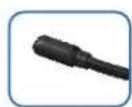
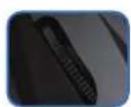
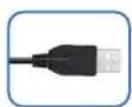
Volume Control Built-in Microphone Notebook Desktop USB
Specifications:
Microphone
| Dimensions: | 6.0 x 5.0mm (Φ) |
| Directivity: | Omnidirectional |
| Impedance: | 2.2kΩ |
| Sensitivity: | 40±3dB (at 1KHz) |
Speaker
| Driver Diameter: | 40mm (Φ) |
| Sensitivity: | 105±3dB |
| Impedance: | 32Ω |
| Frequency Response: | 20Hz - 20KHz |
| Cord Length: | 6 ft. (1.8m) |
| Plug: | USB |
Requirements:
| Operating System Windows 10/8/7/Vista | |
| Mac OS X 10.6 and Up | |
| Connection | USB |
Includes:
Adesso Xstream H5U
Shipping Information:
| Item UPC Code | Package Dimensions | Package Weight | Qty/Carton |
| Xstream H5U 783750010863 7.5" x 7" x 3.15" | 0.5 lbs | 20 |


Brand : Adesso
Model : Xtream H5U
Category : Headphones