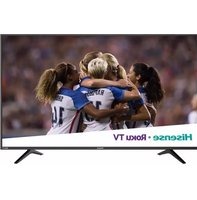
55R6000E - Television HISENSE - Free user manual and instructions
Find the device manual for free 55R6000E HISENSE in PDF.
Pick your language and provide your email: we'll send you a specifically translated version.
| Product Type | 55-inch 4K Ultra HD Smart LED TV |
| Model Number | 55R6000E |
| Brand | Hisense |
| Screen Size | 55 inches (139.7 cm) |
| Resolution | 3840 x 2160 pixels (4K UHD) |
| Display Technology | LED |
| Smart Platform | Roku TV (built-in) |
| Dimensions (without stand) | Approx. 48.5 × 28.0 × 2.6 inches (123.2 × 71.1 × 6.6 cm) |
| Dimensions (with stand) | Approx. 48.5 × 30.3 × 9.2 inches (123.2 × 77.0 × 23.4 cm) |
| Weight (without stand) | Approx. 26.5 lb (12.0 kg) |
| Weight (with stand) | Approx. 27.0 lb (12.2 kg) |
| VESA Mount Pattern | 400 x 200 mm (standard) |
| Power Consumption (typical) | 120 W |
| Power Supply | AC 120 V, 60 Hz |
| Connectivity | 3× HDMI, 1× USB, Composite, Ethernet, Wi-Fi, Optical Audio, Headphone |
| Key Features | 4K UHD, HDR10, Dolby Vision, Motion Rate 120, DTS Virtual:X |
| Audio Output Power | 2 × 8 W (total 16 W) |
| Care Instructions | Clean with soft dry cloth; do not use liquid cleaners |
| Safety Warnings | Do not expose to rain or moisture; keep ventilation openings clear |
| Spare Parts Availability | Contact Hisense customer service or authorized service centers |
| Repairability Index | TBD (check local regulations) |
Frequently Asked Questions - 55R6000E HISENSE
What is the screen resolution of the Hisense 55R6000E?
The Hisense 55R6000E features a 4K Ultra HD resolution of 3840 x 2160 pixels, providing sharp and detailed images.
Does the 55R6000E support HDR?
Yes, it supports HDR10 and Dolby Vision for enhanced contrast and color.
What smart platform does this TV use?
It uses the Roku TV operating system, offering access to streaming services like Netflix, Hulu, and more.
How do I mount the TV on a wall?
The VESA mount pattern is 400 x 200 mm. Use a compatible wall mount and follow the included instructions.
How many HDMI ports does it have?
It has 3 HDMI ports (one with ARC) for connecting devices like game consoles, Blu-ray players, and soundbars.
Can I connect Bluetooth headphones?
No, the 55R6000E does not support Bluetooth audio. Use a wired headphone via the 3.5mm jack or a compatible optical audio device.
What is the power consumption in standby?
Standby power consumption is less than 0.5 W when the TV is turned off but plugged in.
How do I change the TV's region or language?
Go to Settings > System > Advanced System Settings > Factory Reset or adjust language in Settings > Language.
Is the TV compatible with voice assistants?
The Roku TV platform supports Amazon Alexa and Google Assistant via compatible devices. The remote does not have a built-in microphone.
What should I do if the TV won't turn on?
First, check the power cord and outlet. Try a power reset: unplug for 60 seconds, then plug back in. If it still fails, contact Hisense support.
User questions about 55R6000E HISENSE
0 question about this device. Answer the ones you know or ask your own.
Ask a new question about this device
No questions yet. Be the first to ask one.
Download the instructions for your Television in PDF format for free! Find your manual 55R6000E - HISENSE and take your electronic device back in hand. On this page are published all the documents necessary for the use of your device. 55R6000E by HISENSE.