
AV-200 - Uncategorized Adesso - Free user manual and instructions
Find the device manual for free AV-200 Adesso in PDF.


| Product Type | Video Capture Device |
| Dimensions (Box) | 10.0" x 7.25" x 2.25" |
| Weight (Box) | 0.6 lbs |
| Power Source | USB 2.0 powered |
| Video Signal Detection | Automatic NTSC/PAL |
| Video Format | Real-time MPEG 1/2/4 recording |
| Video Resolution | NTSC: 720 x 480 @ 30 fps; PAL: 720 x 576 @ 25 fps |
| Connection Interface | USB 2.0 |
| Video Input | Composite RCA (Yellow) and S-Video |
| Audio Input | Composite RCA (Red & White) |
| Bundled Software | CyberLink Power Director 7 & Power Producer 5 |
| System Requirements | Windows 7/Vista/XP, Pentium-IV 2.0 GHz, 512 MB RAM, CD-ROM drive, 1 GB free HDD, DirectX 9.0c graphics, sound card |
| Included Items | AV-200 unit, RCA cable, CD with driver software, Quick Start Guide |
| UPC Code | 783750004596 |
| Box Quantity | 10/40 |
| Maintenance | Clean with a soft, dry cloth |
| Safety | Use in a dry environment; avoid moisture |
| Reparability | This device is not user-serviceable; refer to professional repair |
Frequently Asked Questions - AV-200 Adesso
User questions about AV-200 Adesso
0 question about this device. Answer the ones you know or ask your own.
Ask a new question about this device
Download the instructions for your Uncategorized in PDF format for free! Find your manual AV-200 - Adesso and take your electronic device back in hand. On this page are published all the documents necessary for the use of your device. AV-200 by Adesso.
USER MANUAL AV-200 Adesso
natural_image
Black USB connector with three connected cables (no text or symbols visible)The Adesso Video Capture Express is ideal for creating DVDs from analog videos. The Adesso Video Capture Express connects your analog device, player (VCR), or camcorder directly to your computer's USB 2.0 port, making video capturing easy! With a few simple steps and the included bundled software you can easily reformat old VHS or camcorder recordings to digital format, so you can share your old memories over the Internet and archive on your computer. Start converting and sharing your memories now with the Adesso Video Capture Express!
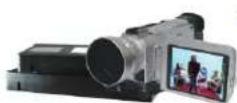
Capture
USB 2.0 Video Capture Express connects your PC to video devices such as a VCR, DVD, or camcorder using either RCA connectors or a S-Video connector.
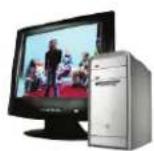
Edit
Edit, organize, and highlight videos or still images on storyboard in MPEG format.
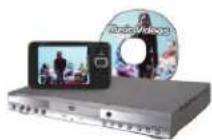
Share
Directly transfer videos recordings to a DVD burner.

Capture

Edit

Share
Specifications:
Video Signal Detect NTSC/PAL automatically
Video Format Real-time video recording in MPEG 1/2/4 formats
Video Resolution NTSC: 720 x 480 @ 30 fps
PAL: 720 x 576 @ 25 fps
Connection USB 2.0
Video Input Composite RCA (Yellow) and S-Video
Audio Input Composite RCA (Red & White)
Bundled Software CyberLink Power Director 7 & Power Producer 5
Requirements:
Operating System
Windows 7, Windows Vista, Windows XP
Hardware
Pentium-IV 2.0 GHz or higher (recommended)
512MB RAM or higher recommended
CD ROM Drive (for software installation)
1GB Free Hard Drive Space
Graphic Card (supports DirectX 9.0c)
Sound Card
Connectivity Interface
USB 2.0
Includes:
AV-200 Video Capture Express
RCA Cable
(1) CD with Driver Software
Quick Start Guide
Shipping Information:
| Item | UPC Code | Box Dimensions | Box Wt. | Qty/Ctn |
| AV-200 | 783750004596 | 10.0" x 7.25" x 2.25" | 0.6 lbs | 10/40 |
Brand : Adesso
Model : AV-200
Category : Uncategorized