
EasyTouch 132 - Keyboard Adesso - Free user manual and instructions
Find the device manual for free EasyTouch 132 Adesso in PDF.


| Product Type | Keyboard |
| Brand | Adesso |
| Model | EasyTouch 132 (AKB-132UY) |
| Keyboard Layout | 122-Key US Layout |
| Connection Type | USB Cable |
| Key Type | Membrane |
| Power Source | PC Powered via USB |
| Indicators | Num Lock, Caps Lock, Scroll Lock |
| Internet Hotkeys | 7 (Home, Favorite, Back, Forward, Refresh, Close, Search) |
| Media Hotkeys | 7 (Play/Pause, Stop, Next Track, Previous Track, Vol Up, Vol Down, Mute) |
| Key Print | 4X size black print on fluorescent yellow keys |
| Color | Black with Yellow Keys |
| Dimensions (inches) | 17.63 x 6.25 x 0.75 |
| Dimensions (mm) | 448 x 159 x 45 |
| Weight (lbs) | 1.2 |
| Weight (g) | 544 |
| Keystroke Life | 5 million keystrokes |
| Included Accessories | Quick Start Guide |
| System Requirements | USB port |
| Operating Systems | Windows, macOS, Linux (typical USB HID) |
| Cleaning Instructions | Wipe with a soft, dry cloth. Do not use liquids or harsh cleaners. |
| Safety Precautions | Keep away from liquids, do not disassemble, use only with compatible devices. |
| Spare Parts Availability | Not available as spare parts; consider replacement if damaged. |
| Warranty | Warranty details not provided in manual; contact Adesso support. |
Frequently Asked Questions - EasyTouch 132 Adesso
User questions about EasyTouch 132 Adesso
0 question about this device. Answer the ones you know or ask your own.
Ask a new question about this device
Download the instructions for your Keyboard in PDF format for free! Find your manual EasyTouch 132 - Adesso and take your electronic device back in hand. On this page are published all the documents necessary for the use of your device. EasyTouch 132 by Adesso.
USER MANUAL EasyTouch 132 Adesso
\* Product Overview
The Adesso® AKB-132UY Florescent Yellow Multimedia Desktop Keyboard is designed for whose eyesight isn't quite what it used to be, or for anyone with a slight visual impairment. With its large 4X black print on bright yellow keys, you can doing anything from a simple Email to finishing your next novel with greater ease and less strain on your eyes. The membrane key switches provide a quiet and quick response and stand up to heavy use-up to 5 million keystrokes! Not only is the Adesso® AKB-132UY keyboard great for anyone with slight visual impairments, but its large bright florescent keys make it a great, and even fun for kids to use too!
\* Ergonomic Fluorescent 4X Size Print Keys
The large 4X size black print on florescent yellow keys provide excellent contrast and larger appeal over tradional keyboards that have small white letters on dark black keys.
\* Multimedia & Internet Controls
Control your media with one-touch using the built-in Multimedia HotKeys. You can also navigate the Internet and access your email with the built-in Internet Hotkeys. In other words, you have convenience with one touch of a key!
\* Quiet Membrane Key Switches
With a life cycle of 5 million keystrokes, Membrane key switches provide a faster response along with a quiter typing experience.
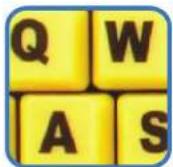
Luminous 4X
Size Keys
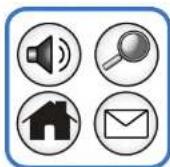
20 Internet & Multimedia Hotkeys
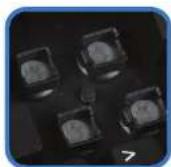
Quiet Membrane
Key Switches
Keyboard Specifications
Keyboard Layout 122-Key US Layout
Connection USB Cable
Key Type Membrane
Power Source PC Powered via USB
Indicators Num Lock, Caps Lock, Scroll Lock
Internet Hotkeys 7 Internet Hot Keys (Home, Favorite, Back, Forward, Refresh, Close, Search)
Media Hotkeys 7 Media Hot Keys (Play/Pause, Stop, Next Track, Previous Track, Vol Up, Vol Down & Mute)
Colors Black with Yellow Keys
Dimensions 17.63" x 6.25" x .75" (448 x 159 x 45mm)
Weight 1.2 Lbs
Requirements
Device USB Port
Includes: AKB -132UY Desktop Keyboard
Quick Start Guide
Shipping Information
| ITEM | UPC CODE | Packed Dims | Pack Weight | QTY/Carton |
| AKB -132UY | 783750006255 | 18.5 x 7.5 x 1.75 | 1.5 lbs. | 20 |
Brand : Adesso
Model : EasyTouch 132
Category : Keyboard