VS-2 FineHD - Monitor Aputure - Free user manual and instructions
Find the device manual for free VS-2 FineHD Aputure in PDF.


| Product Type | Professional LCD Field Monitor |
| Brand | Aputure |
| Model | VS-2 FineHD |
| Display Size | 7.02 inches |
| Resolution | 1920 x 1200 pixels |
| Brightness | 450 cd/m² |
| Contrast Ratio | 1200:1 |
| Viewing Angle | 160° horizontal / 160° vertical |
| Pixel Pitch | 0.07875 mm |
| Input Interfaces | HDMI, YPbPr, AV |
| Audio Output | 3.5 mm earphone jack |
| Power Input | DC 7-18 V |
| Power Consumption | ≤ 7 W |
| Current | ≤ 950 mA |
| Battery Compatibility | Sony NP-F series (F550/F570/F770/F960/F970) and NP-FM/QM series |
| Dimensions | 182 x 138 x 23 mm |
| Operating Temperature | 0°C to 55°C |
| Storage Temperature | 0°C to 70°C |
| Humidity | 30% to 70% |
| Accessories Included | Charger, battery, sunhood, cleaning cloth, hand case, warranty card, HDMI cables, firmware update cable, articulate arm |
| Key Features | Co-zebra, Peak (4 colors), False Color, Monochrome (4 modes), Histogram, Volume Bar, Center Mark, Safe Area (multiple ratios), Flip (H/V), Color Temp (6500K/9300K/User), Low Battery Alert, Shortcut buttons |
| Safety Precautions | Do not disassemble; use approved batteries; avoid water; remove battery if not used; do not block ventilation; keep away from children |
| Cleaning | Use included cleaning cloth; avoid solvents and abrasive materials |
| Firmware Update | Via Mini USB input; download latest from Aputure website and follow instructions |
| Spare Parts & Reparability | Contact Aputure authorized dealer for spare parts and repairs |
Frequently Asked Questions - VS-2 FineHD Aputure
User questions about VS-2 FineHD Aputure
0 question about this device. Answer the ones you know or ask your own.
Ask a new question about this device
Download the instructions for your Monitor in PDF format for free! Find your manual VS-2 FineHD - Aputure and take your electronic device back in hand. On this page are published all the documents necessary for the use of your device. VS-2 FineHD by Aputure.
USER MANUAL VS-2 FineHD Aputure
Thanks for purchasing Aputure V-Screen VS-2 FineHD!
Aputure V-Screen VS-2 FineHD, a professional LCD Field Monitor designed for video equipments that offer HDMI ports, YPbPr outputs, or AV(Video, L, R) outputs, such as DSLR, and camcorder. And please read the user manual and keep it where all those who use this equipment will read them.
INSTRUCTION
To prevent damage to your product or injury to yourself or to others, read and understand all the following safety precautions before using this equipment.
- Do not disassemble. Touching the product's internal parts could result in injury.
- Use only batteries and charger approved for use in this equipment. Failure to observe this precaution could result in fire or electric shock.
- Turn off immediately in the event of malfunction. Continued operation could result in injury. After removing the battery, take the equipment to an authorized retailer for inspection.
- Do not immerse in or expose to water. Failure to observe this precaution could result in electric shock.
- Remove the battery if you do not use for a long time. Battery leakage could result in fire, injury and environmental pollution.
- Do not short the battery, or expose it to excessive heat. Failure to observe this precaution could result in explosion or fire.
- Insulate the terminals of the battery before disposal. Contacting metal could result in explosion or fire. Please dispose of battery under local regulation.
- Do not squeeze or hit the screen. Failure to observe this precaution could result in screen malfunction and injury.
- Do not block its ventilation hole. Do not hinder the heat dissipation, as this could result in deformation or fire.
- Do not use in the presence of flammable gas. Do not use electronic equipment in the presence of flammable gas, as this could result in explosion or fire.
- Do not place the product in the reach of children. Failure to observe this precaution could result in injury.
- The instructions and information in this manual are based on thorough, controlled company testing procedures. Further notice will not be given if the design or specifications change.
INTRODUCTION
Aputure V-Screen VS-2 FineHD is a professional field monitor with a 7-inch Full HD LCD Screen (1920 x 1200 pixels), which provides diverse video interface, such as HDMI, YPbPr, and AV. As a multi-function monitor, VS-2 FineHD features False Color, Co-zebra, Peak, Histogram, Safe Area, and Volume Bar.
ITEM LIST
Before starting, please check that all the following items have been included with Aputure V-Screen VS-2 FineHD. If anything is missing, please contact your dealer immediately.
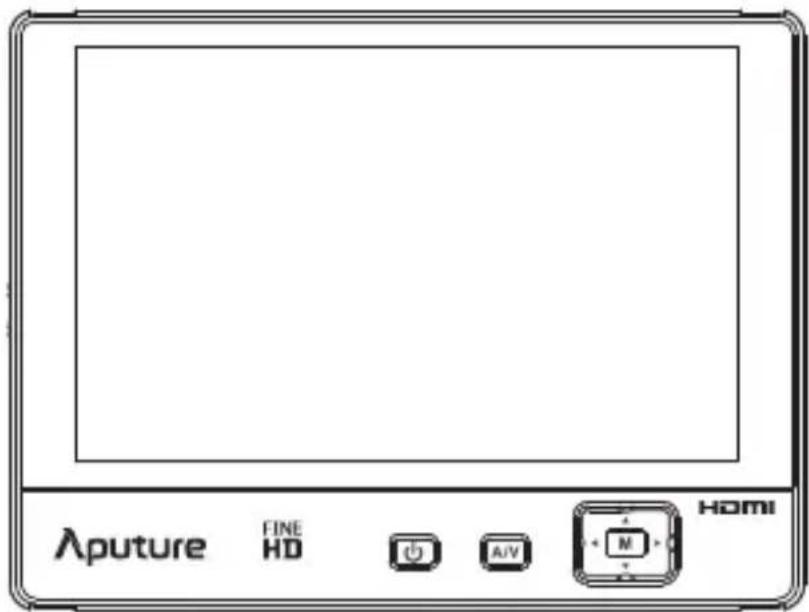
Monitor
Accessories
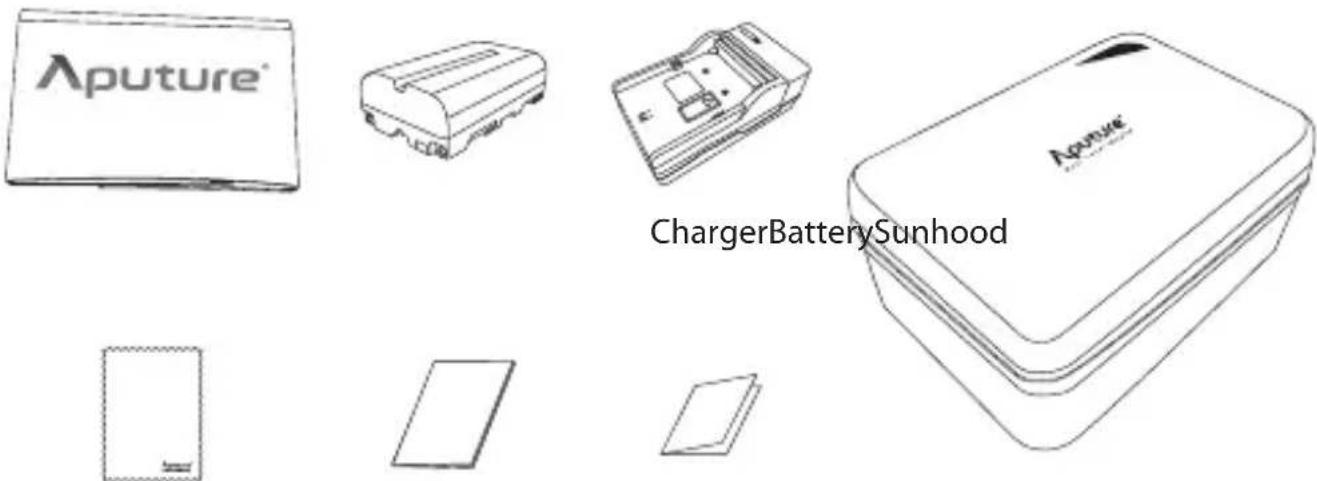
Cleaning Cloth Handy CaseProduct maWarranty card
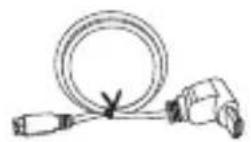
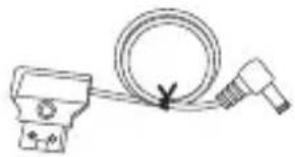
natural_image
Simple line drawing of a cable and plug assembly (no text or symbols)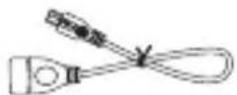
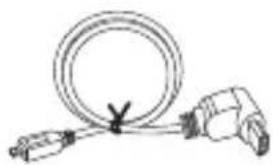
Power adapter cable Firmware Update CableHDMI Cable(A 1
natural_image
Simple line drawing of a cable and plug (no text or symbols)HDMI Cable(A Type to D Type)
natural_image
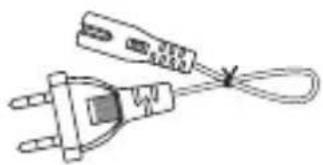
Line drawing of a plug with a cable, no text or symbols presentPlug
natural_image
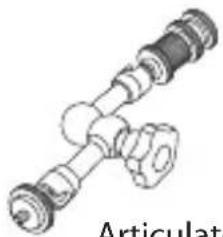
Technical illustration of a mechanical assembly with no visible text or symbolsArticulate Arm (includes 1/4 Screw, 1/4 Jack and Cold Shoe)
* The Plug is designed to charge the Battery with the Charger.
FEATURE

Co-Zebra
Utilize both zebra marking and over exposure monitoring features to assist in exposure adjustment.

Peak
You can select Red, Yellow, Blue, or White to highlight the contours of sharpest focusing areas, or choose Highlight to present the focusing area by brightness contrast.

False Color
False Color is used to aid in the setting of camera exposure, which enables proper exposure to be achieved without the use of costly, complicated external test equipment. With the Scale, which is below the image, the user can evaluate the exposure more accurately.

Monochrome
Offer four monochrome patterns, including Grey, Red, Blue and Green.

Histogram
The Brightness Histogram is a quantitative tool to check the picture brightness. This feature shows the distribution of brightness in an image as a graph of brightness along the horizontal axis (Left: Dark; Right: Bright) and a stack of the number of pixels at each level of brightness along the vertical axis.
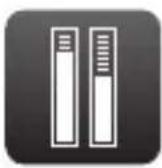
Volume Bar
Monitor the volume in left and right channels. And it is marked by 3 colors, green, yellow, and red, depending the Volume Level.

Center Mark
The Center Mark can be displayed together with another marker, Safe Area.

Safe Area
A wide range of safe area displays and aspect ratios, 2.35:1/1.33:1/1.66:1/1.85:1/70%/80%/90%, can be selected.

Flip
The picture of the VS-2 FineHD can be freely flipped both vertically and horizontally.

Color Temp
Color Temperatures of 6500K, 9300K or a User preset value can be selected.

Low Battery Alert
When your battery power is low, a red battery-shaped signal will flicker on the middle of the screen, which means that the monitor may be shut down in a minute. If so, please replace your battery.

Shortcut
VS-2 FineHD has four buttons < ◀▶ ▲▼ >that can be assigned to custom functions, such as, Safe Area, Center Marker, Color Bar, Peak, Co-Zebra, Monochrome, Histogram, Camera Mode, Freeze, Vertical Flip, Horizontal Flip, Zoom and Scan mode. Navigate to "Shortcut" to customize functions of the Navigator < ◀▶ ▲▼ >.
NOMENCLATURE
Front
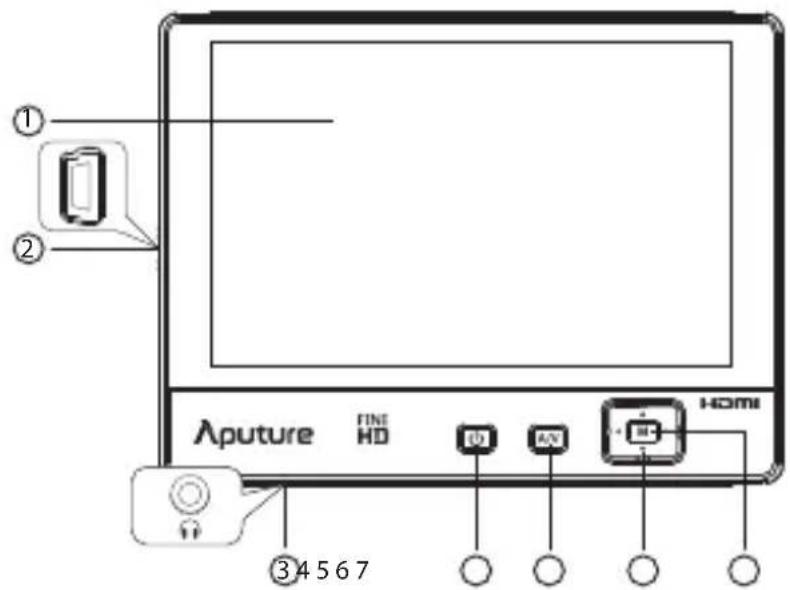
① Screen
⑤ Signal Switch
② Mini USB Input
⑥ Navigator
③ Earphone Jack
⑦ Menu Button
④ Power Switch
* The Mini USB Input can only be used for firmware update.
Back
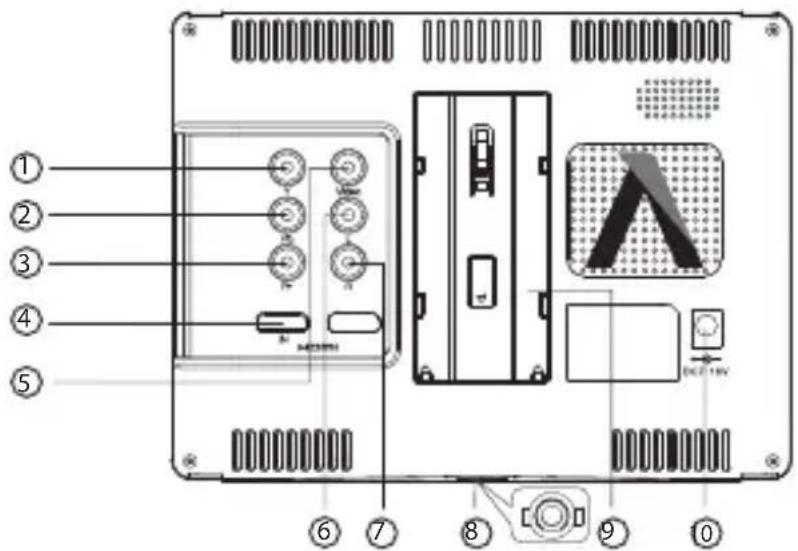
① Y Input
⑥ Left-channel Input
② Pb Input
⑦ Right-channel Input
③ Pr Input
⑧ 1/4" Thread
④ HDMI In
⑨ Battery holder
⑤ Video Signal Input
⑩ Power Input
PREPARATION
INSTALLATION
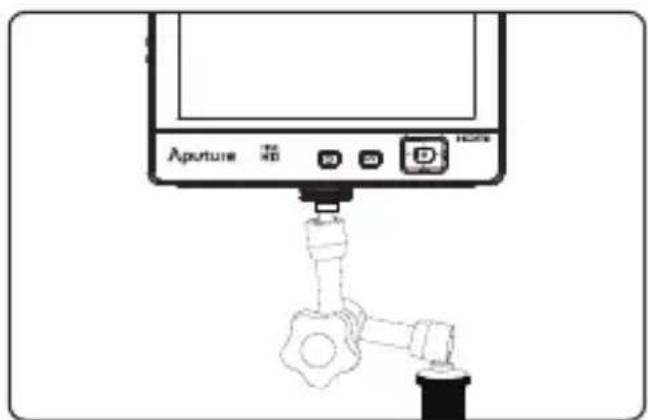
1) Mount monitor on your DSLR or camcorder with cold shoe out from articulate arm.
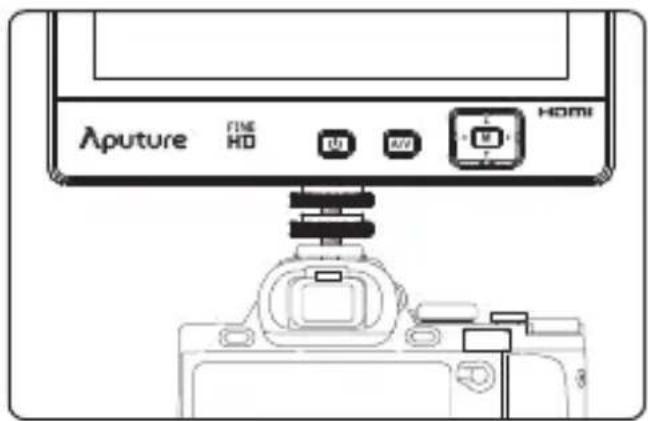
2) Mount VS-2 FineHD on articulate arm and connect them with any other equipment through 1/4" connector.
natural_image
Diagram of a device labeled 'Apture' with ports and a valve, showing no readable text or symbols beyond the label.*The articulate arm can be disassembled for various demands.
SUNHOOD
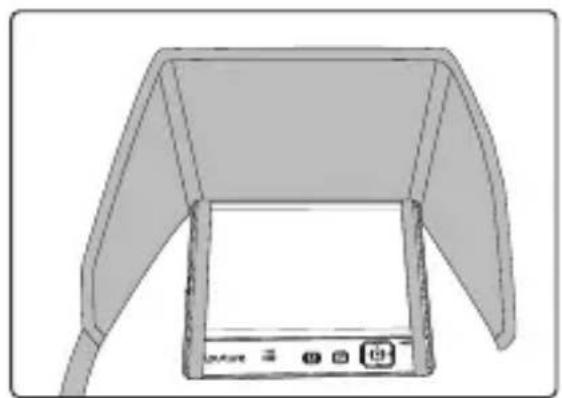
Affix the sunhood on the monitor with tape as shown by the picture.
natural_image
Diagram of a device with a screen and antenna, no visible text or symbols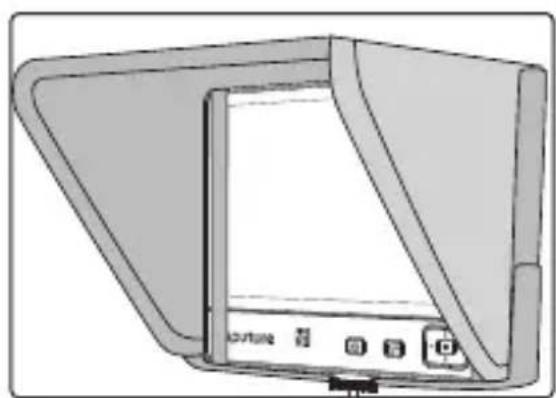
natural_image
Illustration of a flat-screen monitor with control buttons and display screen (no text or symbols)POWERING
As shown, slot the battery into the battery holder.
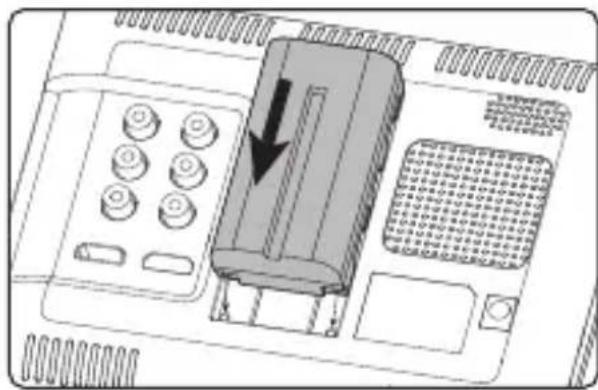
* The following batteries are recommended: Sony NP-S Series: NP-F550/F570/F770/F960/F970, Sony NP-FM/QM Series: FM50/FM51/FM55H/FM500H/QM50/QM51/QM71D/QM91D.
* You can also power it by a DC 7-18V through the input on the back of V-Screen.
POWER ON/OFF
First of all, please check VS-2 FineHD has connected the battery or adapter. Then, if you press the Power Switch for 0.8 second, indicator will turn to green which means that the monitor has turned on. After using the monitor, you may press the Power Switch for 1.2 seconds, and the monitor will be shut down.
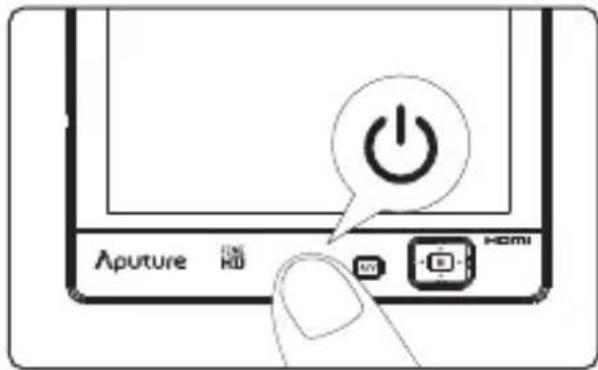
* It takes about 15 seconds to load the system.
SIGNAL INPUT
- The option, AV, corresponds to inputting the signal from Video, L, R.
• The option, YPBPR, corresponds to inputting the signal from Y, Pb, Pr. - The option, HDMI, corresponds to inputting the signal from HDMI In.
INPUTSOURCE
AV
YPBPR
HDMI
MENU
ACCESSING THE MENU
| ASSISTANT FUNCTIONS | MONOCHROME | OFF |
| MARK | FALSE COLOR | OFF |
| IMAGE | CO ZEBRA- | OFF |
| COLOR SETTING | PEAK | OFF |
| SHORTCUT | PEAK COLOR | RED |
| OTHER SETTING | HISTOGRAM | OFF |
| EXIT | VOLUME BAR | OFF |
| COLOR BAR | OFF | |
| CAMERA MODE | OFF | |
| RETURN | ||
| V1.0 | ||
1) Press the Menu Button
2) Press< ▲ / ▼ >to select the desired menu.
3) Press
4) Navigate to "RETURN" to return to main menu. Navigate to "EXIT" to exit main menu.
* The menu will be exited when there is no operation for 15 seconds.
EXTRA OSD
On the bottom of the screen, there is a Extra OSD to indicate the following information:
- Battery status
- Input signal format
- Shortcut information
FIRMWARE UPDATE
VS-2 FineHD monitor software is constantly under development, which means Aputure may release latest firmware on official website.
1) Website: http://www.aputure.com/V-Screen-VS-2-FineHD/Update/.
2) Please update firmware following the instructions on our official website.
3) Please download the firmware to USB disk and connect it to V-Screen by the firmware update cable.
SPECIFICATIONS
| Model | VS-2 FineHD | |
| Display | Panel | 7.02" |
| Resolution | 1920x1200 | |
| Brightness | 450cd/m2 | |
| Contrast | 1200:1 | |
| Viewing Angle (CR>10) | 160/160(H/V) | |
| Pixel Pitch | 0.07875(mm)X 0.07875(mm) | |
| Input | HDMI | Yes |
| YPbPr | Yes | |
| AV | Yes | |
| Audio | Earphone Jack Φ3.5mm | |
| Power | Current | ≤950mA |
| Input Voltage | DC 7-18V | |
| Power Consumption | ≤7W | |
| Batteries | Sony NP-F Series: NP-F550/F570/F770/F960/F970NP-FM/QM Series: FM50/FM51/FM55H/FM500H/QM50/QM51/QM71D/QM91D | |
| Operation Environment | Operation Temperature | 0°C~55°C |
| Storage Temperature | 0°C~70°C | |
| Humidity | 30%~70% | |
| Physical Property | Dimension | 182X138X23mm |

www.aputure.com
- Thanks for purchasing Aputure V-Screen VS-2 FineHD!
- INSTRUCTION
- To prevent damage to your product or injury to yourself or to others, read and understand all the following safety precautions before using this equipment.
- INTRODUCTION
- ITEM LIST
- Monitor
- Accessories
- FEATURE
- Co-Zebra
- Peak
- False Color
- Monochrome
- Histogram
- Volume Bar
- Center Mark
- Safe Area
- Flip
- Color Temp
- Low Battery Alert
- Shortcut
- NOMENCLATURE
- PREPARATION
- INSTALLATION
- SUNHOOD
- POWERING
- POWER ON/OFF
- SIGNAL INPUT
- MENU
- ACCESSING THE MENU
- EXTRA OSD
- FIRMWARE UPDATE
Brand : Aputure
Model : VS-2 FineHD
Category : Monitor