
924-829 - Keyboard Marquant - Free user manual and instructions
Find the device manual for free 924-829 Marquant in PDF.


User questions about 924-829 Marquant
0 question about this device. Answer the ones you know or ask your own.
Ask a new question about this device
Download the instructions for your Keyboard in PDF format for free! Find your manual 924-829 - Marquant and take your electronic device back in hand. On this page are published all the documents necessary for the use of your device. 924-829 by Marquant.
USER MANUAL 924-829 Marquant
User Instructions for Bluetooth Keyboard
924-829
SV Bruksanvisning i original
NO Bruksanvisning i original
EN Installation instructions in original
SVENSKA
TEKNISKA DATA
| Bluetooth version | 3.0, class 2 |
| Frequency | 2.4 GHz band |
| Operating voltage | 3 VDC (2 x AAA batteries) |
| Power consumption in operation | < 5 mA |
| Power consumption in standby mode | < 0.2 mA |
| Range | up to 10 meters |
| Dimensions | 284.3 x 119.8 x 5.8 mm |
| Weight | 310 g +/- 2 g |
USE
Read the User Instructions carefully before use.
Save these instructions for future reference.
User Instructions
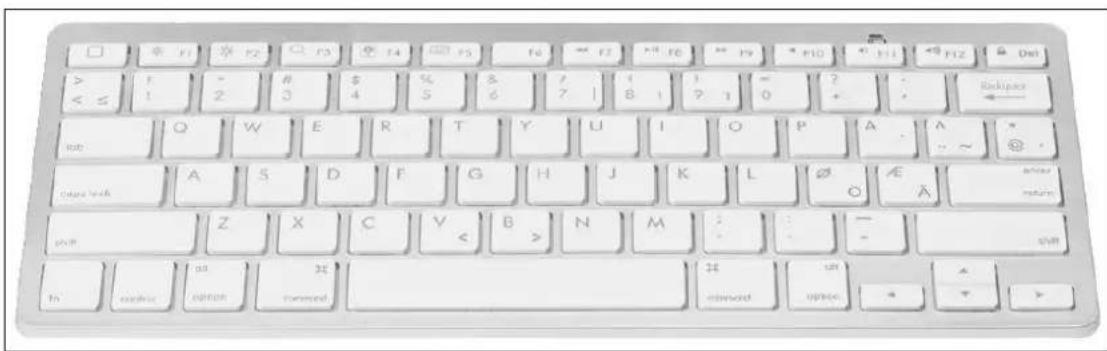
Super slim keyboard with 78 keys.
Instructions for connection to iPad.
- Start the iPad and click on Settings.
- Under Settings – General, click on Bluetooth.
- The iPad automatically searches for Bluetooth units.
- Start the Bluetooth keyboard.
- Press the CONNECT button for 3 seconds.
- The light on top flashes.
- When the iPad has found the wireless keyboard, click on the unit to connect.
- Enter the password shown on the screen. The iPad connects to the keyboard.
- The Bluetooth keyboard is now ready to use.
Follow the instructions below if you cannot connect the keyboard to the unit, or if the keyboard does not work properly.
- Check that Bluetooth is enabled.
- Check that the distance between the keyboard and the unit is not more than 10 m.
- Check that the password is the same on the unit and the keyboard. Key in the password on the keyboard and press Enter.
Jula reserves the right to make changes. In the event of problems, please contact our service department. www.jula.com

Care for the environment!
Must not be discarded with household waste! This product contains electrical or electronic components that should be recycled. Leave the product for recycling at the designated station e.g. the local authority's recycling station.

EC DECLARATION OF CONFORMITY
EG FÖRSÄKRAN OM ÖVERENSSTÄMMELSE
EF SAMSVARSERKLÆRING
DEKLARACJA ZGODNOŚCI WE

Jula AB, Box 363, SE-532 24 SKARA, SWEDEN
RoHS Directive 2011/65/EU
This product was CE marked in year -13
Skara 2014-06-19

HENRIK CHRISTENSSON
PRODUCT MANAGER
Brand : Marquant
Model : 924-829
Category : Keyboard