
MCSTCW21W2 - Washing machine Magic Chef - Free user manual and instructions
Find the device manual for free MCSTCW21W2 Magic Chef in PDF.


| Product Type | Portable Washer |
| Brand | Magic Chef |
| Model | MCSTCW21W2 |
| Capacity | 2.1 Cu. Ft. |
| Water Inlet | Dual (Hot and Cold) with quick sink adapter |
| Drain Hose Height | 34-40 inches |
| Control Panel | Digital with Load Size, Delay, Start/Pause, Function, Program, Temperature, Child Lock |
| Wash Programs | Heavy, Quick, Normal, Jeans, Anti-wrinkle, Air Dry |
| Delay Timer | Up to 48 hours |
| Child Lock | Yes |
| Noise Proof Plate | Included |
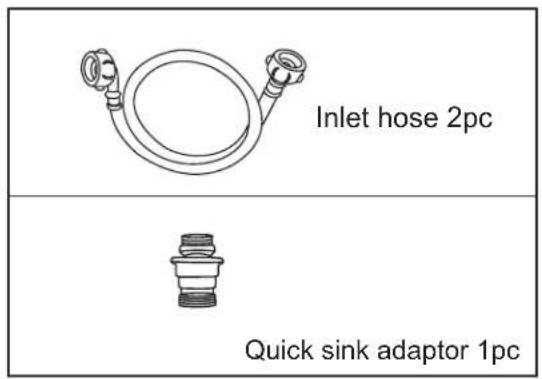
| Accessories | Two inlet hoses, quick sink adapter |
| Power Supply | 120V AC |
| Wash Time Range | 10 minutes (Quick) to 60 minutes (Air Dry) |
| Rinse Cycles | 1 or 2 depending on program |
| Spin Time | Up to 7 minutes |
| Water Level Settings | Small, Medium, Large |
| Safety Features | Overfill protection, imbalance detection, door lock alarm |
| Maintenance | Clean drain filter every 10 washes; wipe exterior |
| Warranty | 1 year parts and labor (carry-in) |
Frequently Asked Questions - MCSTCW21W2 Magic Chef
User questions about MCSTCW21W2 Magic Chef
0 question about this device. Answer the ones you know or ask your own.
Ask a new question about this device
Download the instructions for your Washing machine in PDF format for free! Find your manual MCSTCW21W2 - Magic Chef and take your electronic device back in hand. On this page are published all the documents necessary for the use of your device. MCSTCW21W2 by Magic Chef.
USER MANUAL MCSTCW21W2 Magic Chef
2.1 Cu. Ft.
Portable Washer
User's Manual
natural_image
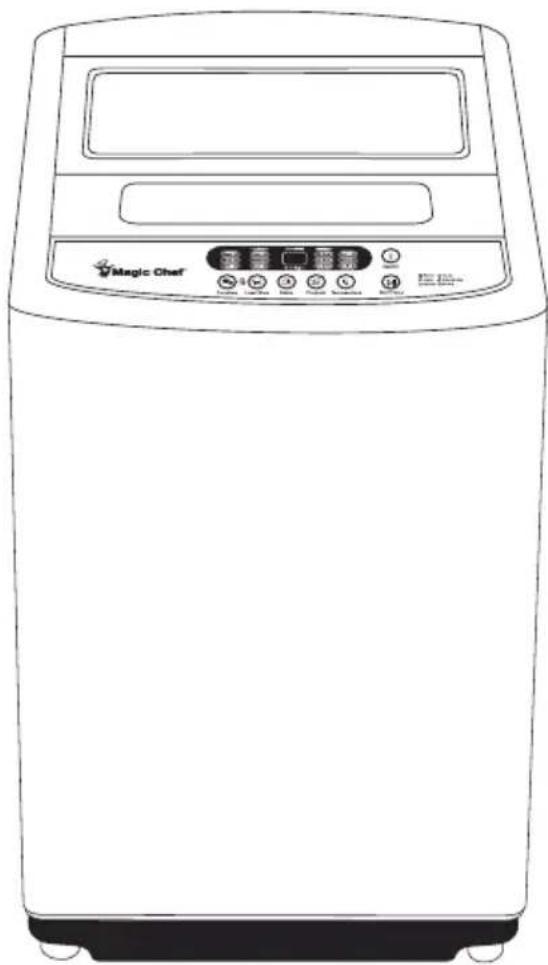
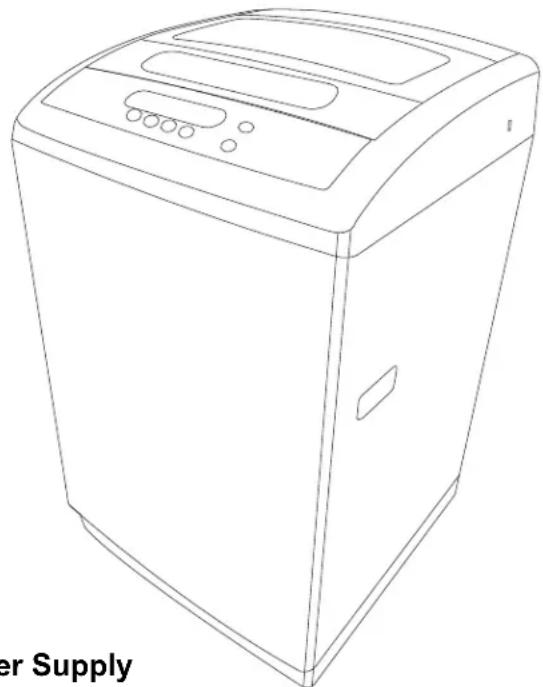
Line drawing of a Magic Chef washing machine (no text or symbols on the device body)Model MCSTCW21W2
PLEASE READ THIS MANUAL CAREFULLY BEFORE USING YOUR WASHER AND KEEP IT FOR FUTURE REFERENCE.

Product Registration
Thank you for purchasing a Magic Chef® product. The first step to protect your new product is to complete the product registration on our website: www.mcappliance.com/register. The benefits of registering your product include the following:
- Registering your product will allow us to contact you regarding a safety notification or product update.
- Registering your product will allow for more efficient warranty service processing when warranty service is required.
- Registering your product could act as your proof of purchase in the event of insurance loss.
Once again, thank you for purchasing a Magic Chef® product.
CONTENTSCONTENTS
Important Safeguards 3
Installation Instructions 8
Before Washing Preparation 10
Parts and Features 11
Washing Cycle Guide 13
Maintenance and Care / Error Codes 17
Troubleshooting 18
Warranty Information 19
Before using your washing machine, please read this manual carefully and keep it for future reference.
READ THIS USER MANUAL
Inside this manual, you will find many helpful information on how to properly use and maintain your washing machine. Just a little preventative care on your part can save you a great deal of time and money over the life of your washing machine. You will find many answers to common problems in the troubleshooting tips section. If you review this section first, you may not need to call for service.
UNPACKING YOUR WASHING MACHINE
- Inspect and remove all packaging material.
- Inspect and remove all remaining packing, tape, or printed materials before powering on your washing machine.

WARNING
RISK OF CHILD ENTRAPMENT. CHILD SUPERVISION IS NECESSARY. THIS APPLIANCE IS TO BE USED ONLY FOR ITS INTENDED PURPOSE AS DESCRIBED IN THIS MANUAL. READ ALL RECOMMENDED SAFEGUARDS THOROUGHLY.
IMPORTANT SAFEGUARDS IMPORTANT S

WARNING
To reduce the risk of fire, electric shock, or personal injury when using your appliance, follow these basic precautionary guidelines, which includes the following:
- Read all instructions before using the appliance.
- Use this appliance only for its intended purpose as described in user manual.
- Use only detergents or softeners as recommended for use in this manual and keep them out of the reach of children.
- This appliance must be properly installed in accordance with the installation instructions before it is to be used.
- Never unplug your appliance by pulling on its power cord. Always grasp the plug firmly and pull it straight out from the outlet.
- Immediately replace any power cords, loose plugs, and power outlets in poor condition. Consult a certified electrician when replacing wall outlets.
- Unplug your appliance before any maintenance and care duties, or before making any repairs to the appliance.
- If your old appliance is not being used, we recommend that you remove the door or properly dispose your old appliance according to local law ordinances.
- Do not operate your appliance in the presence of explosive fumes.
- Do not wash or dry articles that have been previously spotted, cleaned in, washed in, or soaked in food oils, gasoline, dry cleaning solvents, chemicals, and any other flammable or explosive substance, as they give off vapors that could ignite or explode.
- Clothes or rags used to clean flammable or explosive substances should not be washed in this appliance until all traces of this material have been removed.
- Do not add or mix any flammable or explosive substances to the washer.
- Do not try to remove clothes while the washer tub is moving. Wait for it to come to a complete stop before removing clothes.
- The loading door of the washer must be closed when the tub is spinning.
- Do not operate your appliance when parts are either missing or broken.
-
Do not use this appliance for commercial purposes. For household use only.
-
Do not operate this washer unless all enclosure panels are properly installed.
- Do n ot tamper with the controls.
- Do not allow any children to play on or in the appliance. Close supervision of children is necessary when the appliance is used around them.
- This appliance must be connected to a proper electrical outlet with the correct amount of electrical supply, as specified on the rating label.
- Proper grounding must be ensured to reduce the risk of electric shock and fire. Do not cut or remove the grounding plug. If you do not have a three-prong electric receptacle wall outlet, have a certified electrician install the proper receptacle wall outlet. The wall outlet must be properly grounded.
- Under certain conditions, hydrogen gas may be produced in a household hot water system that has not been used for two weeks or more. Hydrogen gas is highly explosive. If the hot water system has not been used for more than two weeks, turn on all hot water faucets and let the water flow for several minutes prior to using your compact washer.
- Do not repair or replace any part of the appliance or attempt any servicing unless specifically recommended by the user-repair instructions, which you fully understand and have the ability to carry out.
NOTE: If for any reason this product requires servicing, we strongly recommend that a certified technician performs the service. - To reduce the risk of electric shock or fire, do not use an extension cord or outlet adapters to connect the unit to an electrical power source. The appliance must be properly grounded using a three-prong electric receptacle wall outlet.
SAVE THESE INSTRUCTIONS
GROUNDING INSTRUCTIONS
This appliance must be properly grounded. In the event of malfunction or breakdown, grounding will reduce the risk of electric shock by providing a path of least resistance for electric current. This appliance is equipped with a power cord with a three-pronged plug for grounding purposes. This three-pronged plug must be plugged into an appropriate outlet that is properly installed and grounded in accordance with all local codes and ordinances.

WARNING
Improper connection of the power cord can result in a risk of electric shock. Check with a qualified electrician or serviceman if you are in doubt as to whether the appliance is properly grounded. Do not modify the provided plug with the appliance – even if it will not fit into the outlet. Have a qualified technician install the proper wall outlet for you.

WARNING
To reduce the risk of electric shock, disconnect this appliance from the power supply before attempting any user maintenance and care. Turning the controls to the OFF position does not disconnect this appliance from the power source.
SAFETY AND PRECAUTIONSSAFETY AND
In order to prevent injury to yourself and others, or property damage, observe the following items:

Warning
This symbol indicates the possibility of death or serious injury.

Caution
This symbol indicates the possibility of injury or property damage.
Observe the following visual guidelines:

NEVER DO THIS.

ALWAYS DO THIS.

Warning
Do not disassemble and reassemble the washer without authorization.

natural_image
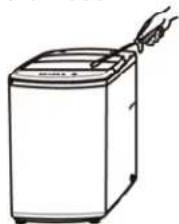
Line drawing of a hand holding a small appliance next to a washing machine (no text or symbols)Do not insert your hand and take out clothes inside the spinning tub before it stops.

natural_image
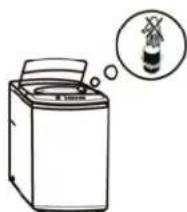
Simple line drawing of a washing machine with a thought bubble showing a small object (no text or symbols)Do not install the washer in moisture enriched environment in order to avoid electric shock, fire, or other electrical accidents.

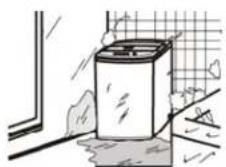
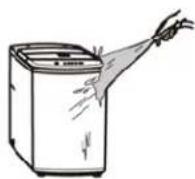
Do not directly rinse the machine with water when cleaning.


Warning
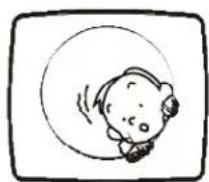
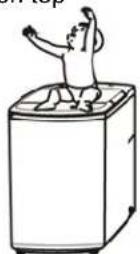
Do not let children climb onto the machine or peer into the spinning tub, in order to avoid injury.

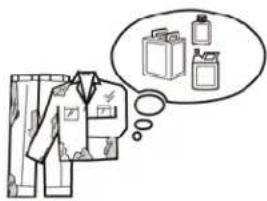
Prohibit from washing clothes that came in contact with kerosene, gasoline, alcohol, or any other flammable chemicals.

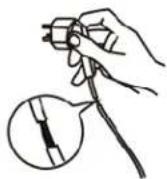
Do not damage the power cord or plug to avoid electric shock, fire, and/or short-circuiting the appliance.

Regularly clean the power plug to remove dust and dirt, in order to prevent electrical failure.

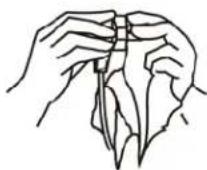
Pull out the 3-pronged plug from the socket when the machine is not in use.

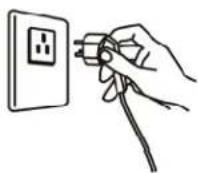
Properly connect the ends of the power cord and water hose to avoid any accidental leakage and electric shock.

natural_image
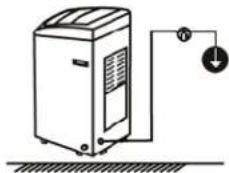
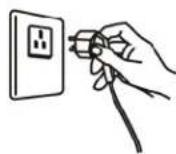
Simple line drawing of a portable air conditioner unit connected to a wall-mounted power supply (no text or symbols)Insert the 3-pronged power plug securely into the electrical outlet.

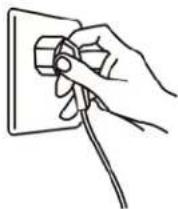
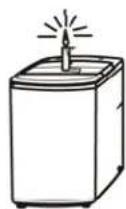
Do not place any incense, flammable items, and other heating sources onto the washing machine.

Use the correct power source: 3-pronged wall outlet (no adapters).

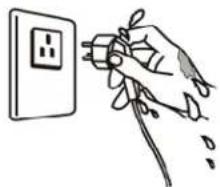
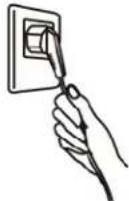
Do not remove or insert the plug with wet hands to avoid electric shock.

natural_image
Hand inserting a plug into an electrical outlet (no text or symbols visible)
Caution
Ensure that the water inlet pipe is connected to a water source, and that the tap is opened prior to washing clothes.

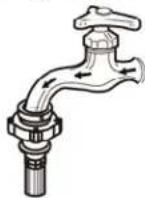
The water temperature shall not exceed 131^ F when washing with hot water.

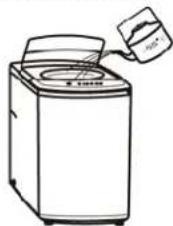
natural_image
Line drawing of a washing machine with a hand pouring liquid from a container (no text or symbols)Do not change or alter the power cord or the 3-pronged plug, in any way.

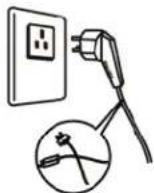
It is strictly prohibited to place and sit children or lay weights on top of the washer.

Remove the power cord from the base of the 3-pronged plug only.

Do not wash: raincoats, fishing coats, heavy jackets, and other similar items or clothes.

INSTALLATION INSTRUCTIONSINSTALLATION
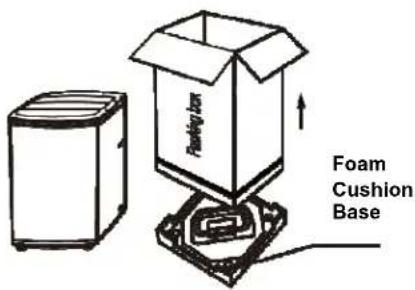
REMOVE PACKAGING
- Remove packaging, foam cushions, and bottom cardboard.
- Open the washer door and take out all the accessories in the drum
- Use of washer with the foam cushion is strictly prohibited.
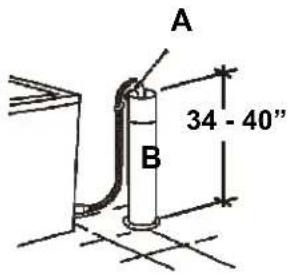
PLACEMENT OF UPPER WATER DRAIN HOSE
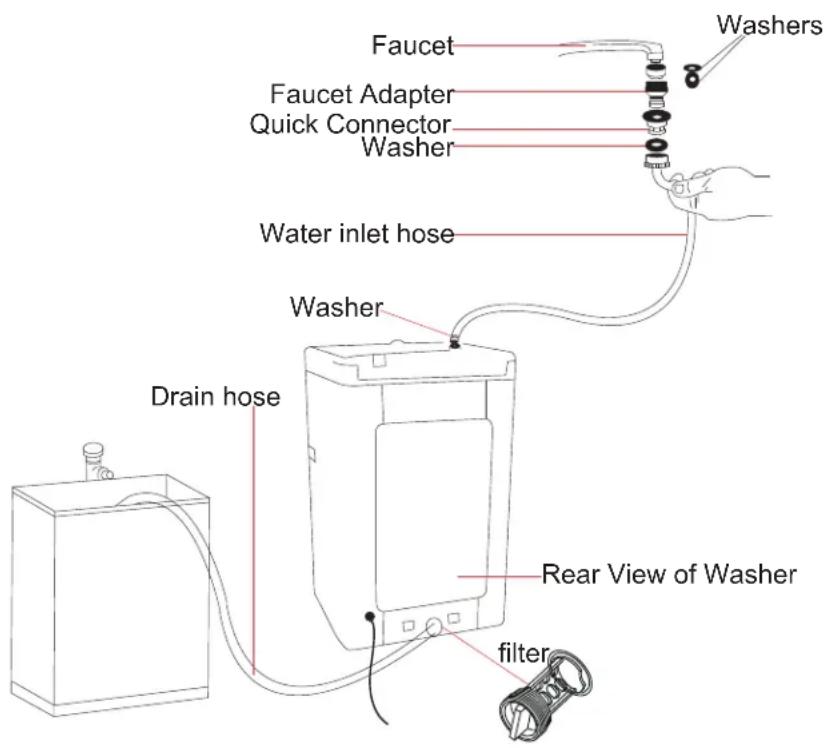
The height of the drain hose (A) should be between \~34 to 40". Its diameter (B) should not be less than 1.20", and its flow capacity should not be less than 40 L/Min.
Before starting the washer, users should properly hang the drain pipe \~34 to 40" above the floor.
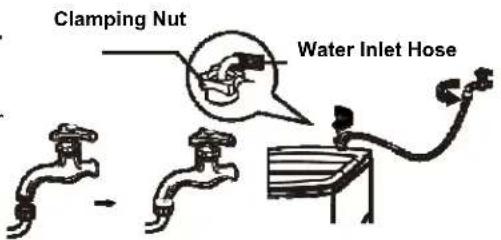
INSTALLATION OF WATER INLET HOSE
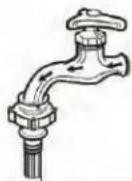
- Place the water inlet hose screw onto the tap.
- Tightly screw the other end of the hose to the water inlet valve using the rubber seal ring inside.
NOTE: When tightening the clamping nut, evenly apply force and avoid twisting the water inlet valve to prevent breakage of the water inlet valve joint.
ONLY FOR WATER INLET HOSE WITH DOUBLE THREADED SCREW
QUICK SINK ADAPTER INSTALLATION QUICK S
When installing the quick sink adapter to the sink faucet, follow these guidelines:
- Remove the aerator from your faucet nozzle and determine the size and type of the faucet (Outside Threaded End or Inside Threaded End).
- If your faucet is inside threaded, insert the thick rubber washer into the silver faucet adapter. If your faucet is outside threaded, insert the thin rubber washer into the silver faucet adapter.
- Attach the silver faucet adapter to the sink faucet.
- Attach the other end of the faucet adapter to the water inlet hose. Be sure to connect the correct end of the water inlet hose to the adapter. A sticker on the hose indicates which end to connect.
- Attach the other end of the inlet hose to the cold water inlet on the washer.
PREPARATION BEFORE WASHING
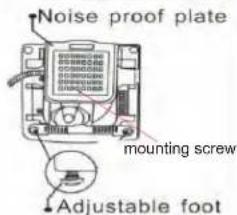
1 ASSEMBLE THE NOISE PROOF PLATE AND ADJUST THE FOOT.
Take the noise proof plate out of the package
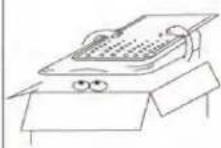
The opening of the noise proof plate is at the bottom of the machine
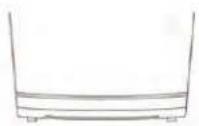
Lay down the machine and insert the noise proof plate into the washing machine base
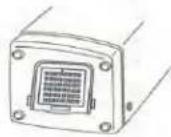
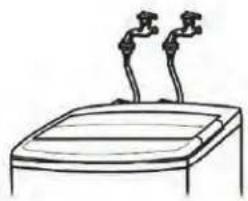
2 INSTALL THE WATER INLET HOSE.
natural_image
Simple line drawing of a device with two sensors on top (no text or symbols)TWO WATER INLET HOSES
If you don not want to use the HOT water supply hose, you must select Cold water as the wash temperature choice.
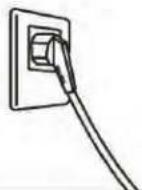
3 CONNECT TO A POWER SOURCE.
5 ENSURE PROPER PLACEMENT OF DRAIN HOSE FOR WATER DRAINING.
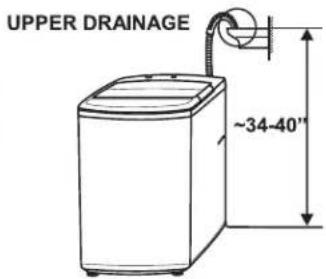
NOTE: The water will overflow when the height of the drain hose is under 34".
6 PLACE CLOTHES INTO THE WASHER AND ADD A SUITABLE AMOUNT OF WASHING POWDER BASED ON LAUNDRY VOLUME, AND SELECT WASH CYCLE PROGRAM.
4 TURN ON THE WATER SUPPLY.
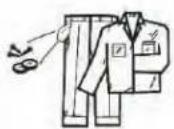
NOTICE

Before washing clothes, take out any coins, keys, and other hard items, while zipping up zippers to prevent any damage.
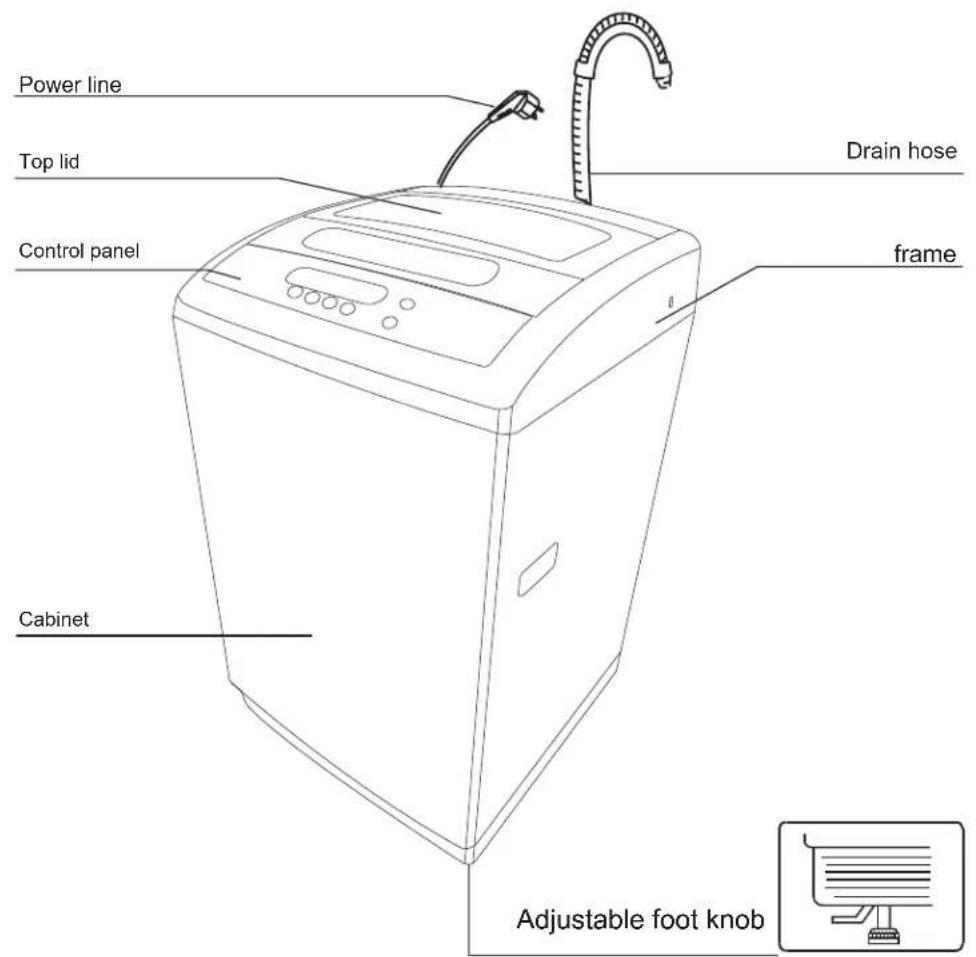
PARTS AND FEATURESPARTS AND FEA
Accessories
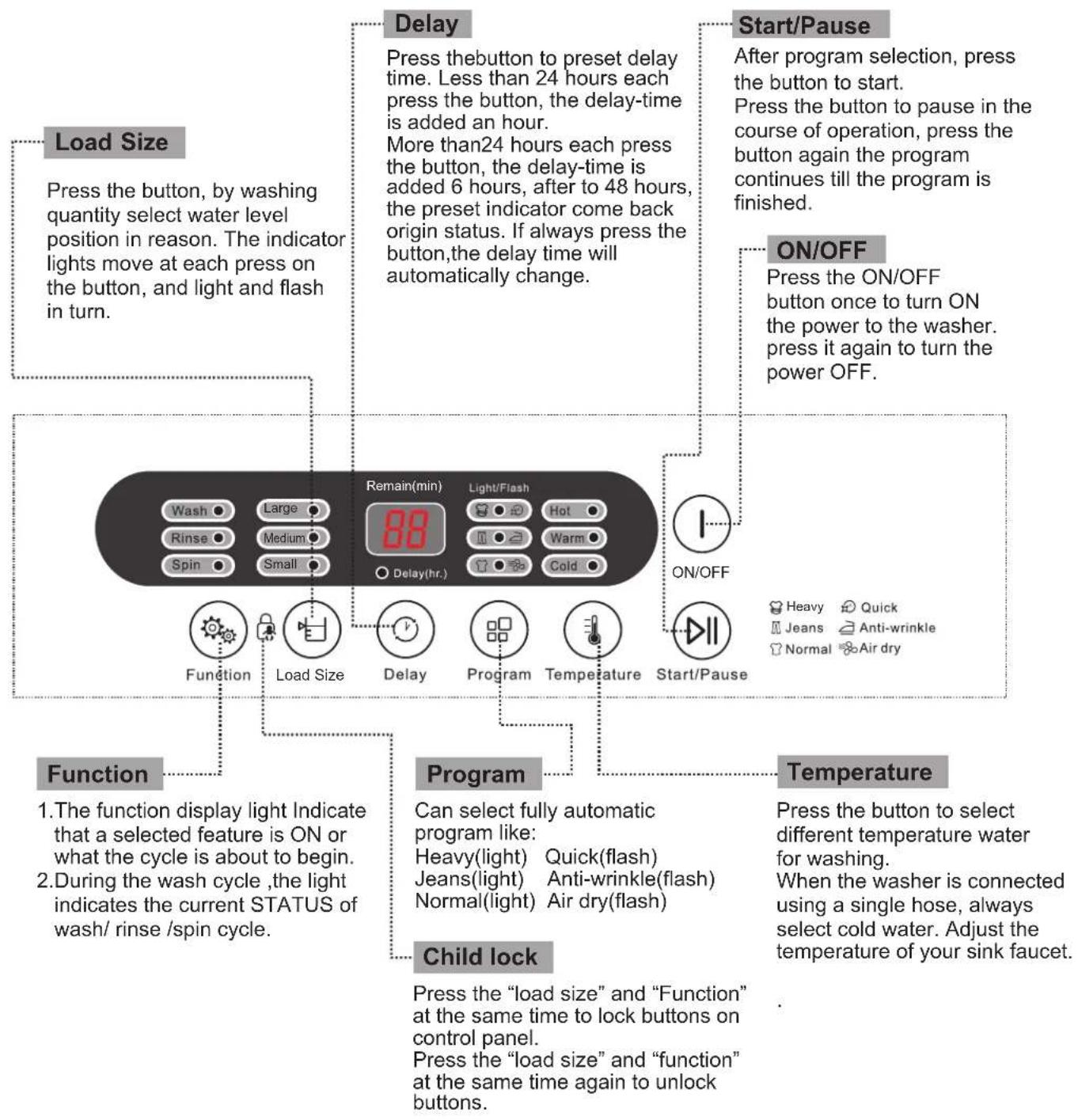
CONTROL PANELCONTROL PANEL
QUICK START GUIDEQUICK START GU
- Install the Washing Machine
- Press the START/PAUSE Button
- Properly Hang the Drain Pipe
- Turn on the Water Supply
natural_image
Line drawing of a washing machine with control panel and door (no text or symbols)- Select the Desired Wash Cycle Program
- Close Washer Door
- Add Measured Detergent
5.Load the Washer
END OF WASH CYCLE
- When the washing machine stops, the buzzer will sound for 6 seconds, and then the washer will automatically power down.
- Turn off the water tap afterwards.
- Although the washer powers down automatically, the power cord needs to be pulled out for safety and precautionary measures.
MAIN WASHING PROCEDUREMAIN WASH
INSTRUCTIONS FOR NORMAL WASH PROGRAM
- The Heavy wash cycle program is the easiest, most convenient and common wash cycle program to use. When the user presses the ON/OFF button and then immediately presses the START/PAUSE button, the Heavy wash cycle program is activated.
- When the washing machine begins the program, the digital display will show the remaining time. The indicator light will flicker to show the remaining time for the wash cycle program.
STEPS IN DETAIL
- Press the ON/OFF button to turn the washer ON.
- Determine the laundry load and select the appropriate water level.
- Press the START/PAUSE button to begin the wash cycle program.
INSTRUCTIONS FOR SINGLE WASH CYCLE PROGRAM
- The user can select any single wash cycle program, or any combination of programs from the WASH, RINSE, and SPIN options according to laundry load requirements. Deselect any one or two of the three indicators that are not needed, while the remaining indicator displays the currently activated wash program selected by the user.
STEPS IN DETAIL FOR SINGLE WASH
- Press the ON/OFF button to turn the washing machine ON.
- Turn OFF RINSE and SPIN indicators by pressing their respective buttons.
- The operation for single RINSE and single SPIN are similar in format.
USING THE MULTI-BATCH WASHING SOLUTION
- Load the first batch of laundry into the washing machine, add washing powder, and press the FUNCTION button to set the single WASH to run.
- Unload the first batch of laundry after hearing the end of wash buzzer.
- Load the second batch of laundry into the washer, and select WASH, RINSE, or SPIN.
- Unload the second batch of laundry after hearing the end of wash buzzer.
- Load the first batch of laundry into the washing machine and press the FUNCTION button to set the RINSE and SPIN to run.
NOTE:
- Close the lid after loading the washing machine, otherwise it will automatically stop working, and an abnormal warning indicator is issued.
• The washing machine will not work when the amount of water does not reach the selected water level.
• After pressing the ON/OFF button, if the START/PAUSE button is not pressed, the washing machine will automatically power down after 10 minutes.
SPECIAL FUNCTIONSSPECIAL FUNCTION
DELAY FUNCTION
The washing machine can be delayed by using this preset feature:
- Switch the power to ON.
- Open the water tap and hang the drain hose.
- Load the laundry and detergent into the washer.
- Select the appropriate water level according to the laundry load (quantity of clothing articles).
- Select the appropriate functions and programs.
- Press the DELAY button to select the amount of time to delay the washing cycle.
- Close the washer lid and press the START/PAUSE button.
DELAY FUNCTION LAYOUT
Press the DELAY button to add ONE HOUR to the digital delay indicator.
After the number reaches 24, press the DELAY button to add SIX HOURS to the delay function. After the number reaches 48, the digital delay indicator will turn off and reset to default status.
TIME REMAINING
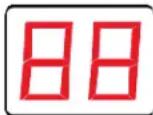
(MINUTES)
DELAY (HOUR)

DELAY LIGHT
DELAY FUNCTION CONFIRMATION
When the delay function is activated, the corresponding delay light will flash, and all other lights will turn off. To check the preset program and function, press and hold the DELAY button. Release the DELAY button to return to the delay status.
QUICK
Use this function for short washing times. This function is suitable to wash lightly stained clothes or clothing made from lightweight materials.
NORMAL
Use this function to wash clothes or linens made from cotton.
JEANS
Use this function to wash heavy or seriously stained clothes.
CHANGES TO THE DELAY FUNCTION
Press the ON/OFF button to cancel the set delay function. To change the time on the delay function, cancel the delay time first, and then press the DELAY button to reset the program. Follow the procedures listed above to program a new preset.
ANTI-WRINKLE
Use this function for short washing times. Using the high water level, this function thoroughly rinses and washes garments to prevent wrinkling.
AIR DRY
For easily fading, deforming, and non-waterproof garments, use this function to dry these garments without regular heating, achieving similar results when hang-dried.
The washing machine will automatically resume operation from the previous function prior to power outage.
FULL AUTOMATIC WASH PROGRAM GUIDEFULL
| Program | load size | wash time | rinse times | spin time | total time | Notes | |
| Default | Scope | ||||||
| Heavy | Large | Small-Large | 12 minutes | 2 | 5minutes | 42minutes | wash time include soak time |
| Quick | Large | Small-Large | 2minutes 30seconds | 1 | 30seconds | 10minutes | |
| Normal | Large | Small-Large | Wash 4 minutes +Soak 13 minutes | 1 | 7minutes | 39minutes | |
| Jeans | Large | Small-Large | Wash3 minutes 40seconds+Soak 13 minutes | 2 | 1 minutes 10seconds | 42minutes | |
| Anti-wrinkle | Large | Small-Large | 12 minutes | 2 | — | 34minutes | |
| Air dry | Large | — | — | — | 57minutes | 60minutes | |
NOTE:
The time required may vary depending on water pressure from inlet pipe, garment materials, and different water draining conditions.
| Load size | Load size in lbs | Approximate Water used in gallon |
| Large | 8.4 | 11.36 |
| Medium | 5.64 | 7.93 |
| Small | Less than 5.64 | 4.76 |
NOTE:
- It is recommended to use low or mid foaming powder
- The volume of washing powder changes with different volume and weight.
- Water volume will differ because of clothing varieties. If the washer is not running properly, adjust the clothing volume or water level.
- The water volumes listed above are based on normal clothing volumes.
MAINTENANCE AND CARE MERRONACIDESERIO
| END OF PROGRAM | MAINTENANCE |
| The washing machine will sound off a buzz at the end of any program operation to remind the user to take out the laundry or to operate it again.After the sound, the washing machine returns to its OFF state with no display and all indicator lights turned off.Please shut off the water tap, pull out the power plug when not in use to avoid water leakage or accidental fire. | Use gentle wash cloths to wipe off any water and dirt residues from the surface of the washer after every use.Detergent, propellants, and other chemicals are prohibited in order to avoid any possible damage to the washer and its plastic accessories.Clean the drain filter to prevent any possible draining problems (after every ~10 washes).Clean any filters to maintain optimal performance (after every use). |
| PROBLEM | CAUSE OF PROBLEM CODE | ALA | RM SOUND | STOPPING ALARM |
| Water Hose Alarm | Fails to reach preset water level, after injecting water for about 16 minutes. | CODE: E1Other lights are turned off | Buzzer10 Seconds Every 16 Minutes | Open lid to fix fault.Then close lid to stop the alarm. |
| Open Lid Alarm | Opening the lid after starting the delay function.Opening the lid when the washing machine is running a program. | CODE: E2Other lights are turned off | Buzzer10 Seconds Every 16 Minutes | Open lid to fix fault.Then close lid to stop the alarm. |
| Imbalance Alarm | Washing machine imbalance checked three times. | CODE: E3Other lights are turned off | Buzzer10 Seconds Every 16 Minutes | Open lid to fix fault.Then close lid to stop the alarm. |
| Drain alarm | Draining fails to finish, after draining for 4 minutes. | CODE: E4Other lights are turned off | Buzzer10 Seconds Every 16 Minutes | Open lid to fix fault.Then close lid to stop the alarm. |
| Overflow Alarm | Water inlet hose.CODE: E5 | Other lights are turned off | Buzzer10 Seconds Every 16 Minutes | Open lid to fix fault.Then close lid to stop the alarm. |
| Door Lock Alarm | Door failed to properly lock or unlock. | CODE: E6Other lights are turned off | Buzzer10 Seconds Every 16 Minutes | Open lid to fix fault.Then close lid to stop the alarm. |
NOTE:
- Overflow alarm: washing machine water drain valve remains opened until manual intervention (shutoff).
- Once the alarm stops, the washer returns to its previous status prior to the alarm indication.
- Code E6: Directly unplug the power and lift the door open. If the door is open, press the power button.
TROUBLESHOOTINGTROUBLESHOOT
When the washing machine needs servicing, please contact our customer service department, and a representative will try and diagnose issues regarding your appliance. Please do not dismantle the washing machine without prior permission. Doing so will void your warranty.
If the washing machine fails to operate properly, or it sounds an alarm, please check the follow guidelines for possible solutions to common problems or alarm indicators.
LIST OF PROBLEMS AND POSSIBLE SOLUTIONS
| PROBLEMS | MAKE THESE INSPECTIONS |
| Water Fails to Flow In - The power is off | or the fuse has burned out.- Water supply is cutoff or low pressure.- Inlet hose and water tap is connected and open.- Filter of inlet valve is blocked by dirt buildup.- Coil of inlet valve is damaged.- The START/PAUSE button is activated. |
| Washing Machine Fails to Run - The power is off or the fuse has burned out.- The power supply voltage is too low.- Water needs to reach required water level.- The DELAY function is activated. | |
| Abnormal Drainage | - The drain hose is placed too high (See Installation Guide).- The drain hose end is sealed or blocked.- The internal rubber ring of valve is blocked. |
| Abnormal Spin | - The door lid is not closed.- Laundry is improperly or excessively loaded.- The ground is not flat or its feet are not leveled.- The washing machine's motor belt is loose. |
NOTE: During the spin cycle process, if the laundry is loaded onto one side of the washing tub, there will be an imbalance in the washing tub's spin trajectory, resulting in it striking the housing of the washing machine. The washing machine will compensate for this phenomenon by automatically correcting it with more water. However, if the imbalance is not resolved after three continuous corrections, the auto-correction system will stop. The user is then required to manually correct the imbalance by evenly distributing the laundry inside the tub, in order to resolve this problem.

Limited Warranty
MC Appliance Corporation warrants each new Portable Washer to be free from defects in material and workmanship, and agrees to remedy any such defect or to furnish a new part(s), at the company's option, for any part(s) of the unit that has failed during the warranty period. Parts and labor expenses are covered on this unit for a period of one year from the date of purchase. A copy of the dated sales receipt/invoice is required to receive warranty service, replacement or refund.
This warranty covers appliances in use within the contiguous United States, Alaska, Hawaii and Puerto Rico. This warranty does not cover the following:
• Damages due to shipping damage or improper installation.
• Damages due to misuse or abuse.
• Content losses due to failure of the unit.
• Inside components such as filters, etc.
• Repairs performed by unauthorized service agents.
• Service calls that do not involve defects in material and workmanship such as instructions on proper use of the product or improper installation.
• Replacement or resetting of house fuses or circuit breakers.
• Failure of this product if used for other purposes than its intended purpose.
• Disposal costs for any failed unit not returned to our factory.
• Any delivery/installation costs incurred as the result of a unit that fails to perform as specified.
- Expenses for travel and transportation for product service if your appliance is located in a remote area where service by an authorized service technician is not available.
- The removal and reinstallation of your appliance if it is installed in an inaccessible location or is not installed in accordance with published installation instructions.
• Refunds for non repairable products are limited to the price paid for the unit per the sales receipt.
• This warranty is non transferable. This warranty applies only to the original purchaser and does not extend to any subsequent owner(s).
Limitations of Remedies and Exclusions:
Product repair in accordance with the terms herein, is your sole and exclusive remedy under this limited warranty. Any and all implied warranties including merchantability and fitness for a particular purpose are hereby limited to one year or the shortest period allowed by law. MC Appliance Corporation is not liable for incidental or consequential damages and no representative or person is authorized to assume for us any other liability in connection with the sale of this product. Under no circumstances is the consumer permitted to return this unit to the factory without the prior written consent of MC Appliance Corporation.
Some states prohibit the exclusion or limitation of incidental or consequential damages, or limitations on implied warranties. This warranty gives you specific legal rights, and you may also have other rights which vary from state to state.
Model Parts Labor Type of Service
MCSTCW21W2 One Year One Year Carry In
For Service or Assistance please call 888-775-0202 or visit us on the web at www.mcappliance.com to request warranty service or order parts.

CNA International, Inc. d/b/a MC Appliance Corporation. All rights reserved. Magic Chef® logo is a registered trademark of CNA International, Inc.
www.mcappliance.com Printed in China

natural_image
Line drawing of a Magic Chef washing machine (no text or symbols on the device body)Modelo MCSTCW21W2
natural_image
Line drawing of a hand holding a small object above a rectangular device (no text or symbols)natural_image
Simple line drawing of a washing machine with a thought bubble showing a waste bin (no text or symbols)natural_image
Simple line drawing of a washing machine inside a window, with no text or symbols present.natural_image
Simple line drawing of a portable air conditioner unit connected to a power outlet (no text or symbols)natural_image
Hand inserting a plug into an electrical outlet (no text or symbols visible)
Precaución
natural_image
Simple line drawing of a device with two speakers on top (no text or symbols)natural_image
Line drawing of a washing machine with control panel and door (no text or symbols)
- Cu. Ft.
- Portable Washer
- Product Registration
- CONTENTSCONTENTS
- READ THIS USER MANUAL
- UNPACKING YOUR WASHING MACHINE
- WARNING
- IMPORTANT SAFEGUARDS IMPORTANT S
- SAVE THESE INSTRUCTIONS
- GROUNDING INSTRUCTIONS
- SAFETY AND PRECAUTIONSSAFETY AND
- Caution
- INSTALLATION INSTRUCTIONSINSTALLATION
- REMOVE PACKAGING
- PLACEMENT OF UPPER WATER DRAIN HOSE
- INSTALLATION OF WATER INLET HOSE
- QUICK SINK ADAPTER INSTALLATION QUICK S
- PREPARATION BEFORE WASHING
- ASSEMBLE THE NOISE PROOF PLATE AND ADJUST THE FOOT.
- INSTALL THE WATER INLET HOSE.
- CONNECT TO A POWER SOURCE.
- ENSURE PROPER PLACEMENT OF DRAIN HOSE FOR WATER DRAINING.
- TURN ON THE WATER SUPPLY.
- NOTICE
- PARTS AND FEATURESPARTS AND FEA
- CONTROL PANELCONTROL PANEL
- QUICK START GUIDEQUICK START GU
- END OF WASH CYCLE
- MAIN WASHING PROCEDUREMAIN WASH
- INSTRUCTIONS FOR NORMAL WASH PROGRAM
- STEPS IN DETAIL
- INSTRUCTIONS FOR SINGLE WASH CYCLE PROGRAM
- STEPS IN DETAIL FOR SINGLE WASH
- USING THE MULTI-BATCH WASHING SOLUTION
- NOTE:
- SPECIAL FUNCTIONSSPECIAL FUNCTION
- DELAY FUNCTION
- DELAY FUNCTION LAYOUT
- TIME REMAINING
- DELAY FUNCTION CONFIRMATION
- QUICK
- NORMAL
- JEANS
- CHANGES TO THE DELAY FUNCTION
- ANTI-WRINKLE
- AIR DRY
- FULL AUTOMATIC WASH PROGRAM GUIDEFULL
- MAINTENANCE AND CARE MERRONACIDESERIO
- TROUBLESHOOTINGTROUBLESHOOT
- LIST OF PROBLEMS AND POSSIBLE SOLUTIONS
- Limited Warranty
- Limitations of Remedies and Exclusions:
- Precaución
Brand : Magic Chef
Model : MCSTCW21W2
Category : Washing machine