
IK-WR05A - Security Camera TOSHIBA - Free user manual and instructions
Find the device manual for free IK-WR05A TOSHIBA in PDF.


| Brand | Toshiba |
| Model | IK-WR05A |
| Product Type | Security Camera |
| Resolution | 2 Megapixels (1920 x 1080) |
| Lens Type | Fixed, 2.8mm |
| Night Vision | Up to 30m IR |
| Field of View | 90° horizontal |
| Video Compression | H.265, H.264 |
| Connectivity | Ethernet (RJ-45) |
| Power Supply | PoE (802.3af) or DC 12V |
| Power Consumption | 5W (max) |
| Operating Temperature | -10°C to 50°C |
| Dimensions (W x H x D) | 70 x 70 x 130 mm |
| Weight | 350 g |
| Weather Rating | IP67 |
| Audio | Built-in microphone, speaker |
| Storage | MicroSD up to 128GB, NVR |
| Motion Detection | Advanced digital motion detection |
| Compatibility | ONVIF Profile G, T |
| Mounting | Wall or ceiling mount |
Frequently Asked Questions - IK-WR05A TOSHIBA
User questions about IK-WR05A TOSHIBA
0 question about this device. Answer the ones you know or ask your own.
Ask a new question about this device
Download the instructions for your Security Camera in PDF format for free! Find your manual IK-WR05A - TOSHIBA and take your electronic device back in hand. On this page are published all the documents necessary for the use of your device. IK-WR05A by TOSHIBA.
USER MANUAL IK-WR05A TOSHIBA
Leading Innovation >>>
NETWORK CAMERA
Model: IK-WR05A
User's Manual
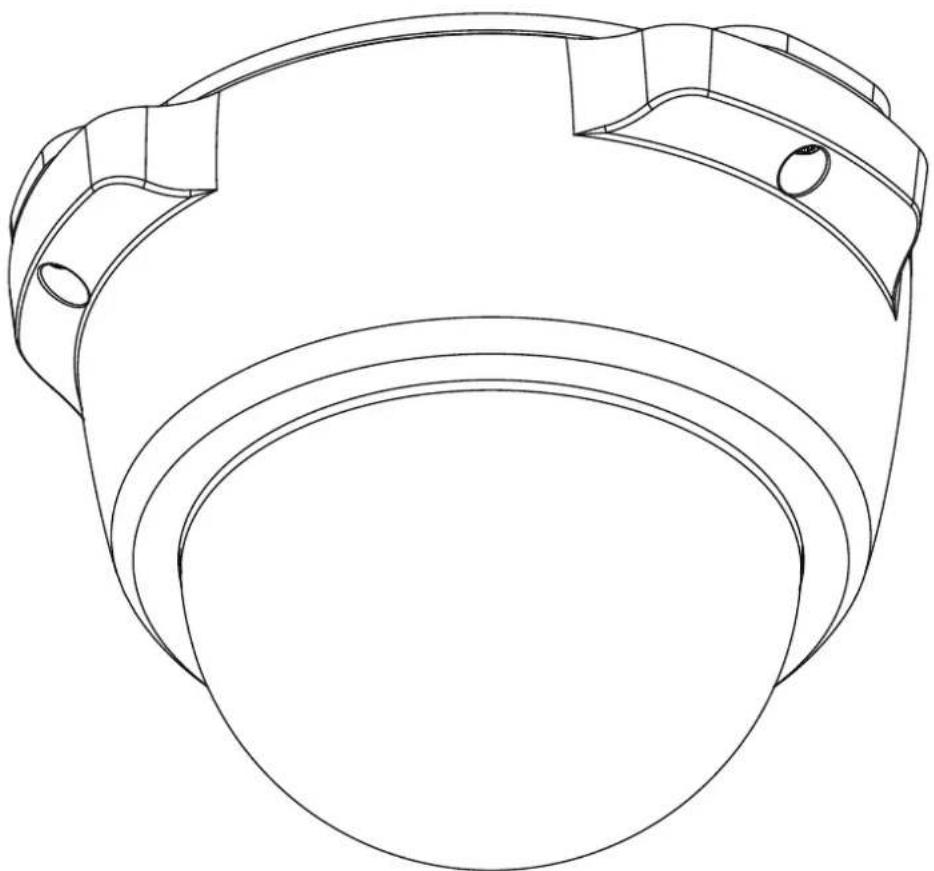
For information on our latest products and peripheral devices, refer to the following Website:
■ http://www.toshibasecurity.com
If the URL changes, refer to the Toshiba website (http://www.toshiba.com/).
Introduction......4
Important Safeguards....6
Important Safeguards (Cont.) 8
Notes on Use and Installation....9
Precautions for Use....10
Package Contents....11
Physical Description 12
Installation 16
Hardware Installation....16
Network Deployment....16
Software Installation....18
Ready to Use....19
Accessing the Network Camera 20
Using Web Browsers....20
Using RTSP Players....22
Using 3GPP-compatible Mobile Devices....23
Main Page 24
System > General settings....31
Security > Access List 48
Network > General settings....53
Network > Streaming protocols 60
Network > QoS....64
Network > DDNS 66
Network > SNMP (Simple Network Management Protocol) 67
Video > Image 68
Video > Stream....75
PTZ > PTZ settings 79
Event > Event settings 82
Applications > Motion detection....95
Applications > Digital input 98
Applications > Tampering detection 98
Recording > Recording settings 99
Local storage > SD card management....104
Local storage > Content management....105
Troubleshooting....107
Specifications 108
Appearance Diagram.... 110
Technology License Notice....111
End-user License Agreement on Free Software Components Used in the TOSHIBA Network Camera 112
Trademarks....117
Introduction
FCC (USA)-INFORMATION
NOTE: This equipment has been tested and found to comply with the limits for a Class B digital device, pursuant to Part 15 of the FCC Rules. These limits are designed to provide reasonable protection against harmful interference in a residential installation. This equipment generates, uses and can radiate radio frequency energy and, if not installed and used in accordance with the instructions, may cause harmful interference to radio communications. However, there is no guarantee that interference will not occur in a particular installation. If this equipment does cause harmful interference to radio or television reception, which can be determined by turning the equipment off and on, the user is encouraged to try to correct the interference by one or more of the following measures:
- Reorient or relocate the receiving antenna.
- Increase the separation between the equipment and receiver.
- Connect the equipment into an outlet on a circuit different from that to which the receiver is connected.
- Consult the dealer or an experienced radio/TV technician for help.
Shielded interface cables must be used in order to comply with emission limits.
USER-INSTALLER CAUTION: Your authority to operate this FCC verified equipment could be voided if you make changes or modifications not expressly approved by the party.
Thank you for purchasing the IK-WR05A Network Camera. Before using the camera, read this User's Manual carefully to ensure correct usage. After reading this User's Manual, save it for future reference.
The design, specifications, software, and User's Manual contents are subject to change without prior notice.
Terms
- The term "OS" is used in this manual to indicate operating systems compatible with this product.
-- Microsoft® Windows Vista® Business Edition
-- Microsoft® Windows® 7 Professional Edition

NOTE
- The performance of the network camera may vary depending on the network environment.
- When using multiple network cameras, the appropriate network switch and PC are required.
- This camera does not support MAC-PC.
Important Safeguards
1. Read Instructions
Read all the safety and operating instructions before operating the product.
2. Retain Instructions
Retain the safety instructions and user's manual for future reference.
3. Warnings
Comply with all warnings on the product and in the user's manual.
4. Follow Instructions
Follow all operating and use instructions.
5. Cleaning
Disconnect this camera from the power supply before cleaning.
6. Attachments
Do not use attachments not recommended by the camera manufacturer as they may pose safety risks.
7. Accessories
Do not place this camera on an unstable cart, stand, tripod, bracket or table. The camera may fall, causing serious injury to a person, or serious damage to the product. Use only with stand, tripod,bracket,or table recommended by the manufacturer, or sold with the camera. Any mounting of the product should follow the manufacturer's instructions, and should use a mounting accessory recommended by the manufacturer.
8. Ventilation
This camera should never be placed near or over a radiator or heat register. If this product is placed in a built-in installation, verify that there is proper ventilation so that the camera temperature operates within the recommended temperature range.
9. Power Sources
This camera should be operated only from the type of power source indicated on the information label. If you are not sure of the type of power supply at your location, consult your product dealer.
10. Power-Cord Protection
Power cords should be routed so that they are not likely to be walked on or pinched by items placed upon or against them. Pay particular attention to cords at plugs, screws and the point where they exit the product.
11. Installation
Install this camera on a secure part of the ceiling or wall. If installed on an unsecured location, the camera could fall causing injury and damage.
12. Lightning
For additional protection on this camera during a lightning storm, or when it is left unattended and unused for long periods of time, unplug it from the wall outlet and disconnect the power supply and cable system. This will prevent damage to the camera due to lightning and power-line surges. If lightning occurs, do not touch the unit or any connected cables in order to avoid electric shock.
13. Overloading
Do not overload the power supply or extension cords as this can result in a risk of fire or electric shock.
14. Object and Liquid Entry
Never push objects of any kind into this camera through openings as they may touch dangerous electrical points or short-out parts that could result in a fire or electrical shock. Never intentionally spill liquid of any kind on the camera.
15. Servicing
Do not attempt to service this camera yourself as opening or removing covers may expose you to dangerous electrical or other hazards. Refer all servicing to qualified service personnel.
16. Damage Requiring Service
Disconnect this camera from the power supply and refer servicing to qualified service personnel under the following conditions.
a. When the power-supply cord or plug is damaged.
b. If liquid has been spilled, or objects have fallen into the camera.
c. If the camera has been submerged in water.
d. If the camera does not operate normally by following the operating instructions in the user's manual. Adjust only those controls that are covered by the user's manual as an improper adjustment of other controls may result in damage and will often require extensive work by a qualified technician to restore the camera to its normal operation.
e. If the camera has been dropped or the cabinet has been damaged.
f. When the camera exhibiting a distinct change in performance which indicates a need for service.
g. Other trouble.
17. Replacement Parts
When replacing parts, be sure the service technician uses parts specified by the manufacturer or have the same characteristics as the original part. Unauthorized substitutions may result in fire, electric shock or other hazards.
18. Safety Check
Upon completion of any service or repairs to this camera, ask the service technician to perform safety checks to determine that the camera is in proper operating condition.
Important Safeguards (Cont.)
CAUTION TO REDUCE THE RISK OF ELECTRIC SHOCK.
DO NOT REMOVE COVER. NO USER SERVICEABLE PARTS INSIDE. REFER SERVICING TO QUALIFIED SERVICE PERSONNEL.

The lightning flash with arrowhead symbol, within an equilateral triangle, is intended to alert the user to the presence of uninsulated "dangerous voltage" within the product's enclosure that may be of sufficient magnitude to constitute a risk of electric shock to persons.

The exclamation point within an equilateral triangle is intended to alert the user to the presence of important operating and maintenance (servicing) instructions in the literature accompanying the appliance.
WARNING:
TO REDUCE THE RISK OF FIRE OR ELECTRIC SHOCK, DO NOT SUBMERGE THIS CAMERA IN WATER.
FIELD INSTALLATION MARKING:
WORDED: "THIS INSTALLATION SHOULD BE MADE BY A QUALIFIED SERVICE PERSON AND SHOULD CONFORM TO ALL LOCAL CODES."
This product is intended to be supplied by a Listed Power Adapter with LPS, rated 12V DC, 0.37A minimum or 48V DC, 0.11A (for POE) minimum.
The product is not likely to require connection to an Ethernet network with outside plant routing, including campus environment; and the installation instructions clearly state that the ITE is to be connected only to PoE networks without routing to the outside plant.
Notes on Use and Installation
- Do not aim the camera at the sun
Never aim the camera at the sun even with the camera power off.
- Do not shoot intense light
Intense light such as a spotlight may cause a bloom or smear. A vertical stripe may appear on the screen. However, this is not a malfunction.
- Treat the camera with care
Dropping or subjecting the camera to intense vibration may cause it to malfunction.
- Avoid Volatile Liquid
Do not use volatile liquids, such as an insect spray, near the unit. Do not leave rubber or plastic products touching the unit for a long time. They will leave marks on the finish. Do not use a chemically saturated cloth.
- Never touch internal parts
Do not touch the internal parts of the camera other than the parts specified.
- Do not submerge in water
The camera has some protection to water (see IP rating), and can be used indoors or outdoors. If the camera was submerged in water, turn off the power and contact your dealer.
- Keep the camera installation away from video noise
If cables are wired near electric lighting wires or a TV set, noise may appear in images. In this event relocate cables or reinstall equipment.
- Check the ambient temperature and humidity
Avoid using the camera where the temperature is hotter or colder than the specified operating range. Doing so could affect the internal parts or cause the image quality to deteriorate. Special care is required to use the camera at high temperature and humidity.
- Should you notice any trouble
If any trouble occurs while you are using the camera, turn off the power and contact your dealer. If you continue to use the camera when there is something wrong with it, the trouble may get worse and an unpredictable problem may occur.
Precautions for Use
Disclaimer
We disclaim any responsibility and shall be held harmless for any damages or losses incurred by the user in any of the following cases:
- Fire, earthquake or any other act of God; acts by third parties; misuse by the user, whether intentional or accidental; use under extreme operating conditions.
- Malfunction or non-function resulting in indirect, additional or consequential damages, including but not limited to loss of expected income and suspension of business activities.
- Incorrect use not in compliance with instructions in this user's manual.
- Malfunctions resulting from misconnection to other equipment.
- Repairs or modifications made by the user or caused to be made by the user and carried out by an unauthorized third party.
Notwithstanding the foregoing, Toshiba's liabilities shall not, in any circumstances, exceed the purchase price of the product.
Copyright and Right of Portrait
There may be a conflict with the Copyright Law and other laws when a customer uses, displays, distributes, or exhibits an image picked up by the camera without permission from the copyright holder. Please also note that transfer of an image or file covered by copyright is restricted to use within the scope permitted by the Copyright Law.
Protection of Personal Information
Images taken by the camera that reveal the likeness of an individual person may be considered personal information. To disclose, exhibit or transmit those images over the internet or otherwise, consent of the person may be required.
Usage Limitation
The product is not designed for any "critical applications." "Critical applications" means life support systems, exhaust or smoke extraction applications, medical applications, commercial aviation, mass transit applications, military applications, homeland security applications, nuclear facilities or systems or any other applications where product failure could lead to injury to persons or loss of life or catastrophic property damage.
Accordingly, Toshiba disclaims any and all liability arising out of the use of the product in any critical applications.
Package Contents
- IK-WR05A
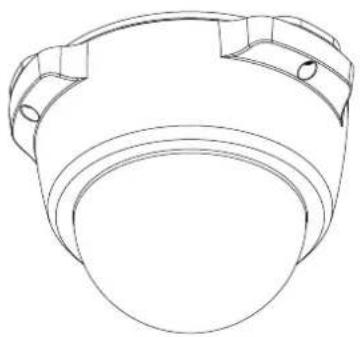
- CD-ROM

- Warranty Card

- Clamp Filter and Screw Driver
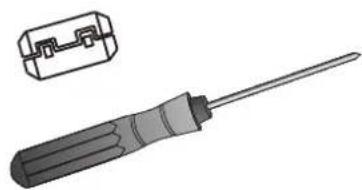
- Vedio Out Cable
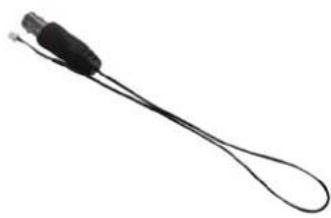
- Alignment Sticker

● Quick Start Guide and Important Safeguards

- Silica Gel and tape, Screws and Anchors, RJ45 Female / Female Coupler

Physical Description
First, refer to page 12 of the Quick Start Guide(QSG) to remove the dome cover. Loosen the three dome screws with the supplied screw driver to release the dome cover.


General I/O Terminal Block
This Network Camera provides a general input terminal block which is used to connect external input devices.
| Pin Name |
| + Digital Input |
| - GND |

NOTE
The diagrams below apply when "Digital Input" is used for an alarm input.
| Internal Circuit | Signal Condition | |
| Digital Input | 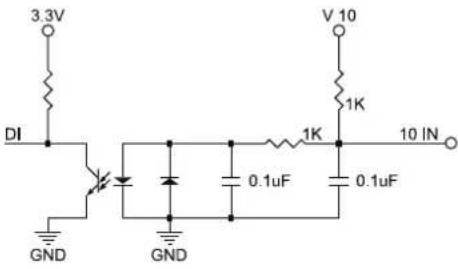 | Active state is low.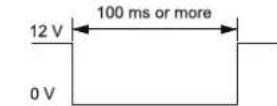 Active state is high. Active state is high. |
Status LED
The LED indicates the status of the Network Camera.
| Item LED status Description | ||
| 1 | Red LED steady ON | Power on and system booting |
| Red LED OFF | Power off | |
| 2 | Steady Red + Blink Green every 1 sec. | Network works (heartbeat) |
| Red LED Steady ON + Green LED OFF | Network fail | |
| 3 | Blink Red every 0.15 sec. + Blink Green every 1 sec. | Upgrading F/W |
| 4 | Blink Red every 0.15 sec. + Blink Green every 0.15 sec. | Restoring default |
Hardware Reset
The reset button is used to reset the system or restore the factory default settings. Occasionally resetting the system can return the camera to normal operation. If the system problems remain after resetting, restore the factory settings and install again.
Reset: Hold for about 3 seconds and release the recessed reset button. Wait for the Network Camera to reboot.
Restore: Press and hold the recessed reset button until the status LED rapidly blinks. It takes about 10 seconds. Note that all settings will be restored to factory default. Upon successful restore, the status LED will blink during normal operation.

Restoring the factory defaults will erase any previous settings.
SD/SDHC Card and Capacity
This network camera is compliant with Micro SD/SDHC 32GB and other preceding standard Micro SD cards for local storage.

NOTE
- There is a limit to the number of rewrites that is possible with the SD memory card. Replacing the SD memory card when performing periodic maintenance of the camera is recommended.
- Do not use 512MB and below SD memory cards.
- The Camera system reserves approximately 60MB in SD memory cards. Any images are not recordable on this space.
- Carefully read the User's guide, precautions on use, and any other information supplied with a purchased memory card.
- An SD memory card can be used for repeated storage. The lifespan (number of rewrites possible) of an SD memory card is greatly affected by the capacity of the SD memory card.
- Do not use a memory card containing the data recorded by another device with the camera as this may result in the camera not functioning correctly.
- Do not modify, overwrite the data, or change the folder name of an SD memory card. It may result in the camera not to function correctly.
- If you unmount or remove the SD memory card from camera, you have to turn OFF the recording status in Recording window on page 99.
Hardware Installation
Please verify that your product package contains all the accessories listed in the Package Contents listed on page 11. Depending on the user's application, an Ethernet cable may be needed. The Ethernet cable should meet the specs of UTP Category 5 or higher.
Hardware Installation is shown in the Quick Start Guide(QSG). Please refer to page 12 of the QSG.
Network Deployment
In this user's manual, "User" refers to whoever has access to the Network Camera, and "Administrator" refers to the person who can configure the Network Camera and grant user access to the camera.
Network Deployment is shown in the Quick Start Guide(QSG). Please refer to page 16 of the QSG.
Setting up the Network Camera over the Internet
There are several ways to set up the Network Camera over the Internet. The first way is to set up the Network Camera behind a router. The second way is to utilize a static IP. The third way is to use PPPoE.
Internet connection via a router
Before setting up the Network Camera over the Internet, make sure you have a router and follow the steps below.
- Connect your Network Camera behind a router, the Internet environment is illustrated below. Regarding how to obtain your IP address, please refer to Software Installation on page 18 for details.
![graph TD A["Internet"] --> B["Cable or DSL Modem"] B --> C["WAN (Wide Area Network)"] C --> D["Router IP address: from ISP"] D --> E["LAN (Local Area Network)"] E --> F["Router IP address: 192.168.0.1"] F --> G["IP address: 192.168.0.3\nSubnet mask: 255.255.255.0\nDefault router: 192.168.0.1"] G -->…](/content/2026/05/945146/images/927e5263fe477893b604c1f7bd2907cf252b56127e48abb66a91e02b79835ebc.jpg)
- In this case, if the Local Area Network (LAN) IP address of your Network Camera is 192.168.0.3, please forward the following ports for the Network Camera on the router.
■ HTTP port: default is 80
■ RTSP port: default is 554
■ RTP port for video: default is 5556
■ RTCP port for video: default is 5557
If you have changed the port numbers on the Network page, please open the ports accordingly on your router. For information on how to forward ports on the router, please refer to your router's user's manual.
- Determine the public IP address of your router provided by your ISP (Internet Service Provider). Use the public IP and the secondary HTTP port to access the Network Camera from the Internet. Please refer to Network Type on page 53 for details.
Internet connection with static IP
Choose this connection type if you are required to use a static IP for the Network Camera. Please refer to LAN on page 53 for details.
Internet connection via PPPoE (Point-to-Point over Ethernet)
Choose this connection type if you are connected to the Internet via a DSL Line. Please refer to PPPoE on page 54 for details.
![graph LR A["Internet"] --> B["ADSL Modem"] B --> C["Laptop"] style A fill:#cce5ff,stroke:#333 style B fill:#99ccff,stroke:#333 style C fill:#e6f2ff,stroke:#333](/content/2026/05/945146/images/44e6e39b81a37a7090cc813c23c87e91c7310a27ef2a3a6ab51d2be861289df0.jpg)
Software Installation
Installation Wizard (IW), a free-bundled software packaged in the product CD, helps to set up your Network Camera in a LAN.
- Install the IW under the Software Utility directory from the software CD. Double click the IW shortcut on your desktop to launch the program.

- The program will analyze your network environment. After your network environment is analyzed, please click [Next] to continue the program.
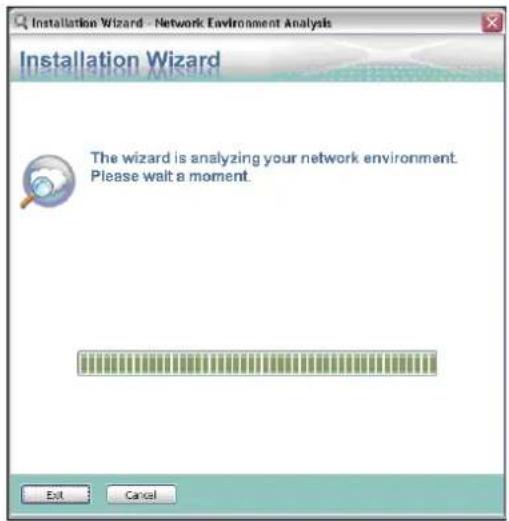

- The program will search for Network Cameras on the same LAN.
- After searching, the main installer window will pop up. Click on the MAC and model name which matches the MAC of the camera.
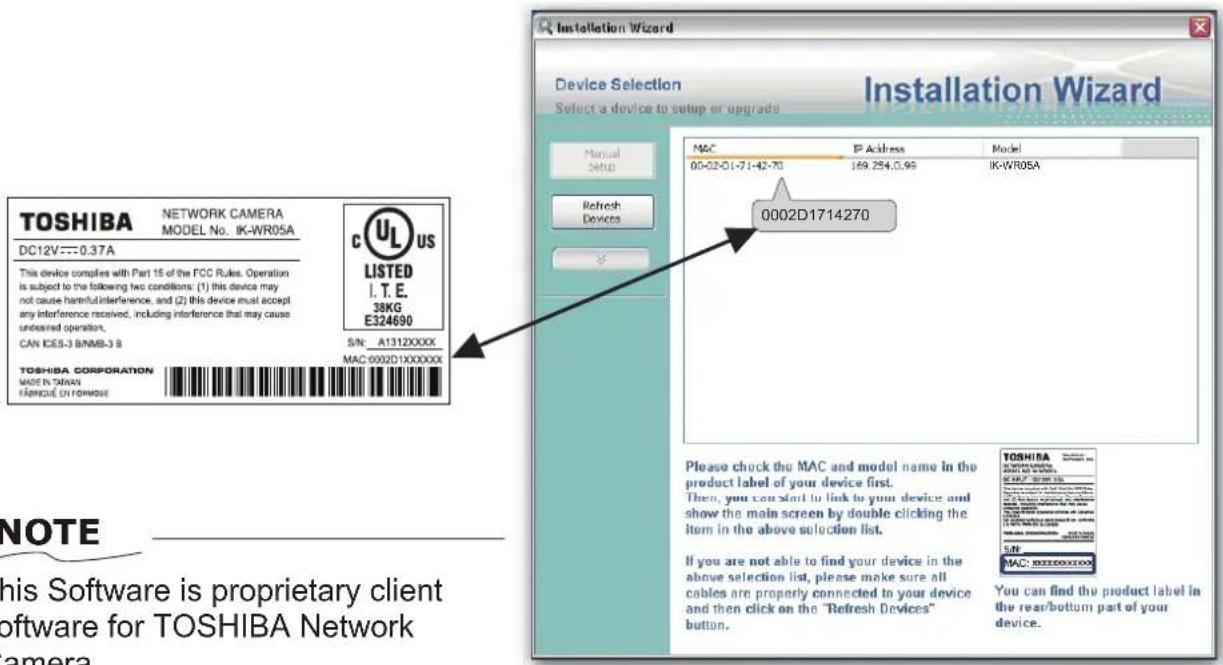

NOTE
- This Software is proprietary client software for TOSHIBA Network Camera.
Ready to Use
- Access the Network Camera on the LAN.
- Retrieve live video through a web browser.

Accessing the Network Camera
This chapter explains how to access the Network Camera through web browsers, RTSP players and 3GPP-compatible mobile devices.
Using Web Browsers
Use Installation Wizard to access the Network Cameras on the LAN.
If your network environment is not a LAN, follow these steps to access the Network Camera:
- Launch your web browser (Microsoft® Internet Explorer).
- Enter the IP address of the Network Camera in the address field. Press Enter.
- The live video will be displayed in your web browser.
- If it is the first time installing the network camera, an information bar will pop up as shown below. Follow the instructions to install the required plug-in on your computer.

By default, the Network Camera is not password-protected. To prevent unauthorized access, it is highly recommended to set a password for the Network Camera. For more information about how to enable password protection, please refer to Security on page 42.
If you see a dialog box indicating that your security settings prohibit running ActiveX ® Controls, please enable the ActiveX ® Controls for your browser.
- Choose Tools > Internet Options > Security > Custom Level.

- Look for Download signed ActiveX ® controls; select Enable or Prompt. Click OK.
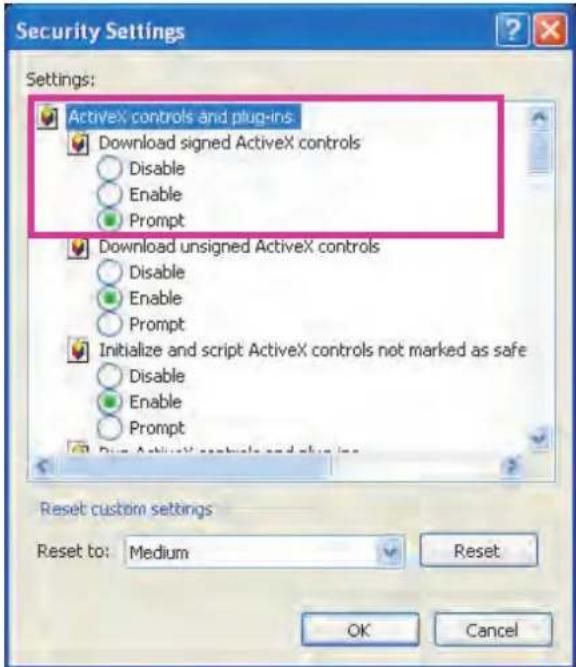
- Refresh your web browser, then install the Active X ® control. Follow the instructions to complete installation.

NOTE
- Currently the Network Camera utilizes 32-bit Active X® plugin. You CAN NOT open a Configuration/view session with the camera using a 64-bit IE browser.
Using RTSP Players
To view the MPEG-4 streaming media using RTSP players, you can use players that support RTSP streaming.
- Launch the RTSP player.
- Choose File > Open URL. A URL dialog box will pop up.
- The address format is rtsp://
: /
As most ISPs and players only allow RTSP streaming through port number 554, please set the RTSP port to 554. For more information, please refer to RTSP Streaming on page 61. For example:

- The live video will be displayed in your player.
For more information on how to configure the RTSP access name, please refer to RTSP Streaming on page 61 for details.

Using 3GPP-compatible Mobile Devices
To view the streaming media through 3GPP-compatible mobile devices, make sure the Network Camera can be accessed over the Internet. For more information on how to set up the Network Camera over the Internet, please refer to Setup the Network Camera over the Internet on page 16.
To utilize this feature, please check the following settings on your Network Camera:
-
Because most players on 3GPP mobile phones do not support RTSP authentication, make sure the authentication mode of RTSP streaming is set to disable. For more information, please refer to RTSP Streaming on page 61.
-
As the bandwidth on 3G networks is limited, you will not be able to use a large video size. Please set the video streaming parameters as listed below. For more information, please refer to Viewing Window on page 75.
| Video Mode MPEG-4 | |
| Frame size 176 x 144 | |
| Maximum frame rate 5 fps | |
| Intra frame period 1S | |
| Video quality (Constant bit rate) 40kbps | |
-
As most ISPs and players only allow RTSP streaming through port number 554, please set the RTSP port to 554. For more information, please refer to RTSP Streaming on page 61.
-
Launch the player on the 3GPP-compatible mobile devices.
-
Type the following URL commands into the player. The address format is rtsp://
: / .
For example:

Main Page
This chapter explains the screen elements on the main page. It is composed of the following sections: TOSHIBA Logo, Host Name, Camera Control Area, Configuration Area, and Live Video Window.

TOSHIBA Logo
Click this logo to visit the TOSHIBA website.
Host Name
The host name can be customized to fit your needs. For more information, please refer to System on page 31.
Camera Control Area
Video Stream: This Network Camera supports multiple streams (stream 1 \~ 4) simultaneously. You can select either one for live viewing. For more information about multiple streams, please refer to page 75 for detailed information.
Manual Trigger: Click to enable/disable an event trigger manually. Please configure an event setting before enabling this function. A total of 3 or 4 event settings can be configured. For more information about event setting, please refer to page 82. If you want to hide this item on the homepage, please go to the System > Homepage Layout > General settings > Customized button to uncheck "show manual trigger button".
PTZ Panel: This Camera supports digital (e-PTZ) pan/tilt/zoom control. The e-PTZ control setting section is displayed as the default control option. Please refer to page 79 for more information.
Global View: Click on this item to display the Global View window. The Global View window contains a full view image (the largest frame size of the captured video) and a floating frame (the viewing region of the current video stream). The floating frame allows users to control the e-PTZ function (Electronic Pan/Tilt/Zoom). For more information about e-PTZ operation, please refer to E-PTZ Operation on page 79. For more information about how to set up the viewing region of the current video stream, please refer to page 75.
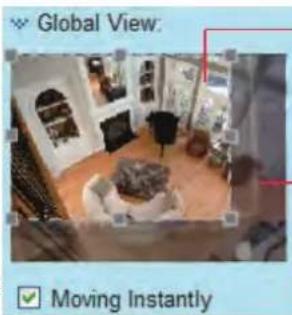
The viewing region of the current video stream
The largest frame size
To move the current view window, place your cursor on it and let the cursor change to the all-direction arrow.

Configuration Area
Client Settings: Click this button to access the client setting page. For more information, please refer to Client Settings on page 28.
Configuration: Click this button to access more of the configuration options provided with the Network Camera. It is suggested that a password is applied to the Network Camera so that only the administrator can configure the Network Camera. For more information, please refer to the description for the Configuration menus on page 30.
Hide Button
You can click the hide button to hide the control panel or display the control panel.
Resize Buttons

Click the Auto button, the video cell will resize automatically to fit the monitor.
Click 100% is to display the original homepage size.
Click 50% is to resize the homepage to 50% of its original size.
Click 25% is to resize the homepage to 25% of its original size.
Live Video Window
■ The following window is displayed when the video mode is set to H.264 / MPEG-4:
MPEG-4 Protocol and Media Options
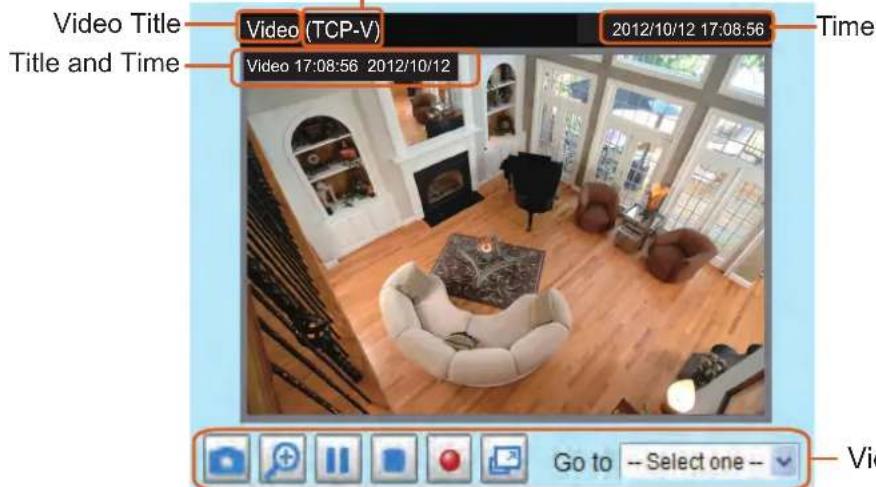
Video Title: The video title can be configured. For more information, please refer to Video settings on page 68.
H.264 / MPEG-4 Protocol and Media Options: The transmission protocol and media options for H.264 / MPEG-4 video streaming. For further configuration, please refer to Client Settings on page 28.
Time: Display the current time. For further configuration, please refer to Video > Image > Genral settings on page 68.
Title and Time: The video title and time can be stamped on the streaming video. For further configuration, please refer to Video > Image > Genral settings on page 68.
Video Control Buttons: Depending on the Network Camera model and Network Camera configuration, some buttons may not be available.

Snapshot: Click this button to capture and save still images. The captured images will be displayed pop-up window. Right-click the image and choose Save Picture As to save it in JPEG (*.jpg) or BMP mp) format.

Digital Zoom: Click and uncheck "Disable digital zoom" to enable the zoom operation. The navigation been indicates the part of the image being magnified. To control the zoom level, drag the slider bar. To ve to a different area you want to magnify, drag the navigation screen.


Pause: Pause the transmission of the streaming media. The button becomes the Resume button or clicking the Pause button.

Stop: Stop the transmission of the streaming media. Click the Resume button to continue omission.

Start MP4 Recording: Click this button to record video clips in MP4 file format to your computer.
ss the □ Stop MP4 Recording button to end recording. When you exit the web browser, video
ording stops accordingly. To specify the storage destination and file name, please refer to MP4 Saving
ions on page 29 for details.

Full Screen: Click this button to switch to full screen mode. Press the "Esc" key to switch back to normal mode.
■ The following window is displayed when the video mode is set to MJPEG:
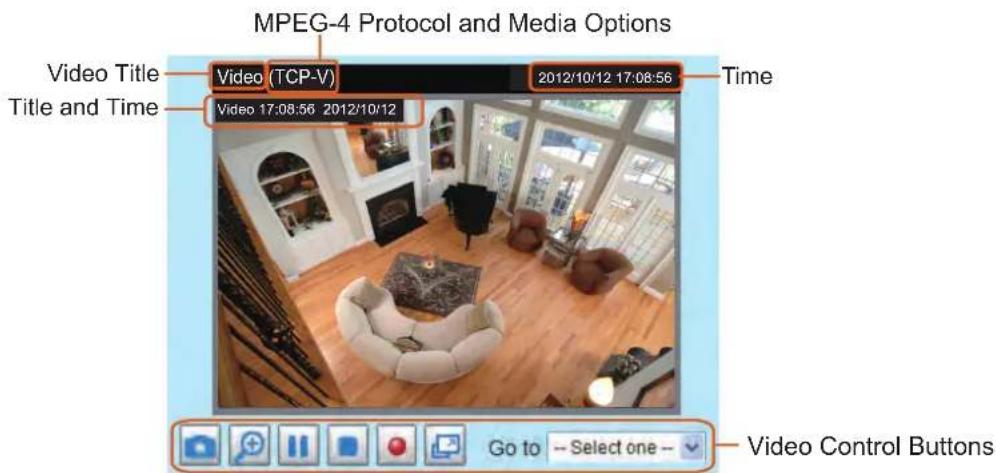
Video Title: The video title can be configured. For more information, please refer to Video > Image on page 68.
Time: Display the current time. For more information, please refer to Video > Image on page 68.
Title and Time: Video title and time can be stamped on the streaming video. For more information, please refer to Video > Image on page 68.
Video Control Buttons: Depending on the camera model and your current configuration, some buttons may not be available.

Snapshot: Click this button to capture and save still images. The captured images will be displayed pop-up window. Right-click the image and choose Save Picture As to save it in JPEG (*.jpg) or BMP.mp) format.

Digital Zoom: Click and uncheck "Disable digital zoom" to enable the zoom operation. The navigation been indicates the part of the image being magnified. To control the zoom level, drag the slider bar. To save to a different area you want to magnify, drag the navigation screen.


Start MP4 Recording: Click this button to record video clips in MP4 file format to your computer.
Press the ☐ Stop MP4 Recording button to end recording. When you exit the web browser, video recording stops accordingly. To specify the storage destination and file name, please refer to MP4 Saving Options on page 29 for details.

Full Screen: Click this button to switch to full screen mode. Press the "Esc" key to switch back to normal mode.
Client Settings
This chapter explains how to select the stream transmission mode and saving options on the local computer. When completed with the settings on this page, click Save on the page bottom to enable the settings.
H.264 / MPEG-4 Protocol Options
H.264/MPEG-4 Protocol Options
○ UDP Unicast
○ UDP Multicast
TCP
HTTP
Depending on your network environment, there are four options with the transmission protocols with H.264 or MPEG-4 streaming:
UDP unicast: This protocol allows for more real-time video streams. However, network packets may be lost due to network burst traffic and images may be broken. Activate UDP connection when occasions require time-sensitive responses and the video quality is less important. Note that each unicast client connecting to the server takes up additional bandwidth and the Network Camera allows up to ten simultaneous accesses.
UDP multicast: This protocol allows multicast-enabled routers to forward network packets to all clients requesting streaming media. This helps to reduce the network transmission load of the Network Camera while serving multiple clients at the same time. Note that to utilize this feature, the Network Camera must be configured to enable multicast streaming at the same time. For more information, please refer to RTSP Streaming on page 61.
TCP: This protocol guarantees the complete delivery of streaming data and thus provides better video quality. The downside of this protocol is that its real-time effect is not as good as that of using the UDP protocol.
HTTP: This protocol allows the same quality as TCP protocol without needing to open specific ports for streaming under some network environments. Users behind a firewall can utilize this protocol to allow camera's streaming data to pass through.
MP4 Saving Options

Users can record live video as they are watching it by clicking Start MP4 Recording on the main page. Here, you can specify the storage destination and file name.
Folder: Specify a storage destination for the recorded video files.
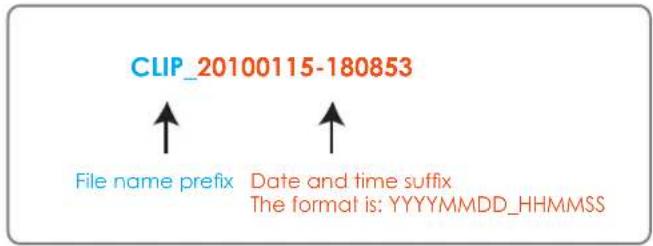
File name prefix: Enter the text that will be appended to the front of the video file name.
Add date and time suffix to the file name: Select this option to append the date and time to the end of the file name.
Local Streaming Buffer Time

Due to unsteady bandwidth flow, live streaming may lag. If you enable this option, the live streaming will be cached on the camera's buffer memory before being played on the live viewing window. This helps produce smoother live streaming. If you enter a value of 3000 milliseconds, the streaming will delay for 3 seconds.
Configuration
Click Configuration on the main page to enter the camera setting pages. Note that only Administrators can access the configuration page.
TOSHIBA offers an easy-to-use user interface that helps you set up your network camera with minimal effort. To simplify the setting procedure, two types of user interfaces are available: Advanced Mode for professional users and Basic Mode for entry-level users. Some advanced functions (PTZ/ Event/ Recording/ Local storage) are not displayed in Basic Mode.
If you want to set up advanced functions, please click on [Advanced Mode] at the bottom of the configuration list to switch to Advanced Mode.
In order to simplify the user interface, detailed information will be hidden unless you click on the function item. When you click on the first sub-item, the detailed information for the first sub-item will be displayed; when you click on the second sub-item, the detailed information for the second sub-item will be displayed and that of the first sub-item will be hidden.
The following is the interface of the Basic Mode and the Advanced Mode:
Basic Mode
![TOSHIBA Home Configuration System > General settings System General settings Maintenance Security Network Video Applications [ Advanced mode ] Configuration Area Host name: Network Camera Turn off the LED indicator Configuration List System time Keep current date and time Synchronize with computer t…](/content/2026/05/945146/images/1cba4b0b4e6f876a31529e50213ba06a90f4cb2f612f3db6bf3d8db02422b6f3.jpg)
Advanced Mode
![TOSHIBA Home Configuration System > General settings Navigation Area System General settings Homepage layout Logs Parameters Maintenance Security Network Video PTZ Event Applications Recording Local storage [ Basic mode ] Configuration List Save Click to switch to Basic Mode Firmware Version System…](/content/2026/05/945146/images/e16d504f6ca136787733f74fa47ce1ce2f3e80202f42841f14a037e3860129c2.jpg)
Each function on the configuration list will be explained in the following sections. Those functions that are displayed only in Advanced Mode are marked with Advanced Mode. If you want to set up advanced functions, please click on [Advanced Mode] at the bottom of the configuration list.
The Navigation Area provides access to all different views from the Home page (for live viewing) and Configuration page.
System > General settings
This section explains how to configure the basic settings for the Network Camera, such as the host name and system time. It is composed of the following two columns: System and System Time.
System

Host name: Enter a desired name for the Network Camera. The name will be displayed at the top center of the main page.
Turn off the LED indicator: To disable the status LED light, uncheck this option.
System time

Keep current date and time: Select this option to preserve the current date and time of the Network Camera. The Network Camera's internal real-time clock maintains the date and time even when the power of the system is turned off.
Sync with computer time: Select this option to synchronize the date and time of the Network Camera with the local computer. The read-only date and time of the PC is displayed as updated.
Manual: The administrator can enter the date and time manually. Note that the date and time format are [yyyy/mm/dd] and [hh:mm:ss].
Automatic: The Network Time Protocol is a protocol which synchronizes computer clocks by periodically querying an NTP Server.
NTP server: Assign the IP address or domain name of the time-server. Leaving the text box blank connects the Network Camera to the default time servers.
Update interval: Select to update the time using the NTP server on an hourly, daily, weekly, or monthly basis.
Time zone Advanced Mode: Select the appropriate time zone from the list. If you want to upload Daylight Savings Time rules, please refer to System > Maintenance > Import/ Export files on page 39 for details.
When finished with the settings on this page, click Save at the bottom of the page to enable the settings.
System > Homepage layout Advanced Mode
This section explains how to set up your own customized homepage layout.
General settings
This column shows the settings of your homage layout. You can manually select the background and font colors in Theme Options (the second tab on this page). The settings will be displayed automatically in this Preview field. The following shows the homepage using the default settings:
General settings Theme options
TOSHIBA
Video stream


Manual trigger:

Client settings
Network Camera

Logo graph
Here you can change the logo at the top of your homepage.
Logo graph

Default
TOSHIBA

Custom
Logo link
http://www.toshibasecurity.com
Follow the steps below to upload a new logo:
- Click Custom and the Browse field will appear.
- Select a logo from your files.
- Click Upload to replace the existing logo with a new one.
- Enter a website link if necessary.
- Click Save to enable the settings.
Customized button
If you want to hide manual trigger buttons on the homepage, please uncheck this item. This item is checked by default.
Customized button

Show manual trigger button
Save
Theme Options
Here you can change the color of your homepage layout. There are three types of preset patterns for you to choose from. The new layout will simultaneously appear in the Preview filed. Click Save to enable the settings.
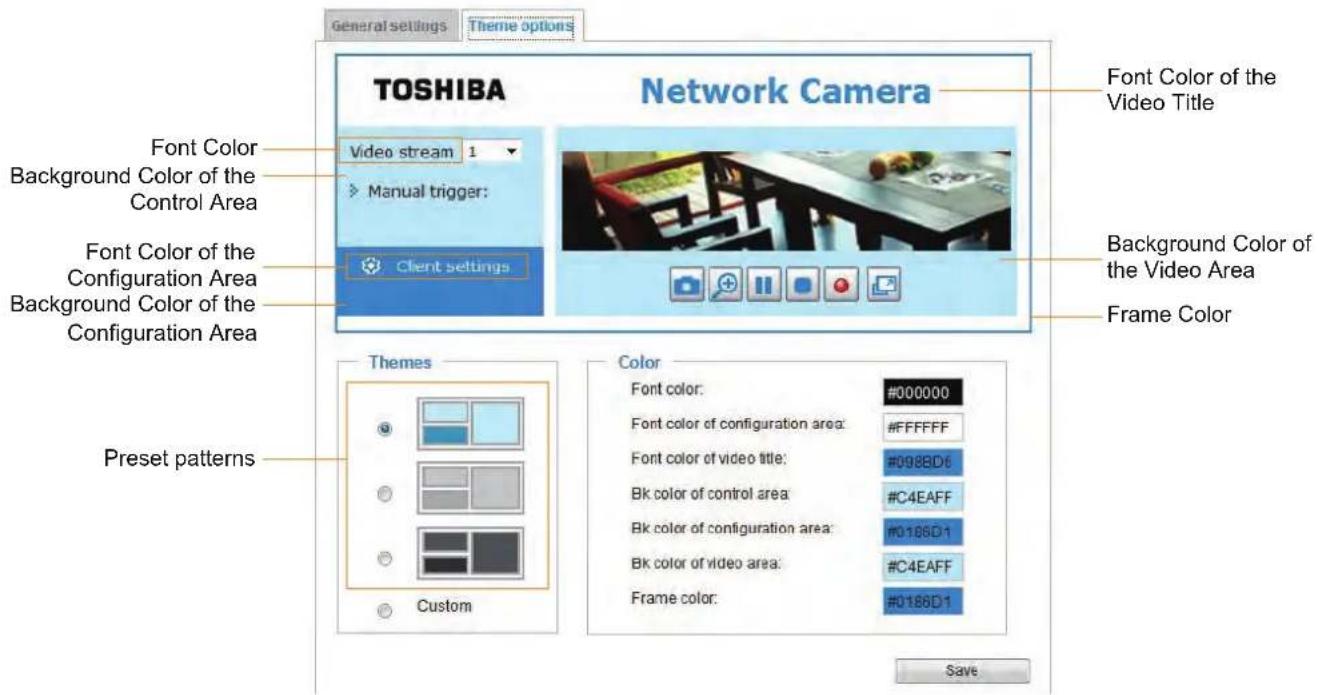


■ Follow the steps below to set up a custom homepage:
- Click Custom on the left column.
- Click to select a color on on the right column.

- The palette window will pop up as shown below.
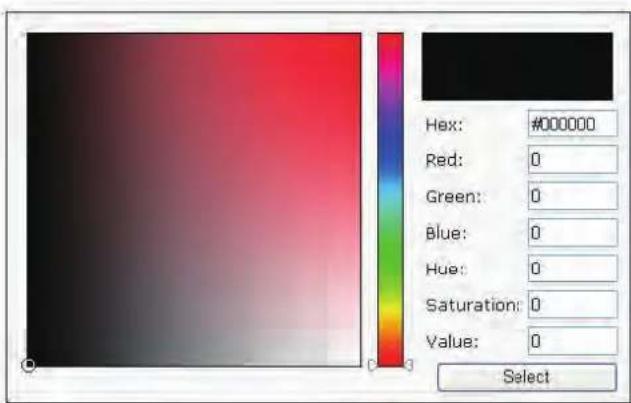

- Drag the slider bar and click on the left square to select a desired color.
- The selected color will be displayed in the corresponding fields and in the Preview column.
- Click Save to enable the settings.
System > Logs Advanced Mode
This section explains how to configure the Network Camera to backup the system log to a remote server.
Log server settings

Follow the steps below to set up the remote log:
- Select Enable remote log.
- In the IP address text box, enter the IP address of the remote server.
- In the port text box, enter the port number of the remote server.
- When completed, click Save to enable the setting.
You can configure the Network Camera to send the system log file to a remote server as a log message. When using this feature, the appropriate syslog server is required for receiving the system log message from the Network Camera.
System log
This column displays the system log in chronological order. The system log is stored in the Network Camera's buffer and dated events will be overwritten when the number of events reaches a limit.
The system log messages stored in the Network Camera will be all cleared after reboot or power down the Network Camera.
Access log
Access log displays the access time and IP address of all viewers (including operators and administrators) in chronological order. The access log is stored in the Network Camera's buffer and older events will be overwritten when the number of events reaches a limit.
The access log messages stored in the Network Camera will be all cleared after reboot or power down the Network Camera.
System > Parameters Advanced Mode
The View Parameters page lists the entire system's parameters in an alphabetical order. If you need technical assistance, please provide the information listed on this page.
System > Maintenance
This chapter explains how to restore the Network Camera to factory default, upgrade firmware version, etc.
General settings > Upgrade firmware
Upgrade firmware
Select firmware file:
Browse...
Upgrade
This feature allows you to upgrade the firmware of your Network Camera. It takes a few minutes to complete the process.
Note: Do not power off the Network Camera during the upgrade!
Follow the steps below to upgrade the firmware:
- Download the latest firmware file from the TOSHIBA website. The file is in .pkg file format.
- Click Browse... and specify the firmware file.
- Click Upgrade. The Network Camera starts to upgrade and will reboot automatically when the upgrade completes.
If the upgrade is successful, you will see "Reboot system now!! This connection will close". After that, re-access the Network Camera.
The following message is displayed when the upgrade has succeeded.
Reboot system now!! This connection will close.
The following message is displayed when you have selected an incorrect firmware file.
Starting firmware upgrade...
Do not power down the server during the upgrade.
The server will restart automatically after the upgrade is completed.
This will take about 1 - 5 minutes.
Wrong PKG file format
Unpack fail
General settings > Reboot
Reboot
Reboot the device
Reboot
This feature allows you to reboot the Network Camera, which takes about one minute to complete. When completed, the live video page will be displayed in your browser. The following message will be displayed during the reboot process.
The device is rebooting now. Your browser will reconnect to http://192.168.5.151:80/ If the connection fails, please manually enter the above IP address in your browser.
1
If the connection fails after rebooting, manually enter the IP address of the Network Camera in the address field to resume the connection.
General settings > Restore
Restore
Restore all settings to factory default except settings in

Network

Daylight saving time
Restore
This feature allows you to restore the Network Camera to factory default settings.
Network: Select this option to retain the Network Type settings (please refer to Network Type on page 53).
Daylight Saving Time: Select this option to retain the Daylight Saving Time settings (please refer to Import/Export files below on this page).
If none of the options is selected, all settings will be restored to factory default. The following message is displayed during the restoring process.
The device is rebooting now. Your browser will reconnect to http://192.168.5.151:80/ If the connection fails, please manually enter the above IP address in your browser.

Import/Export files
Advanced Mode
This feature allows you to Export / Update daylight saving time rules, custom language file, and configuration file.
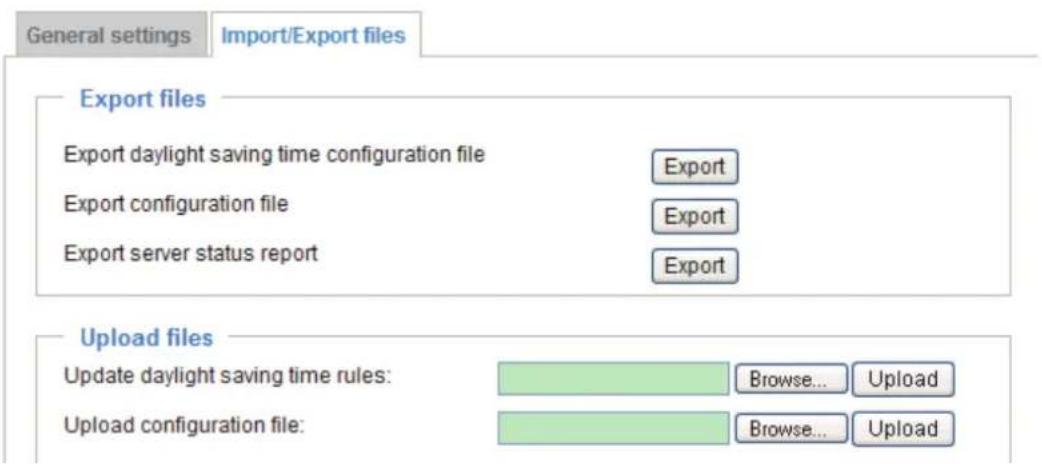
Export daylight saving time configuration file: Click to set the start and end time of DST.
Follow the steps below to export:
- In the Export files column, click Export to export the daylight saving time configuration file from the Network Camera.
- A file download dialog will pop up as shown below. Click Open to review the XML file or click Save to store the file for editing.

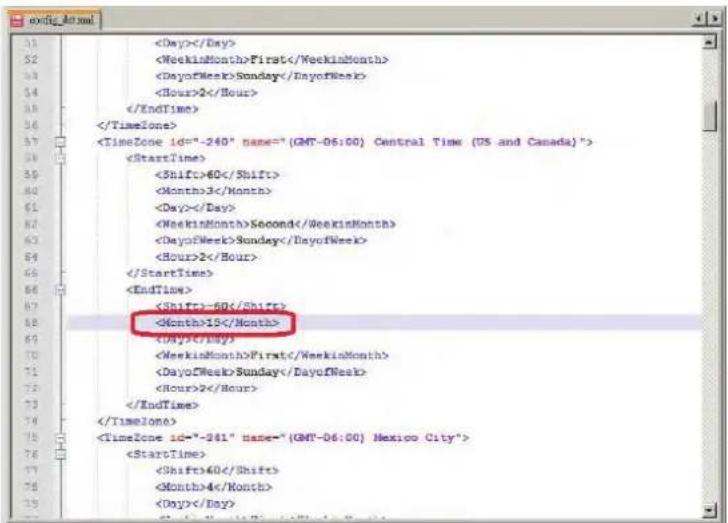
- Open the file with text editor and locate your time zone; set the start and end time of DST. When completed, save the file.
In the example below, DST begins each year at 2:00 a.m. on the second Sunday in March and ends at 2:00 a.m. on the first Sunday in November.

Update daylight saving time rules: Click Browse... and specify the XML file to update.
If incorrect date and time are assigned, you will see the following warning message when uploading the file to the Network Camera.

The following message is displayed when attempting to upload an incorrect file format.

Export configuration file: Click to export all parameters for the device and user-defined scripts.
Update configuration file: Click Browse... to update a configuration file. Please note that the model and firmware version of the device should be the same as the configuration file. If you have set up a fixed IP or other special settings for your device, it is not suggested to update a configuration file.
Export server staus report: Click to export the current server status report, such as time, logs, parameters, process status, memory status, file system status, network status, kernel message..., and so on.
Security > User Account
This section explains how to enable password protection and create multiple accounts.
Root Password

The administrator account name is "root", which is permanent and can not be deleted. If you want to add more accounts in the Manage User column, please apply the password for the "root" account first.
- Type the password identically in both text boxes, then click Save to enable password protection.
- A window will prompt for authentication; type the correct user's name and password in their respective fields to access the Network Camera.
Manage Privilege
Advanced Mode

Digital Output & PTZ control: You can modify the management privilege as operators or viewers. Select or de-select the checkboxes, and then click Save to enable the settings. If you give Viewers the privilege, Operators will also have the ability to control the Network Camera through the main page. (Please refer to Configuration on page 30).
Allow anonymous viewing for 3GPP-compatible mobile devices: If you check this item, 3GPP clients can access the live stream without entering a User ID and Password.
Note:
* Select RTSP Streaming Authentication to disable.
* This function will not work with Internet Explorer.
Manage User

Administrators can create up to 20 user accounts.
- Input the new user's name and password.
- Select the privilege level for the new user account. Click Add to enable the setting.
Access rights are sorted by user privilege (Administrator, Operator, and Viewer). Only administrators can access the Configuration page. Though operators cannot access the Configuration page, they can use the URL Commands to get and set the value of parameters. For more information, please refer to URL Command Guide. Viewers access only the main page for live viewing.
Here you also can change a user's access rights or delete user accounts.
- Select an existing account to modify.
- Make necessary changes and click Update or Delete to enable the setting.
Security > HTTPS (Hypertext Transfer Protocol over SSL)
Advanced Mode
This section explains how to enable authentication and encrypted communication over SSL (Secure Socket Layer). It helps protect streaming data transmission over the Internet on higher security level.
Create and Install Certificate Method
Before using HTTPS for communication with the Network Camera, a Certificate must be created first. There are three ways to create and install a certificate:
Create self-signed certificate automatically
- Select the first option.
- Check Enable HTTPS secure connection, then select a connection option: "HTTP & HTTPS" or "HTTPS only".
- Click Save to generate a certificate.
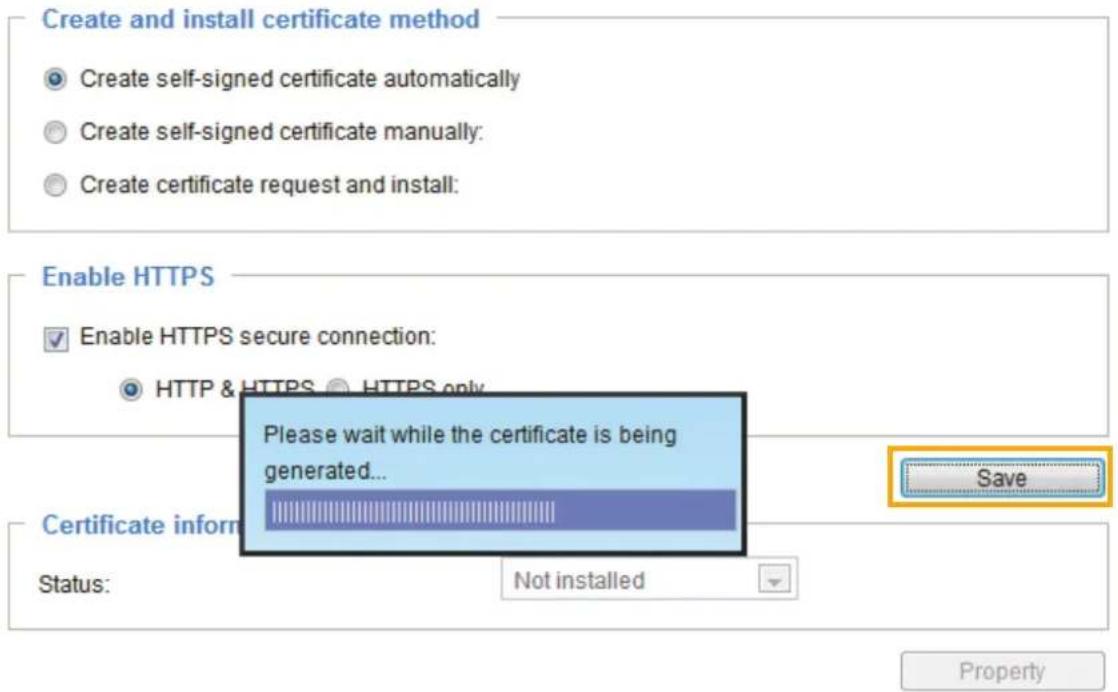
- The Certificate Information will automatically be displayed in the third column as shown below. You can click Property to view detailed information about the certificate.

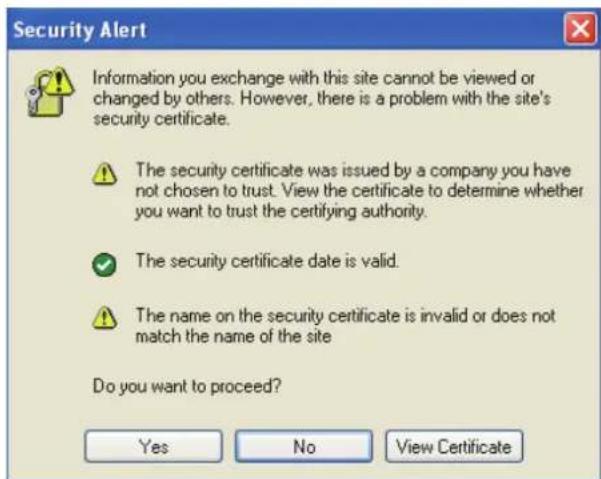
- Click Home to return to the main page. Change the address from "http://" to "https://" in the address bar and press Enter on your keyboard. Some Security Alert dialogs will pop up. Click OK or Yes to enable HTTPS.
https://


Create self-signed certificate manually
- Select the second option.
- Click Create to open the Create Certificate page.
Create and install certificate method
○ Create self-signed certificate automatically
○ Create self-signed certificate manually
Self-signed certificate:
Create
- Create certificate request and install
- The following information will show up in a pop-up window after clicking Create. Then click Save to generate the certificate.
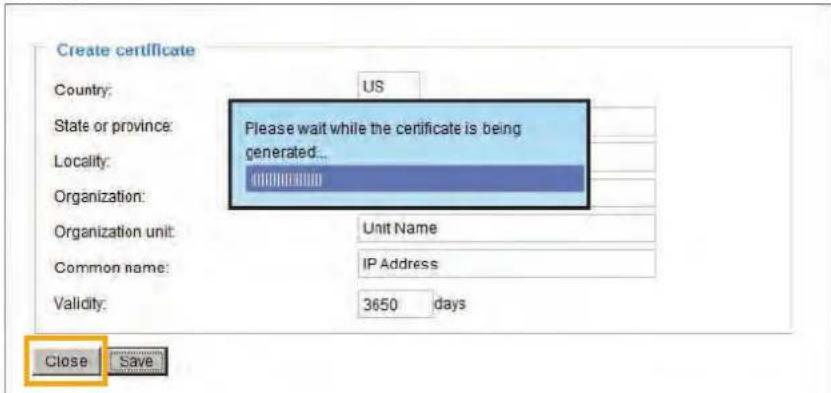
- The Certificate Information will automatically be displayed in the third column as shown below. You can click Property to see detailed information about the certificate.

- Check Enable HTTPS secure connection, then select a connection option: "HTTP & HTTPS" or "HTTPS only". Click Save to enable the settings.
Create certificate and install : Select this option if you want to create a certificate from a certificate authority.
- Select the third option.
- Click Create to open the Create Certificate page, then click Save to generate the certificate.

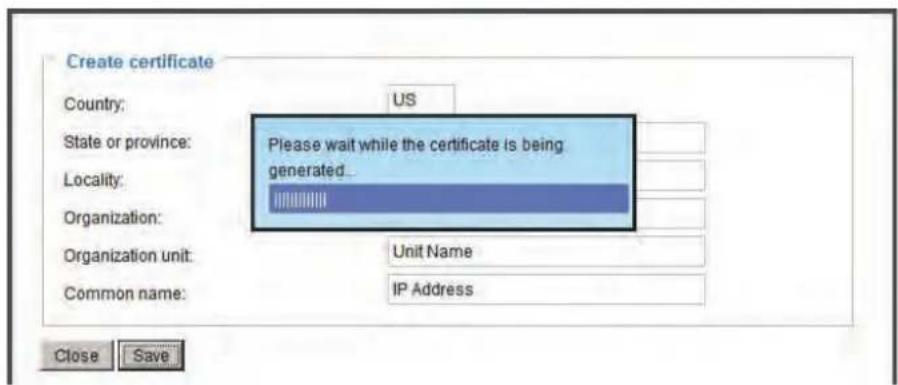
- If you see the following Information bar, click OK and click on the Information bar at the top of the page to allow pop-ups.

- The pop-up window shows an example of a certificate request.

- Look for a trusted certificate authority that issues digital certificates. Enroll the Network Camera. Wait for the certificate authority to issue a SSL certificate; click Browse... to search for the issued certificate, then click Upload in the column.
- Check Enable HTTPS secure connection, then select a connection option: "HTTP & HTTPS" or "HTTPS only". Click Save to enable the settings.


NOTE
• 1. How do I cancel the HTTPS settings?
1-1. Uncheck Enable HTTPS secure connection in the second column and click Save; a warning dialog will pop up.
1-2. Click OK to disable HTTPS.
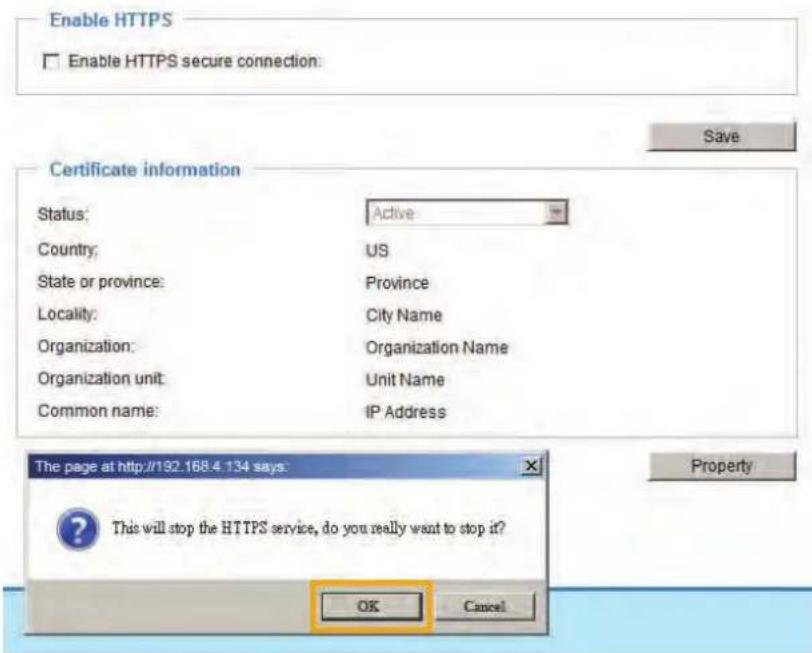
1-3. The webpage will redirect to a non-HTTPS page automatically.
- 2. If you want to create and install other certificates, please remove the existing one.

Security > Access List Advanced Mode
This section explains how to control access permission by verifying the client PC's IP address.
General Settings

Maximum number of concurrent streaming connection(s) limited to: Simultaneous live viewing for 1\~10 clients (including stream 1 and stream 2). The default value is 10. If you modify the value and click Save, all current connections will be disconnected and automatically attempt to re-link.
View Information: Click this button to display the connection status window showing a list of the current connections. For example:
| IP address | Elapsed time | User ID | |
| 192.168.1.147 | 12:20:34 | root | |
| 61.22.15.3 | 00:10:09 | ||
| 192.168.3.25 | 45:00:34 | greg | |
■ IP address: Current connections to the Network Camera.
■ Elapsed time: How much time the client has been at the webpage.
■ User ID: If the administrator has set a password for the webpage, the clients have to enter a user name and password to access the live video. The user name will be displayed in the User ID column. If the administrator allows clients to link to the webpage without a user name and password, the User ID column will be empty.
There are some situations which allow clients access to the live video without a user name and password:
- The administrator does not set up a root password. For more information about how to set up a root password and manage user accounts, please refer to Security > User account on page 42.
- The administrator has set up a root password, but set RTSP Authentication to "disable". For more information about RTSP Authentication, please refer to RTSP Streaming on page 61.
- The administrator has set up a root password, but allows anonymous viewing. For more information about Allow Anonymous Viewing, please refer to page 42.
■ Refresh: Click this button to refresh all current connections.
■ Add to deny list: You can select entries from the Connection Status list and add them to the Deny List to deny access. Please note that those checked connections will only be disconnected temporarily and will automatically try to re-link again. If you want to enable the denied list, please check Enable access list filtering and click Save in the first column.
■ Disconnect: If you want to break off the current connections, please select them and click this button. Please note that those checked connections will only be disconnected temporarily and will automatically try to re-link again.
Enable access list filtering: Check this item and click Save if you want to enable the access list filtering function.
Filter
Filter type: Select Allow or Deny as the filter type. If you choose Allow Type, only those clients whose IP addresses are on the Access List below can access the Network Camera, and the others cannot access. On the contrary, if you choose Deny Type, those clients whose IP addresses are on the Access List below will not be allowed to access the Network Camera, and the others can access.
Filter
Filter type: Allow Deny
Then you can Add a rule to the following Access List. Please note that the IPv6 access list column will not be displayed unless you enable IPv6 on the Network page. For more information about IPv6 Settings, please refer to Network > Enable IPv6 on page 57 for detailed information.
IPv4 access list
Add Delete
IPv6 access list
Add Delete
There are three types of rules:
Single: This rule allows the user to add an IP address to the Allowed/Denied list.
For example:
Filter address
Rule: Single
IP address: 192.168.2.1
OK
Cancel
Network: This rule allows the user to assign a network address and corresponding subnet mask to the Allow/Deny List. The routing prefix is written in CIDR notation.
For example:

accesses from IP address 192.168.2.x will be bolcked.
Range: This rule allows the user to assign a range of IP addresses to the Allow/Deny List.
Note: This rule is only applied to IPv4.
For example:

Delete Allowed/Denied list:
In the Delete Allowed List or Delete Denied List column, make a selection and click Delete.
Administrator IP address
Always allow the IP address to access this device: You can check this item and add the Administrator's IP address in this field to make sure the Administrator can always connect to the device.


NOTE
- For example, when the range of IP addresses on the allowed list is set from 1.1.1.0 to 192.255.255.255 and the range in the denied list is set from 1.1.1.0 to 170.255.255.255, only users' IPs between 171.0.0.0 and 192.255.255.255 can access the Network Camera.

Security > IEEE 802.1x
Advanced Mode
Enable this function if your network environment uses IEEE 802.1x, which is a port-based network access control. The network devices, intermediary switch/access point/hub, and RADIUS server must support and enable 802.1x settings.
The 802.1x standard is designed to enhance the security of local area networks, which provides authentication to network devices (clients) attached to a network port (wired or wireless). If all certificates between client and server are verified, a point-to-point connection will be enabled; if authentication fails, access on that port will be prohibited. 802.1x utilizes an existing protocol, the Extensible Authentication Protocol (EAP), to facilitate communication.
■ The components of a protected network with 802.1x authentication:
![graph LR A["Supplicant\n(Network Camera)"] <--> B["Authenticator\n(Network Switch)"] B <--> C["Authentication Server\n(RADIUS Server)"]](/content/2026/05/945146/images/b2487344bedde2c9414c832c511de1abc5362a2c50e92d694c806b1053748441.jpg)
- Supplicant: A client end user (camera), which requests authentication.
- Authenticator (an access point or a switch): A "go between" which restricts unauthorized end users from communicating with the authentication server.
- Authentication server (usually a RADIUS server): Checks the client certificate and decides whether to accept the end user's access request.
■ Network Cameras support two types of EAP methods to perform authentication: EAP-PEAP and EAP-TLS.
Please follow the steps below to enable 802.1x settings:
- Before connecting the Network Camera to the protected network with 802.1x, please apply a digital certificate from a Certificate Authority (ie. MIS of your company) which can be validated by a RADIUS server.
- Connect the Network Camera to a PC or notebook outside of the protected LAN. Open the configuration page of the Network Camera as shown below. Select EAP-PEAP or EAP-TLS as the EAP method. In the following blanks, enter your ID and password issued by the CA, then upload related certificate(s).
IEEE 802.1x

Enable IEEE 802.1x
EAP method:
Identity:
Password:
CA certificate:
Status: no file
EAP-PEAP


Browse
Upload
Remove

- When all settings are complete, move the Network Camera to the protected LAN by connecting it to an 802.1x enabled switch. The devices will then start the authentication automatically.

NOTE
• The authentication process for 802.1x:
- The Certificate Authority (CA) provides the required signed certificates to the Network Camera (the supplicant) and the RADIUS Server (the authentication server).
- A Network Camera requests access to the protected LAN using 802.1X via a switch (the authenticator). The client offers its identity and client certificate, which is then forwarded by the switch to the RADIUS Server, which uses an algorithm to authenticate the Network Camera and returns an acceptance or rejection back to the switch.
- The switch also forwards the RADIUS Server's certificate to the Network Camera.
- Assuming all certificates are validated, the switch then changes the Network Camera's state to authorized and is allowed access to the protected network via a pre-configured port.
![graph TD A["Certificate"] -->|1| B["Certificate Authority (CA)"] B -->|1| C["Certificate"] C -->|2| D["Network Camera"] D -->|3| E["RADIUS Server"] E -->|4| F["Network Switch"] F -->|2| D style A fill:#f9f,stroke:#333 style B fill:#ccf,stroke:#333 style C fill:#cfc,stroke:#333 style D fill:#ffc,stro…](/content/2026/05/945146/images/6722eb32ea7fb148616051f84835b6fce3bc10d822c8c44e2f84953438a35702.jpg)
Network > General settings
This section explains how to configure a wired network connection for the Network Camera.
Network Type
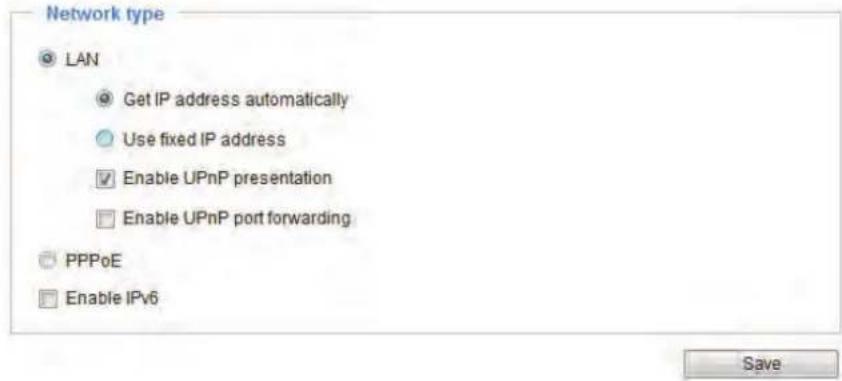
LAN
Select this option when the Network Camera is deployed on a local area network (LAN) and is intended to be accessed by local computers. The default setting for the Network Type is LAN. Remember to click Save when you complete the Network setting.
Get IP address automatically: Select this option to obtain an available dynamic IP address assigned by the DHCP server each time the camera is connected to the LAN.
Use fixed IP address: Select this option to manually assign a static IP address to the Network Camera.

- You can use Installation Wizard on the software CD to easily set up the Network Camera on LAN. Please refer to Software Installation on page 18 for details.
- Enter the Static IP, Subnet mask, Default router, and Primary DNS provided by your ISP.
Subnet mask: This is used to determine if the destination is in the same subnet. The default value is "255.255.255.0".
Default router: This is the gateway used to forward frames to destinations in a different subnet. Invalid router setting will fail the transmission to destinations in different subnet.
Primary DNS: The primary domain name server that translates hostnames into IP addresses.
Secondary DNS: Secondary domain name server that backups the Primary DNS.
Primary WINS server: The primary WINS server that maintains the database of computer name and IP address.
Secondary WINS server: The secondary WINS server that maintains the database of computer name and IP address.
Enable UPnP presentation: Select this option to enable UPnP TM presentation for your Network Camera so that whenever a Network Camera is presented to the LAN, shortcuts of connected Network Cameras will be listed in My Network Places. You can click the shortcut to link to the web browser. Currently, UPnP TM is supported by Windows XP or later. Note that to utilize this feature, please make sure the UPnP TM component is installed on your computer.

Enable UPnP port forwarding: To access the Network Camera from the Internet, select this option to allow the Network Camera to open ports on the router automatically so that video streams can be sent out from a LAN. To utilize of this feature, make sure that your router supports UPnP TM and it is activated.
PPPoE (Point-to-point over Ethernet)
Select this option to configure your Network Camera to make it accessible from anywhere as long as there is an Internet connection. Note that to utilize this feature, it requires an account provided by your ISP (service provider).
Follow the steps below to acquire your Network Camera's public IP address.
-
Set up the Network Camera on the LAN.
-
Go to Configuration > Event > Event settings > Add server (please refer to Add server on page 85) to add a new email or FTP server.
-
Go to Configuration > Event > Event settings > Add media (please refer to Add media on page 89). Select System log so that you will receive the system log in TXT file format which contains the Network Camera's public IP address in your email or on the FTP server.
-
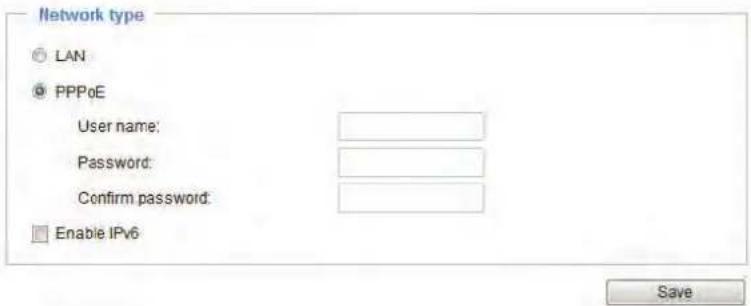
Go to Configuration > Network > General settings > Network type. Select PPPoE and enter the user name and password provided by your ISP. Click Save to enable the setting.
-
The Network Camera will reboot.
-
Disconnect the power to the Network Camera; remove it from the LAN environment.
NOTE
- If the default ports are already used by other devices connected to the same router, the Network Camera will select other ports for the Network Camera.
- If UPnP TM is not supported by your router, you will see the following message: Error: Router does not support UPnP port forwarding.
-
Below are steps to enable the UPnP™ user interface on your computer: Note that you must log on to the computer as a system administrator to install the UPnP™ components.
-
Go to Start, click Control Panel, then click Add or Remove Programs.

- In the Add or Remove Programs dialog box, click Add/Remove Windows Components.

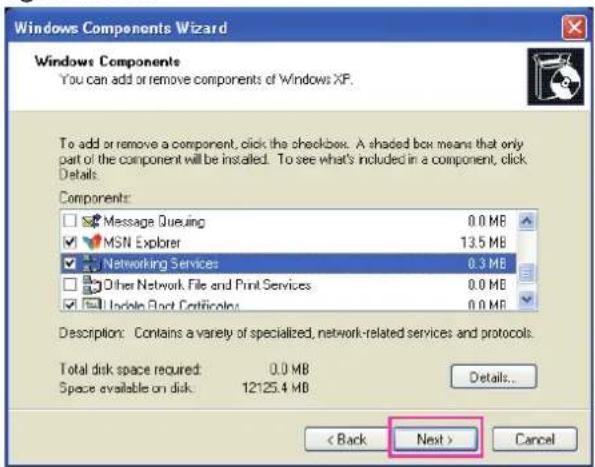
- In the Windows Components Wizard dialog box, select Networking Services and click Details.

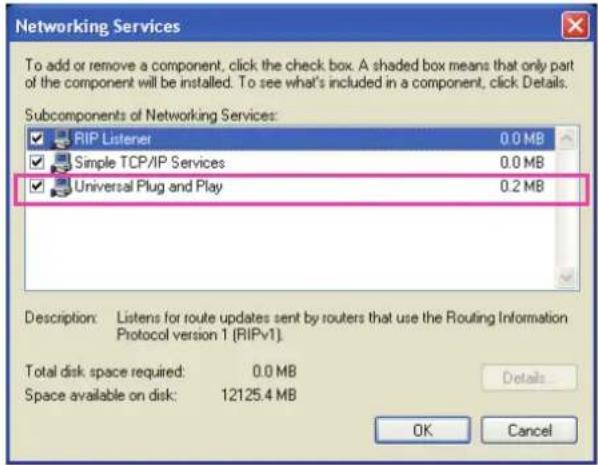
- In the Networking Services dialog box, select Universal Plug and Play and click OK.
- Click Next in the following window.
- Click Finish. UPnP TM is enabled.
- How does UPnP TM work?
UPnP™ networking technology provides automatic IP configuration and dynamic discovery of devices added to a network. Services and capabilities offered by networked devices, such as printing and file sharing, are available among each other without the need for cumbersome network configuration. In the case of Network Cameras, you will see Network Camera shortcuts under My Network Places.
- Enabling UPnP port forwarding allows the Network Camera to open a secondary HTTP port on the router-not HTTP port-meaning that you have to add the secondary HTTP port number to the Network Camera's public address in order to access the Network Camera from the Internet. For example, when the HTTP port is set to 80 and the secondary HTTP port is set to 8080, refer to the list below for the Network Camera's IP address.
| From the Internet In LAN | |
| http://203.67.124.123:8080 http://192.168.4.160 or http://192.168.4.160:8080 | |
- If the PPPoE settings are incorrectly configured or the Internet access is not working, restore the Network Camera to factory default; please refer to Restore on page 39 for details. After the Network Camera is reset to factory default, it will be accessible on the LAN.
Enable IPv6
Select this option and click Save to enable IPv6 settings.
Please note that this only works if your network environment and hardware equipment support IPv6. The browser should be Microsoft® Internet Explorer 6.5 or above.
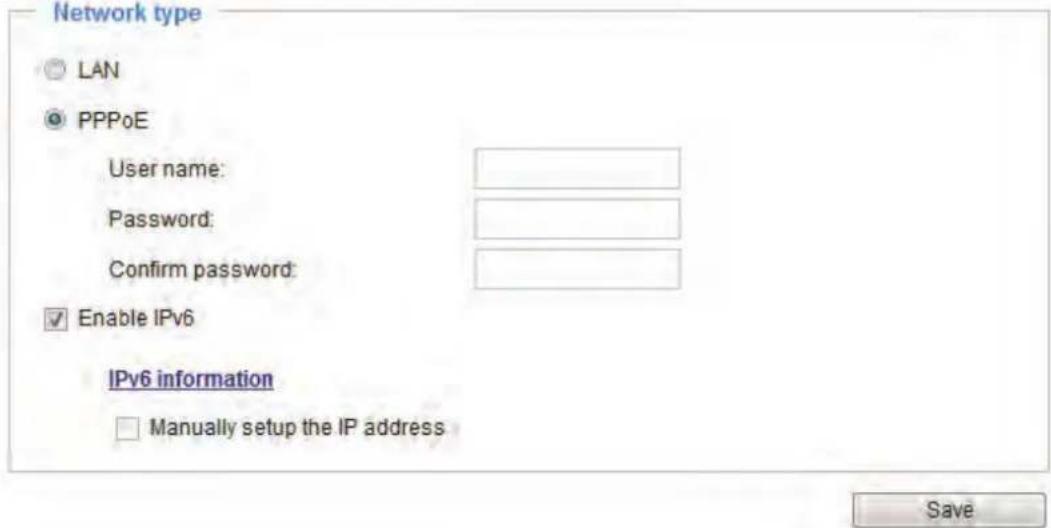
When IPv6 is enabled, by default, the network camera will listen to router advertisements and be assigned with a link-local IPv6 address accordingly.
IPv6 Information: Click this button to obtain the IPv6 information as shown below.
![[eth0 address] fe80:0000:0000:0000:0202:d1ff:fe0e:d4c8/64@Link [Gateway] IPv6 address list of gateway [DNS] IPv6 address list of DNS](/content/2026/05/945146/images/24eb604248c761b8a98335d8bafb163a2bcd2a520a4d487353a30e1df14b1d1b.jpg)
If your IPv6 settings are successful, the IPv6 address list will be listed in the pop-up window. The IPv6 address will be displayed as follows:
Refers to Ethernet
![[eth0 address] 2001:0c08:2500:0002:0202:d1ff:fe04:65f4/64@Global fe80:0000:0000:0000:0202:d1ff:fe04:65f4/64@Link [Gateway] fe80::211:d8ff:fea2:1a2b [DNS] 2010:05c0:978d::](/content/2026/05/945146/images/f14f7f9cfc9f1aa72ae9758b7d51e6804c6c3b8c98de000ffb34bec66dd62444.jpg)
Please follow the steps below to link to an IPv6 address:
- Open your web browser.
-
Enter the link-global or link-local IPv6 address in the address bar of your web browser.
-
The format should be:
![http://[2001:0c08:2500:0002:0202:d1ff:fe04:65f4]/ IPv6 address](/content/2026/05/945146/images/8316155153c48adeb44064a3425ade4acde8773ac6615a9b18857220d0df04e7.jpg)
- Press Enter on the keyboard or click Refresh button to refresh the webpage.
For example:


NOTE
- If you have a Secondary HTTP port (the default value is 8080), you can also link to the webpage in the following address format: (Please refer to HTTP streaming on page 60 for detailed information.)
![http://[2001:0c08:2500:0002:0202:d1ff:fe04:65f4]/:8080 IPv6 address Secondary HTTP port](/content/2026/05/945146/images/f926c65a509afde8b7ac72c1d3cf7dc1d3ec5ea5d819fbb6228ca969bb385966.jpg)
- If you choose PPPoE as the Network Type, the [PPP0 address] will be displayed in the IPv6 information column as shown below.
![[eth0 address] fe80:0000:0000:0000:0202:d1ff:fe11:2299/64@Link [ppp0 address] fe80:0000:0000:0000:0202:d1ff:fe11:2299/10@Link 2001:b100:01c0:0002:0202:d1ff:fe11:2299/64@Global [Gateway] fe80::90:1a00:4142:8ced [DNS] 2001:b000::1](/content/2026/05/945146/images/df15c9cd7446003b5869a389a7b0cbc3b021819d6eb05006886af3b176f42a1f.jpg)
Manually setup the IP address: Select this option to manually set up IPv6 settings if your network environment does not have DHCPv6 server and router advertisements-enabled routers. If you check this item, the following blanks will be displayed for you to enter the corresponding information: ☑ Enable IPv6
IPv6 information
√ Manually setup the IP address
Optional IP address / Prefix length
Optional default router
Optional primary DNS

Port

HTTPS port: By default, the HTTPS port is set to 443. It can also be assigned to another port number between 1025 and 65535.
FTP port: The FTP server allows the user to save recorded video clips. You can use TOSHIBA Installation Wizard software to upgrade the firmware via FTP server. By default, the FTP port is set to 21. It also can be assigned to another port number between 1025 and 65535.
Network > Streaming protocols
Advanced Mode
HTTP streaming
To utilize HTTP authentication, make sure that your have set a password for the Network Camera first; please refer to Security > User account on page 42 for details.

Authentication: Depending on your network security requirements, the Network Camera provides two types of security settings for an HTTP transaction: basic and digest.
If basic authentication is selected, the password is sent in plain text format and there can be potential risks of being intercepted. If digest authentication is selected, user credentials are encrypted using MD5 algorithm and thus provide better protection against unauthorized accesses.
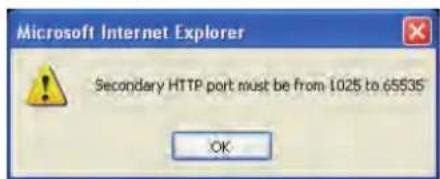
HTTP port / Secondary HTTP port: By default, the HTTP port is set to 80 and the secondary HTTP port is set to 8080. They can also be assigned to another port number between 1025 and 65535. If the ports are incorrectly assigned, the following warning messages will be displayed:

To access the Network Camera on the LAN, both the HTTP port and secondary HTTP port can be used to access the Network Camera. For example, when the HTTP port is set to 80 and the secondary HTTP port is set to 8080, refer to the list below for the Network Camera's IP address.
| On the LAN |
| http://192.168.4.160 or http://192.168.4.160:8080 |
Access name for stream 1 \~ 5: This Network camera supports multiple streams simultaneously. The access name is used to differentiate the streaming source. Users can click Video > Stream > Stream settings to set up the video quality of linked streams. For more information about how to set up the video quality, please refer to Stream settings on page 75.
NOTE
- Users can only use URL commands to request the stream 5.
RTSP Streaming
To utilize RTSP streaming authentication, make sure that you have set a password for the Network Camera first; please refer to Security > User account on page 42 for details.

Authentication: Depending on your network security requirements, the Network Camera provides three types of security settings for streaming via RTSP protocol: disable, basic, and digest.
If basic authentication is selected, the password is sent in plain text format, but there can be potential risks of it being intercepted. If digest authentication is selected, user credentials are encrypted using MD5 algorithm, thus providing better protection against unauthorized access.
Access name for stream 1 \~ 5: This Network camera supports multiple streams simultaneously. The access name is used to differentiate the streaming source.
If you want to use an RTSP player to access the Network Camera, you have to set the video mode to H.264 / MPEG-4 and use the following RTSP URL command to request transmission of the streaming data.
rtsp://
For example, when the access name for stream 1 is set to live.sdp:
- Launch an RTSP player.
- Choose File > Open URL. A URL dialog box will pop up.
-
Type the above URL command in the address field.
-
The live video will be displayed in your player.

RTSP port /RTP port for video, audio/ RTCP port for video, audio
■ RTSP (Real-Time Streaming Protocol) controls the delivery of streaming media. By default, the port number is set to 554.
■ The RTP (Real-time Transport Protocol) is used to deliver video and audio data to the clients. By default, the RTP port for video is set to 5556 and the RTP port for audio is set to 5558.
■ The RTCP (Real-time Transport Control Protocol) allows the Network Camera to transmit the data by monitoring the Internet traffic volume. By default, the RTCP port for video is set to 5557 and the RTCP port for audio is set to 5559.
The ports can be changed to values between 1025 and 65535. The RTP port must be an even number and the RTCP port is the RTP port number plus one, and thus is always an odd number. When the RTP port changes, the RTCP port will change accordingly.
If the RTP ports are incorrectly assigned, the following warning message will be displayed:

Multicast settings for stream 1 \~ 4: Click the items to display the detailed configuration information. Select the Always multicast option to enable multicast for stream 1 \~ 4.
![Multicast settings for stream 1: □ Always multicast Multicast group address: 239.128.1.99 Multicast video port: 5560 Multicast RTCP video port: 5561 Multicast TTL [1~255]: 15 Multicast settings for stream 2: □ Always multicast Multicast group address: 239.128.1.100 Multicast video port: 5564 Multica…](/content/2026/05/945146/images/031f3793da959520bedc691047f36d7296a17dd52bd9beb6b4b386256ce0c74e.jpg)
Unicast video transmission delivers a stream through point-to-point transmission; multicast, on the other hand, sends a stream to the multicast group address and allows multiple clients to acquire the stream at the same time by requesting a copy from the multicast group address. Therefore, enabling multicast can effectively save Internet bandwidth.
The ports can be changed to values between 1025 and 65535. The multicast RTP port must be an even number and the multicast RTCP port number is the multicast RTP port number plus one, and thus is always odd. When the multicast RTP port changes, the multicast RTCP port will change accordingly.
If the multicast RTP video ports are incorrectly assigned, the following warning message will be displayed:

Multicast TTL [1\~255]: The multicast TTL (Time To Live) is the value that tells the router the range a packet can be forwarded.
Network > QoS (Quality of Service) Advanced Mode
Quality of Service refers to a resource reservation control mechanism, which guarantees a certain quality to different services on the network. Quality of service guarantees are important if the network capacity is insufficient, especially for real-time streaming multimedia applications. Quality can be defined as, for instance, a maintained level of bit rate, low latency, no packet dropping, etc.
The following are the main benefits of a QoS-aware network:
■ The ability to prioritize traffic and guarantee a certain level of performance to the data flow.
■ The ability to control the amount of bandwidth each application may use, and thus provide higher reliability and stability on the network.
Requirements for QoS
To utilize QoS in a network environment, the following requirements must be met:
■ All network switches and routers in the network must include support for QoS.
■ The network video devices used in the network must be QoS-enabled.
QoS models
CoS (the VLAN 802.1p model)
IEEE802.1p defines a QoS model at OSI Layer 2 (Data Link Layer), which is called CoS, Class of Service. It adds a 3-bit value to the VLAN MAC header, which indicates the frame priority level from 0 (lowest) to 7 (highest). The priority is set up on the network switches, which then use different queuing disciplines to forward the packets.
Below is the setting column for CoS. Enter the VLAN ID of your switch (0\~4095) and choose the priority for each application (0\~7).
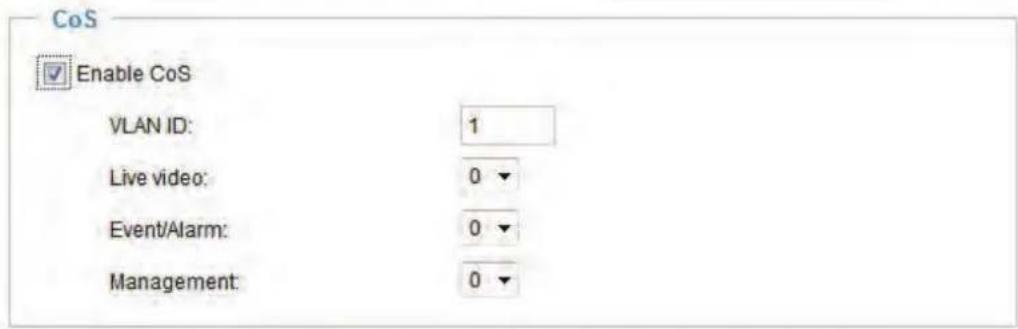
If you assign Video the highest priority level, your network switch will handle video packets first.
NOTE
- A VLAN Switch (802.1p) is required. Web browsing may fail if the CoS setting is incorrect.
- Class of Service technologies do not guarantee a level of service in terms of bandwidth and delivery time; they offer a “best-effort.” Users can think of CoS as “coarsely-grained” traffic control and QoS as “finely-grained” traffic control.
- Though CoS is simple to manage, it lacks scalability and does not offer end-to-end guarantees since it is based on L2 protocol.
QoS/DSCP (the DiffServ model)
DSCP-ECN defines QoS at Layer 3 (Network Layer). The Differentiated Services (DiffServ) model is based on packet marking and router queuing disciplines. The marking is done by adding a field to the IP header, called the DSCP (Differentiated Services Codepoint). This is a 6-bit field that provides 64 different class IDs. It gives an indication of how a given packet is to be forwarded, known as the Per Hop Behavior (PHB). The PHB describes a particular service level in terms of bandwidth, queueing theory, and dropping (discarding the packet) decisions. Routers at each network node classify packets according to their DSCP value and give them a particular forwarding treatment; for example, how much bandwidth to reserve for it.
Below are the setting options of DSCP (DiffServ Codepoint). Specify the DSCP value for each application (0\~63).

Network > DDNS
This section explains how to configure the dynamic domain name service for the Network Camera. DDNS is a service that allows your Network Camera, especially when assigned with a dynamic IP address, to have a fixed host and domain name.
DDNS: Dynamic domain name service
DDNS: Dynamic domain name service

Enable DDNS
Provider
Host name
User name
Password


Save
Enable DDNS: Select this option to enable the DDNS setting.
Provider: The provider list contains seven hosts that provide DDNS service. Please connect to the service provider's web site to review the service charges and sign-up for the service if you want to use DDNS.
ChangelP.com
http://www.changeip.com/toshiba/
No-IP.com
http://www.no-ip.com/ext/toshiba.php
Host Name: If the User wants to use a DDNS service, enter the camera name that is registered at the DDNS server.
User Name: The User Name field is necessary for logging into the DDNS server or to notify the User of the new IP address.
Note: When this field is input as "User Name", the following field must be input as "Password".
Password: Input the password to access the DDNS service.
Save: Click on this button to save current settings for the DDNS service.
Network > SNMP (Simple Network Management Protocol)
Advanced Mode
This section explains how to use the SNMP on the network camera. The Simple Network Management Protocol is an application layer protocol that facilitates the exchange of management information between network devices. It helps network administrators to remotely manage network devices and find, solve network problems with ease.
■ The SNMP consists of the following three key components:
- Manager: Network-management station (NMS), a server which executes applications that monitor and control managed devices.
- Agent: A network-management software module on a managed device which transfers the status of managed devices to the NMS.
- Managed device: A network node on a managed network. For example: routers, switches, bridges, hubs, computer hosts, printers, IP telephones, network cameras, web server, and database.
Before configuring SNMP settings on the this page, please enable your NMS first.
SNMP Configuration
Enable SNMPv1, SNMPv2c
Select this option and enter the names of Read/Write community and Read Only community according to your NMS settings.
Enable SNMPv1, SNMPv2c
SNMPv1, SNMPv2c Settings
Read/Write community:
Private
Read only community:
Public
Enable SNMPv3
This option contains cryptographic security, a higher security level, which allows you to set the Authentication password and the Encryption password.
■ Security name: According to your NMS settings, choose Read/Write or Read Only and enter the community name.
■ Authentication type: Select MD5 or SHA as the authentication method.
■ Authentication password: Enter the password for authentication (at least 8 characters).
■ Encryption password: Enter a password for encryption (at least 8 characters).
Enable SNMPv3

Video > Image
Advanced Mode
This section explains how to configure the image settings of the Network Camera. It is composed of the following four columns: General settings, Preference, Exposure, Zoom and Focus, and Privacy mask.
General settings
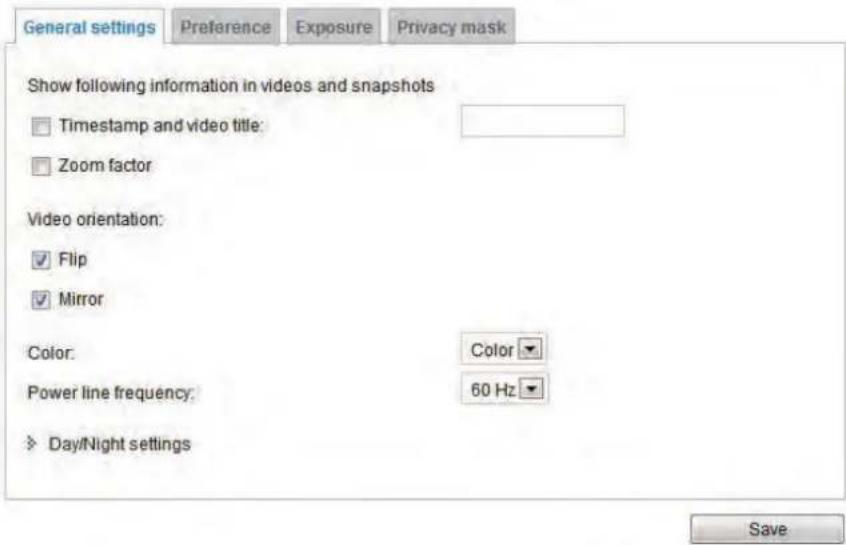
Timestamp and video title: Enter a name that will be displayed on the title bar of the live video as the picture shown below.
Zoom factor: If you check this item, the zoom indicator will be displayed on the Home page when you zoom in/out the live viewing window as the picture shown below. You may zoom in/out the image by scrolling the mouse inside the live viewing window.

Video orientation: Flip--vertically reflect the display of the live video; Mirror--horizontally reflect the display of the live video. Select both options if the Network Camera is installed upside-down (ex. on the ceiling) to correct the image orientation. Please note that the preset locations will be cleared after flip/mirror.
Color: Select to display color or black/white video streams.
Power line frequency: Set the power line frequency consistent with local utility settings to eliminate image flickering associated with fluorescent lights. Note that after the power line frequency is changed, you must disconnect and reconnect the power cord of the Network Camera in order for the new setting to take effect.
Day/Night Settings

Switch to B/W in night mode
Select this checkbox to enable the Network Camera to automatically switch to Black & White display during the night mode.
Disable IR LED
If you do not want to use the IR illuminators, you can select this option to turn it off.
Mode
With a removable IR-cut filter, this Network Camera can automatically remove the filter to let Infrared light pass into the sensor during low light conditions.
■ Auto mode
The Network Camera automatically removes the filter by judging the level of ambient light.
■ Day mode
In day mode, the Network Camera switches on the IR cut filter at all times to block infrared light from reaching the sensor so that the colors will not be distorted.
■ Night mode
In night mode, the Network Camera switches off the IR cut filter at all times for the sensor to accept infrared light, thus helping to improve low light sensitivity.
■ Synchronize with digital input
The Network Camera automatically removes the IR cut filter when DI triggers.
■ Schedule mode
The Network Camera switches between day mode and night mode based on a specified schedule. Enter the start and end time for day mode. Note that the time format is [hh:mm] and is expressed in 24-hour clock time. By default, the start and end time of day mode are set to 07:00 and 18:00.
Light sensor sensitivity
Select Low, Medium, or High sensitivity for the light sensor.

NOTE
- When the object distance is near and IR-LED is ON in Night mode, the center of a screen may become over exposure.
In such a case, enable BLC in the measurement window of exposure as shown on page 74.
Preference
On this page, you can tune the White balance, Image adjustment and WDR enhanced parameters. You can configure two sets of preferred settings: one for normal situations, the other for special situations, such as day/night/schedule mode.

White balance: Adjust the value for the best color temperature.
■ Auto: It will automatically adjust the color temperature of the light in response to different light sources. You may follow the steps below to adjust the white balance to the best color temperature.
- Set the White balance to Auto.
- Place a sheet of white paper in front of the lens, then allow the Network Camera to adjust the color temperature automatically.
- Check Fix current value to confirm the setting while the white balance is being measured.
■ Manual: This item allows users to manually input the R gain & B gain ratios.
Image Adjustment
■ Brightness: Adjust the image brightness level, which ranges from +0 to +10. By default, it is set to +5.
■ Saturation: Adjust the image saturation level, which ranges from -5 to +5.
■ Contrast: Adjust the image contrast level, which ranges from -5 to +5. Please note that this function will be disabled if you enable WDR enhancement in the column below.
■ Sharpness: Adjust the image sharpness level, which ranges from -3 to +3 By default, it is set to +1.
■ Enable low light compensation: Select this option in low light mode, and the values of sharpness and brightness will change automatically as the noise reduction function.
WDR enhanced: This function allows users to identify more image details with an extreme contrast from an object of interest with one shadowed side against a bright background, e.g., the entrance into a building. You may select the Enable WDR enhanced checkbox, and then adjust the sensitivity (low, high) and the strength (low, medium, high) to reach the best image quality.

You can click Preview to fine-tune the image, or click Restore to recall the original settings without incorporating the changes. When completed with the settings on this page, click Save to enable the setting.

NOTE
- If you set "Strength" as "high", noise may appear in the shadowed side.
- If you want to see a image in the high brightness side in the scene of the backlight, please also adjust "Exposure level" as shown on page 72.
Exposure Advanced Mode
On this page, you can set the Exposure measurement window, Exposure level, Exposure mode, Exposure time, and Gain control settings. You can configure two sets of Exposure settings: one for normal situations, the other for special situations, such as day/night/schedule mode.

Measurement Window: This function allows users to set measurement window(s) for low light compensation.
■ Full view: Calculate the full range of view and offer appropriate light compensation.
■ Custom: This option allows you to manually add customized windows as inclusive or exclusive regions. A total of 10 windows can be set. Please refer to the next page for detailed illustration.
The inclusive window refers to "weighted window"; the exclusive window refers to "ignored window". It adopts the weighted averages method to calculate the value.

Measurement window
Full view
Custom
C BLC
■ BLC (Back Light Compensation): This option will automatically add a "weighted region" in the middle of the window and give the necessary light compensation.
Exposure control:
■ Exposure level: You can manually set the Exposure level, which ranges from -2.0 to +2.0 (dark to bright).

You can click and drag the pointers on the Exposure time and Gain control slide bars to specify a range of shutter time and Gain control values within which the camera can automatically tune to a better imaging result. For example, you may prefer a shorter shutter time to better capture moving objects, while a faster shutter reduces light and needs to be compensated by electrical brightness gains.
You can click Preview to fine-tune the image, or click Restore to recall the original settings without incorporating the changes. When completed with the settings on this page, click Save to enable the settings.
Privacy mask Advanced Mode
Click Privacy Mask to open the settings page. On this page, you can block out certain sensitive zones to address privacy concerns.

■ To set the privacy mask windows, follow the steps below:
- Click New to add a new window.
- Use the mouse to size and drag-drop the window, which is recommended to be at least twice the size of the object (height and width) you want to cover.
- Enter a Window Name and click Save to enable the setting.
- Check Enable privacy mask to enable this function.
NOTE
- Up to 5 privacy mask windows can be configured on the same screen.
- If you want to delete a configured mask window, click on the 'X' button at the upper right corner of the window, and click Save to enable the setting.
Video > Stream
Stream settings
Advanced Mode
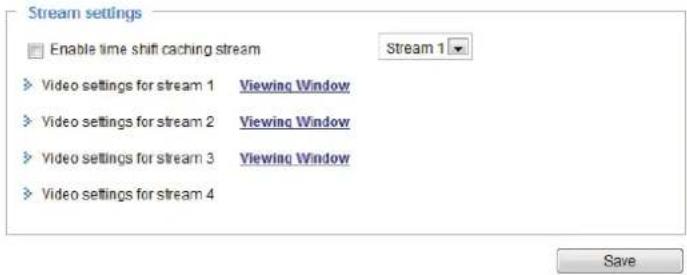
Enable time shift caching stream: Select one stream as the time shift cache stream. This function enables the time shift cache stream on the Network Camera, which will store video in the camera's embedded memory for a period of time depending on the cache memory on each Network Camera. This Network Camera supports multiple streams with frame size ranging from 176 x 144 to 1920 x 1080.
The definition of multiple streams:
■ Stream 1: Users can define the "Region of Interest" (viewing region) and the "Output Frame Rate" (size of the live view window).
■ Stream 2: Users can define the "Region of Interest" (viewing region) and the "Output Frame Rate" (size of the live view window).
■ Stream 3: Users can define the "Region of Interest" (viewing region) and the "Output Frame Rate" (size of the live view window).
■ Stream 4 (Global view stream): This stream captures the full view of the video and users can also define the "Output Frame Rate" (size of the live view window).
Click Viewing Window to open the viewing region settings page. On this page, you can set the Region of Interest and the Output Frame Size for streams 1 \~ 3.

Please follow the steps below to set up those settings for an individual stream:
- Select a stream to configure its viewing region.
- Select a Region of Interest from the drop-down list. The floating frame, the same as the one in the Gloabl View window on the home page, will resize accordingly. If you want to set up a customized viewing region, you can also resize and re-position the floating frame to a desired position with your mouse.
- Choose a proper Output Frame Size from the drop-down list according to the size of monitored device.
NOTE
- All the items in the "Region of Interest" cannot be greater than the "Output Frame Size" (current maximum resolution).
■ The parameters of the multiple streams:
| Region of Interest Output frame size | |
| Stream 1 1920 X 1080 ~ 176 x 144 (Selectable) 1920 X 1080 ~ 176 x 144 (Selectable) | |
| Stream 2 1920 X 1080 ~ 176 x 144 (Selectable) 1920 X 1080 ~ 176 x 144 (Selectable) | |
| Stream 3 1920 X 1080 ~ 176 x 144 (Selectable) 1920 X 1080 ~ 176 x 144 (Selectable) | |
| Stream 4 1920 X 1080 (Fixed) 1920 X 1080 ~ 176 x 144 (Selectable) | |
When completed with the settings in the Viewing Window, click Save to enable the settings and click Close to exit the window. The selected Output Frame Size will immediately be applied to the Frame size of each video stream. Then you can go back to the home page to test the e-PTZ function. For more information about the e-PTZ function, please refer to page 79.
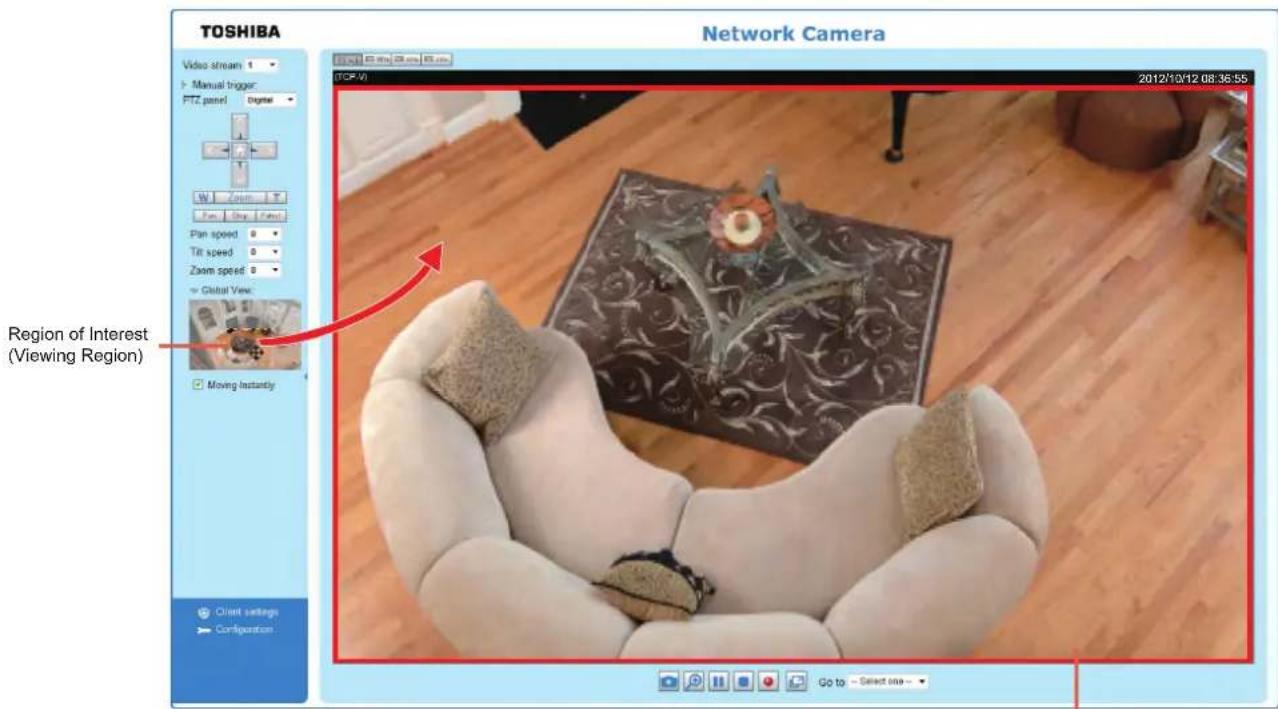
Output Frame Size (Size of the Live View Window)
Click the stream item to display the detailed information. The maximum frame size will follow your settings in the above Viewing window sections.
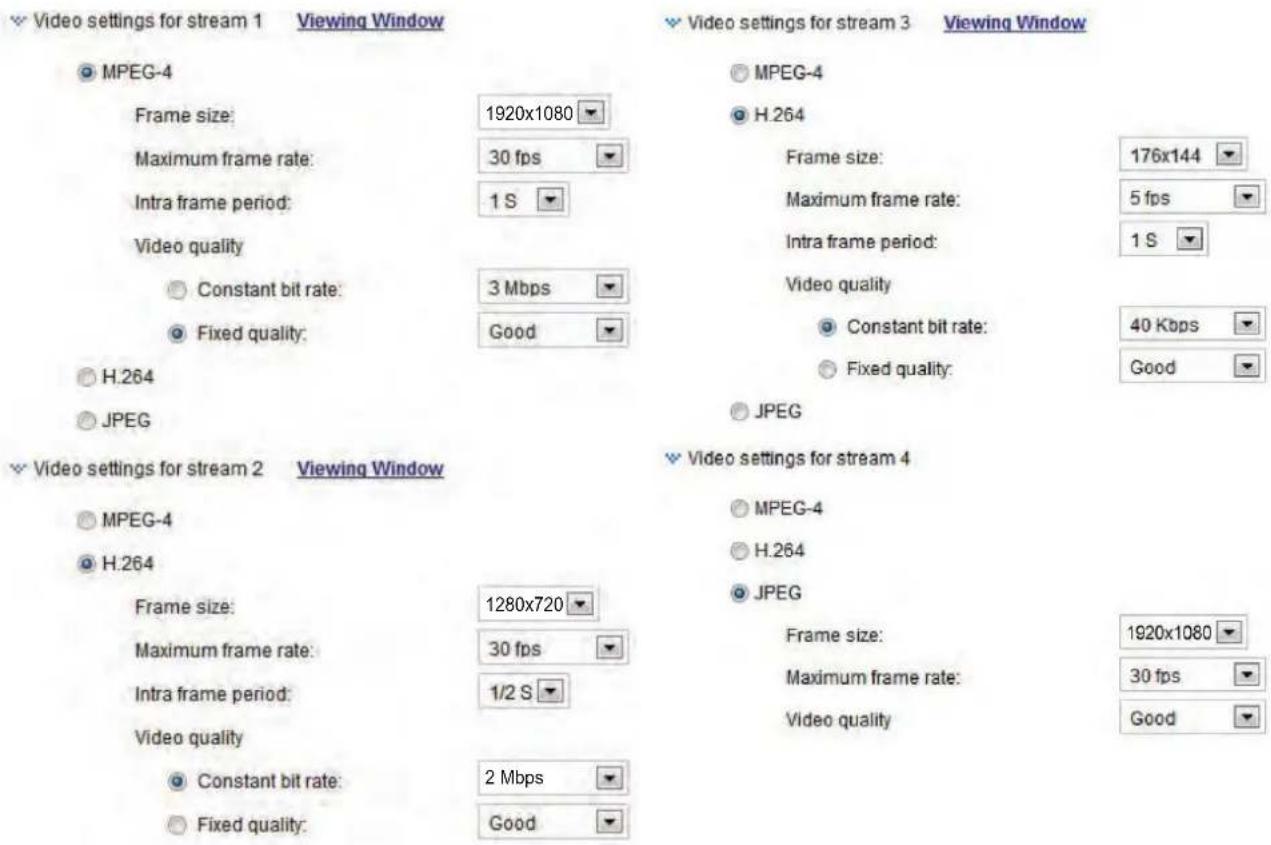
This Network Camera offers real-time H.264, MPEG-4 and MJEPG compression standards (Triple Codec) for real-time viewing.
If H.264 / MPEG-4 mode is selected, the video is streamed via RTSP protocol. There are four parameters for you to adjust the video performance:

■ Frame size
You can set up different video resolution for different viewing devices. For example, set a smaller frame size and lower bit rate for remote viewing on mobile phones and a larger video size and a higher bit rate for live viewing on web browsers. Note that a larger frame size takes up more bandwidth.
■ Maximum frame rate
This limits the maximum refresh frame rate per second. Set the frame rate higher for smoother video quality. If the power line frequency is set to 50Hz, the frame rates are selectable at 1fps, 2fps, 3fps, 5fps, 8fps, 10fps, 15fps, 20fps, and 25fps. If the power line frequency is set to 60Hz, the frame rates are selectable at 1fps, 2fps, 3fps, 5fps, 8fps, 10fps, 15fps, 20fps, 25fps, and 30fps. You can also select Customize and manually enter a value. The frame rate will decrease if you select a higher resolution
■ Intra frame period
Determine how often to plant an I frame. The shorter the duration, the more likely you will get better video quality, but at the cost of higher network bandwidth consumption. Select the intra frame period from the following durations: 1/4 second, 1/2 second, 1 second, 2 seconds, 3 seconds, and 4 seconds.
■ Video quality
A complex scene generally produces a larger file size, meaning that higher bandwidth will be needed for data transmission. Therefore, if Constant bit rate is selected, the bandwidth utilization is fixed at a selected level, resulting in mutable video quality performance. The bit rates are selectable at the following rates: 20Kbps, 30Kbps, 40Kbps, 50Kbps, 64Kbps, 128Kbps, 256Kbps, 512Kbps, 768Kbps, 1Mbps, 2Mbps, 3Mbps, 4Mbps, 6Mbps, and 8Mbps. You can also select Customize and manually enter a value.
On the other hand, if Fixed quality is selected, all frames are transmitted with the same quality; bandwidth utilization is therefore unpredictable. The video quality can be adjusted to the following settings: Acceptable, Satisfactory, Good, Very Good, and Excellent. You can also select Customize and manually enter a value.
If JPEG mode is selected, the Network Camera continuously sends JPEG images to the client, producing a moving effect similar to a filmstrip. Every single JPEG image transmitted guarantees the same image quality, which in turn comes at the expense of variable bandwidth usage. Because the media contents are a combination of JPEG images. There are three parameters provided in MJPEG mode to control the video performance:

■ Frame size
You can set up different video resolution for different viewing devices. For example, set a smaller frame size and lower bit rate for remote viewing on mobile phones and a larger video size and a higher bit rate for live viewing on web browsers. Note that a larger frame size takes up more bandwidth.
■ Maximum frame rate
This limits the maximum refresh frame rate per second. Set the frame rate higher for smoother video quality.
If the power line frequency is set to 50Hz, the frame rates are selectable at 1fps, 2fps, 3fps, 5fps, 8fps, 10fps, 15fps, 20fps, and 25fps. If the power line frequency is set to 60Hz, the frame rates are selectable at 1fps, 2fps, 3fps, 5fps, 8fps, 10fps, 15fps, 20fps, 25fps, and 30fps. You can also select Customize and manually enter a value. The frame rate will decrease if you select a higher resolution.
■ Video quality
The video quality can be adjusted to the following settings: Acceptable, Satisfactory, Good, Very Good, and Excellent. You can also select Customize and manually enter a value.
NOTE
- Video quality and fixed quality refers to the compression rate, so a lower value will produce higher quality.
- Converting high-quality video may significantly increase the CPU loading, and you may encounter streaming disconnection or video loss while capturing a complicated scene. In the event of occurrence, we suggest you customize a lower video resolution or reduce the frame rate to obtain smooth video.
PTZ > PTZ settings Advanced Mode
This section explains how to control the Network Camera's Pan/Tilt/Zoom operation.
Digital PTZ Operation (E-PTZ Operation)
The e-PTZ control settings section will be displayed as shown below:

Select stream: Select one of the stream 1\~3 to set up the e-PTZ control. Please note that each stream can be set up with its own preset and patrol settings. Refer to the following page for details about how to set up preset and patrol settings.
Auto pan/patrol speed: Select the speed from 1\~5 (slow/fast) to set up the Auto pan/patrol speed control.
When completed with the settings of e-PTZ, click Save to enable the settings on this page.
Home page in E-PTZ Mode
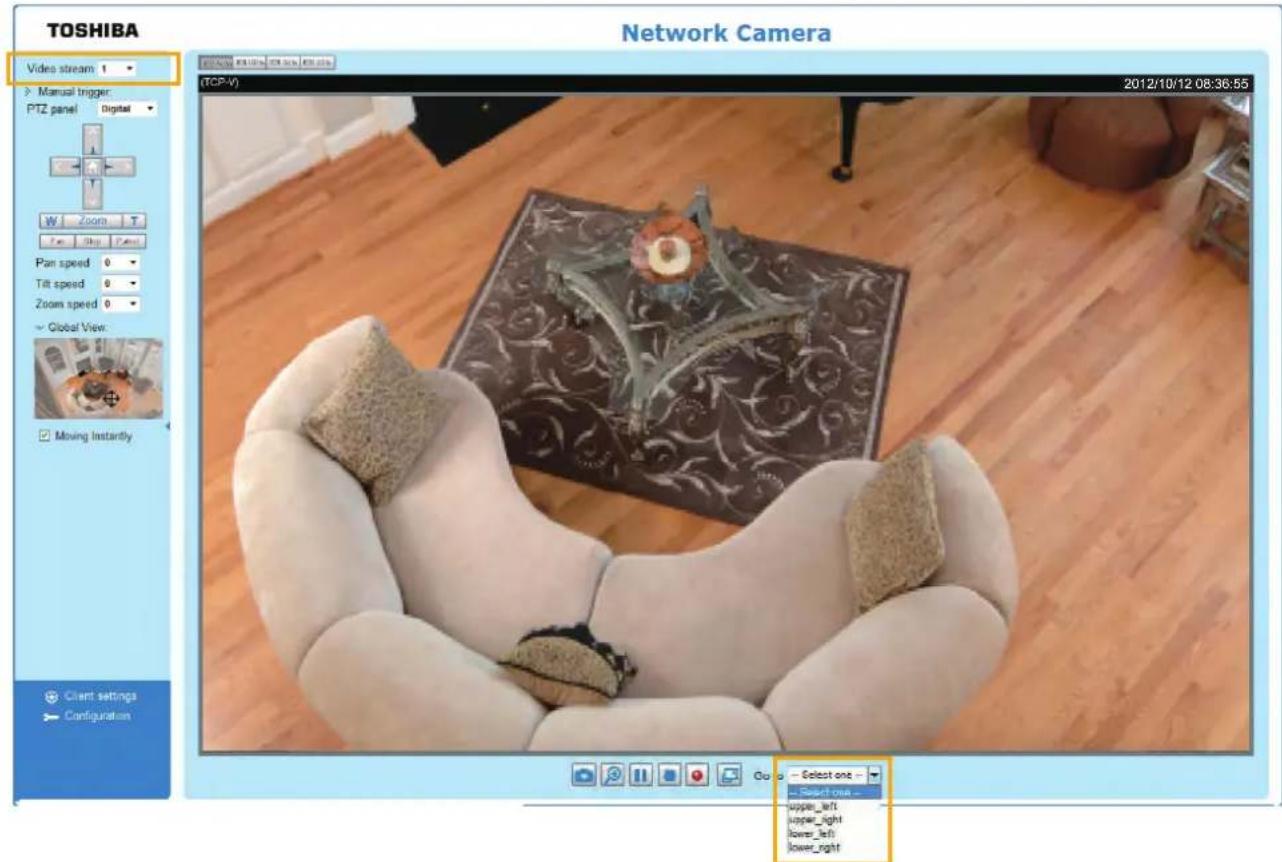
■ The e-Preset Positions will also be displayed on the home page. Select one from the drop-down list, and the Network Camera will move to the selected e-preset position.
■ If you have set up different e-preset positions for streams 1\~3, you can select one of the video streams to display its separate e-preset positions.
Global View
In addition to using the e-PTZ control panel, you can also use the mouse to drag or resize the floating frame to pan/tilt/zoom the viewing region. The live view window will also move to the viewing region accordingly.
Moving Instantly
If you check this item, the live view window will switch to the new viewing region instantly after you move the floating frame.
Click on Image
The e-PTZ function also supports "Click on Image". When you click on any point of the Global View Window or Live View Window, the viewing region will also move to that point.
Patrol settings
You can select some preset positions for the Network Camera to patrol.
Please follow the steps below to set up a patrol schedule:
- Select the preset locations on the list, and click >>.
- The selected preset locations will be displayed on the Patrol locations list.
- Set the Dwelling time for the streaming view to stay at the preset location during auto patrol.
- If you want to delete a preset location from the Patrol locations list, select it and click Remove.
- Select a location and click ▲ ▼ to rearrange the patrol order.
- Select patrol locations you want to save in the list and click Save to enable the patrol settings.
- To perform a pre-configured patrol, return to homepage and click on the Patrol button.
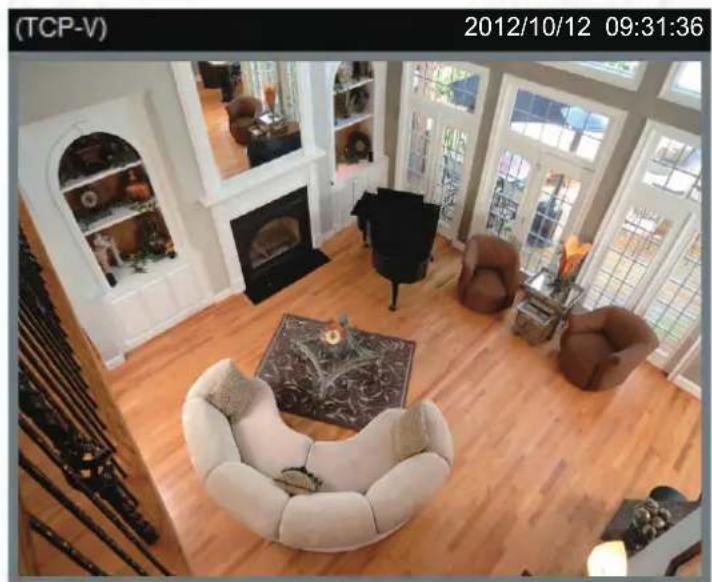


Event > Event settings Advanced Mode
This section explains how to configure the Network Camera to respond to particular situations (event). A typical application is that when a motion is detected, the Network Camera sends buffered images to an FTP server or e-mail address as notifications. Click on Help, there is an illustration shown in the pop-up window explaining that an event can be triggered by many sources, such as motion detection or external digital input devices. When an event is triggered, you can specify what type of action that will be performed.
![graph TD A["Add"] --> B["Help"] B --> C["Action (What to do)"] C --> D["Media (What to send)"] C --> E["Server (Where to send)"]](/content/2026/05/945146/images/5896aa590fdbcb2b1a47f8b7e46728ad76f5d6f67bdba10ddb694d2c4276ada9.jpg)
Event
An event is an action initiated by a user-defined trigger source. In the Event column, click Add to open the event settings window.
![Event Name Status Sun Mon Tue Wed Thu Fri Sat Time Trigger Add Help Event name: Enable this event Priority: Normal Detect next motion detection or digital input after 10 second(s). 1. Schedule 2. Trigger 3. Action Event schedule Sun Mon Tue Wed Thu Fri Sat Time Always From 00:00 to 24:00 [hh:mm] Clo…](/content/2026/05/945146/images/29a177916649aabf36405a42d86e32ca4e58146d6ce4393bf6724ebd9a32fc1e.jpg)
■ Event name: Enter a name for the event setting.
■ Enable this event: Select this option to enable the event setting.
■ Priority: Select the relative importance of this event (High, Normal, or Low). Events with a higher priority setting will be executed first.
■ Detect next event after □ seconds: Enter the duration in seconds to pause motion detection after a motion is detected.
Follow the steps 1\~3 to arrange the three elements -- Schedule, Trigger, and Action to set an event. A total of 3 event settings can be configured.
1. Schedule
Specify the period for the event. Please select the days of the week and the time in a day (in 24-hr time format) to specify when will the event-triggering conditions take effect.
2. Trigger
This is the cause or stimulus which defines what will trigger the event. The trigger source can be configured to use the Network Camera's built-in motion detection mechanism or external digital inputs.
There are several choices of trigger sources as shown on next page. Select each item to display its related options.
■ Video motion detection
This option makes use of the built-in motion detection mechanism as a trigger source. To enable this function, you need to configure a Motion Detection Window first. For more information, please refer to Motion Detection on page 95 for details.

■ Periodically
This option allows the Network Camera to trigger periodically for every other defined minute. Up to 999 minutes are allowed.

■ Digital input
This option allows the Network Camera to use an external digital input device or sensor as a trigger source. Depending on your application, there are many choices with digital input devices on the market which help detect changes in temperature, vibration, sound, light, etc.
■ System boot
This option triggers the Network Camera when the power to the Network Camera is disconnected.
■ Recording notify
This option allows the Network Camera to trigger when the recording disk is full or when recording starts to overwrite older data.
■ Camera tampering detection
This option allows the Network Camera to trigger when the camera detects that is being tampered with. To enable this function, you need to configure the Tampering Detection option first. Please refer to page 98 for detailed information.
![Camera tampering detection ✓ Enable camera tampering detection Trigger duration 10 seconds [10~600] Save](/content/2026/05/945146/images/e116347097dff696cac7bebb7db58bef99ec2a48e8556b006bc28ed69ed3fcba.jpg)
■ Manual Trigger
This option allows user to enable event triggers manually by clicking the on/off button on the homepage. Please configure 1 \~ 3 events before using this function.

3. Action
Define the actions to be performed by the Network Camera when a trigger is activated.

![graph TD A["Event name: "] --> B["Enable this event"] B --> C["Priority: Normal"] C --> D["Detect next motion detection or digital input after 10 second(s)."] D --> E["Action"] E --> F["1. Schedule"] F --> G["2. Trigger"] G --> H["3. Action"] H --> I["Trigger digital output for 1 seconds"] H --> J["…](/content/2026/05/945146/images/543ea86fae2865e6d531c103253ee0e353c87338c2e1b0d7a45c84eeef7b36ea.jpg)
■ Trigger digital output for □ seconds
Select this option to turn on the external digital output device when a trigger is activated. Specify the length of the trigger interval in the text box.
■ Backup media if the network is disconnected
Select this option to backup media file on SD card if the network is disconnected. Please note that this function will only apply after you set up the network storage (NAS). For more information about how to set up network storage, please refer to page 101.
To configure an event with video recording or snapshots, it is necessary to configure/provide servers and storage media settings so that the Network Camera will know where to send the media files to when a trigger is activated.
Add server
Click Add server to unfold the server setting window. You can specify where the notification messages are sent when a trigger is activated. A total of 5 server settings can be configured.
There are four choices of server types available: Email, FTP, HTTP, and Network storage. Select the item to display the detailed configuration options. You can configure either one or all of them.

Server type - Email
Select to send the media files via email when a trigger is activated.
■ Server name: Enter a name for the server setting.
■ Sender email address: Enter a valid email address as the sender address.
■ Recipient email address: Enter a valid email address as the recipient address.
■ Server address: Enter the domain name or IP address of the email server.
■ User name: Enter the user name of the email account if necessary.
■ Password: Enter the password of the email account if necessary.
■ Server port: The default mail server port is set to 25. You can also manually set another port.
If your SMTP server requires a secure connection (SSL), check This server requires a secure connection (SSL).
To verify if the email settings are correctly configured, click Test. The result will be shown in a pop-up window. If successful, you will also receive an email indicating the result.

Click Save server to enable the settings, then click Close to exit the Add server page.
After you set up the first event server, a new item for event server will automatically appear on the Server list. If you wish to add more server options, click Add server.

Server type - FTP
Select to send the media files to an FTP server when a trigger is activated.

■ Server name: Enter a name for the server setting.
■ Server address: Enter the domain name or IP address of the FTP server.
■ Server port: By default, the FTP server port is set to 21. It can also be assigned to another port number between 1025 and 65535.
■ User name: Enter the login name of the FTP account.
■ Password: Enter the password of the FTP account.
■ FTP folder name
Enter the folder where the media file will be placed. If the folder name does not exist, the Network Camera will create one on the FTP server.
■ Passive mode
Most firewalls do not accept new connections initiated from external requests. If the FTP server supports passive mode, select this option to enable passive mode FTP and allow data transmission to pass through the firewall.
To verify if the FTP settings are correctly configured, click Test. The result will be shown in a pop-up window as shown below. If successful, you will also receive a test.txt file on the FTP server.


Click Save server to enable the settings, then click Close to exit the Add server page.
Server type - HTTP
Select to send the media files to an HTTP server when a trigger is activated.

■ Server name: Enter a name for the server setting.
■ URL: Enter the URL of the HTTP server.
■ User name: Enter the user name if necessary.
■ Password: Enter the password if necessary.
To verify if the HTTP settings are correctly configured, click Test. The result will be shown in a pop-up window as below. If successful, you will receive a test.txt file on the HTTP server.


Click Save server to enable the settings and click Close to exit the Add server page.
Network storage:
Select to send the media files to a network storage location when a trigger is activated. Please refer to NAS server on page 101 for details.
Click Save server to enable the settings, then click Close to exit the Add server page.

■ SD Test: Click to test your SD card. The system will display a message indicating success or failure. If you want to use your SD card for local storage, please format it before use. Please refer to page 104for detailed information.
Add media
Click Add media to open the media setting window. You can specify the type of media that will be sent when a trigger is activated. A total of 5 media settings can be configured. There are three choices of media types available: Snapshot, Video Clip, and System log. Select the item to display the detailed configuration options. You can configure either one or all of them.
![Add server Add media Media name: Snapshot Media type Attached media: Snapshot Source: Stream 1 Send 1 pre-event image(s) [0~7] Send 1 post-event image(s) [0~7] File name prefix: Snapshot_ Add date and time suffix to file name Video clip System log Close Save media](/content/2026/05/945146/images/a22c1806991792efd3dc19cc505f5fbc04f5d399b86e1d6a1911e8077097d2ce.jpg)
Media type - Snapshot
Select to send snapshots when a trigger is activated.
■ Media name: Enter a name for the media setting.
■ Source: Select to take snapshots from streams 1 \~ 4.
■ Send □ pre-event images
The Network Camera has a buffer area; it temporarily holds data up to a certain limit. Enter a number to decide how many images to capture before a trigger is activated. Up to 7 images can be generated.
■ Send □ post-event images
Enter a number to decide how many images to capture after a trigger is activated. Up to 7 images can be generated.
For example, if both the Send pre-event images and Send post-event images are set to 7, a total of 15 images are generated after a trigger is activated.

■ File name prefix
Enter the text that will be appended to the front of the file name.
■ Add date and time suffix to the file name
Select this option to add a date/time suffix to the file name.
For example:

Click Save media to enable the settings, then click Close to exit the Add media page.
After you set up the first media server, a new column for media server will automatically display on the Media list. If you wish to add more media options, click Add media.

Media type - Video clip
Select to send video clips when a trigger is activated.
![Add server Add media Media name: Video Clip Media type Attached media: Snapshot Video clip Source: Stream 1 Pre-event recording: 0 seconds [0~9] Maximum duration: 5 seconds [1~20] Maximum file size: 500 Kbytes [50~4096] File name prefix: Video Clip_ System log Close Save media](/content/2026/05/945146/images/3e76fe603f174064e9a78958d3048553c0e43c4a1789b0877789ff027e4a2fb7.jpg)
■ Media name: Enter a name for the media setting.
■ Source: Select the source of video clip.
■ Pre-event recording
The Network Camera has a buffer area; it temporarily holds data up to a certain limit. Enter a number to decide the duration of recording before a trigger is activated. Up to 9 seconds of video can be recorded.
■ Maximum duration
Specify the maximum recording duration in seconds. Up to 10 seconds of video can be recorded. For example, if pre-event recording is set to 5 seconds and the maximum duration is set to 10 seconds, the Network Camera continues to record for another 4 seconds after a trigger is activated.

■ Maximum file size
Specify the maximum file size allowed.
■ File name prefix
Enter the text that will be appended to the front of the file name. For example:

Click Save media to enable the settings, then click Close to exit the Add media page.
Media type - System log
Select to send a system log when a trigger is activated.

Click Save media to enable the settings, then click Close to exit the Add media page.

■ View: On the Action window, click this button to open a file list window. This function is only for SD card and Network Storage.
If you click View button for an SD card, a Local storage page will pop up for you to manage recorded files on SD card. For more information about Local storage, please refer to page 104. If you click View button of Network storage, a file directory window will pop up for you to view recorded data on Network storage.
■ Create folders by date, time, and hour automatically: If you check this item, the system will generate folders automatically by date.
The following is an example of a file destination with video clips:

Click 20111015 to open the directory:
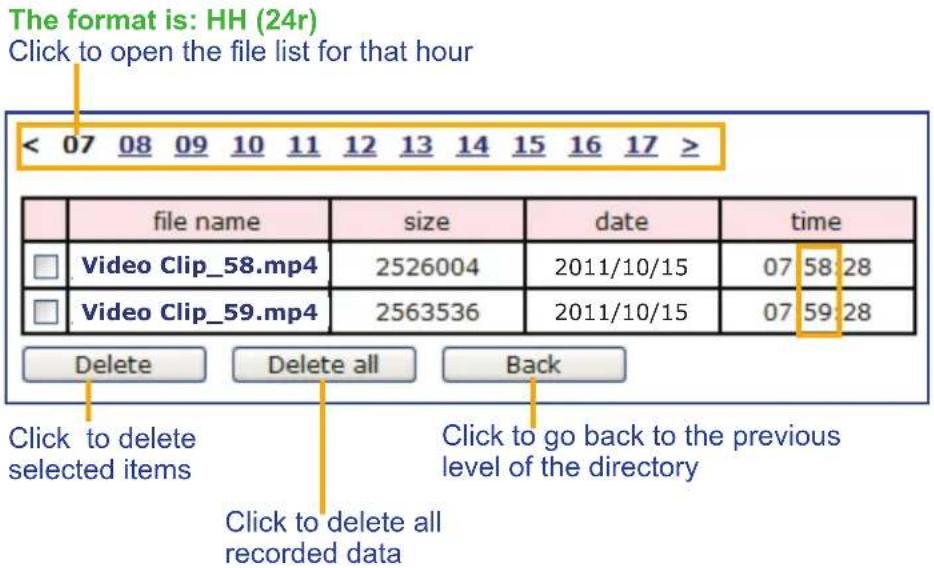

Here is an example of the Event setting:

When completed the settings with steps 1\~3 to arrange Schedule, Trigger, and Action of an event, click Save event to enable the settings and click Close to exit the page.
The following is an example of the Event setting page:

When the Event Status is ON, once an event is triggered by motion detection, the Network Camera will automatically send snapshots via e-mail.
If you want to stop the event trigger, you can click ON to turn it to OFF status or click Delete to remove a previously-configured event setting.
To remove a server setting from the list, select a server name and click Delete. Note that only when the server setting is not being applied to an event setting can it be deleted.
To remove a media setting from the list, select a media name and click Delete. Note that only when the media setting is not being applied to an event setting can it be deleted.
Applications > Motion detection
This section explains how to configure the Network Camera to enable motion detection. A total of three motion detection windows can be configured.
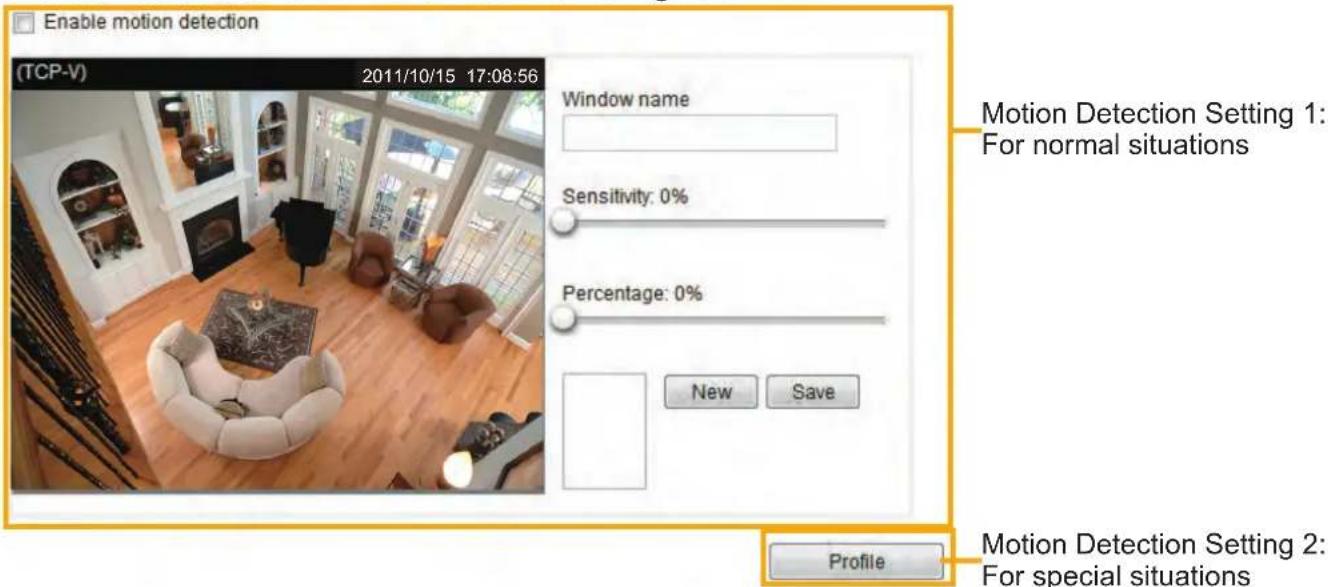
Follow the steps below to enable motion detection:
- Click New to add a new motion detection window.
- In the Window Name text box, enter a name for the motion detection window.
■ To move and resize the window, drag and drop your mouse on the window.
■ To delete a window, click X on the upper right corner of the window.
- Define the sensitivity to moving objects and the space ratio of all alerted pixels by moving the Sensitivity and Percentage slide bar.
- Click Save to enable the settings.
- Select Enable motion detection to enable this function.
For example:
√ Enable motion detection

Profile
The Percentage Indicator will rise or fall depending on the variation between sequential images. When motions are detected by the Network Camera and are considered to have exceeded the defined threshold, the red bar rises. Meanwhile, the motion detection window will be outlined in red. Photos or videos can be captured instantly and configured to be sent to a remote server (Email, FTP) using this feature as a trigger source. For information on event settings, please refer to Event settings on page 82.
A green bar indicates that even though motions have been detected, the event has not been triggered because the image variations still fall under the defined threshold.
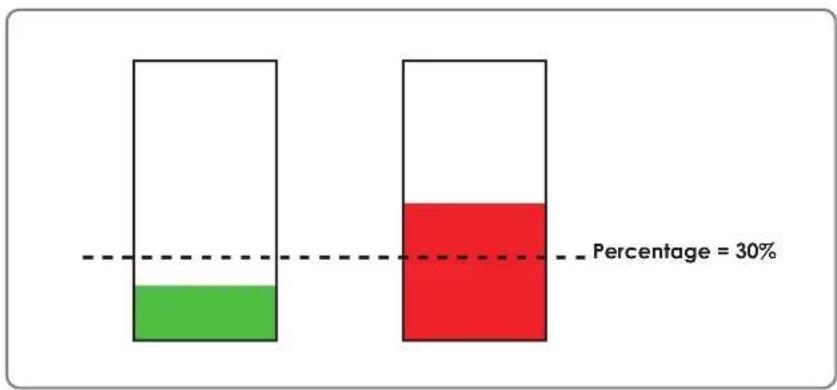
If you want to configure specific motion detection settings individually for day/night/schedule operations, please click Profile to open the Motion Detection Profile Settings page as shown below. A total of three motion detection windows can be configured on this page as well.

![General settings Enable this profile This profile is applied to: Schedule mode From 18:00 to 06:00 [hh:mm]](/content/2026/05/945146/images/2d968cb451c9482b52578249743c219d4673ab4ab9d3048afeb0c2ebd295fec0.jpg)

Please follow the steps beolw to set up a profile:
- Create a new motion detection window.
- Check Enable this profile.
- Enter a range of time during which the configuration will take effect.
- Click Save to enable the settings and click Close to exit the page.
This motion detection window will also be displayed on the Event settings page. You can go to Event > Event settings > Trigger to choose it as a trigger source. Please refer to page 83 for detailed information.
- How does motion detection work?
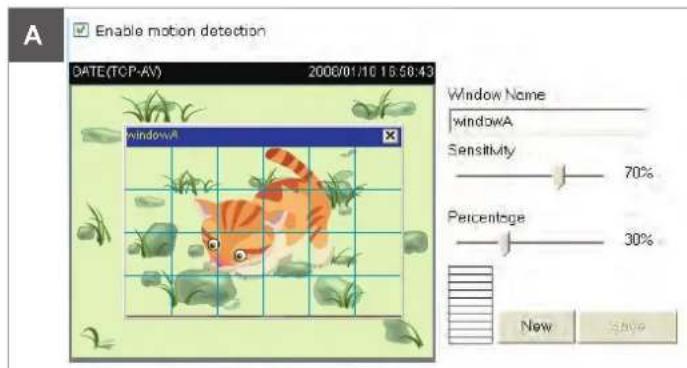
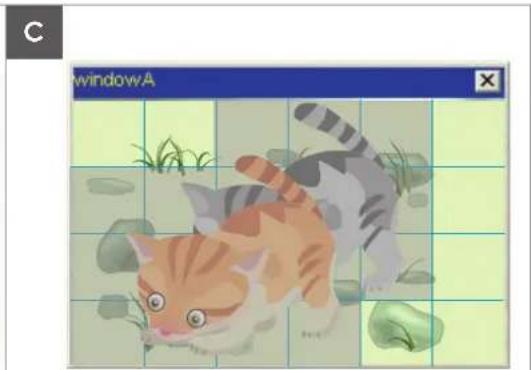


There are two motion detection parameters: Sensitivity and Percentage. In the illustration above, frame A and frame B are two sequential images. Pixel differences between the two frames are detected and highlighted in gray (frame C) and will be compared with the sensitivity setting. Sensitivity is a value that expresses the sensitivity to moving objects. Higher sensitivity settings are expected to detect slight movements while smaller sensitivity settings will neglect them. When the sensitivity is set to 70%, the Network Camera defines the pixels in the purple areas as “alerted pixels” (frame D).
Percentage is a value that expresses the proportion of “alerted pixels” to all pixels in the motion detection window. In this case, 50% of pixels are identified as “alerted pixels”. When the percentage is set to 30%, the motions are judged to exceed the defined threshold; therefore, the motion window will be outlined in red.
For applications that require a high level of security management, it is suggested to use higher sensitivity settings and smaller percentage values.
Applications > Digital input Advanced Mode

Digital input: Select High or Low to define the activate status for the digital input. The Network Camera's current status is shown.
Set up the event source as DI on Event > Event settings > Trigger. Please refer to page 83 for detailed information.
Applications > Tampering detection
This section explains how to set up camera tamper detection. With tamper detection, the camera is capable of detecting incidents such as redirection, blocking or defocusing, or even spray paint.
![Camera tampering detection Enable camera tampering detection Trigger duration 10 seconds [10~600] Save](/content/2026/05/945146/images/16e162f3492346f83f2eb58080adc27995d05b71e42af7b87409f0258c6befe5.jpg)
Please follow the steps below to set up the camera tamper detection function:
- Check Enable camera tampering detection.
- Enter the tamper trigger duration. (10 sec. \~ 10 min.) The tamper alarm will be triggered only when the tampering factor (the difference between current frame and pre-saved background) exceeds the trigger threshold.
- Set up the event source as Camera Tampering Detection on Event > Event settings > Trigger. Please refer to page 83 for detailed information.
Recording > Recording settings Advanced Mode
This section explains how to configure the recording settings for the Network Camera.
Recording Settings


NOTE
- Please remember to format your SD card when used for the first time. Please refer to page 104 for detailed information.
Recording Settings
Click Add to open the recording setting window. On this page, you can define the adaptive recording, recording source, recording schedule, and recording capacity. A total of 2 recording settings can be configured.
![Recording name: Video Enable this recording With adaptive recording Pre-event recording: 5 seconds [0~9] Post-event recording: 5 seconds [0~10] Priority: Normal Source: Stream 1 1. Trigger 2. Destination Trigger Schedule Sun Mon Tue Wed Thu Fri Sat Time Always From 00:00 to 24:00 [hh:mm] Network fai…](/content/2026/05/945146/images/751ff81b0a79760d3e32571d39c1edc490aae9a1b3a4a1dfa93da9a7b54e655a.jpg)
■ Recording name: Enter a name for the recording setting.
■ Enable this recording: Select this option to enable video recording.
■ With adaptive recording:
Select this option will activate the frame rate control according to alarm trigger. The frame control means that when there is a triggered alarm/event, the frame rate will raise up to the value you've set on the Stream setting page. Please refer to page 75 for more information.
If you enable adaptive recording and enable time-shift cache stream on Camera A, only when an event is triggered on Camera A will the server record the streaming data in full frame rate; otherwise, it will only request the I frame data during normal monitoring, thus effectively save lots of bandwidths and storage.
![graph TD A["1: I frame"] --> B["2: Full frame rate"] B --> C["3: I frame"] C --> D["4: I frame"] style A fill:#f9f,stroke:#333 style B fill:#ccf,stroke:#333 style C fill:#cfc,stroke:#333 style D fill:#fcc,stroke:#333](/content/2026/05/945146/images/8d6b403e45b20fb83f65f22040caad3781b4d25123c428b117da2ac7f551a083.jpg)
NOTE
- To enable adaptive recording, please make sure you've set up the trigger sources such as Motion Detection, DI Device, or Manual Trigger.
-
When there is no alarm trigger:
-
JPEG mode: record 1 frame per second.
- H.264 mode: record the I frame only.
- MPEG-4 mode: record the I frame only.
- When the Intra frame period has been set to larger than >1s on Video settings page, the Intra frame period will be forced into 1s when the adaptive recording is activated.
The alarm trigger includes: motion detection and DI detection. Please refer to Event settings on page 82.
■ Pre-event recording and post-event recording
The Network Camera has a buffer area; it temporarily holds data up to a certain limit. Enter a number to decide the duration of recording before and after a trigger is activated.
■ Priority: Select the relative importance of this recording (High, Normal, or Low). Recording with a higher priority setting will be executed first.
■ Source: Select a stream for the recording source.
NOTE
- To enable adaptive recording, please also enable time shift caching stream and select a caching stream on Video > Stream settings. Please refer to page 75 for detailed instruction.
- To enable recording notification please configure Event settings first. Please refer to page 82.
Please follow steps 1\~2 below to set up the recording:
1. Trigger
Select a trigger source.
![Trigger Schedule Sun Mon Tue Wed Thu Fri Sat Time Always From 00:00 to 24:00 [hh:mm] Network fail](/content/2026/05/945146/images/971ee862bd575ca44a25f87edea1e352f9f32b4c9690cfd587b872ad89786a8e.jpg)
■ Schedule: The serve hed storage (NAS).
■ Network fail: Since network fail, the server will start to record files onto the local storage (SD card).
2. Destination
You can select the SD card or network storage (NAS) for the recorded video files.
![graph TD A["1. Trigger"] --> B["2. Destination"] B --> C["Destination"] C --> D["SD"] C --> E["Add NAS server"]](/content/2026/05/945146/images/88b90d85a3e25c3aff4a2736395244cdd5448b5d134f5e650d8f8d6d4bcb18f8.jpg)
NAS server
Click Add NAS server to open the server setting window and follow the steps below to set up:
- Fill in the information for the access to the shared networked storage.
For example:
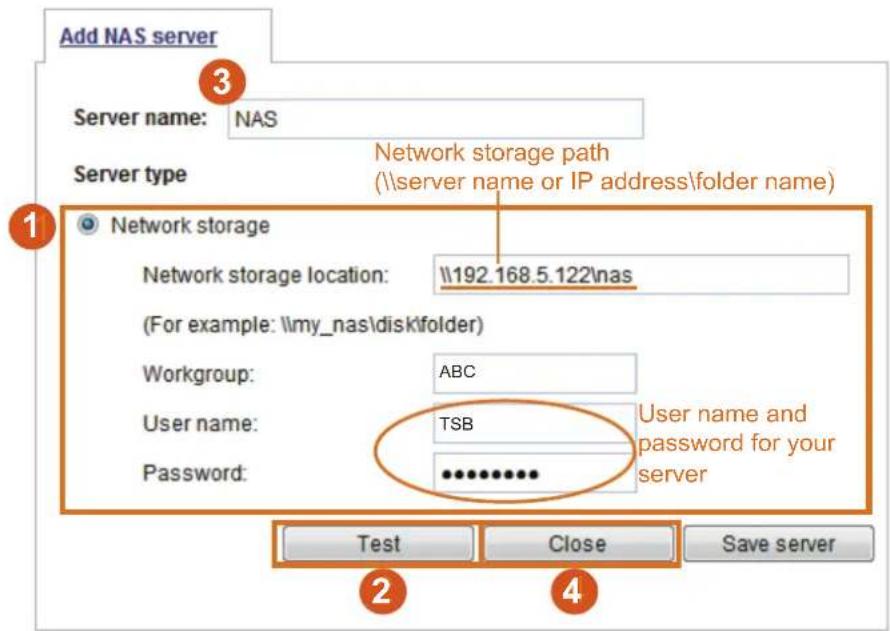
- Click Test to check the setting. The result will be shown in the pop-up window.


If successful, you will receive a test.txt file on the networked storage server.
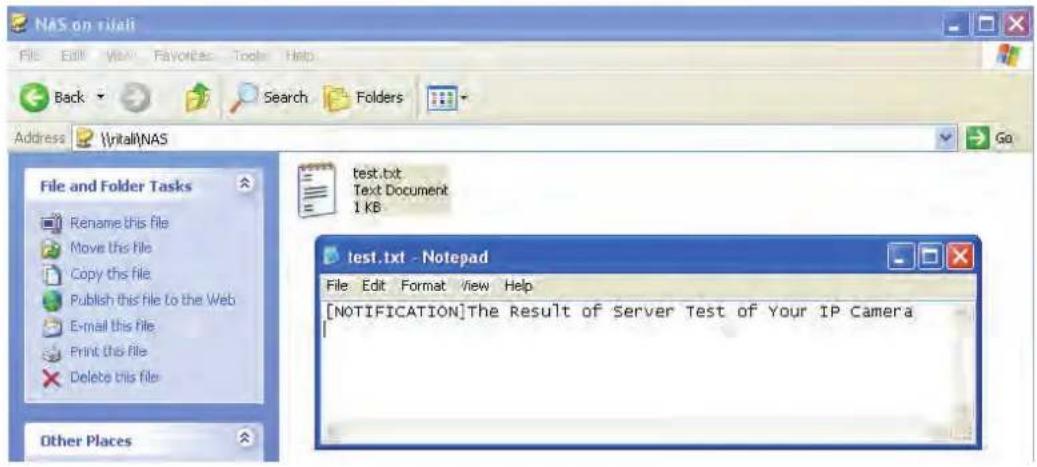
- Enter a server name.
- Click Save to complete the settings and click Close to exit the page.
![graph TD A["Recording name: Video"] --> B["Enable this recording"] B --> C["With adaptive recording"] C --> D["Pre-event recording: 5 seconds [0~9"]] C --> E["Post-event recording: 5 seconds [0~10"]] D --> F["Priority: Normal"] E --> G["Source: Stream 1"] H["1. Trigger"] --> I["Destination"] I --> J…](/content/2026/05/945146/images/dd00f8a3878dd8d67ed25ba7044082f2512f503984fc561773119a024daee36c.jpg)
Note: To enable recording notification please configure Event first

■ Capacity: You can either choose the entire available space or impose a reserved space. The Reserved space should be of the size of at least 15MBytes. The reserved space can be used as a safe buffer especially when the cyclic recording function is enabled, during the transaction stage when a storage space is full and the incoming streaming data is about to overwrite the previously saved videos.
■ File name prefix: Enter the text that will be appended to the front of the file name.
■ Enable cyclic recording: If you check this item, when the maximum capacity is reached, the oldest file will be overwritten by the latest one.
If you want to enable recording notification, please click Event to set up. Please refer to Event > Event settings on page 82 for more details.
When completed, select Enable this recording. Click Save to enable the setting and click Close to exit this page. When the system begins recording, it will send the recorded files to the network storage or SD
card. The new recording name will appear on the recording page as shown below.
To remove an existing recording setting from the list, single-click to select it and click Delete.

■ Video (Name): Click to open the Recording settings page to modify.
■ ON (Status): Click to manually adjust the Status. (ON: start recording; OFF: stop recording)
■ NAS or SD (Destination): Click to open the file list of recordings as shown below. For more information about folder naming rules, please refer to page 92 for details.
Local storage > SD card management
Advanced Mode
This section explains how to manage the local storage on the Network Camera. Here you can view SD card status, and implement SD card control.
SD card staus
This column shows the status and reserved space of your SD card. Please remember to format the SD card when using for the first time.
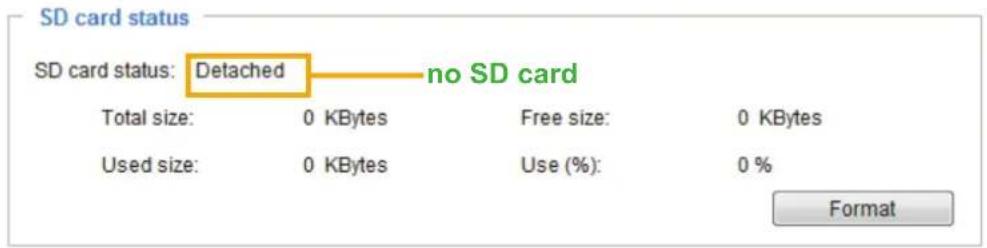

SD card control

■ Enable cyclic storage: Check this item if you want to enable cyclic recording. When recording uses up all capacity, the oldest file will be overwritten by the latest file.
■ Enable automatic disk cleanup: Check this item and enter the number of days you wish to retain a file. For example, if you enter "7 days", the recorded files will be stored on the SD card for 7 days.
When all settings are completed, click Save to enable your settings.
Local storage > Content management
Advanced Mode
This section explains how to manage the content of recorded videos on the Network Camera. Here you can search and view the records and view the searched results.
Searching and Viewing the Records
This column allows the user to set up search criteria for recorded data. If you do not select any criteria and click Search button, all recorded data will be listed in the Search Results cloumn.
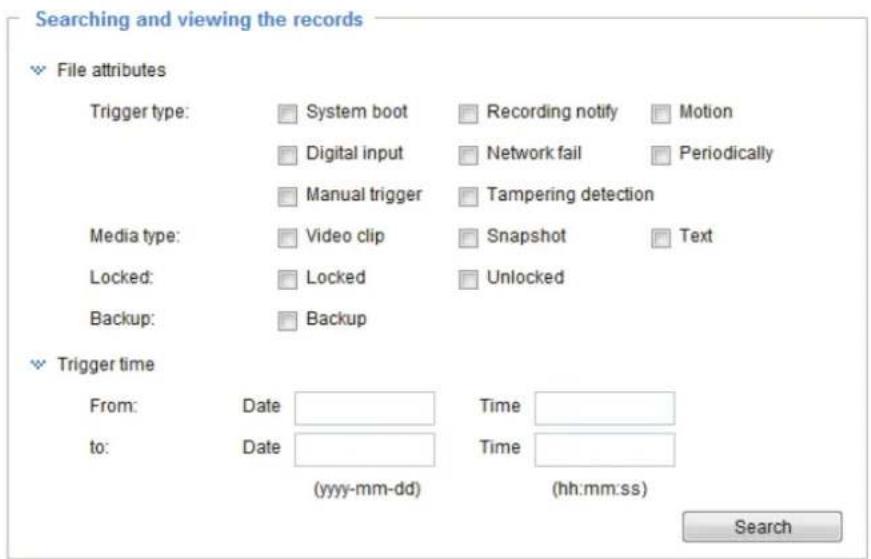
■ File attributes: Select one or more items as your search criteria.
■ Trigger time: Manually enter the time range you want to search.
Click Search and the recorded data corresponding to the search criteria will be listed in Search Results window.
Search Results
The following is an example of search results. There are four columns: Trigger time, Media type, Trigger type, and Locked. Click ♦ to sort the search results in either direction.

■ View: Click on a search result which will highlight the selected item in purple as shown above. Click the View button and a media window will pop up to play back the selected file.
For example:

■ Download: Click on a search result to highlight the selected item in purple as shown above. Then click the Download button and a file download window will pop up for you to save the file.
■ JPEGs to AVI: This function only applies to "JPEG" format files such as snapshots. You can select several snapshots from the list, then click this button. Those snapshots will be converted into an AVI file.
■ Lock/Unlock: Select the desired search results, then click this button. The selected items will become Locked, which will not be deleted during cyclic recoding. You can click again to unlock the selections. For example:
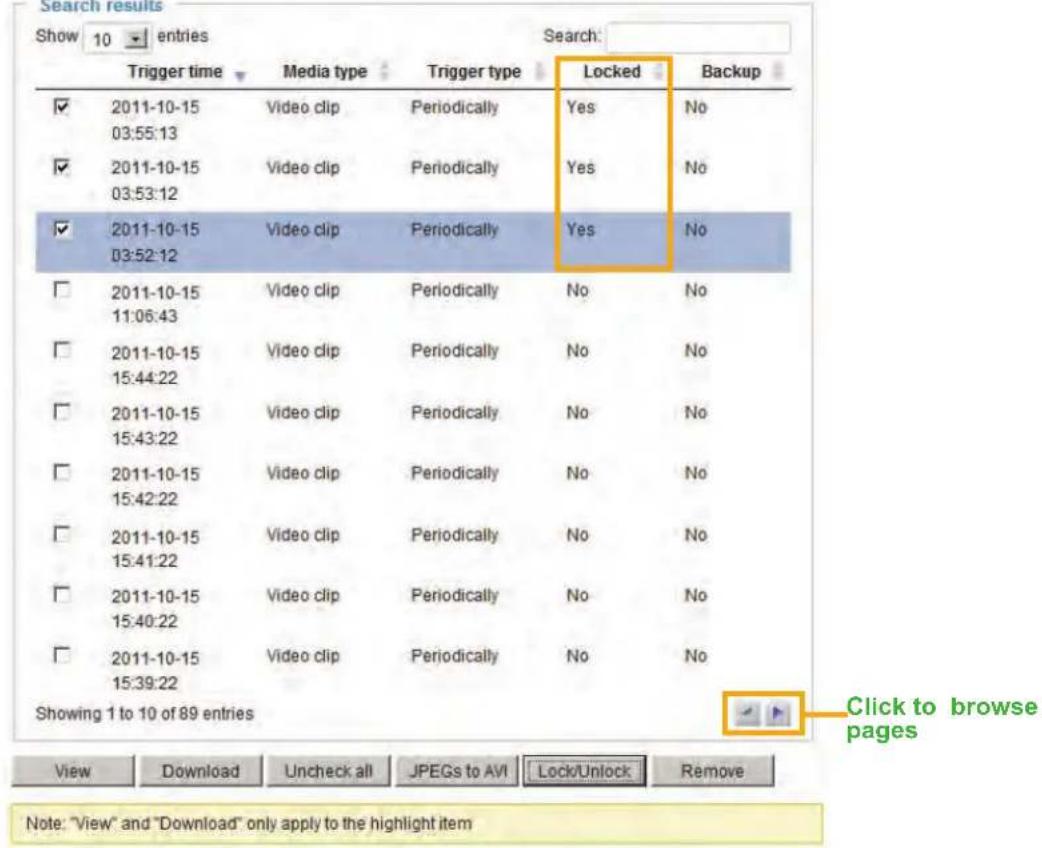
■ Remove: Select the desired search results, then click this button to delete the files.
Troubleshooting
Reset and restore
If an operational problem occurred in the camera, please refer to the Reset and Restore function on page 14.

Restoring the factory defaults will erase any previous settings.
Day / Night setting
If the camera switches to night mode too early, check the light sensor status. Take care not to cover the light sensor.
Light fog on the night image
Light fog may occur in night mode due to the diffuse reflection of IR light caused by surface contamination of clear dome. It is not failure.
Remove extraneous matter from clear dome.
Recommended system requirements
Windows Vista® Business, Windows® 7 Professional
Internet Explorer ® Ver 8.0
CPU: Intel ® Core TM 2 Duo 2GHz and more
Memory: 1GB RAM and more
Lens Focus
- This camera is using the deep focus lens. This camera comes into focus from 1.5m to infinite distance. No need to readjust the focus.
- The surrounding part of image is a bit out of focus compared to the central part, due to the lens spec. It is not failure.
- There may be a difference of focus if compared to the left, right, top and bottom of image. It is not failure.
Specifications
| Power supply 12V DC ± 10 %, PoE | |
| Consumption current 12V DC / 0.37 A | |
| Image pickup device 1/2.7 inch type (16:9), CMOS Digital Image Sensor | |
| Full resolution Horizontal 1920, vertical 1080 pixels | |
| Scanning system Progressive | |
| Lens Aperture F=2.0 | Focal length f=2.8mm |
| Angle of view Horizontal 110° Vertical | 61° |
| Day / Night Removable IR-Cut filter in | Night mode |
| IR illuminator IR LED, Distance Max. | 15m |
| Minimum object illuminance | 0.1 lux (Night mode, LED-OFF, Gain control 100%, Exposure time 1/30)0 lux with IR illuminators |
| White balance AWB | |
| Image size of full view 1920x1080, 16 | 600x904, 1360x768, 1280x720, 640x360, 384x216, 176x144 |
| Image compression system JPEG, MPEG4, H.264 | |
| Image quality setting | 6 levels |
| Maximum frame rate at M-JPEG (*1) | 30 fps at 1920 x 1080 |
| Maximum frame rate at MPEG 4 (*1) | 30 fps at 1920 x 1080 |
| Maximum frame rate at H.264 (*1) | 30 fps at 1920 x 1080 |
| Digital zoom | Maximum 4 times |
| I/O terminal | Input 1 |
| Network interface | 10Base-T / 100Base-TX, RJ45 connector, IEEE 802.3af (PoE compatible) |
| Protocols | IPv4, IPv6, TCP/IP, HTTP, HTTPS, UPnP, RTSP/RTP/RTCP, IGMP, SMTP, FTP, DHCP, NTP, DNS, DDNS, PPPoE, CoS, QoS, SNMP, and 802.1X |
| OS | Windows Vista® Business, Windows® 7 professional |
| Browser | Internet Explorer® Ver. 8.0 |
| ONVIF | Profile-S (Test tool :13.06) |
| Operating temperature (*2) | -20°C to 50°C (-4°F to 122°F) |
| Operating humidity | ~ 90 % |
| Weight | 665g (1.5lbs) |
| Dimensions | Φ132 x 94(H)mm (Φ5.2 x 3.7(H) inch) (excluding protrusion) |
| IP Code | IP66 |
| Vandal resistant | IK10 (IEC62262) |
| Safety regulation | UL 60950-1, CSA C22.2 No. 60950-1 |
| EMC standard | FCC Class B, IC Class B |
| Accessories | Screws(x3), Anchors(x3), Video Out Cable(x1), RJ45 Female/Female Coupler(x1), Screw Driver(x1), Silica gel(x1), Tape(x1), Clamp Filter(x1), Alignment sticker(x1), CD-ROM(x1), Quick Start guide and Important Safeguards(x1), Warranty Card(x1) |
- Designs and specifications may change without prior notice for better improvement.
- Screens, photos, illustrations and other diagrams contained in this user's manual may slightly change from actual ones.
*1: Varies in accordance with the object, image quality, network environment and performance of the personal computer used.
*2: When the camera is installed and operated in low temperatures below -10°C {14 °F}, normal images may not be obtained immediately after startup. In such a case, wait until the camera warms up (taking more than 1 hour) and start adjustment after turning on the power again.
Appearance Diagram
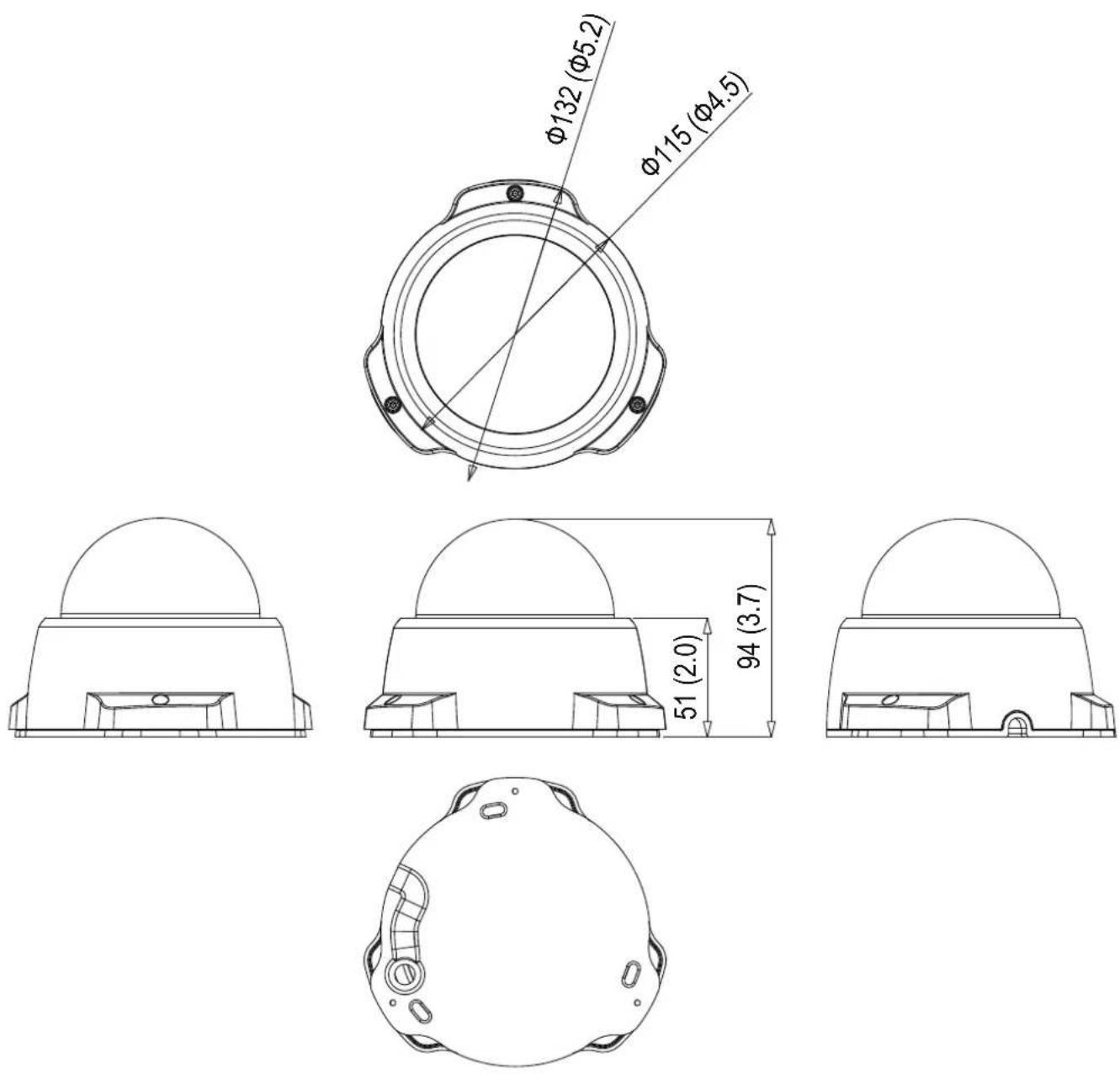
Unit: mm(inch)
Technology License Notice
MPEG-4 AAC Technology
THIS PRODUCT IS LICENSED UNDER THE MPEG-4 AAC AUDIO PATENT LICENSE. THIS PRODUCT MAY NOT BE DECOMPILED, REVERSE-ENGINEERED OR COPIED, EXCEPT REGARD TO PC SOFTWARE, YOU MAY MAKE SINGLE COPIES FOR ARCHIVAL PURPOSES.FOR MORE INFORMATION, PLEASE REFER TO HTTP://WWW.VIALICENSING.COM.
MPEG-4 Visual Technology
THIS PRODUCT IS LICENSED UNDER THE MPEG-4 VISUAL PATENT PORTFOLIO LICENSE FOR THE PERSONAL AND NON-COMMERCIAL USE OF A CONSUMER FOR (i) ENCODING VIDEO IN COMPLIANCE WITH THE MPEG-4 VISUAL STANDARD ("MPEG-4 VIDEO") AND/OR (ii) DECODING MPEG-4 VIDEO THAT WAS ENCODED BY A CONSUMER ENGAGED IN A PERSONAL AND NON-COMMERCIAL ACTIVITY AND/OR WAS OBTAINED FROM A VIDEO PROVIDER LICENSED BY MPEG LA TO PROVIDE MPEG-4 VIDEO. NO LICENSE IS GRANTED OR SHALL BE IMPLIED FOR ANY OTHER USE. ADDITIONAL INFORMATION INCLUDING THAT RELATING TO PROMOTIONAL, INTERNAL AND COMMERCIAL USES AND LICENSING MAY BE OBTAINED FROM MPEG LA, LLC. SEE HTTP://WWW.MPEGLA.COM.
AMR-NB Standard
THIS PRODUCT IS LICENSED UNDER THE AMR-NB STANDARD PATENT LICENSE AGREEMENT. WITH RESPECT TO THE USE OF THIS PRODUCT, THE FOLLOWING LICENSORS' PATENTS MAY APPLY:
TELEFONAKIEBOLAGET ERICSSON AB: US PAT. 6192335; 6275798; 6029125; 6424938; 6058359. NOKIA CORPORATION: US PAT. 5946651; 6199035. VOICEAGE CORPORATION: AT PAT. 0516621; BE PAT. 0516621; CA PAT. 2010830; CH PAT. 0516621; DE PAT. 0516621; DK PAT. 0516621; ES PAT. 0516621; FR PAT. 0516621; GB PAT. 0516621; GR PAT. 0516621; IT PAT. 0516621; LI PAT. 0516621; LU PAT. 0516621; NL PAT. 0516621; SE PAT 0516621; US PAT 5444816; AT PAT. 819303/AT E 198805T1; AU PAT. 697256; BE PAT. 819303; BR PAT. 9604838-7; CA PAT. 2216315; CH PAT. 819303; CN PAT. ZL96193827.7; DE PAT. 819303/DE69611607T2; DK PAT. 819303; ES PAT. 819303; EP PAT. 819303; FR PAT. 819303; GB PAT. 819303; IT PAT. 819303; JP PAT. APP. 8-529817; NL PAT. 819303; SE PAT. 819303; US PAT. 5664053. THE LIST MAY BE UPDATED FROM TIME TO TIME BY LICENSORS AND A CURRENT VERSION OF WHICH IS AVAILABLE ON LICENSOR'S WEBSITE AT HTTP://WWW.VOICEAGE.COM.
About the software
This product contains a piece of software licensed to TOSHIBA CORPORATION (hereafter TOSHIBA) by a third party. The copyright and other intellectual property rights of the software are held by this third party or the licensor. The software is protected by the Copyright Law, Universal Copyright Convention, and other intellectual property laws and agreements. The permission of Toshiba and the third party must therefore be obtained before the software can be reproduced. Contact Toshiba if you need it for more information at http://www.toshibasecurity.com/support/support_dloads.jsp
End-user License Agreement on Free Software Components Used in the TOSHIBA Network Camera
GNU GENERAL PUBLIC LICENSE
Version 2, June 1991
Copyright (C) 1989, 1991 Free Software Foundation, Inc.
51 Franklin Street, Fifth Floor, Boston, MA 02110-1301 USA
Everyone is permitted to copy and distribute verbatim copies of this license document, but changing it is not allowed.
Preamble
The licenses for most software are designed to take away your freedom to share and change it. By contrast, the GNU General Public License is intended to guarantee your freedom to share and change free software--to make sure the software is free for all its users. This General Public License applies to most of the Free Software Foundation's software and to any other program whose authors commit to using it. (Some other Free Software Foundation software is covered by the GNU Lesser General Public License instead.) You can apply it to your programs, too.
When we speak of free software, we are referring to freedom, not price. Our General Public Licenses are designed to make sure that you have the freedom to distribute copies of free software (and charge for this service if you wish), that you receive source code or can get it if you want it, that you can change the software or use pieces of it in new free programs; and that you know you can do these things.
To protect your rights, we need to make restrictions that forbid anyone to deny you these rights or to ask you to surrender the rights. These restrictions translate to certain responsibilities for you if you distribute copies of the software, or if you modify it.
For example, if you distribute copies of such a program, whether gratis or for a fee, you must give the recipients all the rights that you have. You must make sure that they, too, receive or can get the source code. And you must show them these terms so they know their rights.
We protect your rights with two steps: (1) copyright the software, and (2) offer you this license which gives you legal permission to copy, distribute and/or modify the software.
Also, for each author's protection and ours, we want to make certain that everyone understands that there is no warranty for this free software. If the software is modified by someone else and passed on, we want its recipients to know that what they have is not the original, so that any problems introduced by others will not reflect on the original authors' reputations.
Finally, any free program is threatened constantly by software patents. We wish to avoid the danger that redistributors of a free program will individually obtain patent licenses, in effect making the program proprietary. To prevent this, we have made it clear that any patent must be licensed for everyone's free use or not licensed at all.
The precise terms and conditions for copying, distribution and modification follow.
GNU GENERAL PUBLIC LICENSE
TERMS AND CONDITIONS FOR COPYING, DISTRIBUTION AND MODIFICATION
- This License applies to any program or other work which contains a notice placed by the copyright holder saying it may be distributed under the terms of this General Public License. The "Program", below, refers to any such program or work, and a "work based on the Program" means either the Program or any derivative work under copyright law: that is to say, a work containing the Program or a portion of it, either verbatim or with modifications and/or translated into another language. (Hereinafter, translation is included without limitation in the term "modification".) Each licensee is addressed as "you".
Activities other than copying, distribution and modification are not covered by this License; they are outside its scope. The act of running the Program is not restricted, and the output from the Program is covered only if its contents constitute a work based on the Program (independent of
having been made by running the Program). Whether that is true depends on what the Program does.
- You may copy and distribute verbatim copies of the Program's source code as you receive it, in any medium, provided that you conspicuously and appropriately publish on each copy an appropriate copyright notice and disclaimer of warranty; keep intact all the notices that refer to this License and to the absence of any warranty; and give any other recipients of the Program a copy of this License along with the Program.
You may charge a fee for the physical act of transferring a copy, and you may at your option offer warranty protection in exchange for a fee.
- You may modify your copy or copies of the Program or any portion of it, thus forming a work based on the Program, and copy and distribute such modifications or work under the terms of Section 1 above, provided that you also meet all of these conditions:
a) You must cause the modified files to carry prominent notices stating that you changed the files and the date of any change.
b) You must cause any work that you distribute or publish, that in whole or in part contains or is derived from the Program or any part thereof, to be licensed as a whole at no charge to all third parties under the terms of this License.
c) If the modified program normally reads commands interactively when run, you must cause it, when started running for such interactive use in the most ordinary way, to print or display an announcement including an appropriate copyright notice and a notice that there is no warranty (or else, saying that you provide a warranty) and that users may redistribute the program under these conditions, and telling the user how to view a copy of this License. (Exception: if the Program itself is interactive but does not normally print such an announcement, your work based on the Program is not required to print an announcement.)
These requirements apply to the modified work as a whole. If identifiable sections of that work are not derived from the Program, and can be reasonably considered independent and separate works in themselves, then this License, and its terms, do not apply to those sections when you distribute them as separate works. But when you distribute the same sections as part of a whole which is a work based on the Program, the distribution of the whole must be on the terms of this License, whose permissions for other licensees extend to the entire whole, and thus to each and every part regardless of who wrote it.
Thus, it is not the intent of this section to claim rights or contest your rights to work written entirely by you; rather, the intent is to exercise the right to control the distribution of derivative or collective works based on the Program.
In addition, mere aggregation of another work not based on the Program with the Program (or with a work based on the Program) on a volume of a storage or distribution medium does not bring the other work under the scope of this License.
- You may copy an d distribute the Program (or a work based on it, under Section 2) in object code or executable form under the terms of Sections 1 and 2 above provided that you also do one of the following:
a) Accompany it with the complete corresponding machine-readable source code, which must be distributed under the terms of Sections 1 and 2 above on a medium customarily used for software interchange; or,
b) Accompany it with a written offer, valid for at least three years, to give any third party, for a charge no more than your cost of physically performing source distribution, a complete machine-readable copy of the corresponding source code, to be distributed under the terms of Sections 1 and 2 above on a medium customarily used for software interchange; or,
c) Accompany it with the information you received as to the offer to distribute corresponding source code. (This alternative is allowed only for noncommercial distribution and only if you received the program in object code or executable form with such an offer, in accord with Subsection b above.)
The source code for a work means the preferred form of the work for making modifications to it. For an executable work, complete source code means all the source code for all modules it contains, plus any associated interface definition files, plus the scripts used to control compilation and installation of the executable. However, as a special exception, the source code distributed need not include anything that is normally distributed (in either source or binary form) with the major components (compiler, kernel, and so on) of the operating system on which the executable runs, unless that component itself accompanies the executable.
If distribution of executable or object code is made by offering access to copy from a designated place, then offering equivalent access to copy the source code from the same place counts as distribution of the source code, even though third parties are not compelled to copy the source along with the object code.
-
You may not copy, modify, sublicense, or distribute the Program except as expressly provided under this License. Any attempt otherwise to copy, modify, sublicense or distribute the Program is void, and will automatically terminate your rights under this License. However, parties who have received copies, or rights, from you under this License will not have their licenses terminated so long as such parties remain in full compliance.
-
You are not required to accept this License, since you have not signed it. However, nothing else grants you permission to modify or distribute the Program or its derivative works. These actions are prohibited by law if you do not accept this License. Therefore, by modifying or distributing the Program (or any work based on the Program), you indicate your acceptance of this License to do so, and all its terms and conditions for copying, distributing or modifying the Program or works based on it.
-
Each time you redistribute the Program (or any work based on the Program), the recipient automatically receives a license from the original licensor to copy, distribute or modify the Program subject to these terms and conditions. You may not impose any further restrictions on the recipients' exercise of the rights granted herein. You are not responsible for enforcing compliance by third parties to this License.
-
If, as a consequence of a court judgment or allegation of patent infringement or for any other reason (not limited to patent issues), conditions are imposed on you (whether by court order, agreement or otherwise) that contradict the conditions of this License, they do not excuse you from the conditions of this License. If you cannot distribute so as to satisfy simultaneously your obligations under this License and any other pertinent obligations, then as a consequence you may not distribute the Program at all. For example, if a patent license would not permit royalty-free redistribution of the Program by all those who receive copies directly or indirectly through you, then the only way you could satisfy both it and this License would be to refrain entirely from distribution of the Program.
If any portion of this section is held invalid or unenforceable under any particular circumstance, the balance of the section is intended to apply and the section as a whole is intended to apply in other circumstances.
It is not the purpose of this section to induce you to infringe any patents or other property right claims or to contest validity of any such claims; this section has the sole purpose of protecting the integrity of the free software distribution system, which is implemented by public license practices. Many people have made generous contributions to the wide range of software distributed through that system in reliance on consistent application of that system; it is up to the author/donor to decide if he or she is willing to distribute software through any other system and
a licensee cannot impose that choice.
This section is intended to make thoroughly clear what is believed to be a consequence of the rest of this License.
- If the distribution and/or use of the Program is restricted in certain countries either by patents or by copyrighted interfaces, the original copyright holder who places the Program under this License may add an explicit geographical distribution limitation excluding those countries, so that distribution is permitted only in or among countries not thus excluded. In such case, this License incorporates the limitation as if written in the body of this License.
- The Free Software Foundation may publish revised and/or new versions of the General Public License from time to time. Such new versions will be similar in spirit to the present version, but may differ in detail to address new problems or concerns.
Each version is given a distinguishing version number. If the Program specifies a version number of this License which applies to it and "any later version", you have the option of following the terms and conditions either of that version or of any later version published by the Free Software Foundation. If the Program does not specify a version number of this License, you may choose any version ever published by the Free Software Foundation.
- If you wish to incorporate parts of the Program into other free programs whose distribution conditions are different, write to the author to ask for permission. For software which is copyrighted by the Free Software Foundation, write to the Free Software Foundation; we sometimes make exceptions for this. Our decision will be guided by the two goals of preserving the free status of all derivatives of our free software and of promoting the sharing and reuse of software generally.
NO WARRANTY
- BECAUSE THE PROGRAM IS LICENSED FREE OF CHARGE, THERE IS NO WARRANTY FOR THE PROGRAM, TO THE EXTENT PERMITTED BY APPLICABLE LAW. EXCEPT WHEN OTHERWISE STATED IN WRITING THE COPYRIGHT HOLDERS AND/OR OTHER PARTIES PROVIDE THE PROGRAM "AS IS" WITHOUT WARRANTY OF ANY KIND, EITHER EXPRESSED OR IMPLIED, INCLUDING, BUT NOT LIMITED TO, THE IMPLIED WARRANTIES OF MERCHANTABILITY AND FITNESS FOR A PARTICULAR PURPOSE. THE ENTIRE RISK AS TO THE QUALITY AND PERFORMANCE OF THE PROGRAM IS WITH YOU. SHOULD THE PROGRAM PROVE DEFECTIVE, YOU ASSUME THE COST OF ALL NECESSARY SERVICING, REPAIR OR CORRECTION.
- IN NO EVENT UNLESS REQUIRED BY APPLICABLE LAW OR AGREED TO IN WRITING WILL ANY COPYRIGHT HOLDER, OR ANY OTHER PARTY WHO MAY MODIFY AND/OR REDISTRIBUTE THE PROGRAM AS PERMITTED ABOVE, BE LIABLE TO YOU FOR DAMAGES, INCLUDING ANY GENERAL, SPECIAL, INCIDENTAL OR CONSEQUENTIAL DAMAGES ARISING OUT OF THE USE OR INABILITY TO USE THE PROGRAM (INCLUDING BUT NOT LIMITED TO LOSS OF DATA OR DATA BEING RENDERED INACCURATE OR LOSSES SUSTAINED BY YOU OR THIRD PARTIES OR A FAILURE OF THE PROGRAM TO OPERATE WITH ANY OTHER PROGRAMS), EVEN IF SUCH HOLDER OR OTHER PARTY HAS BEEN ADVISED OF THE POSSIBILITY OF SUCH DAMAGES.
END OF TERMS AND CONDITIONS
How to Apply These Terms to Your New Programs
If you develop a new program, and you want it to be of the greatest possible use to the public, the best way to achieve this is to make it free software which everyone can redistribute and change under these terms.
To do so, attach the following notices to the program. It is safest to attach them to the start of each source file to most effectively convey the exclusion of warranty; and each file should have at least the "copyright" line and a pointer to where the full notice is found.
Copyright (C)
This program is free software; you can redistribute it and/or modify it under the terms of the GNU General Public License as published by the Free Software Foundation; either version 2 of the License, or (at your option) any later version.
This program is distributed in the hope that it will be useful, but WITHOUT ANY WARRANTY; without even the implied warranty of MERCHANTABILITY or FITNESS FOR A PARTICULAR PURPOSE. See the GNU General Public License for more details.
You should have received a copy of the GNU General Public License along with this program; if not, write to the Free Software Foundation, Inc., 51 Franklin Street, Fifth Floor, Boston, MA 02110-1301 USA
Also add information on how to contact you by electronic and paper mail.
If the program is interactive, make it output a short notice like this when it starts in an interactive mode:
Gnomovision version 69, Copyright (C) year name of author
Gnomovision comes with ABSOLUTELY NO WARRANTY; for details type 'show w'.
This is free software, and you are welcome to redistribute it under certain conditions; type 'show c' for details.
The hypothetical commands `show w' and `show c' should show the appropriate parts of the General Public License. Of course, the commands you use may be called something other than `show w' and `show c'; they could even be mouse-clicks or menu items--whatever suits your program.
You should also get your employer (if you work as a programmer) or your school, if any, to sign a "copyright disclaimer" for the program, if necessary. Here is a sample; alter the names:
Yoyodyne, Inc., hereby disclaims all copyright interest in the program 'Gnomovision' (which makes passes at compilers) written by James Hacker.
Ty Coon, President of Vice
This General Public License does not permit incorporating your program into proprietary programs. If your program is a subroutine library, you may consider it more useful to permit linking proprietary applications with the library. If this is what you want to do, use the GNU Lesser General Public License instead of this License.
Trademarks
- Microsoft, Windows, Windows Vista and Internet Explorer are trademarks or registered trademarks of Microsoft Corporation in the United States and other countries.
- Intel and Intel Core are trademarks or registered trademarks of Intel Corporation or its subsidiaries in the United States and other countries.
- Adobe and Reader are either registered trademarks or trademarks or trademarks of Adobe Systems Incorporated in the United States and/or other countries.
- Intel and Intel Core are trademarks or registered trademarks of Intel Corporation or its subsidiaries in the United States and other countries.
- "ONVIF" and ONVIF are trademarks of ONVIF Inc.
- Other product names appearing in this manual may be trademarks or registered trademarks of their respective holders.

- LEADING INNOVATION
- MODEL: IK-WR05A
- INTRODUCTION
- FCC (USA)-INFORMATION
- TERMS
- NOTE
- IMPORTANT SAFEGUARDS
- READ INSTRUCTIONS
- RETAIN INSTRUCTIONS
- WARNINGS
- FOLLOW INSTRUCTIONS
- CLEANING
- ATTACHMENTS
- ACCESSORIES
- VENTILATION
- POWER SOURCES
- POWER-CORD PROTECTION
- INSTALLATION
- LIGHTNING
- OVERLOADING
- OBJECT AND LIQUID ENTRY
- SERVICING
- DAMAGE REQUIRING SERVICE
- REPLACEMENT PARTS
- SAFETY CHECK
- IMPORTANT SAFEGUARDS (CONT.)
- WARNING
- FIELD INSTALLATION MARKING
- NOTES ON USE AND INSTALLATION
- PRECAUTIONS FOR USE
- DISCLAIMER
- COPYRIGHT AND RIGHT OF PORTRAIT
- PROTECTION OF PERSONAL INFORMATION
- USAGE LIMITATION
- PACKAGE CONTENTS
- PHYSICAL DESCRIPTION
- GENERAL I/O TERMINAL BLOCK
- STATUS LED
- HARDWARE RESET
- SD/SDHC CARD AND CAPACITY
- HARDWARE INSTALLATION
- NETWORK DEPLOYMENT
- SETTING UP THE NETWORK CAMERA OVER THE INTERNET
- INTERNET CONNECTION VIA A ROUTER
- SOFTWARE INSTALLATION
- READY TO USE
- ACCESSING THE NETWORK CAMERA
- USING WEB BROWSERS
- USING RTSP PLAYERS
- USING 3GPP-COMPATIBLE MOBILE DEVICES
- MAIN PAGE
- TOSHIBA LOGO
- HOST NAME
- CAMERA CONTROL AREA
- CONFIGURATION AREA
- HIDE BUTTON
- RESIZE BUTTONS
- LIVE VIDEO WINDOW
- CLIENT SETTINGS
- H.264 / MPEG-4 PROTOCOL OPTIONS
- MP4 SAVING OPTIONS
- LOCAL STREAMING BUFFER TIME
- CONFIGURATION
- ADVANCED MODE
- SYSTEM > GENERAL SETTINGS
- SYSTEM
- SYSTEM TIME
- SYSTEM > HOMEPAGE LAYOUT ADVANCED MODE
- GENERAL SETTINGS
- TOSHIBA
- NETWORK CAMERA
- LOGO GRAPH
- CUSTOMIZED BUTTON
- THEME OPTIONS
- SYSTEM > LOGS ADVANCED MODE
- LOG SERVER SETTINGS
- SYSTEM LOG
- ACCESS LOG
- SYSTEM > PARAMETERS ADVANCED MODE
- SYSTEM > MAINTENANCE
- GENERAL SETTINGS > UPGRADE FIRMWARE
- NOTE: DO NOT POWER OFF THE NETWORK CAMERA DURING THE UPGRADE
- GENERAL SETTINGS > REBOOT
- GENERAL SETTINGS > RESTORE
- RESTORE
- IMPORT/EXPORT FILES
- SECURITY > USER ACCOUNT
- ROOT PASSWORD
- MANAGE PRIVILEGE
- MANAGE USER
- SECURITY > HTTPS (HYPERTEXT TRANSFER PROTOCOL OVER SSL)
- CREATE AND INSTALL CERTIFICATE METHOD
- CREATE SELF-SIGNED CERTIFICATE AUTOMATICALLY
- HTTPS
- CREATE SELF-SIGNED CERTIFICATE MANUALLY
- SECURITY > ACCESS LIST ADVANCED MODE
- FILTER
- DELETE ALLOWED/DENIED LIST
- ADMINISTRATOR IP ADDRESS
- SECURITY > IEEE 802.1X
- IEEE 802.1X
- ENABLE IEEE 802.1X
- EAP-PEAP
- NETWORK > GENERAL SETTINGS
- NETWORK TYPE
- LAN
- PPPOE (POINT-TO-POINT OVER ETHERNET)
- ENABLE IPV6
- REFERS TO ETHERNET
- IPV6 INFORMATION
- PORT
- NETWORK > STREAMING PROTOCOLS
- HTTP STREAMING
- RTSP STREAMING
- NETWORK > QOS (QUALITY OF SERVICE) ADVANCED MODE
- REQUIREMENTS FOR QOS
- QOS MODELS
- COS (THE VLAN 802.1P MODEL)
- QOS/DSCP (THE DIFFSERV MODEL)
- NETWORK > DDNS
- DDNS: DYNAMIC DOMAIN NAME SERVICE
- NETWORK > SNMP (SIMPLE NETWORK MANAGEMENT PROTOCOL)
- SNMP CONFIGURATION
- ENABLE SNMPV1, SNMPV2C
- ENABLE SNMPV3
- VIDEO > IMAGE
- DAY/NIGHT SETTINGS
- SWITCH TO B/W IN NIGHT MODE
- DISABLE IR LED
- MODE
- LIGHT SENSOR SENSITIVITY
- PREFERENCE
- IMAGE ADJUSTMENT
- EXPOSURE ADVANCED MODE
- MEASUREMENT WINDOW
- EXPOSURE CONTROL
- PRIVACY MASK ADVANCED MODE
- VIDEO > STREAM
- STREAM SETTINGS
- FRAME SIZE
- MAXIMUM FRAME RATE
- INTRA FRAME PERIOD
- VIDEO QUALITY
- PTZ > PTZ SETTINGS ADVANCED MODE
- DIGITAL PTZ OPERATION (E-PTZ OPERATION)
- HOME PAGE IN E-PTZ MODE
- GLOBAL VIEW
- MOVING INSTANTLY
- CLICK ON IMAGE
- PATROL SETTINGS
- EVENT > EVENT SETTINGS ADVANCED MODE
- EVENT
- SCHEDULE
- TRIGGER
- CAMERA TAMPERING DETECTION
- MANUAL TRIGGER
- ACTION
- TRIGGER DIGITAL OUTPUT FOR □ SECONDS
- BACKUP MEDIA IF THE NETWORK IS DISCONNECTED
- ADD SERVER
- SERVER TYPE - EMAIL
- SERVER TYPE - FTP
- PASSIVE MODE
- SERVER TYPE - HTTP
- NETWORK STORAGE
- ADD MEDIA
- MEDIA TYPE - SNAPSHOT
- MEDIA TYPE - VIDEO CLIP
- MAXIMUM DURATION
- MAXIMUM FILE SIZE
- FILE NAME PREFIX
- MEDIA TYPE - SYSTEM LOG
- APPLICATIONS > MOTION DETECTION
- APPLICATIONS > DIGITAL INPUT ADVANCED MODE
- APPLICATIONS > TAMPERING DETECTION
- RECORDING > RECORDING SETTINGS ADVANCED MODE
- RECORDING SETTINGS
- DESTINATION
- NAS SERVER
- LOCAL STORAGE > SD CARD MANAGEMENT
- SD CARD STAUS
- SD CARD CONTROL
- LOCAL STORAGE > CONTENT MANAGEMENT
- SEARCHING AND VIEWING THE RECORDS
- SEARCH RESULTS
- TROUBLESHOOTING
- RESET AND RESTORE
- DAY / NIGHT SETTING
- LIGHT FOG ON THE NIGHT IMAGE
- RECOMMENDED SYSTEM REQUIREMENTS
- LENS FOCUS
- SPECIFICATIONS
- APPEARANCE DIAGRAM
- TECHNOLOGY LICENSE NOTICE
- MPEG-4 AAC TECHNOLOGY
- MPEG-4 VISUAL TECHNOLOGY
- AMR-NB STANDARD
- ABOUT THE SOFTWARE
- END-USER LICENSE AGREEMENT ON FREE SOFTWARE COMPONENTS USED IN THE TOSHIBA NETWORK CAMERA
- GNU GENERAL PUBLIC LICENSE
- PREAMBLE
- TERMS AND CONDITIONS FOR COPYING, DISTRIBUTION AND MODIFICATION
- NO WARRANTY
- END OF TERMS AND CONDITIONS
- TRADEMARKS
Brand : TOSHIBA
Model : IK-WR05A
Category : Security Camera