
CR-U4XB - Uncategorized Sabrent - Free user manual and instructions
Find the device manual for free CR-U4XB Sabrent in PDF.


| Product Type | USB 3.0 4-Port Hub with Individual Switches |
| Model | CR-U4XB |
| Brand | Sabrent |
| Dimensions (L x W x H) | 4.5 x 1.5 x 0.6 inches |
| Weight | 2 oz (57 g) |
| Power Supply | Bus-powered via USB upstream; optional 5V/2A adapter (not included) |
| Upstream Connector | USB 3.0 Type-B |
| Downstream Ports | 4x USB 3.0 Type-A (5 Gbps max) |
| LED Indicators | One per port, indicates power/activity |
| Individual Switches | Each port has a sliding on/off switch |
| Compatible Systems | Windows, macOS, Linux; no drivers required |
| Data Transfer Speed | Up to 5 Gbps (USB 3.0), backward compatible with USB 2.0/1.1 |
| Hot Plugging | Supported |
| Maintenance & Cleaning | Unplug before cleaning; use a dry, soft cloth |
| Safety Precautions | Keep away from liquids, excessive heat, and magnetic fields |
| Spare Parts | Not user-serviceable; no replaceable parts |
| Repairability | Do not disassemble; contact Sabrent support for issues |
| Warranty | 1 year limited warranty |
Frequently Asked Questions - CR-U4XB Sabrent
User questions about CR-U4XB Sabrent
0 question about this device. Answer the ones you know or ask your own.
Ask a new question about this device
Download the instructions for your Uncategorized in PDF format for free! Find your manual CR-U4XB - Sabrent and take your electronic device back in hand. On this page are published all the documents necessary for the use of your device. CR-U4XB by Sabrent.
USER MANUAL CR-U4XB Sabrent
USB4 CFexpress TYPE B CARD READER
FEATURES
- Designed for use with CFexpress Type B memory cards
• Supports fast transfer speeds at up to 3.500 MB/s via USB4 - Detachable USB Type-C cable (40Gbps) is included for a range of hosts
- Optionally attachable to a camera or cage for convenient external recording
• Aluminum alloy casing for improved heat dissipation and durability - Silicone sleeve offers additional environmental protection
SYSTEM REQUIREMENTS
• macOS / iOS / iPadOS / Windows / Linux / USB On-The-Go (OTG-compatible) smartphones
PACKAGE CONTENTS
- USB4 CFexpress Type B card reader
- USB4 cable (30cm)
PRODUCT OVERVIEW
natural_image
Back view of a computer drive module with labeled point A (no text or symbols on the device itself)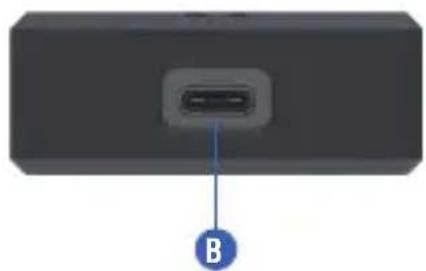
natural_image
Back view of a black rectangular electronic device with a small port and labeled point B (no text or symbols on the device itself)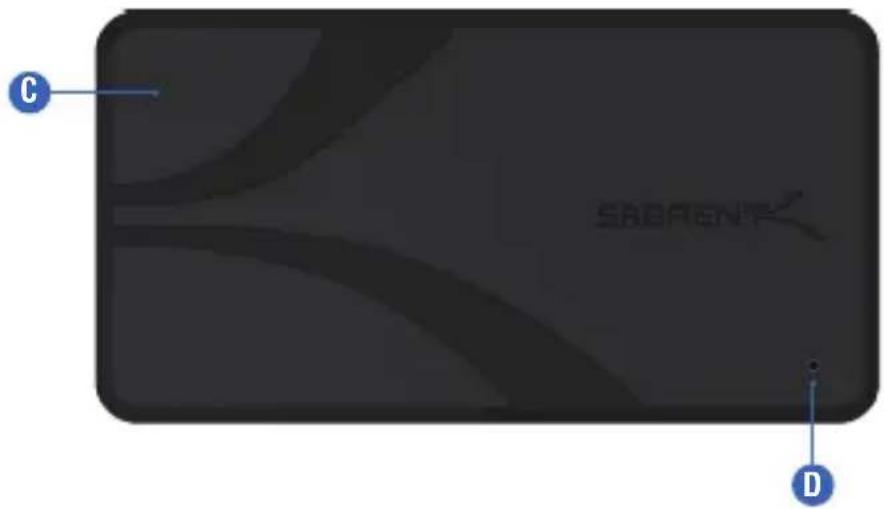
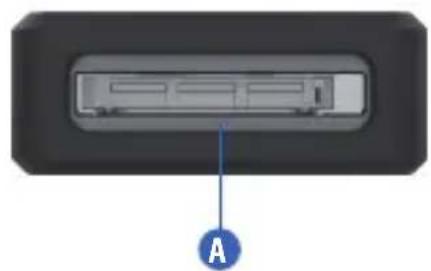
A. CFexpress Type B slot
B. USB4 40Gbps port
C. Rugged silicone sleeve
D. Power status/activity LED
LED STATUS INDICATORS
| LED STATUS | INDICATES |
| Device is sleeping or lacks powerOff | |
| Solid | Device is powered on |
| Flashing | Device is active |
GETTING STARTED
natural_image
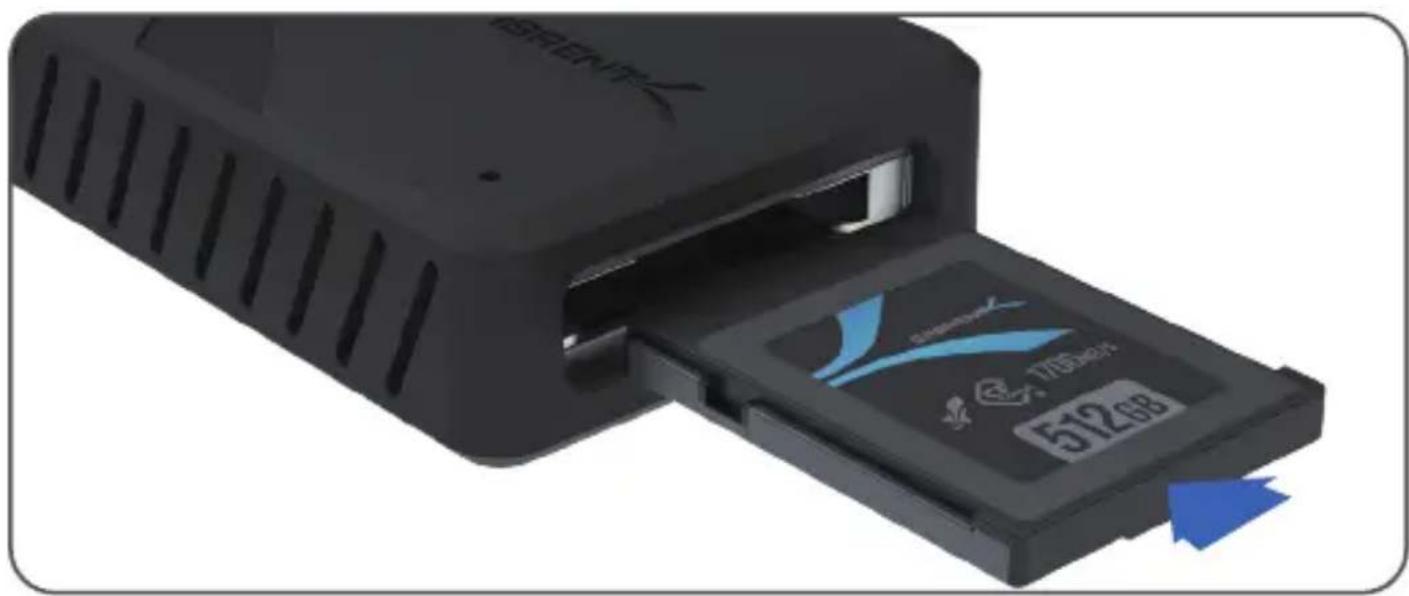
Close-up of a black USB flash drive with a 170MHz card and an LCD display showing 512.68 (no text or symbols on the device itself)- Insert a CFexpress Type B card into the card reader.
natural_image
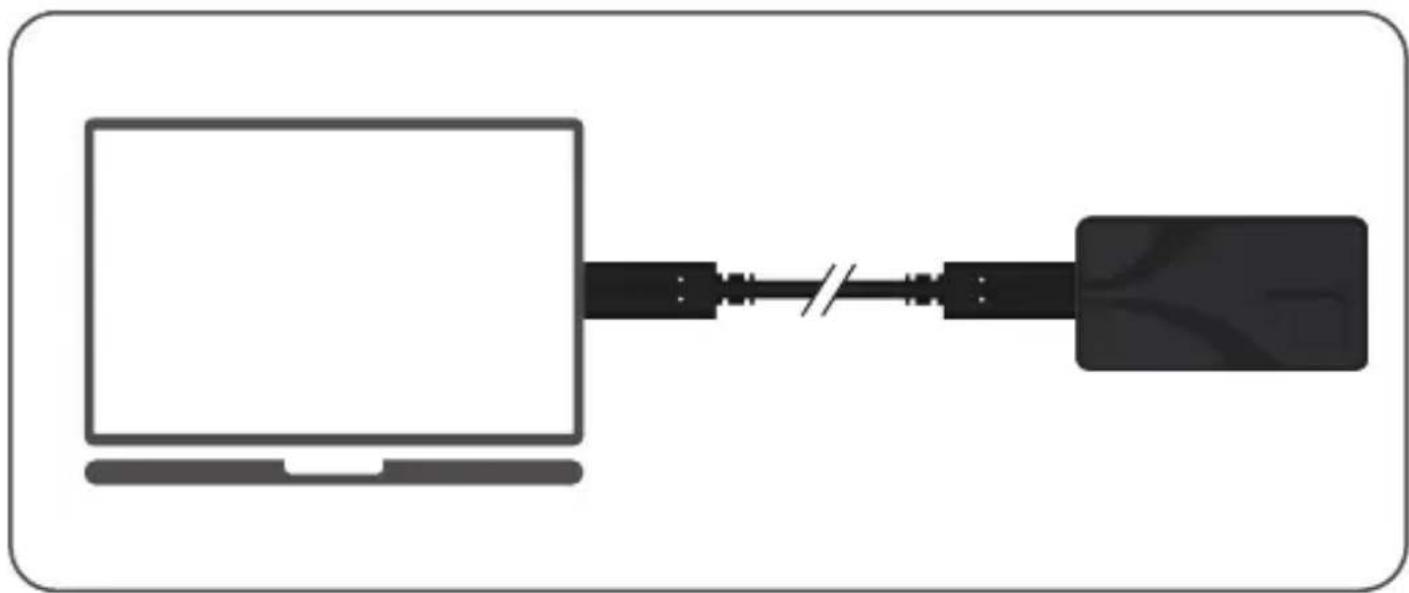
Diagram showing a laptop connected to a network device via cable (no text or symbols)- Connect the card reader to your device or computer using the included USB4 cable.
- Begin reading, writing, or copying your files effortlessly.
FREQUENTLY ASKED QUESTIONS
Q. What type of ports are compatible with this card reader?
A. While the card reader is designed for USB4, this technology will work with Thunderbolt ports as well as with older USB ports. Performance is dependent on the host connection speed, the card speed, and your particular hardware configuration. Some Thunderbolt ports may connect at lower than expected USB speeds, so please check your motherboard specifications.
Q. Why doesn't my card reader work/show up? Is this a compatibility problem?
A. Make sure that the USB port and card being used are functional. The card may not show up with a drive letter until properly formatted or assigned. If applicable, update the host's USB controller driver and firmware. If your device's USB4 port has dated firmware, the card reader may not function at full speed or be detected with the included USB4 40Gbps cable. In order to get it to detect in these rare situations, please connect the card reader to a USB 20Gbps or 10Gbps port and/or use a different USB cable, rather than Thunderbolt or USB4 40Gbps.
Q. Will this card reader function with USB Type-A hosts?
A. Yes, but an adapter or appropriate cable is required. Performance may be impacted by the host port specifications.
SABRENT
FOR HELP, COMMENTS, QUESTIONS OR CONCERNS PLEASE CONTACT OUR TECH SUPPORT TEAM VIA OUR WEBSITE WWW.SABRENT.COM
- USB4 CFexpress TYPE B CARD READER
- FEATURES
- SYSTEM REQUIREMENTS
- PACKAGE CONTENTS
- PRODUCT OVERVIEW
- LED STATUS INDICATORS
- GETTING STARTED
- FREQUENTLY ASKED QUESTIONS
- What type of ports are compatible with this card reader?
- Why doesn't my card reader work/show up? Is this a compatibility problem?
- Will this card reader function with USB Type-A hosts?
- SABRENT
Brand : Sabrent
Model : CR-U4XB
Category : Uncategorized