
Fobbles F4 - Effects machine Froggy's Fog - Free user manual and instructions
Find the device manual for free Fobbles F4 Froggy's Fog in PDF.


User questions about Fobbles F4 Froggy's Fog
0 question about this device. Answer the ones you know or ask your own.
Ask a new question about this device
Download the instructions for your Effects machine in PDF format for free! Find your manual Fobbles F4 - Froggy's Fog and take your electronic device back in hand. On this page are published all the documents necessary for the use of your device. Fobbles F4 by Froggy's Fog.
USER MANUAL Fobbles F4 Froggy's Fog
Fobbles F4 - User Manual
SPECIFICATIONS
| Model | Heater Core | CFM | Warm up time | |
| Fobbles F4 | 1400 | Watts | 10,000 cfm (Continuous) 6 Min |
IMPORTANT
- DO NOT PUT BUBBLE FLUID IN THE REAR FOG FLUID RESEVOIR BOTTLE. THIS WILL DAMAGE THE HEATER CORE AND VOID THE WARRANTY OF THE MACHINE
- The manufacturer will not accept liability for any resulting damages caused by the non-observance of this manual or any unauthorized modification to the equipment.
• Do not open the equipment and do not modify the equipment.
• Do not expose to flammable sources or gases.
- Always disconnect the power from equipment when not in use or before cleaning! Only handle the power-cable by the plug. Never pull out the plug by pulling the power-cable.
• Make sure that the available voltage is 120VAC.
- Make sure that the power-cable is never crimped or damaged. Check the equipment and the power-cable periodically.
- If the equipment is dropped or damaged, disconnect the mains power supply immediately. Have a qualified engineer inspect the equipment before operating again.
- If the equipment has been exposed to drastic temperature fluctuation (e.g. after transportation), do not switch it on immediately. The arising condensation might damage the equipment. Leave the equipment switched off until it has reached room temperature.
• Only use fuses of same type and rating.
• Repairs, servicing and power connection must only be carried out by a qualified technician.
• THIS UNIT CONTAINS NO USER SERVICEABLE PARTS.
SETUP
- Open the box to verify product integrity. If the unit's housing or cable is damaged, do not plug it in and do not attempt to use it until after contacting your dealer for assistance.
- Place fog bubble machine on a level flat surface, remove fog liquid reservoir cap toward rear of the machine. Fill fog fluid reservoir with Froggys Fog Brand Fog Fluid. Lower quality fluid can damage the unit. Recap tank.
- Fill bubble reservoir at the front with a high-quality bubble fluid, such as Froggys Fog Max Bubbles. Lesser quality bubble fluids cannot withstand the increased pressure of hot fog and will burst prematurely. The bubble solution can become diluted with fog moisture over time and occasionally will need to be drained and refilled fresh during use.
OPERATION
- Plug the power cord into a grounded electrical outlet and switch the main power on.
- Starting Operation
After switching on via the On/Off switch the controllers LCD screen will display "WARMING UP". When the unit has reached the correct temperature, the LCD display will show "READY" and the unit is now ready for operation
- Manual Output
For manual output, simply press the "MANUAL" button and hold until the desired amount of output is emitted.
- Constant Burst Operation
To set unit for constant output, press the "LOCK" button. To stop the output, simply press the "LOCK" button again. During this operation, you can change the volume output by pressing the "UP" and "DOWN" buttons.
- Timer Mode
o Press the timer button to start timer functionality according to the LCD display settings.
- DMX Control Mode
Operating in a DMX control mode gives the user the greatest flexibility when it comes to customizing or creating a show. When DMX is plugged in, the LCD screen will show the DMX Address Menu and allow adjustment of the address. When the unit is low on fluid, the LCD screen will show the Reset Fluid Sensor Menu and after resetting the fluid sensor back to the DMX Address Menu. When DMX cables are unplugged, the LCD screen will show the home menu.
MAINTENANCE
Cleaning your fog bubble machine regularly will help reduce costly parts replacement and repair charges.
Please follow these instructions for safely cleaning after 40 hours of operation or before storing the fog bubble machine, to ensure long lifespan. Tools: Clean lint free cloth, coffee filter or similar fine mesh filter cloth, plastic or glass container larger than the reservoir size (do not use metal), distilled water and Froggys Fog fluid.
- Allow the machine to cool down before handling.
- Drain any fog solution that remains in the tank into a container through the filter mesh for reuse.
- Dispose of any bubble solutions and wipe tray/wands
- Add distilled water to fill the fog fluid reservoir approximately 1/3.
- Run machine for 10 minutes. Fog will come out the first few cycles, followed by distilled water vapor.
-
Turn off the machine and allow to cool down, then drain the distilled water from the reservoir.
-
Refill the reservoir approximately 1/3 with good quality fog solution.
-
Turn fog machine on, run for 10-15 minutes. Water vapor steam will come out the first few cycles, followed by fog. Continue steaming the machine for 5-10 cycles.
-
Turn off the machine and allow to cool, then wipe machine clean with clean lint free cloth.
-
Leave the fog solution in the reservoir. The fog solution acts a lubricant and conditioner for the plastic and rubber parts in the fluid pump.
-
Store the fog machine in a cool, dry place when not in use. Avoid freezing temperatures, high heat above 120 degrees and humid/damp locations which may cause control board failure.
-
If possible, remove from storage after 6 months and operate the fog machine for 15 minutes or more, then repeat step 8 - 10.
LCD DISPLAY SETTINGS
| LCD Display Settings Description | |
| Machine Function | Choose the program modes from 1-4 to display different programs:1. Fog 2. Haze 3. Bubble 4. Bubble Fogger |
| Fog Volume | Adjust the fog volume output within the range from 0% to 100%. |
| Bubble Fan Speed | Adjust the bubble fan speed 0-100% in 10% increments |
| Booster Fan Speed | Adjust the booster fans speed 0-100% in 10% increments |
| Bubble Wand Speed | Adjust the wand speed 0-100% in 10% Increments |
| Timer Interval | Adjust the interval between each fog emission within the range of 0 to 600S. |
| Timer Duration | Adjust the duration of each fog emission within the range of 0 to 300S. |
| DMX Address | Choose the DMX address from 001-512. |
| DMX Mode | Choose 6 or 15 Channel Mode. |
| LED Program | Choose the LED program within the range of 0 to 20 |
| LED Chase Speed | Choose the LED chase speed from 0-100% in 10% Increments. |
| LED Strobe Speed | Choose the LED strobe speed from 0-100% in 10% Increments. |
| LED Sync to Output | Yes=LEDs work together with the fog outputNO=LEDs are always on. |
| Fog Fluid Sensor Reset | Reset the low fluid sensor when it trips and display NO, choose YES to Reset |
| Fog Fluid Sensor On/ Off | Deactivate the low fluid sensor |
DMX PROFILES
| Fobbles F4 – DMX CHANNELS | ||||
| 6 Channel Mode | ||||
| DMX Channel | Function | Address information | ||
| DMX Channel 1 | Fog Output | 0 | 9 | Off |
| 10 | 2 5 | 100% | ||
| DMX Channel 2 | Fan Output | 0 | 9 | Off |
| 10 | 2 5 | 100% | ||
| DMX Channel 3 | Blower Output | 0 | 9 | Off |
| 10 | 2 5 | $100% | ||
| DMX Channel 4 | Bubble Size | 0 | 24 | Off |
| 25 | 49 | Small Bubbles - Minimum Output | ||
| 50 | 74 | Small Bubbles - Moderate Output | ||
| 75 | 99 | Small Bubbles - Maximum Output | ||
| 100 | 1 2 | 4Medium Bubbles - Minimum Output | ||
| 125 | 1 4 | 9Medium Bubbles - Moderate Output | ||
| 150 | 1 7 | 4Medium Bubbles - Maximum Output | ||
| 175 | 1 9 | 9Large Bubbles - Minimum Output | ||
| 200 | 2 2 | 4Large Bubbles - Moderate Output | ||
| 225 | 2 5 | 5Large Bubbles - Maximum Output | ||
| DMX Channel 5 | LED Static Colors | LED Static Colors | ||
| 0 | 0 | 9 | OFF | |
| 1 | 10 | 19 | RED | |
| 2 | 20 | 29 | GREEN | |
| 3 | 30 | 39 | BLUE | |
| 4 | 40 | 49 | WHITE | |
| 5 | 50 | 59 | AMBER | |
| 6 | 60 | 69 | UV | |
| 7 | 70 | 79 | RED + GREEN | |
| 8 | 80 | 89 | RED + BLUE | |
| 9 | 90 | 99 | RED + WHITE | |
| 10 | 100 | 1 0 | 9RED + AMBER | |
| 11 | 110 | 1 1 | 9RED + UV | |
| 12 | 120 | 1 2 | 9GREEN + BLUE | |
| 13 | 130 | 1 3 | 9GREEN + WHITE | |
| 14 | 140 | 1 4 | 9GREEN + AMBER | |
| 15 | 150 | 1 5 | 9GREEN + UV | |
| 16 | 160 | 1 6 | 9BLUE + WHITE | |
| 17 | 170 | 1 7 | 9BLUE + AMBER | |
| 18 | 180 | 1 8 | 9BLUE + UV | |
| 19 | 190 | 1 9 | 9WHITE + AMBER | |
| 20 | 200 | 2 0 | 9WHITE + UV | |
| 21 | 210 | 2 1 | 9AMBER + UV | |
| 22 | 220 | 2 2 | 9BLUE + WHITE + UV | |
| 23 | 230 | 2 3 | 9RED + GREEN + BLUE + WHITE + AMBER | |
| 24 | 240 | 2 5 | 9RED + GREEN + BLUE + WHITE + AMBER + UV | |
| DMX Channel 6 | LED Color Macro | Color Chase All 24 Static Colors(1,2,3,4,5,6,7,19,12,16,8,13,17,22,9,14,18,21,23,10,15,20,11,24) | ||
| 0 | 9 | OFF | ||
| 10 | 255 | 10 = Change color every 10 SecondsLinear Increase in Speed255 = Change color every 0.5 Seconds | ||
| 15 Channel Mode | ||||
| DMX Channel 1 | Fog Volume | 0 | 9 | No Function0-100% |
| 10 | 2 5 | 0-100% | ||
| DMX Channel 2 | Bubble Wand Speed | 0 | 9 | No Function0-100% |
| 10 | 2 5 | 0-100% | ||
| DMX Channel 3 | Bubble Fan Speed | 0 | 9 | No Function0-100% |
| 10 | 2 5 | 0-100% | ||
| DMX Channel 4 | Booster Fan | 0 | 9 | No Function0-100% |
| 10 | 2 5 | 0-100% | ||
| DMX Channel 5 | Red LED | 0 | 9 | No Function0-100% |
| 10 | 2 5 | 0-100% | ||
| DMX Channel 6 | Green LED | 0 | 9 | No Function0-100% |
| 10 | 2 5 | 0-100% | ||
| DMX Channel 7 | Blue LED | 0 | 9 | No Function0-100% |
| 10 | 2 5 | 0-100% | ||
| DMX Channel 8 | Amber LED | 0 | 9 | No Function0-100% |
| 10 | 2 5 | 0-100% | ||
| DMX Channel 9 | White LED | 0 | 9 | No Function0-100% |
| 10 | 2 5 | 0-100% | ||
| DMX Channel 10 | Ultraviolet LED | 0 | 9 | No Function0-100% |
| 10 | 2 5 | 0-100% | ||
| DMX Channel 11 | LED Color Macro | LED Color Macro | ||
| 0 | 0 | 9 | OFF | |
| 1 | 10 | 19 | RED | |
| 2 | 20 | 29 | GREEN | |
| 3 | 30 | 39 | BLUE | |
| 4 | 40 | 49 | WHITE | |
| 5 | 50 | 59 | AMBER | |
| 6 | 60 | 69 | UV | |
| 7 | 70 | 79 | RED + GREEN | |
| 8 | 80 | 89 | RED + BLUE | |
| 9 | 90 | 99 | RED + WHITE | |
| 10 | 100 | 1 0 | 9RED + AMBER | |
| 11 | 110 | 1 1 | 9RED + UV | |
| 12 | 120 | 1 2 | 9GREEN + BLUE | |
| 13 | 130 | 1 3 | 9GREEN + WHITE | |
| 14 | 140 | 1 4 | 9GREEN + AMBER | |
| 15 | 150 | 1 5 | 9GREEN + UV | |
| 16 | 160 | 1 6 | 9BLUE + WHITE | |
| 17 | 170 | 1 7 | 9BLUE + AMBER | |
| 18 | 180 | 1 8 | 9BLUE + UV | |
| 19 | 190 | 1 9 | 9WHITE + AMBER | |
| 20 | 200 | 2 0 | 9WHITE + UV | |
| 21 | 210 | 2 1 | 9AMBER + UV | |
| 22 | 220 | 2 2 | 9BLUE + WHITE + UV | |
| 23 | 230 | 2 3 | 9RED + GREEN + BLUE + WHITE + AMBER | |
| 24 | 240 | 2 5 | 5RED + GREEN + BLUE + WHITE + AMBER + UV | |
| DMX Channel 12 | LED Color Macro Speed | Color Chase All 24 Static Colors(1,2,3,4,5,6,7,19,12,16,8,13,17,22,9,14,18,21,23,10,15,20,11,24) | ||
| 0 | 9 | OFF | ||
| 10 | 255 | 10 = Change color every 10Seconds Linear Increase inSpeed255 = Change color every 0.5 Seconds | ||
| DMX Channel 13 | LED Strobe | 0 | 9 | NO STROBE32-255 |
| 10 | 255 | Strobe Effect SLOW to FAST | ||
| DMX Channel 14 | Master LED Dimmer | 0 | 9 | No Function0-100% |
| 10 | 255 | 0-100% | ||
| DMX Channel 15 | Operating Macro | Operating Macro | ||
| 0 | 9 | Off | ||
| 10 | 19 | 25% Fog | ||
| 20 | 29 | 50% Fog | ||
| 30 | 39 | 100% Fog | ||
| 40 | 49 | 10% Haze | ||
| 50 | 59 | 25% Haze | ||
| 60 | 69 | 50% Haze | ||
| 70 | 79 | 100% Haze | ||
| 80 | 89 | Min Small Bubbles | ||
| 90 | 99 | Med Small Bubbles | ||
| 100 | 1 0 9 | Max Small Bubbles | ||
| 110 | 1 1 9 | Min Big Bubbles | ||
| 120 | 1 2 9 | Med Big Bubbles | ||
| 130 | 1 3 9 | Max Big Bubbles | ||
| 140 | 1 4 9 | 50% Fog 50% Small Bubbles | ||
| 150 | 1 5 9 | 50% Fog 100% Small Bubbles | ||
| 160 | 1 6 9 | 50% Fog 50% Medium Bubbles | ||
| 170 | 1 7 9 | 50% Fog 100% Medium Bubbles | ||
| 180 | 1 8 9 | 50% Fog 50% Large Bubbles | ||
| 190 | 1 9 9 | 50% Fog 100% Large Bubbles | ||
| 200 | 2 0 9 | 100% Fog 50% Small Bubbles | ||
| 210 | 2 1 9 | 100% Fog 100% Small Bubbles | ||
| 220 | 2 2 9 | 100% Fog 50% Medium Bubbles | ||
| 230 | 2 3 9 | 100% Fog 100% Medium Bubbles | ||
| 240 | 2 4 9 | 100% Fog 50% Large Bubbles | ||
| 250 | 2 5 5 | 100% Fog 100% Large Bubbles | ||
SAFETY WARNINGS
- Under normal use, bubble solution can build up on surfaces beneath and in front of the machine. Exercise care during use to avoid slipping hazards.
- Keep this device dry. The unit may be used outdoors but must be shielded from inclement weather. Turn off or unplug when not in use.
- Use 3-prong grounded electrical outlet only. Prior to use take care to determine that the unit is installed at the rated voltage.
• Always unplug your fog bubble machine before filling its tank.
• Always keep the fog bubble machine upright and level. - The machine is not waterproof or splash proof. If outside moisture gets inside the housing, immediately unplug and contact a service technician or your dealer before using it again.
- No user serviceable parts inside. Refer to your dealer or other qualified service personnel.
- For adult use only. Fog machine must be installed out of the reach of children. Never leave the unit running unattended.
- Never point the nozzle directly at people. Fog machine output is very hot (300 degrees C).
-
Never cover the unit's vents. Operate machine in a well-ventilated area and allow free air space of at least 6" around unit.
-
Only specifically designed water-based scent additives may be added to the fog or bubble fluid. Never add flammable liquids of any kind (oil, gas, non-application specific perfumes). Pay attention to all warning labels and instructions printed on the exterior of your machine.
- Use only the high quality, Froggys Fog, water-based fog fluid in the machine. Always make sure there is enough liquid in the fog liquid tank. Operating this unit without liquid will cause damage to the heater and pump systems.
• Always drain reservoirs before mailing or transporting this unit. - Never drink fog or bubble liquid. If ingestion occurs, seek medical assistance. For contact with skin or eyes, rinse thoroughly with water.
- Vapor from this fluid may be irritating to some persons with allergic sensitivity. Do not expose at close range to known asthmatic. Use in a well-ventilated area.
1 YEAR LIMITED WARRANTY
- Valid from the date of purchase.
- Warranty covers manufacturing defects only and does not cover misuse or abuse of the machine.
- Serial number, place of purchase with dated valid receipt must be submitted at time of service.
• Warranty is only valid with-in the United States. - Buyer may be responsible for shipping fees associated with repairs.
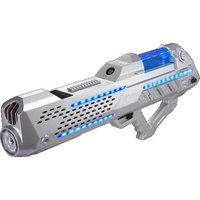

Brand : Froggy's Fog
Model : Fobbles F4
Category : Effects machine