
Fobbles-F3 - Effects machine Froggy's Fog - Free user manual and instructions
Find the device manual for free Fobbles-F3 Froggy's Fog in PDF.


| Product Type | Fog Bubble Machine |
| Brand | Froggy's Fog |
| Model | Fobbles-F3 |
| Power Supply | 120 V AC, 60 Hz (3-prong grounded outlet) |
| Modes | Fog, Haze, Bubble, Fobbles (selectable via remote or LCD) |
| Output Control | Manual (hold button), Constant Burst (lock button), Timer (timer button) |
| Remote Control | Wireless remote with pairing; A button selects modes, B button (not specified) for other functions |
| LCD Display | Shows warm-up status, program mode, fog volume, wand speed, timer interval/duration, fog fluid sensor status |
| Fog Volume Adjustment | 0% to 100% (via UP/DOWN buttons) |
| Bubble Wand Speed | 0% to 100% in 10% increments |
| Timer Interval | 0 to 600 seconds |
| Timer Duration | 0 to 300 seconds |
| Fog Fluid Sensor | Low fluid detection with on/off deactivation |
| Nozzle Temperature | Up to 300°C (caution: hot surface) |
| Recommended Fog Fluid | Froggy's Fog water-based fog fluid (do not substitute) |
| Recommended Bubble Fluid | Froggy's Fog Max Bubbles or equivalent high-quality bubble fluid |
| Cleaning Interval | After every 40 hours of operation or before storage |
| Warranty | 90-day limited, covers manufacturing defects; proof of purchase required; valid only in USA |
| Safety Clearance | At least 6 inches around unit; operate in well-ventilated area |
| Usage Restrictions | Adult use only; keep away from children; do not point nozzle at people |
| Storage Conditions | Cool, dry place; avoid freezing, high heat above 120°F, and humidity |
Frequently Asked Questions - Fobbles-F3 Froggy's Fog
User questions about Fobbles-F3 Froggy's Fog
0 question about this device. Answer the ones you know or ask your own.
Ask a new question about this device
Download the instructions for your Effects machine in PDF format for free! Find your manual Fobbles-F3 - Froggy's Fog and take your electronic device back in hand. On this page are published all the documents necessary for the use of your device. Fobbles-F3 by Froggy's Fog.
USER MANUAL Fobbles-F3 Froggy's Fog
- Under normal use, bubble solution can build up on surfaces beneath and in front of the machine. Exercise care during use to avoid slipping hazards.
- Keep this device dry. The unit may be used outdoors, but must be shielded from inclement weather. Turn off or unplug when not in use.
- Use 3-prong grounded electrical outlet only. Take care to determine that the unit is installed at the rated 120V.
• Always unplug your fog bubble machine before filling its tank.
• Always keep the fog bubble machine upright and level. - The machine is not waterproof or splash proof. If outside moisture gets inside the housing, immediately unplug, and contact a service technician or your dealer before using it again.
- No user serviceable parts inside. Refer to your dealer or other qualified service personnel.
- For adult use only. Fog machine must be installed out of the reach of children. Never leave the unit running unattended.
- Never point the nozzle directly at people. Fog machine output at the nozzle is very hot (300 degrees C).
- Never cover the unit's vents. Operate machine in a well-ventilated area and allow free air space of at least 6" around unit.
- Only specifically designed water-based scent additives may be added to the fog or bubble fluid. Never add flammable liquids of any kind (oil, gas, non-application specific perfumes). Pay attention to all warning labels and instructions printed on the exterior of your machine.
- Use only the high quality, Froggys Fog, water based fog fluid in the machine. Always make sure there is sufficient liquid in the fog liquid tank. Operating this unit without liquid will cause damage to the heater and pump systems.
- Always drain reservoirs before mailing or transporting this unit.
- Always disconnect the power from equipment when not in use or before cleaning! Only handle the power-cable by the plug. Never pull out the plug by pulling the power-cable.
• Make sure that the power-cable is never crimped or damaged. Check the equipment and the power-cable periodically. - If the equipment is dropped or damaged, disconnect the mains power supply immediately. Have a qualified engineer inspect the equipment before operating again.
- Do not expose to flammable sources or gases.
- Never drink fog or bubble liquid. If ingestion occurs, seek medical assistance. For contact with skin or eyes, rinse thoroughly with water.
- Vapor from this fluid may be irritating to some persons with allergic sensitivity. Do not expose at close range to known asthmatic. Use in a well-ventilated area.
Important Notes
- DO NOT PUT BUBBLE FLUID IN THE REAR FOG FLUID RESEVOIR BOTTLE. THIS WILL DAMAGE THE HEATER CORE AND VOID THE WARRANTY OF THE MACHINE
- The manufacturer will not accept liability for any resulting damages caused by the non-observance of this manual or any unauthorized modification to the equipment.
- If the equipment has been exposed to drastic temperature fluctuation (e.g. after transportation), do not switch it on immediately. The arising condensation might damage the equipment. Leave the equipment switched off until it has reached room temperature.
- Only use fuses of same type and rating.
- Repairs, servicing, and power connection must only be carried out by a qualified technician. THIS UNIT CONTAINS NO USER SERVICEABLE PARTS.
Setup
- Open the box to verify product integrity. If the unit's housing or cable is damaged, do not plug it in and do not attempt to use it until after contacting your dealer for assistance.
- Place fog bubble machine on a level flat surface, remove fog liquid reservoir cap toward rear of the machine. Fill fog fluid reservoir with Froggys Fog Brand Fog Fluid. Lower quality fluid can damage the unit. Recap tank.
- Fill bubble reservoir at the front with a high-quality bubble fluid, such as Froggys Fog Max Bubbles. Lesser quality bubble fluids cannot withstand the increased pressure of hot fog and will burst prematurely. The bubble solution can become diluted with fog moisture over time and occasionally will need to be drained and refilled fresh during use if performance is impacted.
Operation
After switching on via the On/Off switch, the LCD screen will display "WARMING UP". When the unit has reached the correct temperature, the LCD display will show "READY", and the unit is now ready for operation
Remote Pairing/ Un Pairing Procedure
- Press the REMOTE button on the machine and hold on until the REMOTE LED lights red, release the REMOTE button and press the A or B button on the remote controller until the REMOTE LED light turns green on machine. Release the A or B button on the remote controller to complete the pairing.
- If successful, user can control the machine with remote controller as below:
○ A button: Choose the 1-4 different Modes:
- Fog 2. Haze 3. Bubble 4. Fobbles
- Remote button presses will give a green status LED on the machine.
- Un Pairing - Press the REMOTE button on the machine and hold until the REMOTE LED on the machine illuminates red and flashes three times in red and then off. Release the REMOTE button to complete the un-pairing. Please note that the un-pairing procedure doesn't require any presses on the remote controller. After un-pairing, the remote LED will not illuminate, and no functions will be performed by the machine.
Machine Features
-Manual Output
For manual output at 100% output, simply press the “MANUAL” button and hold until the desired amount of output is emitted.
-Constant Burst Operation
To set unit for constant burst, press the "LOCK" button. To stop the constant burst simply press the "LOCK" button again. During this operation, you can change the fog volume output by pressing the "UP" and "DOWN" buttons.
-Timer Mode
Press the timer button to start timer functionality according to the LCD display settings.
LCD Display Settings
| LCD Display Settings | Description |
| Machine Function | Choose the program modes from 1-4 to display different programs:1. Fog 2. Haze 3. Bubble 4. Fobbles |
| Fog Volume | Adjust the fog volume output within the range from 0% to 100%. |
| Bubble Wand Speed | Adjust the wand speed 0-100% in 10% Increments |
| Timer Interval | Adjust the interval between each fog emission within the range of 0 to 600S. |
| Timer Duration | Adjust the duration of each fog emission within the range of 0 to 300S. |
| Fog Fluid Sensor On/ Off | Deactivate the fog low fluid sensor |
Maintenance
Cleaning your fog bubble machine regularly will help reduce costly parts replacement and repair charges.
Please follow these instructions for safely cleaning after 40 hours of operation or before storing the fog bubble machine, to ensure long lifespan. Tools: Clean lint free cloth, coffee filter or similar fine mesh filter cloth, plastic, or glass container larger than the reservoir size (do not use metal), distilled water and Froggys Fog fluid.
- Allow the machine to cool down before handling.
- Drain any fog solution that remains in the tank into a container through the filter mesh for reuse.
- Dispose of any bubble solutions and wipe condensation tray and bubble wands.
- Add distilled water to fill the fog fluid reservoir approximately 1/3.
- Run machine for 10 minutes. Fog will come out the first few cycles, followed by steaming water vapor.
- Turn off the machine and allow to cool down, then drain the distilled water from the reservoir.
- Refill the reservoir approximately 1/3 with good quality fog solution.
- Turn fog machine on, run for 10-15 minutes. Water vapor steam will come out the first few cycles, followed by fog. Continue fog output for 5-10 cycles.
- Turn off the machine and allow to cool, then wipe machine clean with clean lint free cloth.
- Leave the fog machine stored with fog fluid in the lines. The fog solution acts a lubricant and conditioner for the plastic and rubber parts in the fluid pump.
- Store the fog machine in a cool, dry place when not in use. Avoid freezing temperatures, high heat above 120 degrees and humid/damp locations which may cause control board failure.
- If possible, remove from storage after 6 months and operate the fog machine for 15 minutes or more, then repeat step 8 – 10.
WARRANTY
Save these instructions. 90 Day Limited Warranty: valid from the date of purchase. 90-day limited warranty covers
manufacturing defects only. Serial number and proof of purchase must be submitted at time of service. Warranty does not cover items or parts prone to wear and tear: pumps, fuses, switches and CODs. Warranty is only valid with-in the United States.
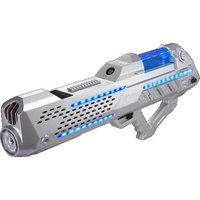

Brand : Froggy's Fog
Model : Fobbles-F3
Category : Effects machine