
XF-B9001 - USB Hub Clas Ohlson - Free user manual and instructions
Find the device manual for free XF-B9001 Clas Ohlson in PDF.


User questions about XF-B9001 Clas Ohlson
0 question about this device. Answer the ones you know or ask your own.
Ask a new question about this device
Download the instructions for your USB Hub in PDF format for free! Find your manual XF-B9001 - Clas Ohlson and take your electronic device back in hand. On this page are published all the documents necessary for the use of your device. XF-B9001 by Clas Ohlson.
USER MANUAL XF-B9001 Clas Ohlson
USB Bluetooth Adapter
Art.no 39-1535 Model XF-B9001
Please read the entire instruction manual before using the product and then save it for future reference. We reserve the right for any errors in text or images and any necessary changes made to technical data. In the event of technical problems or other queries, please contact our Customer Services Services.
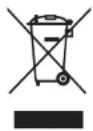
Responsible disposal
This symbol indicates that this product should not be disposed of with general household waste. This applies throughout the entire EU. In order to prevent any harm to the environment or health hazards caused by incorrect waste disposal, the product must be handed in for recycling so that the material can be disposed of in a responsible manner. When recycling your product, take it to your local collection contact the place of purchase. They will ensure that it is disposed of in an environmentally sound manner.
Installation
- Connect the Bluetooth adapter to a vacant USB port on your computer.
- The computer will detect and install the drivers automatically.
- The Bluetooth adapter will appear in your Device Manager when the computer has located it.
Device Manager
File Action View Help
向导
4. 10. 11. 12. 13. 14.
DESKTOP-6PEOTCP
Audio inputs and outputs
Bluetooth
8 Bluetooth Device (RFCOMM Protocol TDI)
Generic Bluetooth Radio
Microsoft Rhesighty Encomerator
Microsoft Bluetooth Ensherrator Microsoft Bluetooth LE Engraster
Microsoft Bidirectional Le Chamferator
Computer
Disk drives
The connection sequence below is for Windows 10 and 11
- Activate pairing mode on the Bluetooth device that you wish to connect to (e.g. a headset). Refer to the instruction manual of the device for details about how to activate the pairing mode.
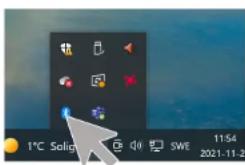
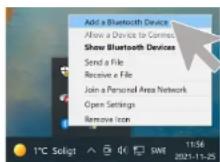
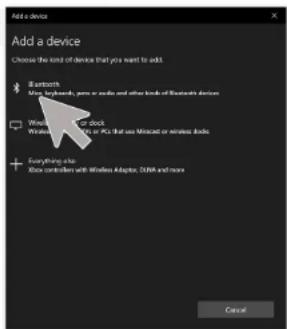
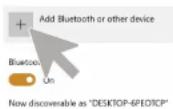
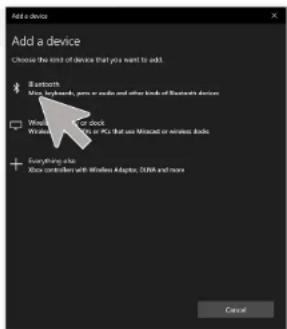
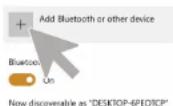
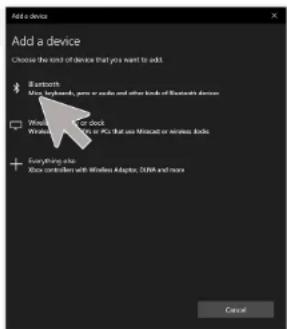
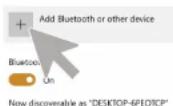
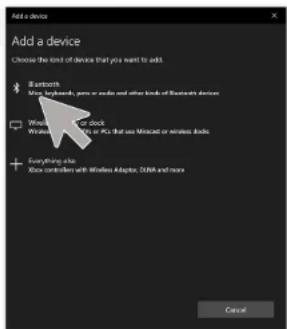
- Open the Bluetooth Settings in the notification area and select Pair new device.
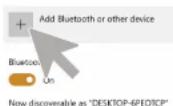
- Alternatively: Start > Settings > Bluetooth & Devices > Add Bluetooth device.
- Select the Bluetooth device when it appears in the list and follow the instructions displayed on the screen.

If you have paired an audio device, speaker or headset, you should check that the device is selected as the default device in Audio/Playback. Maybe even in Audio/Recording.
Specifications
Supported by Windows 11
Windows 10 (32/64 bit)
Windows 8.1 (32/64 bit)
Windows 8 (32/64 bit)
Bluetooth v. BT v. 4.0
Supports the following
Bluetooth profiles HSP1.2, HFP1.6, A2DP1.4,
A2DP1.2, FTP 1.1
Frequency range 2.4 GHz
Range 10 m
Compatible with USB 2.0
Size (L × W × H) 35.5 × 16 × 7.5 mm
Weight 3.6 g
Note: Do not upgrade the firmware. It may damage the Bluetooth dongie.
English
Bluetooth & other devices
USB Bluetooth Adapter
Art.nr 39-1535 Modell XF-B9001
File Action View Help
← → [ ] [ ] [ ]
DESKTOP-6PEOTCP
Audio inputs and outputs
Bluetooth
8 Bluetooth Device (RFCOMM Protocol TDI)
8 Generic Bluetooth Radio
Microsoft Bluetooth Enumerator
8 Microsoft Bluetooth LE Enumerator
Computer
Disk drives
Bluetooth & other devices
USB Bluetooth-adapter
Art.nr. 39-1535 Modell XF-B9001
Bluetooth & other devices
Suomi
USB Bluetooth-sovitin
Tuotenro 39-1535 Malli XF-B9001
Bluetooth & other devices
Brand : Clas Ohlson
Model : XF-B9001
Category : USB Hub