KAKM4NCEWTS - Headphones Kogan - Free user manual and instructions
Find the device manual for free KAKM4NCEWTS Kogan in PDF.


| Product Type | True Wireless Stereo (TWS) Earbuds |
| Brand | Kogan |
| Model | KAKM4NCEWTS |
| Connectivity | Bluetooth 5.4 |
| Battery Capacity (Earbuds) | 30mAh each |
| Battery Capacity (Charging Case) | 350mAh |
| Charging Time (Earbuds) | Approximately 1.5 hours |
| Charging Time (Case) | Approximately 1.5 hours |
| Playback Time (ANC Off) | Up to 5 hours (at 50% volume) |
| Playback Time (ANC On) | Up to 4 hours (at 50% volume) |
| Additional Charges from Case | 3.5 times |
| Speaker Diameter | 10mm |
| Weight (Each Earbud) | 3.5g |
| Total Weight (Case + Earbuds) | 47g |
| Charging Port | USB-C |
| Noise Cancellation | Active Noise Cancellation (ANC) with touch control |
| Controls | Touch sensitive MFB (Multi-Function Button) on each earbud |
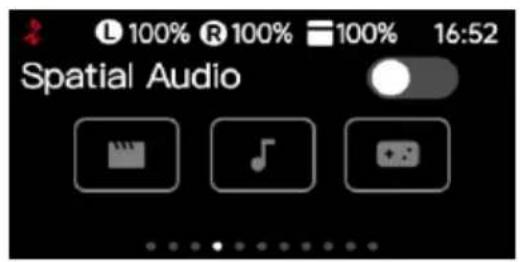
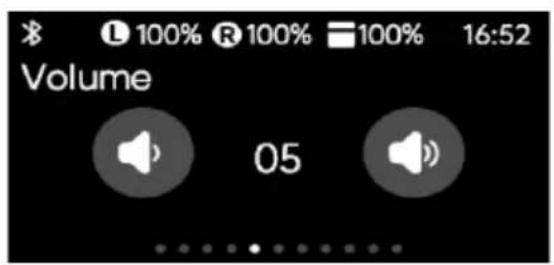
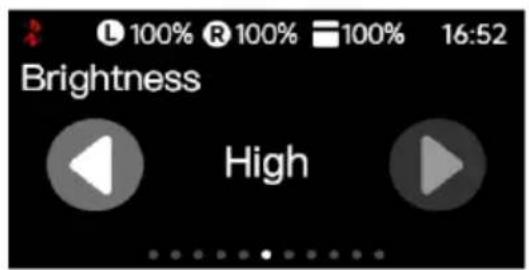
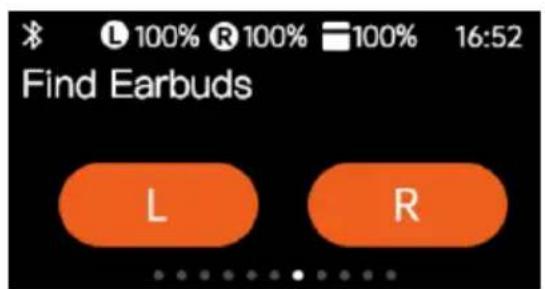
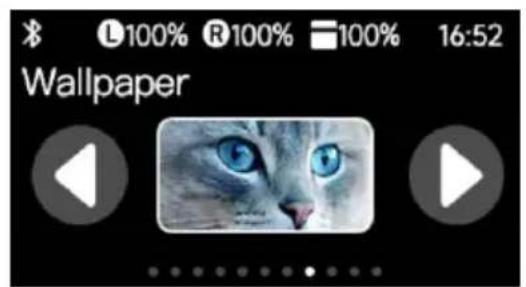
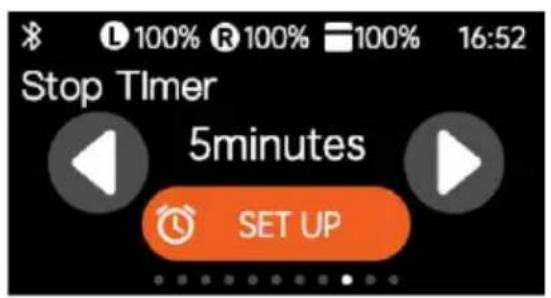
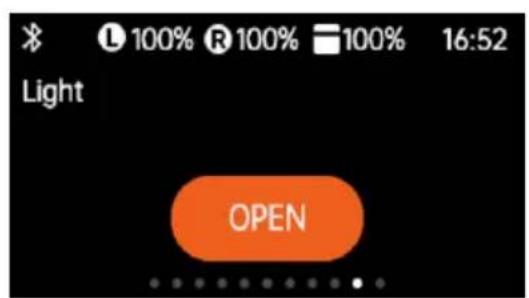
| Display | Touch screen on charging case for music, equalizer, ANC, spatial audio, volume, brightness, find earbuds, wallpaper, timer |
| Water Resistance | Not specified; avoid water and excessive force |
| Auto Power Off | After 5 minutes of no connection; low battery auto-off |
| Included Accessories | Charging case, USB-C cable, earbuds |
| Safety Features | Volume warning; use only 5V/1A adapter; avoid extreme temperatures |
Frequently Asked Questions - KAKM4NCEWTS Kogan
User questions about KAKM4NCEWTS Kogan
0 question about this device. Answer the ones you know or ask your own.
Ask a new question about this device
Download the instructions for your Headphones in PDF format for free! Find your manual KAKM4NCEWTS - Kogan and take your electronic device back in hand. On this page are published all the documents necessary for the use of your device. KAKM4NCEWTS by Kogan.
USER MANUAL KAKM4NCEWTS Kogan
natural_image
Line drawing of a stylized open box with decorative elements (no text or symbols)User Safety Instructions
- To avoid any possible hearing damage, keep the volume at a moderate level.
- Avoid listening to music at loud volume levels for prolonged periods, as this may cause permanent hearing damage or hearing loss.
- Always be aware of your surroundings while using the earbuds. Do not use the earbuds while driving, cycling, running, jogging, or when engaging in any activity that requires your attention and ability to hear.
- Even if not in use, charge the earbuds and the battery case at least once every 6 months to maintain the product's life cycle.
- Store the earbuds in a cool, dry place. Keep them away from hot and humid conditions.
- The battery is designed to last the life cycle of the product. It should only be removed by a recycling facility. Any attempt to remove or replace the batteries will damage the product and void the warranty.
- Bluetooth products can be affected by the environment. Do not use them in areas with large electromagnetic fields or high radiation levels, as this may impact the Bluetooth signal and lead to less-than-optimal performance.
- Do not use these earbuds in temperatures below 0^ or above 45^ .
- Do not use the earbuds during thunderstorms. Thunderstorms may cause abnormal equipment operation and increase the risk of electric shock.
- Do not place the Bluetooth earbuds in water or apply excessive force, as this may damage the earbuds and result in poor sound quality.
Product Safety Warning
- Please use an AC adapter with a maximum output of 5V/1A. Using a charger with a higher output voltage and current than recommended may cause severe damage to the product and void the warranty.
- Use the original charging cable for charging the storage case.
- Charge the earbuds and the battery case at least once every 6 months to ensure a long product life cycle. Store them in a cool, dry place, and keep them away from hot and humid conditions.
OVERVIEW
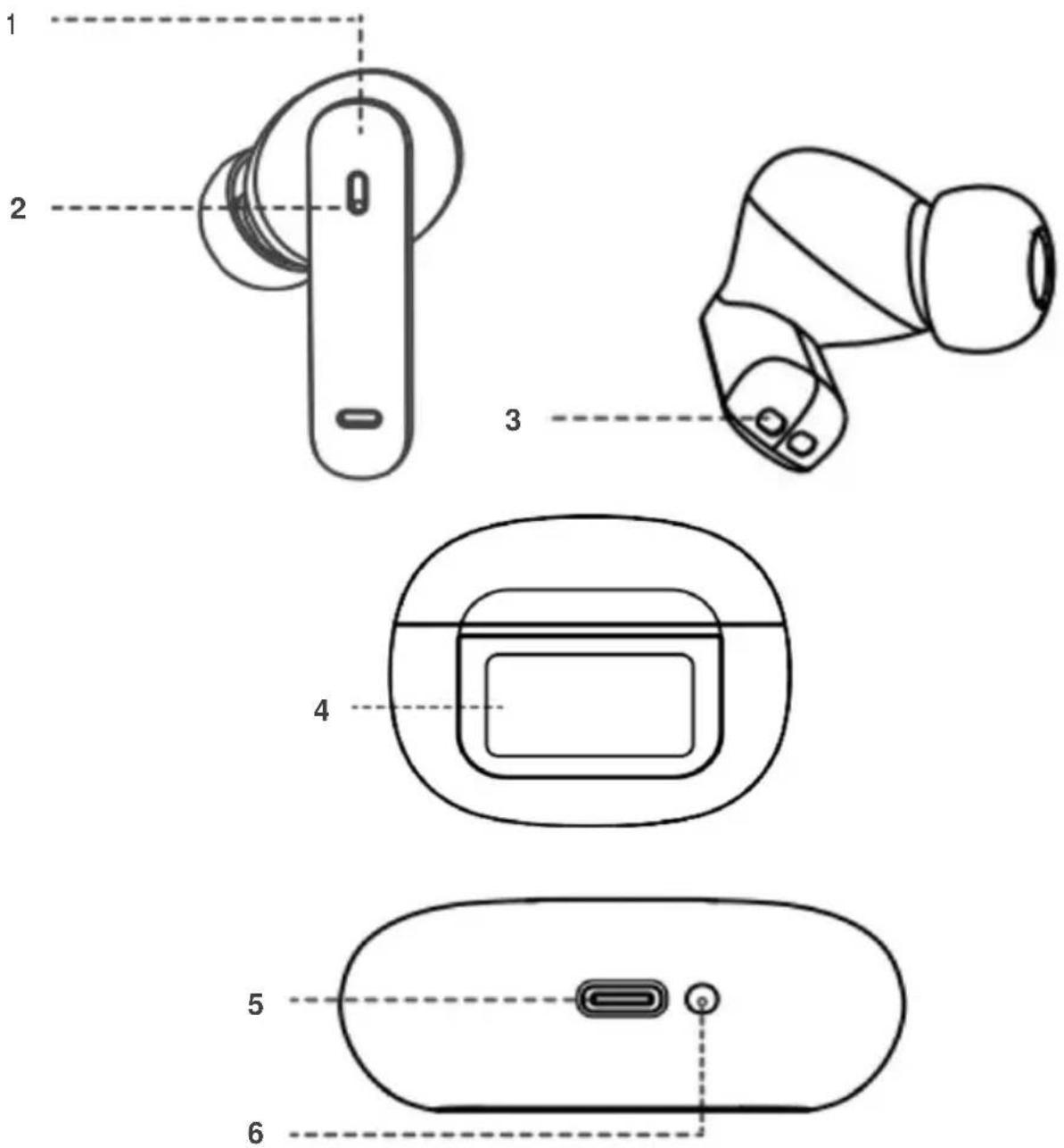
1 Multi-function button (MFB)
2 Indicator (earphone)
3 Charging contacts
4 Touch screen display
5 USB-C charging port
6 Case button
OPERATION
Before using this product, you need to press the button located at the bottom side of the charging case to deactivate the shipping mode. Only after this step can you power on the earphones. Ensure this process is completed to avoid any issues when using the earphones for the first time.
Power On/ Off
- To power on the earphones, simply open the charging case lid; the earphones will automatically turn on. If the charging case is not available, press and hold the MFB button on the earphones for 3 seconds to power them on.
- To power off the earphones, place them back in the charging case and close the lid. If the charging case is not available and the earphones are not connected to any device, press and hold the MFB button on the earphones for 5 seconds to power them off.
- If the charging case has no power or is low on power, the Hall function will not work, and the earphones will not automatically power off when placed in the charging case and the lid is closed. In this situation, you need to manually turn off the earphones.
Note:
Before manually powering off the earphones, ensure they are disconnected from any connected device.
Inter-Connecting the Earphones
- Ensure that the earphones are charged.
- Remove both earphones from the charging case; they will turn on and enter the automatic inter-pairing mode. Wait a few seconds until both earphones are interconnected. You will hear a prompt tone when the interconnection is successful, usually within 3-8 seconds.
- To reactivate the inter-pairing mode, simply place the earphones back in the charging case and close the lid. Wait a few seconds, then follow the above procedure again.
Bluetooth Pairing and Connectivity
- After the earphones are successfully interconnected, they are ready to pair with your Bluetooth-enabled device.
- Turn on the Bluetooth function on your device and search for 'Kogan KM4 Earbuds' in the Bluetooth menu. Select 'Kogan KM4 Earbuds', and you will hear a prompt tone when pairing is successful.
- Once the connection is successful, you can start using the TWS earphones.
- To disconnect, simply place the earphones back in the charging case, and the TWS earphones will automatically disconnect from any paired devices.
- To reconnect the TWS earphones with the same device, simply remove the earphones from the charging case, and they will automatically connect to the device. Ensure that Bluetooth is turned on for the device. To prevent the TWS earphones from automatically connecting to any device, delete the TWS earphones from the Bluetooth menu of that device.
- To enjoy calls, music, and other audio output from your device on the TWS earphones, ensure that the media connection for both calls and media files is activated in the Bluetooth menu.
Using MFB (Multi-Function Button)
| Left earphone (L) | Right earphone (R) | |
| Play/ Pause | Touch once | Touch once |
| Previous song | Touch three times | |
| Next Song | Touch three times | |
| Volume + | Touch twice | |
| Volume - | Touch twice | |
| Answer call | Touch once | Touch once |
| End call | Touch once | Touch once |
| Reject call | Press and hold for 2 seconds | Press and hold for 2 seconds |
| Voice assistant | Press and hold for 2 seconds | |
| ANC ON/ OFF | Press and hold for 4 seconds, headphones will emit 2 beeps | |
| Press and hold for 2 seconds, headphones will emit a beep | ||
Touch Screen Display
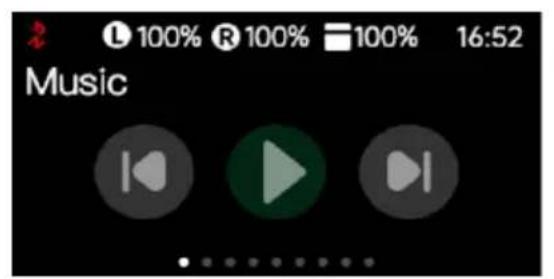
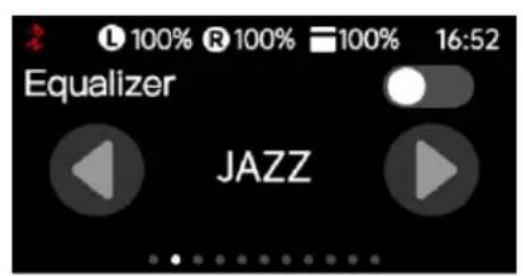
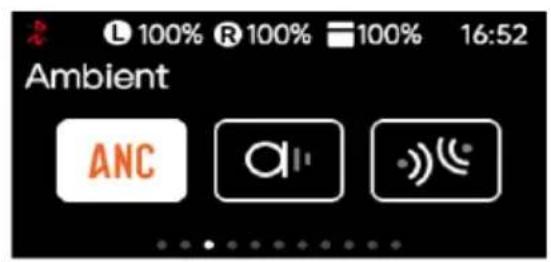
The touch screen display on the charging case automatically turns on when the case is opened, providing an intuitive interface for easy navigation. You can swipe through different menu screens with your finger and tap on the screen to interact with the menus.
Additionally, you can adjust the settings to have the display turn on with a touch, giving you flexibility in how you access and manage your earphones' settings and status.
Charging the Battery Case
- To charge the earbuds, place them in the charging case and close the lid. While the earbuds are charging, the L & R icons on the screen will turn yellow. Once the earbuds are fully charged, the icon lights will turn white and display a 100% mark, indicating that charging is complete.
- To charge the battery case, plug in the USB-C cable to the charging port of the storage case and connect the USB end to a powered USB AC adapter or computer. The recommended power is DC 5V/1A.
- While the charging case is charging, the case icon on the screen will turn yellow. Once charging is complete, the icon light will turn white and display a 100% mark, indicating that the charging process is finished.
Power Saving Mode
The TWS earphones will automatically turn off after 5 minutes if they are not connected to any device.
Low Battery
When the battery level drops below 5%, you will hear a warning voice prompt 'battery low'. This message will repeat every 2 minutes. After approximately 5 minutes, the TWS earphones will automatically power off.
SPECIFICATIONS
| Bluetooth Version | Bluetooth 5.4 |
| Earphone battery | 30mAh x 2 |
| Charging case battery | 350mAh |
| Speaker diameter | Φ 10mm x 2pieces |
| Charging time | Earphone: 1.5hrs |
| Charging case: 1.5hrs | |
| Earphone working time | ANC off: approx. 5hrs based on 50% volumeANC on: approx. 4hrs based on 50% volume |
| Charging case working time | Additional 3.5 times |
| Earphone weight | 3.5g each |
| Weight | 47g |
| Charging Port | USB-C |
NOTES
Need more information?
We hope that this user guide has given you the assistance needed for a simple set-up.
For the most up-to-date guide for your product, as well as any additional assistance you may require, head online to help.kogan.com
kogan.com
Brand : Kogan
Model : KAKM4NCEWTS
Category : Headphones