
FSWKPADT1PA - Treadmills Fortis - Free user manual and instructions
Find the device manual for free FSWKPADT1PA Fortis in PDF.


| Brand | Fortis |
| Model | FSWKPADT1PA (T1 Pro) |
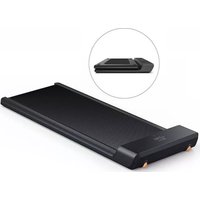
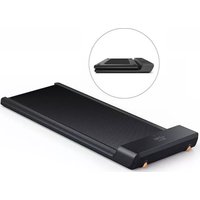
| Product Type | Foldable Smart Walking Pad Treadmill |
| Operating Dimensions | 1432 x 547 x 129 mm |
| Folded Dimensions | 822 x 547 x 129 mm |
| Net Weight | 27 kg |
| Gross Weight | 30 kg |
| Power Input | 932 W, 220-240 V ~ 50/60 Hz |
| Speed Range | 0.5 - 6 km/h (initial limit 3 km/h for first 1 km) |
| Running Surface | 1200 x 415 mm |
| Maximum User Weight | 105 kg |
| Recommended Age | 14 - 60 years |
| Display | Shows time, speed, distance, steps |
| Operating Modes | Manual (remote control speed adjustment) and Automatic (speed adjusts based on user position) |
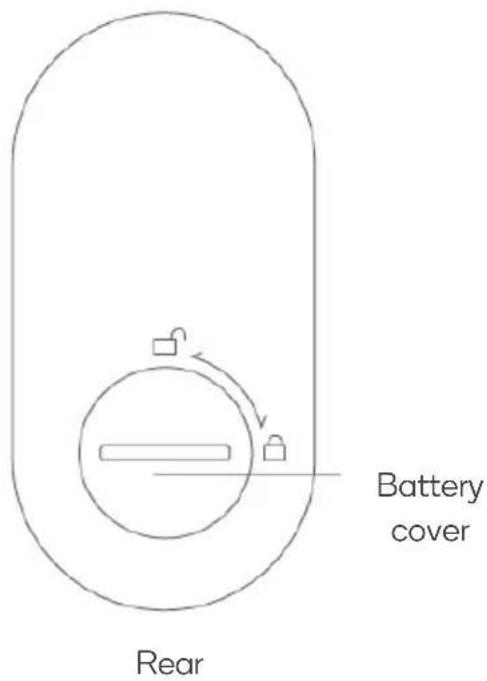
| Remote Control | Includes lanyard, speed increase/decrease, start/stop, mode button; requires CR2032 battery |
| App Compatibility | WalkingPad app (iOS/Android) for unlocking max speed and additional features |
| Safety Features | Magnetic safety key (lanyard), emergency stop via remote, auto-shutoff, child lock (not specified) |
| Belt Adjustment | Manual belt centering and tension via Allen key; CALI mode for calibration |
| Lubrication | Silicone oil every 3 months; apply 5-10 ml under belt |
| Cleaning | Disconnect power; use mild detergent on cotton cloth; do not spray directly on belt or wipe under belt |
| Storage Conditions | Cool, dry place; avoid extreme temperatures and humidity |
| Warranty / Support | Contact help.kogan.com for assistance |
Frequently Asked Questions - FSWKPADT1PA Fortis
User questions about FSWKPADT1PA Fortis
0 question about this device. Answer the ones you know or ask your own.
Ask a new question about this device
Download the instructions for your Treadmills in PDF format for free! Find your manual FSWKPADT1PA - Fortis and take your electronic device back in hand. On this page are published all the documents necessary for the use of your device. FSWKPADT1PA by Fortis.
USER MANUAL FSWKPADT1PA Fortis
natural_image
Line drawing of a rectangular electronic device casing with mounting holes and a curved top (no text or symbols)WALKINGPAD FOLDABLE SMART TREADMILL
(T1 PRO)
FSWKPADT1PA
SAFETY & WARNINGS
Read all of the instructions in this guide before using this product. Retain this guide for future reference. Do not skip, substitute or modify any steps or procedures in this guide, as doing so could result in personal injury or product damage.
- Before starting any exercise program, consult your physician to determine if you have any medical or physical conditions that could put your health and safety at risk or prevent you from using the equipment properly. Your physician's advice is essential if you are taking any medication that may affect your heart rate, blood pressure or cholesterol level.
- Incorrect or excessive exercise can damage your health. Stop exercising if you experience any of the following symptoms: pain, tightness in your chest, irregular heartbeat, shortness of breath, light headedness, dizziness or feelings of nausea. If you experience any of these conditions, you should consult your physician before continuing with your exercise program.
- Always wear comfortable properly fitting sports shoes and clothing while using the treadmill. If you experience any discomfort while exercising stop immediately and consult your physician.
- This equipment is intended for adult use only. Keep children and pets away from the machine. DO NOT leave children unattended in the same room with the equipment. Contact with the moving surface may result in severe friction burns.
- Do not get on or off the treadmill whilst it is moving as this may result in serious injury and possible damage of the treadmill.
- When not in use, unplug the power cord.
- This appliance is designed for consumer use. Follow directions and use only as described.
- Once fully assembled, inspect to ensure all hardware parts such as bolts, nuts and washers are positioned correctly and tightly secured.
- Dry after each use to remove moisture. Wipe regularly with a mild, non-abrasive cleaner and water solution.
- To ensure safety, the equipment should have at least 50 cm of free space on each side and 200cm behind.
- Prior to assembly, ensure you have all the components.
- Always use the equipment as intended. If you find any defective components while assembling or checking the equipment, or if you hear any unusual noises coming from the equipment during exercise, cease use immediately and contact help.kogan.com for assistance. Do not use until resolved.
- Do not place fingers or any other objects into moving parts of the exercise equipment. Ensure care is taken while setting up and folding the treadmill.
- Keep hands clear of the hinges while setting up and folding the treadmill.
- Do not exceed the maximum user weight of 105KG.
- Be careful when lifting and moving the equipment. Always use proper lifting technique and seek assistance if necessary.
- Your equipment is intended for use in cool, dry conditions. You should avoid storage in extreme cold, hot or damp areas as this may lead to corrosion and other related problems.
- This appliance contains no user-serviceable parts. If it suffers any failure or damage, cease use immediately and contact help.kogan.com
- This equipment is designed and intended for indoor use only.
- The running belt on this treadmill has a visible joint mark. This is completely normal and will not affect the performance or operation of your treadmill.
WARNING – KEEP BATTERIES OUT OF REACH OF CHILDREN

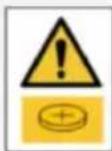
- Swallowing may lead to serious injury or death in as little as 2 hours, due to chemical burns and potential perforation of the oesophagus.
- If you suspect your child has swallowed or inserted a button battery immediately call the 24-hour Polisons Information Centre on 13 11 26 (Australia) or 0800 764 766 (New Zealand) for fast, expert advice.
- Examine devices and make sure the battery compartment is correctly secured, e.g. that the screw or other mechanical fastener is tightened. Do not use if compartment is not secure.
- Dispose of used button batteries immediately and safely. Flat batteries can still be dangerous.
- Tell others about the risk associated with button batteries and how to keep their children safe.
COMPONENTS

natural_image
Line drawing of a smartphone front panel with no text or symbolsTreadmill
Accessories

Power cord
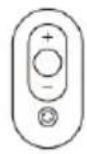
Remote control

Remote lanyard

Allen Key

Silicone oil
User guide
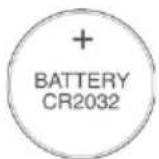
Battery (CR2032)
OVERVIEW
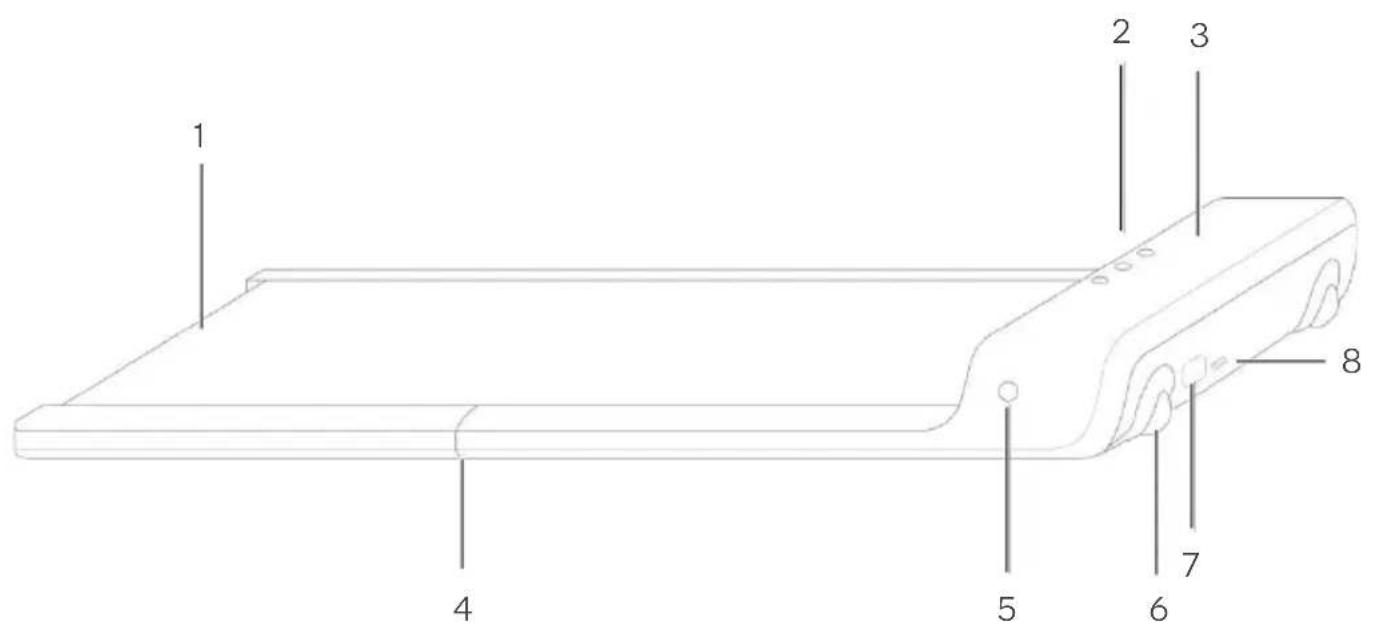
1 Belt 5 Mode button
2 Function buttons 6 Transport wheels
3 Display 7 Power input
4 Folding hinge 8 Power switch
Function Buttons & Display

Time

Speed

Distance

Steps

Power

Manual mode

Automatic mode

— Error indicator
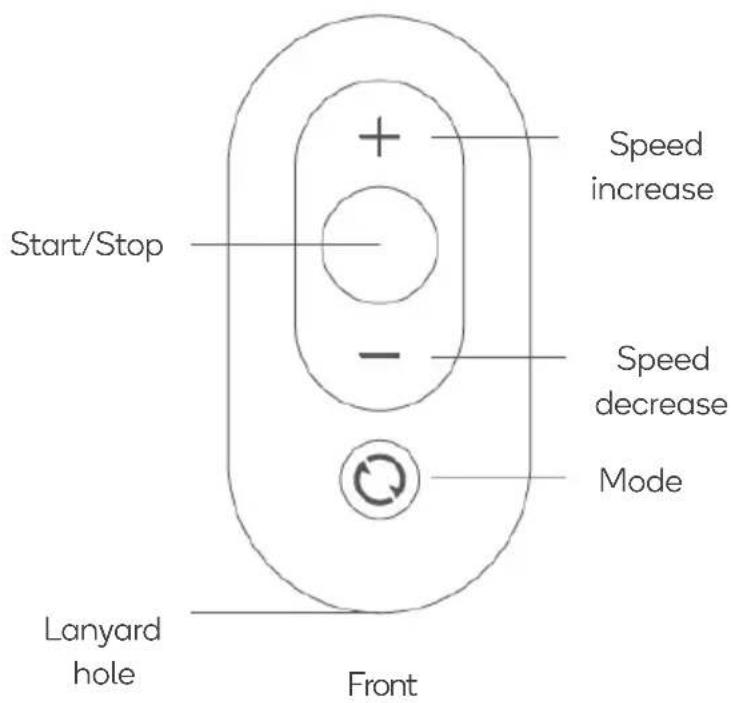
Remote Control:
ASSEMBLY
Step 1:
- Lift the rear of the treadmill until the transport wheels come into contact with the floor. - Move the treadmill into your desired location. Avoid placing the treadmill on soft cushions or thick carpets.

natural_image
Line drawing of a person using a tool to lift a wooden plank, with an inset showing the blade being pointed at the end (no text or symbols)Step 2:
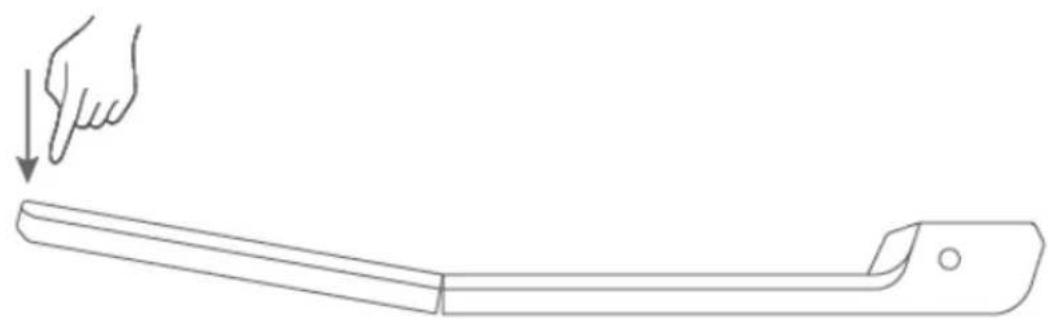
- Carefully unfold the treadmill, ensuring to keep your hands clear of the hinges. - Press the rear of the treadmill down until it is completely flat.
natural_image
Line drawing of a hand pressing down on a wooden beam (no text or symbols)Step 3:
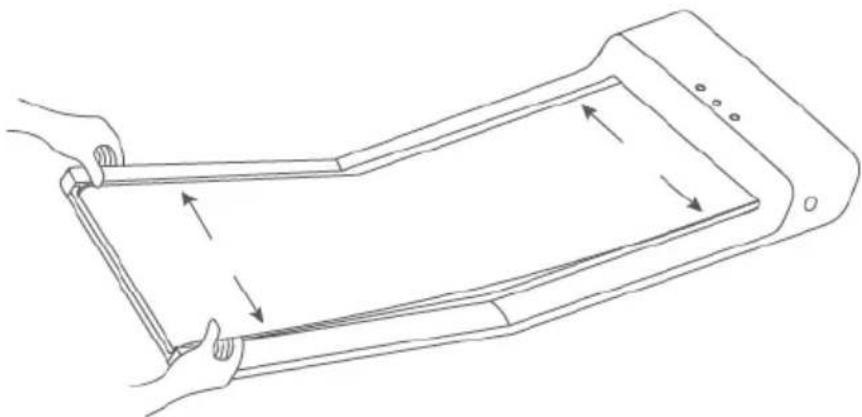
Ensure the belt is in the centre of the treadmill and adjust if required.
natural_image
Line drawing of a foldable electronic device with arrows indicating movement or force (no text or symbols)Note:
The running belt on this treadmill has a visible joint mark. This is completely normal and will not affect the performance or operation of your treadmill.
Step 4:
- Connect the power cord to the treadmill power input.
- Plug the power cord into a power outlet and place the power switch to the on position.

natural_image
Line drawing of a device with a plug and cable, no text or symbols presentStep 5:
- Download and install the "WalkingPad" App from App Store (Apple) or Google Play Store (Android).
- Open the App and follow the prompts to connect to your treadmill.

natural_image
Green circular logo with white 'wp' symbol (no additional text or symbols)OPERATION
Turning the treadmill On and Off
- Press the Power button on the treadmill or the Mode button on the remote control to turn the treadmill on. The display will illuminate and the treadmill will enter Manual mode by default.
- The user can also power on the treadmill by pressing either the Manual or Automatic buttons. The display will illuminate and the treadmill will enter the respective function.
- To turn off the treadmill press the power button on treadmill or press and hold the Mode button on the remote control.
Speed Restriction
- The maximum speed available will be locked at 3km/h for the first 1km of usage. After accumulating 1km of usage the maximum speed available will be increased to 6km/h.
- Maximum speed can also be unlocked through the “WalkingPad” app by completing the beginner guide.
Manual Mode
In Manual mode users can use the remote control to adjust the speed of the treadmill to suit their needs. It is recommended to start with Manual mode when you are first getting used to your treadmill.
- Speed increase button: Press the Speed increase button to raise the speed of the treadmill by 0.5km/h.
- Speed decrease button: Press the Speed decrease button to lower the speed of the treadmill by 0.5km/h.
- Start/Stop button: Press the Start/Stop button on the remote control to stop treadmill. Press the button again when you are ready to resume exercising.
- Mode button: Press the Mode button on the treadmill or the remote control to switch between Manual and Automatic mode.
Automatic Mode
In Automatic mode, users can adjust the speed of the treadmill without using the remote control. Automatic mode is recommended for more advanced users of the treadmill.
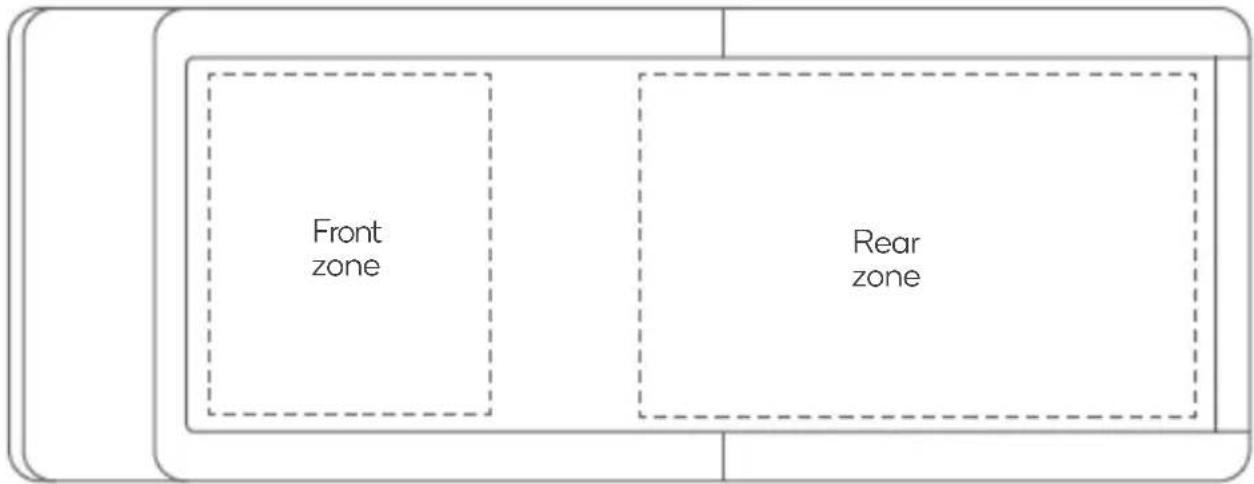
- Increase speed: When the user enters the front zone of the treadmill belt the treadmill speed will increase.
- Decrease speed: When the user enters the rear zone of the treadmill belt the treadmill speed will decrease.
- Start/Stop button: Press the Start/Stop button on the remote control to stop the treadmill. Press the button again when you are ready to resume exercising.
- Mode button: Press the Mode button on the treadmill or the remote control to switch between Manual and Automatic mode.
Display
Time
Speed

Distance
Steps
Functions and Features:
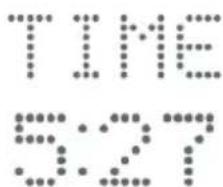
• TIME: Shows your elapsed workout time in minutes and seconds
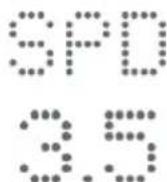
• SPEED: Displays your workout speed value in km/h.
• DISTANCE: Displays the accumulative distance travelled during your workout.
• STEPS: Displays the accumulative steps travelled during your workout.
CLEANING & CARE
Cleaning the Treadmill
- Disconnect the power before cleaning the treadmill.
- Add a small amount of mild detergent to a 100% cotton cloth. Do not spray the detergent directly on the belt or use any acidic and corrosive detergents.
- Do not wipe under the walking belt

natural_image
Line drawing of a hand holding a piece of paper over a flat surface (no text or symbols)Belt Adjustment
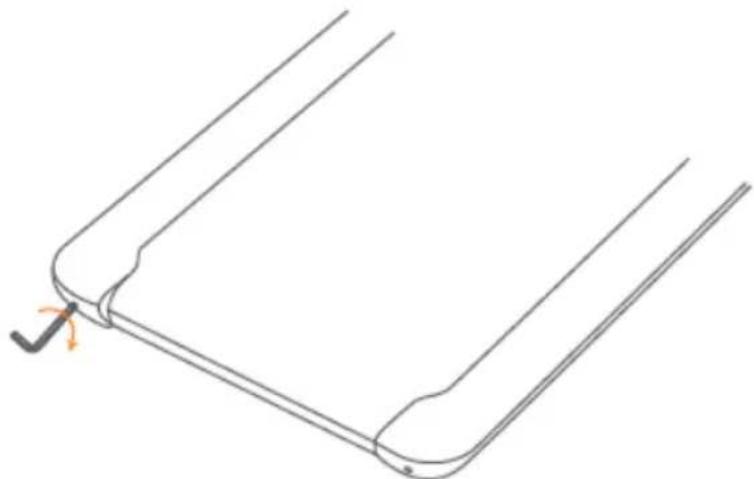
If the treadmill belt begins to slip or is out of alignment, it will need to adjusted. Press and hold both the Mode and Speed Increase buttons on the remote control for 3 seconds. The treadmill display will show "CALI".
- Start the treadmill and run it at a speed of 4km/h
- To adjust belt to the left, turn the left adjusting screw clockwise by 1/2 turn.
- To adjust belt to the right, turn the right adjusting screw clockwise by 1/2 turn.
- To adjust belt tension, turn the left and right adjusting screws clockwise for 1/2 turn at the same time.
- After each adjustment, run the treadmill for approximately (1-2 minutes) to observe if the issue has been corrected. Adjust again if necessary.
natural_image
Pure technical line drawing of a mechanical component with no text or symbolsBelt Lubrication
- Disconnect the power before lubricating the treadmill.
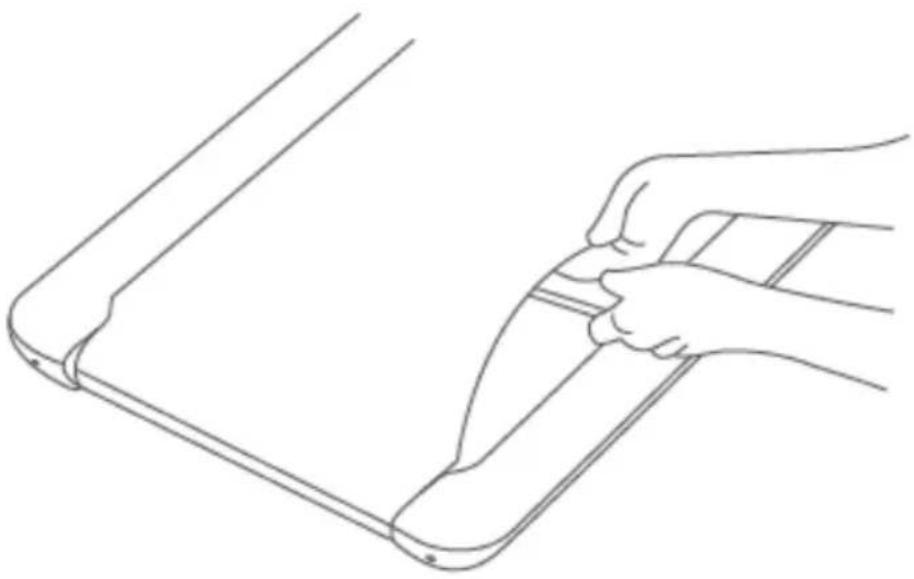
- Lift the edge of the belt and apply 5-10ml of silicone oil to the inner surface. Do not apply too much oil as this may cause the belt to slip.
- Run the treadmill at 4km/h for approximately 10-20 seconds.
- Lubricate the belt every 3 months.
natural_image
Line drawing of a hand holding a tool on a flat surface (no text or symbols)TROUBLESHOOTING
Note:
The running belt on this treadmill has a visible joint mark. This is completely normal and will not affect the performance or operation of your treadmill.
Remote Control Pairing
If the remote control becomes unresponsive or if you have replaced the batteries, you will need to re-pair the remote control by pressing and holding the mode button for 5 seconds.
Note:
If the remote control is not responding, the battery may be flat and will need to be replaced.
Error Indicator
• E01: Communication fault
• E02: Voltage protection
• E03: IPM overheating
• E04: Low-voltage protection
• E05: Overcurrent protection
• E06: Motor protection
• E08: Sensor fault
TROUBLESHOOTING
Age range 14-60 years
Speed range 0.5-6km/h
Walking surface 1200x415mm
Max weight 105kg
Frequency 50/60Hz
Voltage 220-240V
Power Input 932W
Gross weight 30kg
Net weight 27kg
Operating size 1432x547x129mm
Folded size 822x547x129mm
Disposal
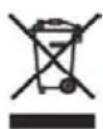
This symbol indicates that this appliance should not be disposed with other house-hold wastes. To prevent possible harm to the environment or human health from uncontrolled waste disposal, recycle it responsibly to promote the sustainable reuse of material resources.
Need more information?
We hope that this user guide has given you the assistance needed for a simple set-up.
For the most up-to-date guide for your product, as well as any additional assistance you may require, head online to help.kogan.com
kogan.com
- WALKINGPAD FOLDABLE SMART TREADMILL
- SAFETY & WARNINGS
- WARNING – KEEP BATTERIES OUT OF REACH OF CHILDREN
- COMPONENTS
- OVERVIEW
- Function Buttons & Display
- Remote Control:
- ASSEMBLY
- Step 1:
- Step 2:
- Step 3:
- Note:
- Step 4:
- Step 5:
- OPERATION
- Turning the treadmill On and Off
- Speed Restriction
- Manual Mode
- Automatic Mode
- Display
- Functions and Features:
- CLEANING & CARE
- Cleaning the Treadmill
- Belt Adjustment
- Belt Lubrication
- TROUBLESHOOTING
- Remote Control Pairing
- Error Indicator
- Disposal
- Need more information?
Brand : Fortis
Model : FSWKPADT1PA
Category : Treadmills