
WPC 210 A MK - Wall socket Extron - Free user manual and instructions
Find the device manual for free WPC 210 A MK Extron in PDF.


User questions about WPC 210 A MK Extron
0 question about this device. Answer the ones you know or ask your own.
Ask a new question about this device
Download the instructions for your Wall socket in PDF format for free! Find your manual WPC 210 A MK - Extron and take your electronic device back in hand. On this page are published all the documents necessary for the use of your device. WPC 210 A MK by Extron.
USER MANUAL WPC 210 A MK Extron
WPC 210 A EU and MK • Installation Guide
NOTE: Refer to www.extron.com for the product specifications.
The Extron ^® WPC 210 A EU and MK are wall mounted plates that accept HDMI video and audio signals through one HDMI pigtail connector, and one 3.5 mm to captive screw connector. The audio signal passes through the unit without modification and is output from the back via captive screw connectors. The captive screw connectors accept 18 AWG (1.02 mm) to 26 AWG (0.404 mm) wires.
• The WPC 210 A EU mounts onto one-gang European junction boxes.
• The WPC 210 A MK mounts onto MK electric type one-gang UK junction boxes.
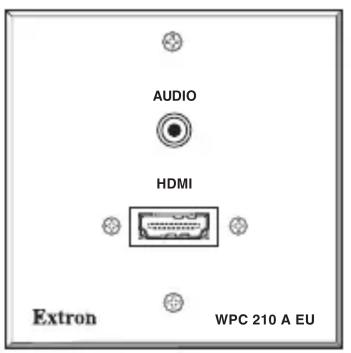
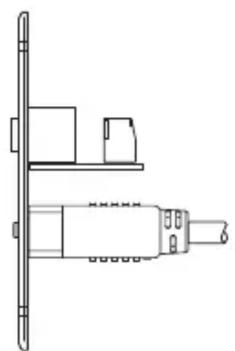
natural_image
Technical line drawing of a mechanical assembly or housing component (no text or symbols)SIDEWPC 210 A EU (FRONT)
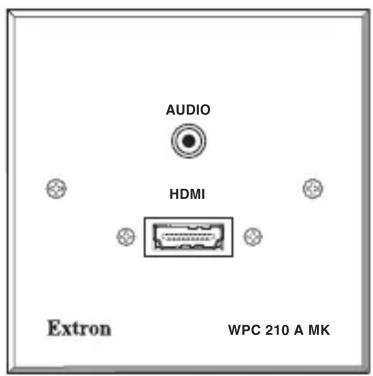
Preparing the Mounting Surface
Before starting the installation, do the following:
CAUTION: Risk of personal injury. Failure to check the items listed below may result in personal injury.
ATTENTION: Potential Damage to Property. Failure to check the items listed below may result in property damage.
☐ Check that the installation meets the local and state regulatory requirements, including building, electrical, and safety codes, and UL and ADA accessibility requirements.
☐ Clear the intended location of any damaged cables or pipes that might cause injury when you are installing the device.
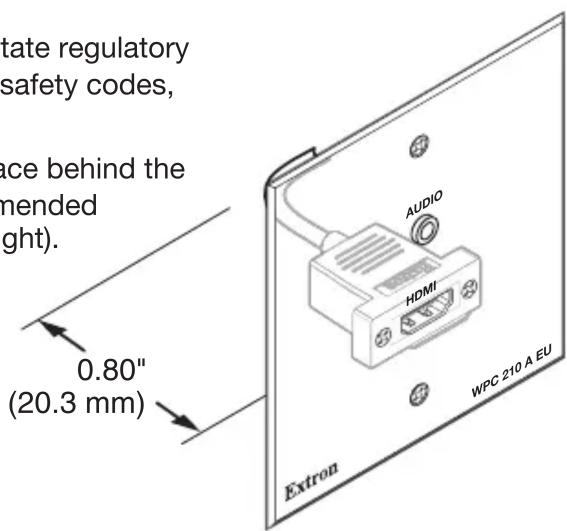
During installation, ensure that there is sufficient space behind the device for the bend radius of the pigtail. The recommended minimum bend radius is 0.80 inches (see image at right).
Installation
- Using a junction box (not included) as a guide, mark and cut out the appropriate material within the marked area.
- Insert the junction box and secure it with nails or screws.
- Run the HDMI and audio cables from the output or input device locations (as applicable) behind the wall, and to the junction box location, then run the cables through the junction box.
-
Video — Insert the HDMI connector from the wall into the pigtail connector of the plate.
-
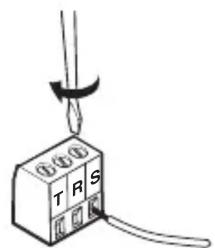
Audio — Strip away 3 inches of the outer jacket from the end of the cable, strip 3/16 inches
(5 mm) of the inner jacket from the end of each wire, and secure the wires to the 3-pole captive screw connector (see image at right).
Wire as described below.
- For balanced mono audio: tip (T) = +, ring (R) = -, sleeve (S) = ground
- For unbalanced stereo audio: tip (T) = left channel, ring (R) = right channel, sleeve (S) = ground
- Secure the WPC 210 model to the junction box using the screws provided (see images below).
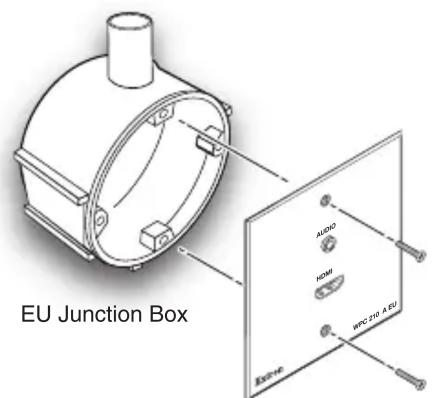
Extron
WPC 210 A EU
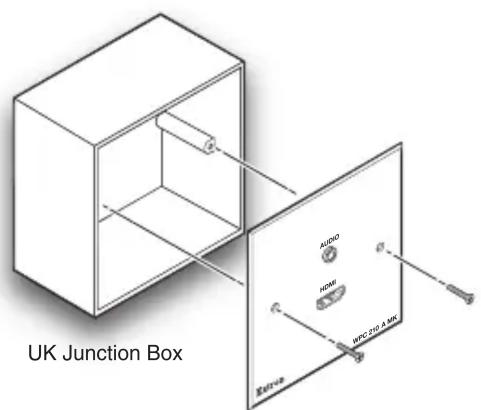
Extron
WPC 210 A MK
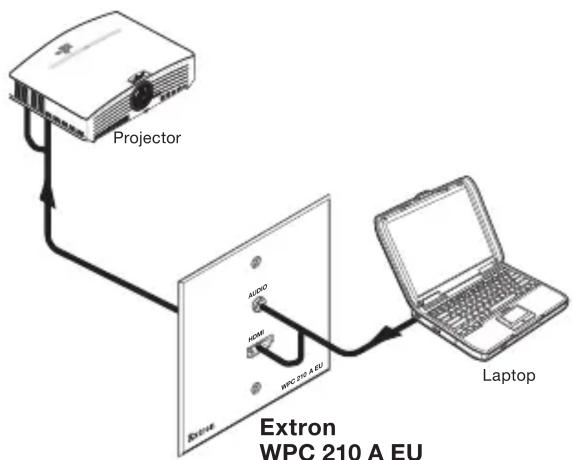
- Connect the appropriate input or output devices to the front panel connectors (see image below).
flowchart
graph TD
    A["Projector"] --> B["Extron WPC 210 A EU"]
    B --> C["Laptop"]
    A -->|USB| B
    B -->|AUDIO| A
    B -->|HOME| A
    B -->|WPC 30-A EU| A
Extron USA Headquarters
Extron USA - West
Extron USA - East
+800.633.9876 (Inside USA/Canada Only) +1.714.491.1500 +1.919.850.1000
+1.714.491.1517
FAX
+1.919.850.1001
Brand : Extron
Model : WPC 210 A MK
Category : Wall socket